1,先上一个示范代码,来自sqlite-jdbc的github
package sqlite;

import java.sql.Connection;
import java.sql.DriverManager;
import java.sql.ResultSet;
import java.sql.SQLException;
import java.sql.Statement;

public class Sample {
	public static void main(String[] args) {
		Connection connection = null;
		try {
			// create a database connection
			connection = DriverManager.getConnection("jdbc:sqlite:sample.db");
			Statement statement = connection.createStatement();
			statement.setQueryTimeout(30); // set timeout to 30 sec.

			statement.executeUpdate("drop table if exists person");
			statement.executeUpdate("create table person (id integer, name string)");
			statement.executeUpdate("insert into person values(1, 'leo')");
			statement.executeUpdate("insert into person values(2, 'yui')");
			ResultSet rs = statement.executeQuery("select * from person");
			while (rs.next()) {
				// read the result set
				System.out.println("name = " + rs.getString("name"));
				System.out.println("id = " + rs.getInt("id"));
			}
		} catch (SQLException e) {
			// if the error message is "out of memory",
			// it probably means no database file is found
			System.err.println(e.getMessage());
		} finally {
			try {
				if (connection != null)
					connection.close();
			} catch (SQLException e) {
				// connection close failed.
				System.err.println(e.getMessage());
			}
		}
	}
}
这里没有指定数据库具体在什么地方,这个时候会创建一个数据库出来,最终的路径: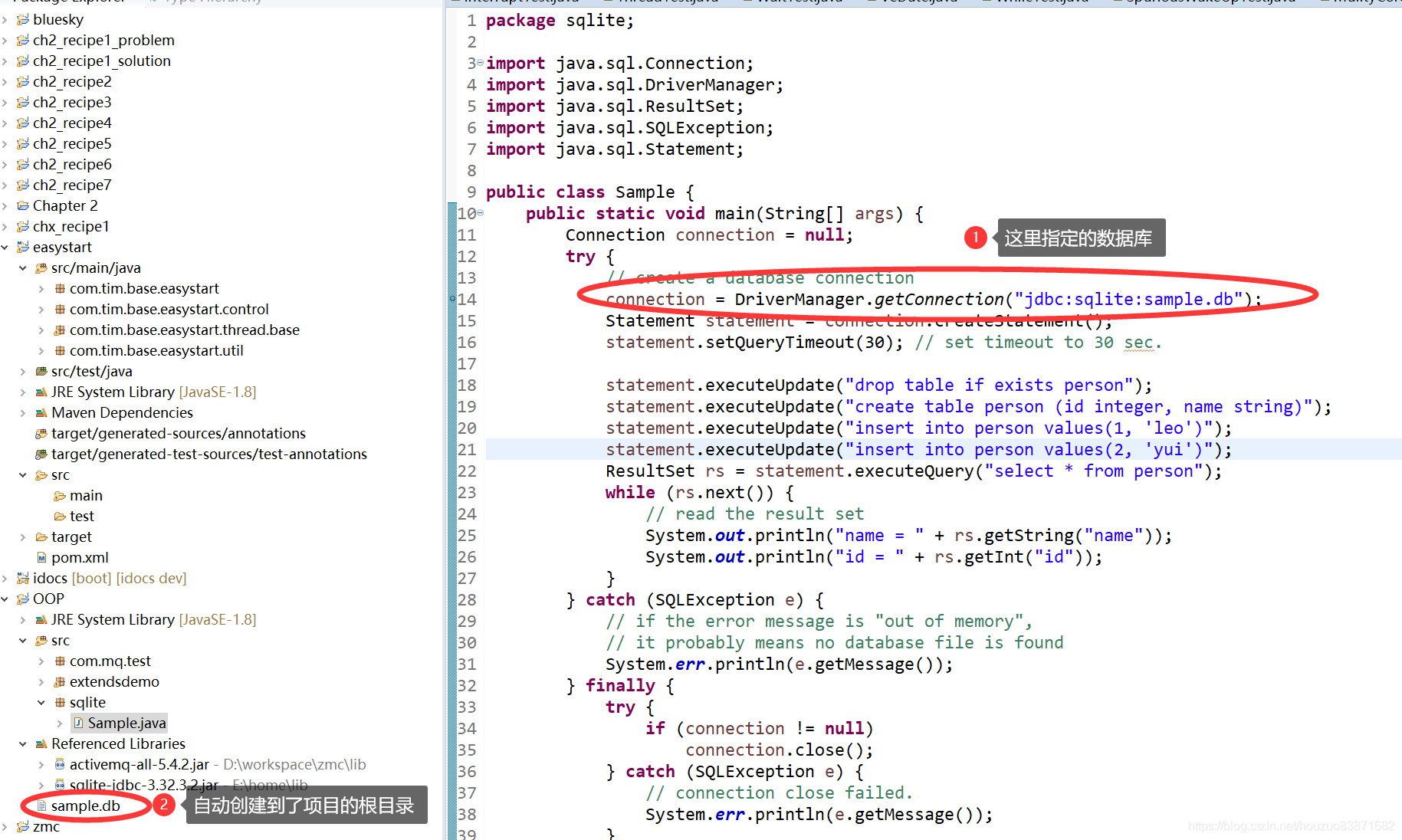
如果已经存在了一个数据库,那么可以手动指定文件的位置
比如:windows下:
Connection connection = DriverManager.getConnection("jdbc:sqlite:C:/work/mydatabase.db");
再比如:Linux下
Connection connection = DriverManager.getConnection("jdbc:sqlite::memory:");
官网说自动使用sqlite的时候会使用到操作系统的java.io.tmpdir路径,可以通过指定JVM属性:org.sqlite.tmpdir来改变。
下面通过程序先输出下java.io.tmpdir
*C:\Users\ADMINI~1\AppData\Local\Temp*
打开这个路径可以看到sqlite相关的文件:
下面通过指定JVM属性org.sqlite.tmpdir观察下dll文件的位置是否发生改变:
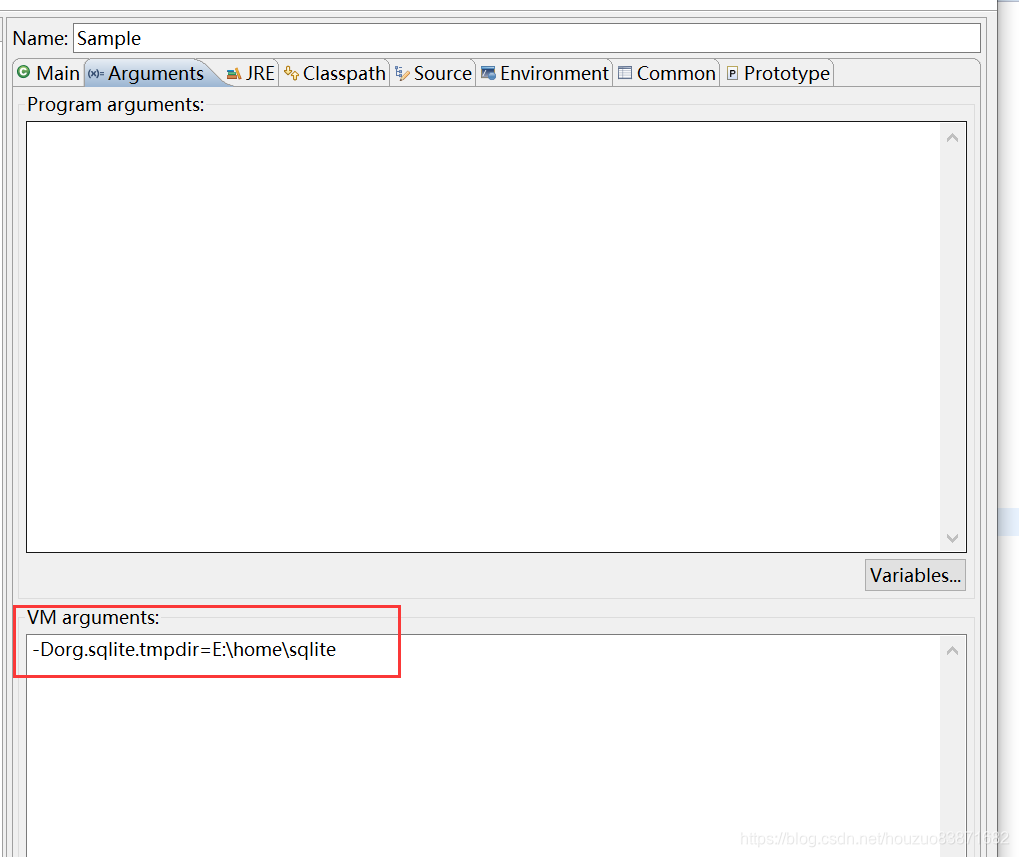
果然dll文件出现在了指定的路径下:
这个dll具体是什么文件?欢迎大家交流~~
更多精彩细节请查询github:https://github.com/xerial/sqlite-jdbc
版权声明:本文为houzuo83871682原创文章,遵循CC 4.0 BY-SA版权协议,转载请附上原文出处链接和本声明。