springBoot打包的时候代码和jar包打包在同一个jar包里面,会导致jar包非常庞大,在不能连接内网的时候调试代码,每次只改动了java代码就需要把所有的jar包一起上传,导致传输文件浪费了很多时间,所以如果打包的时候只把写成的代码打包,已经上传服务器的jar包不用修改,这样每次上传文件将会大大节省时间,接下来描述一下单独打jar包的过程。
更改springBoot打jar包的插件即可改为一下格式:
<plugin>
    <groupId>org.springframework.boot</groupId>
    <artifactId>spring-boot-maven-plugin</artifactId>
    <configuration>
        <layout>ZIP</layout>
        <includes>
            <include>
                <groupId>non-exists</groupId>
                <artifactId>non-exists</artifactId>
            </include>
        </includes>
    </configuration>
    <executions>
        <execution>
            <goals>
                <goal>repackage</goal>
            </goals>
            <configuration>
                <classifier>classes</classifier>
                <attach>false</attach>
            </configuration>
        </execution>
    </executions>
</plugin>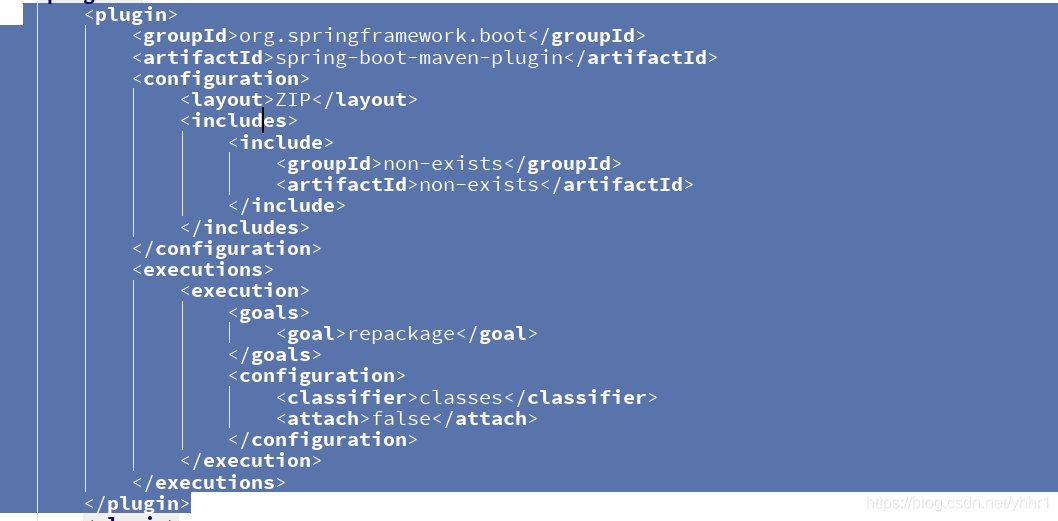
这个样子打的jar包就会非常之小。

那么导入的jar包又在哪里呢?没关系,我们还有另一个插件。如下:
<plugin>
    <groupId>org.apache.maven.plugins</groupId>
    <artifactId>maven-dependency-plugin</artifactId>
    <executions>
        <execution>
            <id>copy-dependencies</id>
            <phase>package</phase>
            <goals>
                <goal>copy-dependencies</goal>
            </goals>
            <configuration>
                <outputDirectory>target/lib</outputDirectory>
                <excludeTransitive>false</excludeTransitive>
                <stripVersion>false</stripVersion>
                <includeScope>runtime</includeScope>
            </configuration>
        </execution>
    </executions>
</plugin>
<plugin>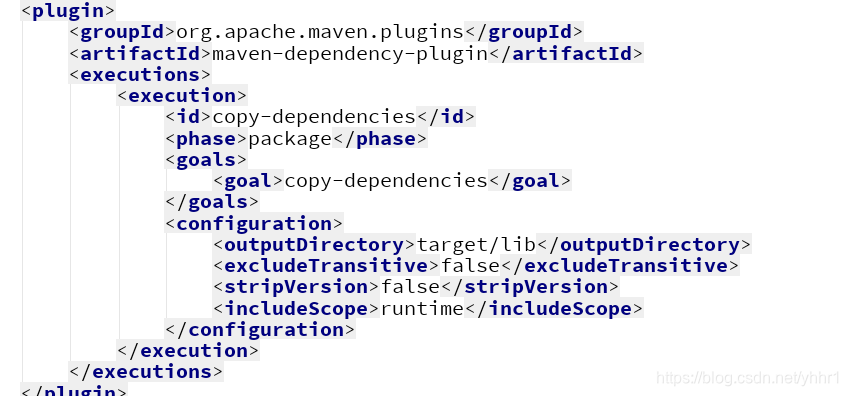
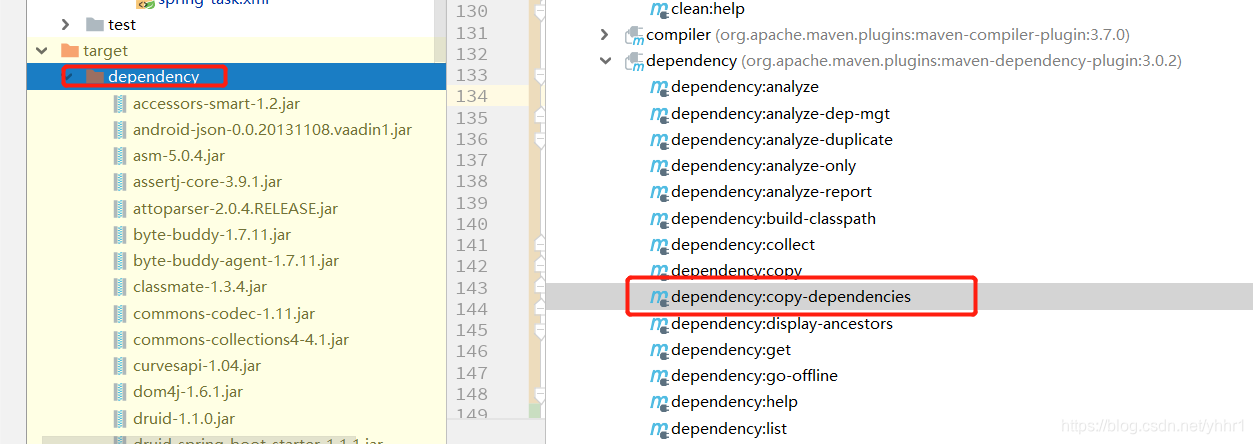
这样,就可以把项目中使用到的所有jar包提取出来。
然后项目在大jar包的时候也会把配置文件和页面一起打包,导致每次都要替换或者更改配置文件,导致非常繁琐。
我们可以在打包插件中指定不用打包的内容,如下:
<plugin>
    <groupId>org.apache.maven.plugins</groupId>
    <artifactId>maven-jar-plugin</artifactId>
    <configuration>
        <!--这里是打包的时候排除的文件例如配置文件-->
        <excludes>
            <exclude>**/*.properties</exclude>
            <exclude>**/*.xml</exclude>
            <exclude>**/*.yml</exclude>
            <exclude>static/**</exclude>
            <exclude>templates/**</exclude>
            <exclude>**/*.xlsx</exclude>
        </excludes>
    </configuration>
</plugin>
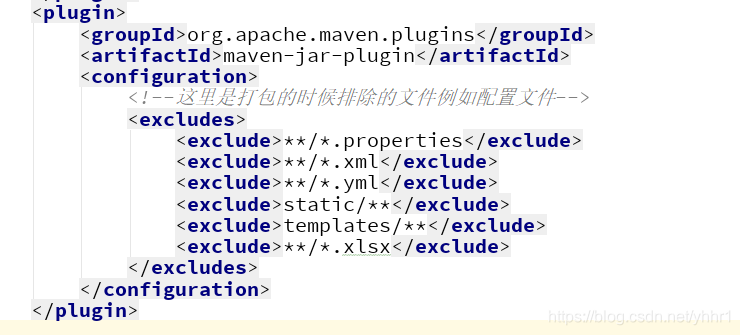
这样就部署的,准备工作就做好了。
部署的时候需要把配置文件和页面等文件放在和jar包同一目录,在启动项目的的时候,指定项目jar包和导入jar包的位置即可启动。
java -jar -Dloader.path=.,3rd-lib HMServicePlatform-0.0.1-SNAPSHOT-classes.jar
版权声明:本文为yhhr1原创文章,遵循CC 4.0 BY-SA版权协议,转载请附上原文出处链接和本声明。