SpringBoot整合ElasticSearch实战入门
第一部分:通读文档
Spring Data Elasticsearch 官方文档,这是当前最新的文档。
例子1:开始就介绍了CrudRepository这个接口类,功能就是管理的实体类复杂的CRUD功能。
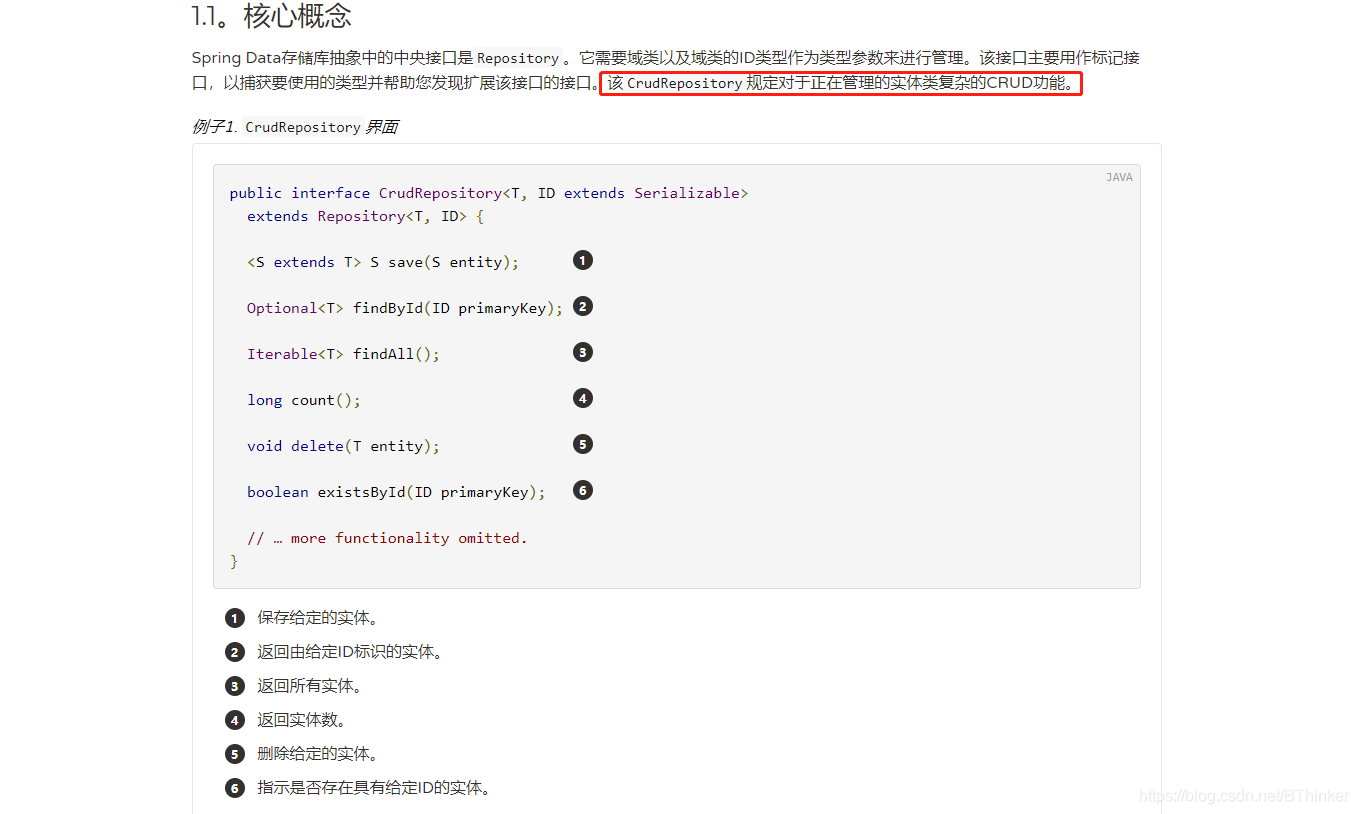
例子2:PagingAndSortingRepository添加了其他方法来简化对实体的分页处理。
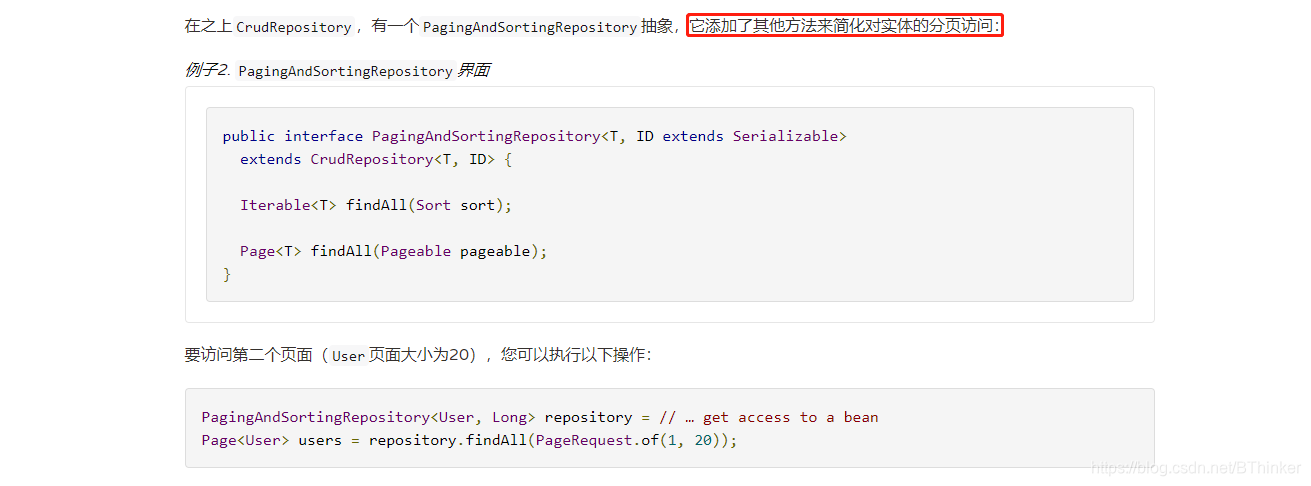
还有例子,进行分页查询和其他查询。
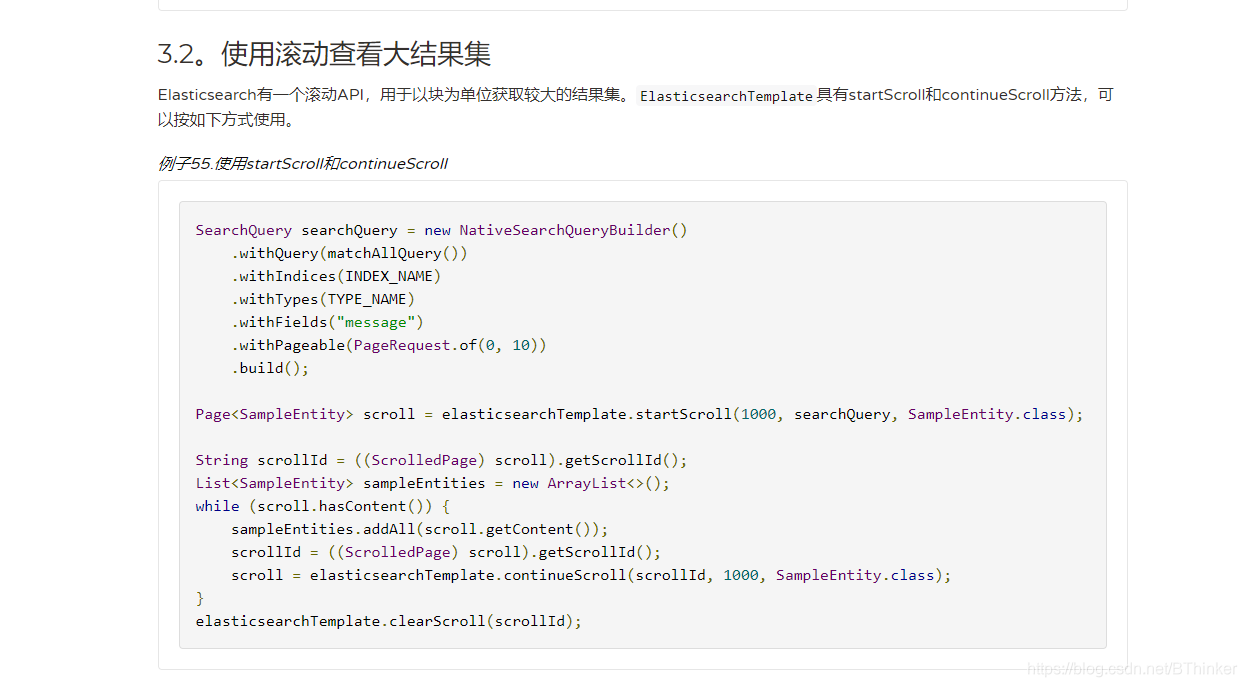
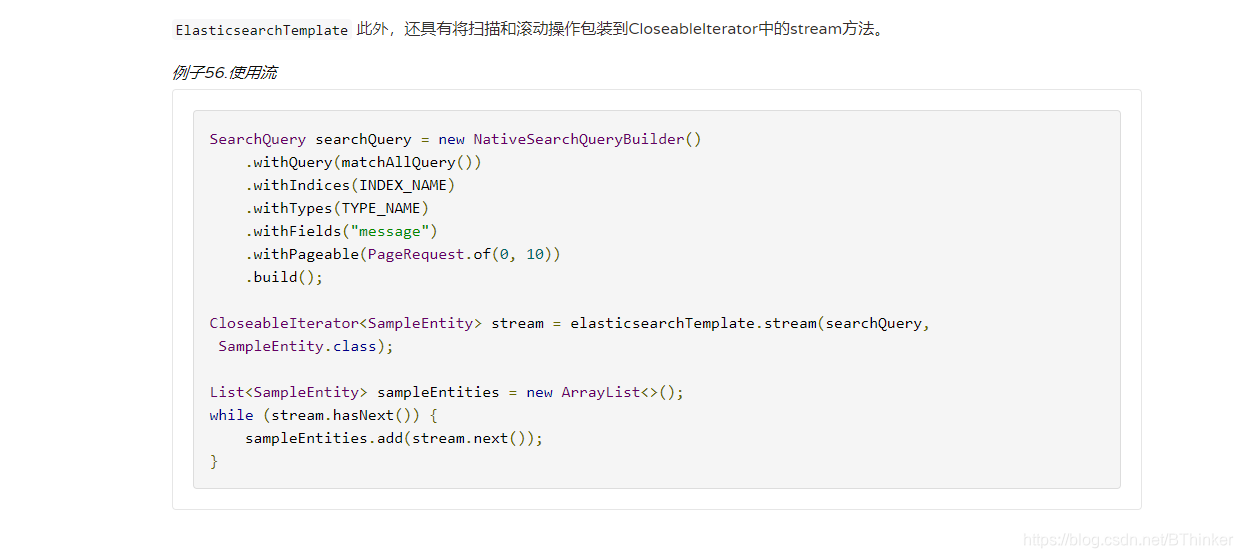
现在主要关注的是:ElasticsearchRepository,已经提供了大部分的功能接口。
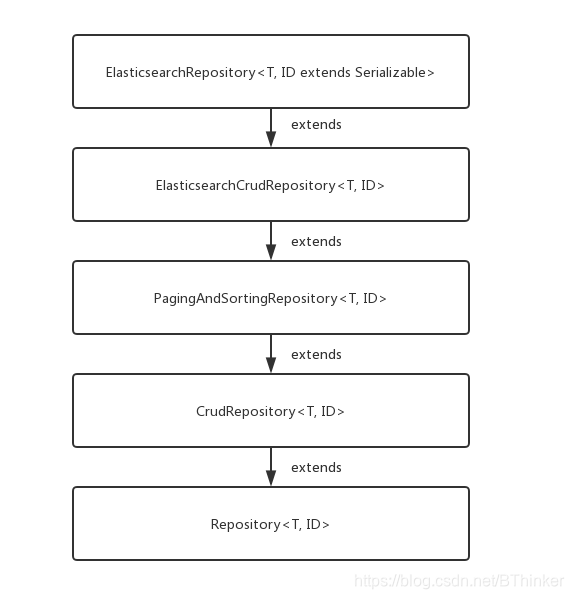
/**
 * @param <T>
 * @param <ID>
 * @author Rizwan Idrees
 * @author Mohsin Husen
 * @author Sascha Woo
 * @author Murali Chevuri
 */
@NoRepositoryBean
public interface ElasticsearchRepository<T, ID> extends ElasticsearchCrudRepository<T, ID> {

	<S extends T> S index(S entity);

	/**
	 * This method is intended to be used when many single inserts must be made that cannot be aggregated to be inserted
	 * with {@link #saveAll(Iterable)}. This might lead to a temporary inconsistent state until {@link #refresh()} is
	 * called.
	 */
	<S extends T> S indexWithoutRefresh(S entity);

	Iterable<T> search(QueryBuilder query);

	Page<T> search(QueryBuilder query, Pageable pageable);

	Page<T> search(SearchQuery searchQuery);

	Page<T> searchSimilar(T entity, String[] fields, Pageable pageable);

	void refresh();

	Class<T> getEntityClass();
}
第二部分:整合部分
2.1、添加依赖
implementation 'org.springframework.boot:spring-boot-starter-data-elasticsearch'

implementation 'com.alibaba:fastjson:1.2.62'//JSON支持
2.2、添加配置,和springboot整合ok
spring.data.elasticsearch.cluster-nodes=localhost:9300
spring.data.elasticsearch.cluster-name=es-wyf
2.3、编码
import com.alibaba.fastjson.annotation.JSONField;
import org.springframework.data.annotation.Id;
import org.springframework.data.elasticsearch.annotations.Document;

import java.io.Serializable;
import java.util.Date;

//indexName相当于数据库
//type相当于数据中的表
@Document(indexName = "user", type = "java")
public class User implements Serializable {

    @Id
    private String id;

    private String username;

    private String password;

    private String nickname;

    @JSONField(format="yyyy-MM-dd HH:mm:ss")
    private Date time;


    public String getId() {
        return id;
    }

    public void setId(String id) {
        this.id = id;
    }

    public String getUsername() {
        return username;
    }

    public void setUsername(String username) {
        this.username = username;
    }

    public String getPassword() {
        return password;
    }

    public void setPassword(String password) {
        this.password = password;
    }

    public String getNickname() {
        return nickname;
    }

    public void setNickname(String nickname) {
        this.nickname = nickname;
    }

    public Date getTime() {
        return time;
    }

    public void setTime(Date time) {
        this.time = time;
    }
}
public interface UserRepository extends ElasticsearchRepository<User, String> {
//自定义的方法,可以find,根据提示,自动出来查询语句
public List<User> findUserByUsernameIsLike(String keyword);
}
import com.alibaba.fastjson.JSON;
import com.example.demo.domain.User;
import com.example.demo.repository.UserRepository;
import org.apache.commons.logging.Log;
import org.apache.commons.logging.LogFactory;
import org.elasticsearch.index.query.QueryBuilder;
import org.elasticsearch.index.query.QueryStringQueryBuilder;
import org.springframework.beans.factory.annotation.Autowired;
import org.springframework.data.domain.Page;
import org.springframework.data.domain.PageRequest;
import org.springframework.data.domain.Pageable;
import org.springframework.data.elasticsearch.core.ElasticsearchTemplate;
import org.springframework.web.bind.annotation.PathVariable;
import org.springframework.web.bind.annotation.RequestBody;
import org.springframework.web.bind.annotation.RequestMapping;
import org.springframework.web.bind.annotation.RestController;
import java.util.ArrayList;
import java.util.List;
import java.util.Optional;
@RestController
@RequestMapping("/user")
public class UserController {
private Log LOGGER = LogFactory.getLog(UserController.class);
@Autowired
private UserRepository userRepository;
@Autowired
ElasticsearchTemplate elasticsearchTemplate;
//@todo 添加数据
@RequestMapping(value = "/add")
public String add(@RequestBody User user) {
return JSON.toJSONString(userRepository.save(user));
}
//@todo 查询所有
@RequestMapping(value = "/all")
public String all() {
Iterable<User> iterable = userRepository.findAll();
List<User> list = new ArrayList<>();
iterable.forEach(list::add);
return JSON.toJSONString(list);
}
//@todo ID查询
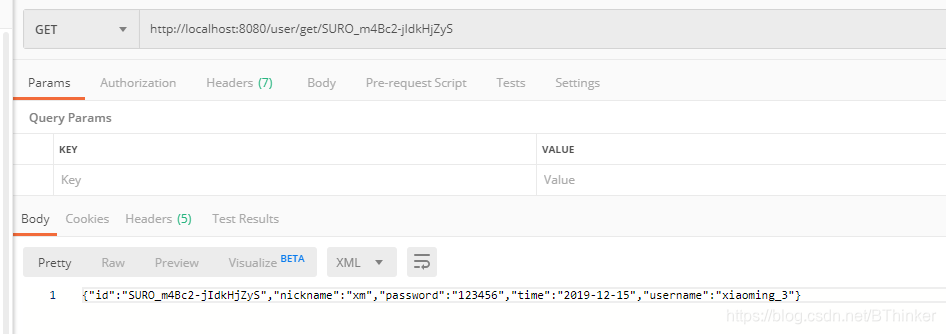
@RequestMapping(value = "/get/{id}")
public String get(@PathVariable String id) {
Optional<User> optional = userRepository.findById(id);
if (optional.isPresent()) {
return JSON.toJSONString(optional.get());
}
return JSON.toJSONString("fail");
}
//@todo 更新数据
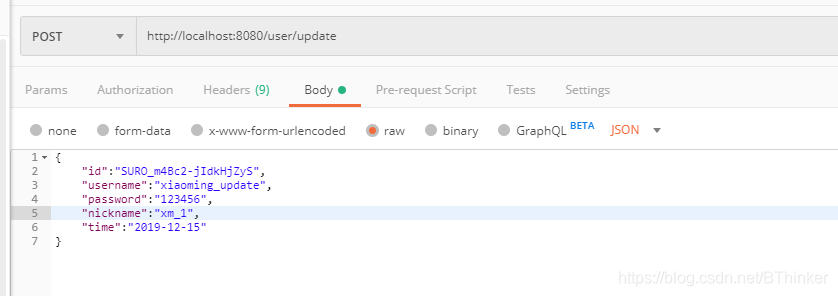
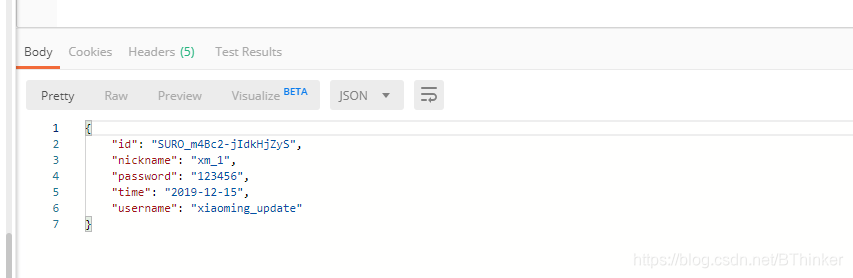
@RequestMapping(value = "/update")
public String update(@RequestBody User user) {
return JSON.toJSONString(userRepository.save(user));
}
//@todo 删除数据
@RequestMapping(value = "/delete/{id}")
public String update(@PathVariable String id) {
userRepository.deleteById(id);
return all();
}
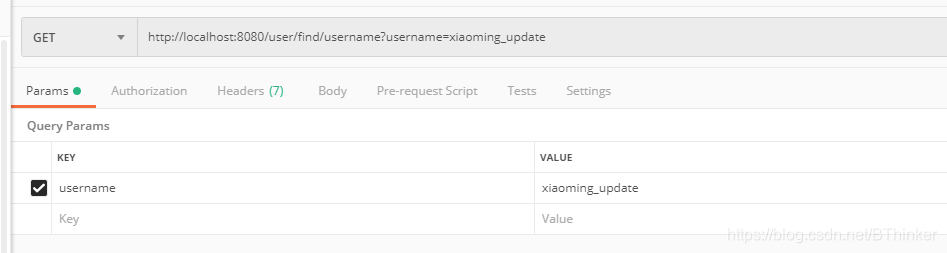
//@todo 模糊查询
@RequestMapping(value = "/find/username")
public String find(String username) {
return JSON.toJSONString(userRepository.findUserByUsernameIsLike(username));
}
//@todo 全文检索 分页查询
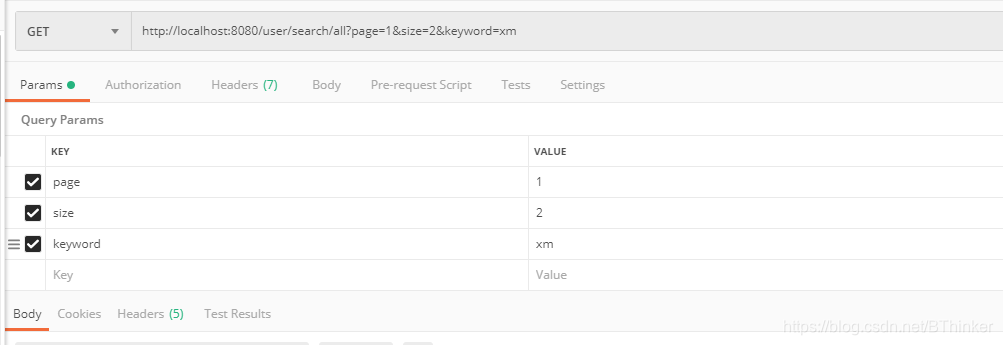
@RequestMapping(value = "/search/all")
public String page(Integer page, Integer size, String keyword) {
Pageable pageable = PageRequest.of(page, size);
QueryBuilder queryBuilder = new QueryStringQueryBuilder(keyword);
Page<User> pResult = userRepository.search(queryBuilder, pageable);
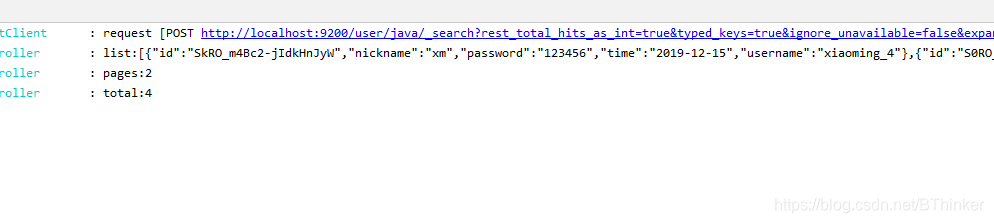
LOGGER.info("list:" + JSON.toJSONString(pResult.getContent()));
LOGGER.info("pages:" + JSON.toJSONString(pResult.getTotalPages()));
LOGGER.info("total:" + JSON.toJSONString(pResult.getTotalElements()));
return JSON.toJSONString(pResult.getContent());
}
} 添加数据:
添加数据:
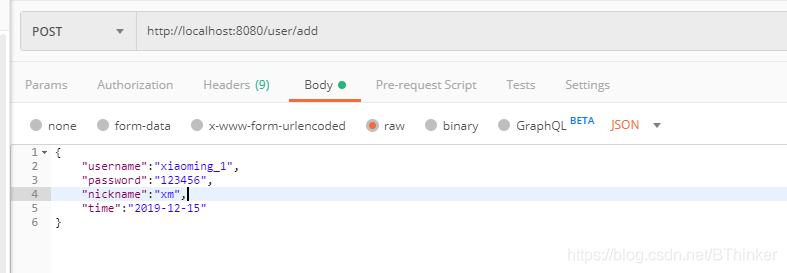
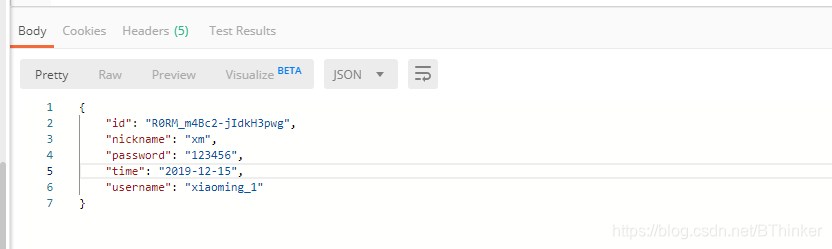
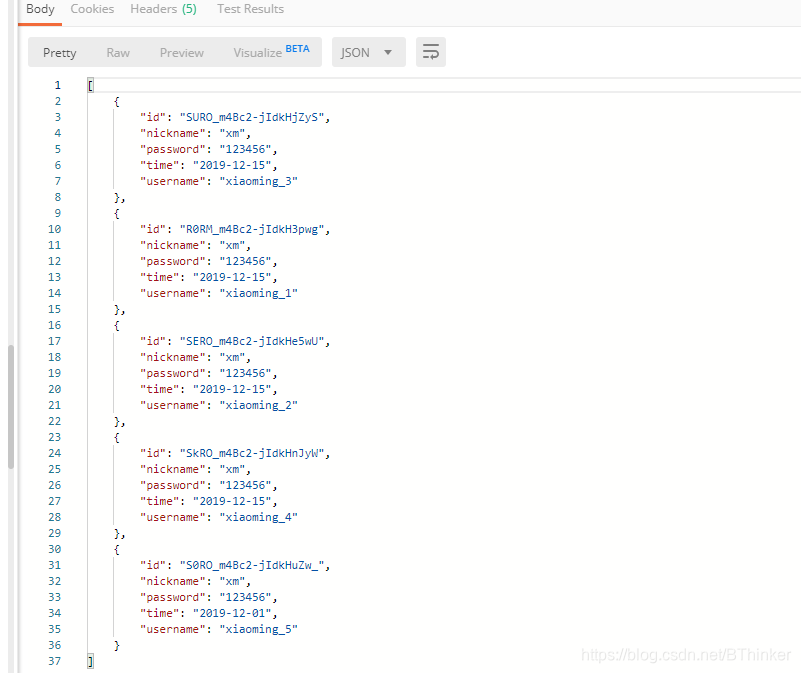
查询所有:

根据ID查询:
根据ID更新:
根据字段检索:
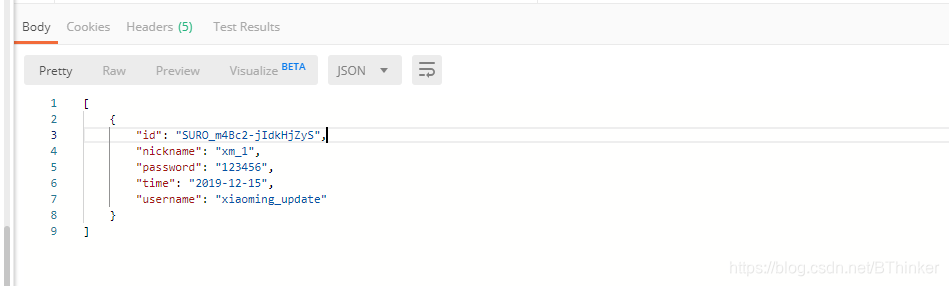
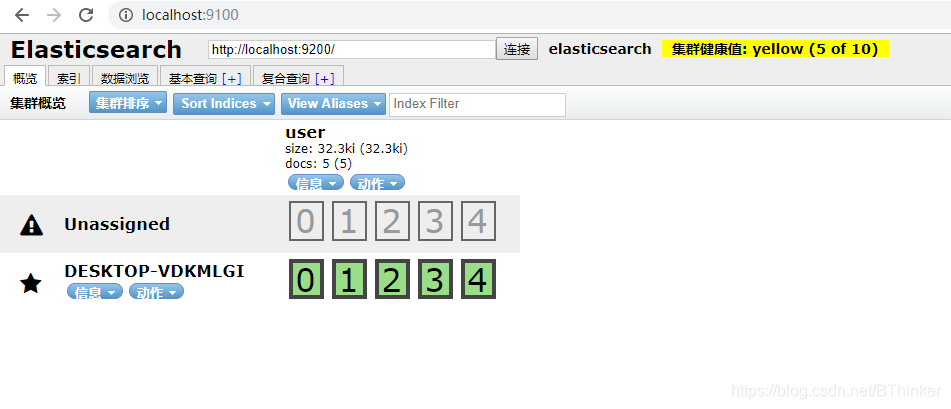
全文检索分页:
版权声明:本文为BThinker原创文章,遵循CC 4.0 BY-SA版权协议,转载请附上原文出处链接和本声明。