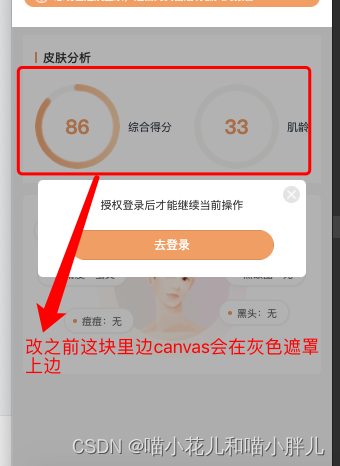
、
解决方案一:
弹框中如果只有image或者view或者button标签的话,直接使用cover-view、cover-image。
解决方案二:
如果弹框中有其他的标签,比如input。上边的方案就存在弊端。input会被覆盖,无法正常显示。针对这种情况我这边采用的解决方法是将canvas转换为图片展示
我这边使用的是vant组件库,解决方法就是去改了组件的源码,主要是改了index.js文件,
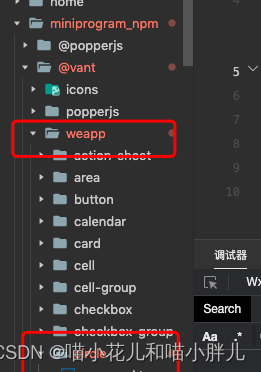
index.js:、、
methods(){
    //添加方法
getImage() {
            const {
                pixelRatio
            } = wx.getSystemInfoSync();
            const width = 130,
                height = 130,
                _this = this
                _this.img = []
            wx.createSelectorQuery().in(_this)
                .select('#van-circle')
                .node()
                .exec(function (res) {
                    console.log("11",res[0])
                    wx.canvasToTempFilePath({
                        x: 0,
                        y: 0,
                        // 画布区域的高宽
                        width,
                        height,
                        // 生成图片的高宽 如果图片不清晰 需要增加pixelRatio
                        destWidth: width * pixelRatio,
                        destHeight: height * pixelRatio,
                        // 当前canvasid
                        canvasId: "van-circle",
                        // 导出图片类型
                        fileType: 'png',
                        // 如果当前canvas的type='2d' 需要指定当前canvas元素
                        // node可以通过 wx.createSelectorQuery
                        canvas: res[0].node,
                        success(imgRes) {
                            // 生成图片
                            _this.img.push(imgRes.tempFilePath)
                            _this.triggerEvent('getImg', imgRes)
                            console.log('imgRes.tempFilePath', _this.img);
                        },
                        fail(error) {
                            console.log(error);
                        }
                    },_this);
                })

        },
},
mounted(){
    //调用这个方法
    this.getImage()
}
在父组件中调用
js:在dada中定义两个 变量:img1:null;
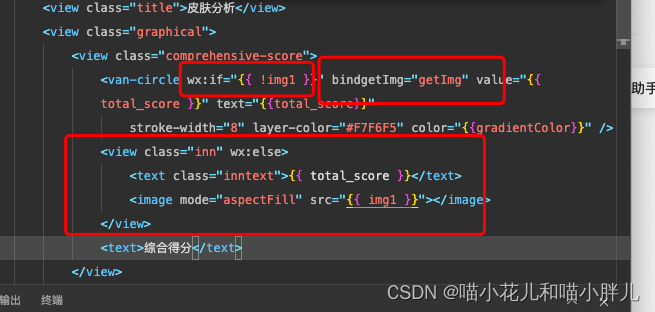
wxml:js
<view class="comprehensive-score">
                    <van-circle wx:if="{{ !img1 }}" bindgetImg="getImg" value="{{ total_score }}" text="{{total_score}}"
                        stroke-width="8" layer-color="#F7F6F5" color="{{gradientColor}}" />
                    <view class="inn" wx:else>
                        <text class="inntext">{{ total_score }}</text>
                        <image mode="aspectFill" src="{{ img1 }}"></image>
                    </view>
                    <text>综合得分</text>
                </view>
index.js:
 methods: {
        getImg(e) {
            this.setData({ img1: e.detail.tempFilePath })
            console.log("getImg",e.detail.tempFilePath)
        }
}版权声明:本文为qq_41687299原创文章,遵循CC 4.0 BY-SA版权协议,转载请附上原文出处链接和本声明。