本博客为博主原创,若需转载请联系博主征得同意。有不当之处,敬请指出,共同进步,谢谢!
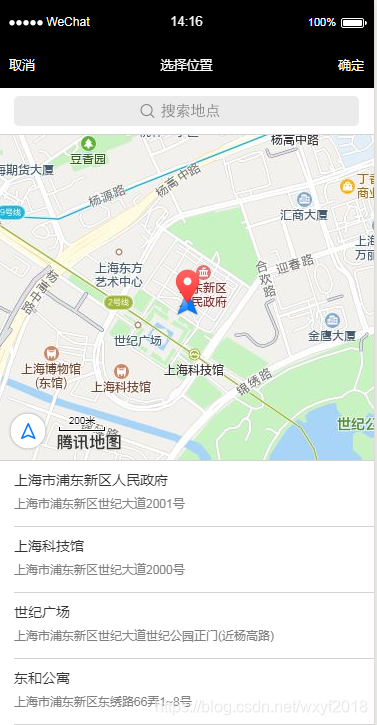
打开地图选择位置wx.chooseLocation(Object object)
1、wx.chooseLocation(Object object)官方文档及注意事项
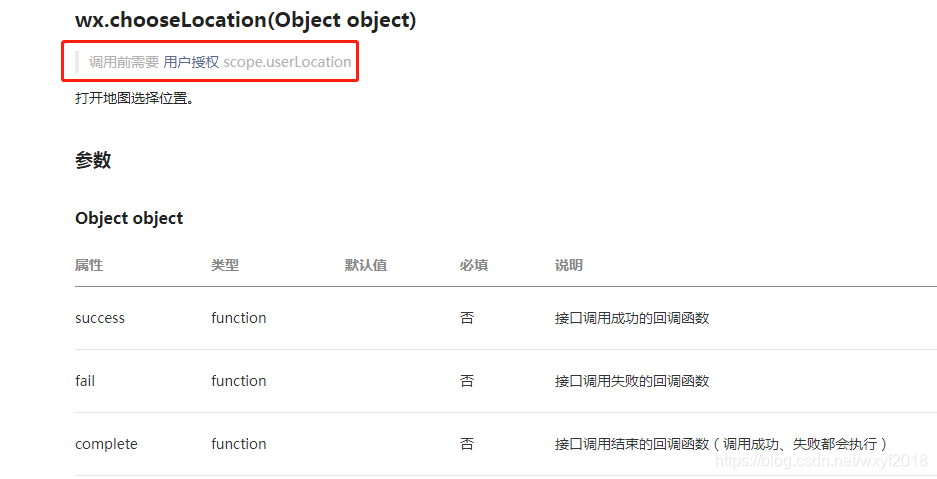
2、授权(调用这个接口不授权也可以,不会报错或警告)
app.json
与pages同级:
"permission": {
  "scope.userLocation": {
    "desc": "你的位置信息将用于小程序位置接口的效果展示"
  }
}
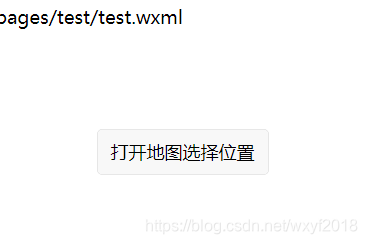
3、wxml
<!--pages/test/test.wxml-->
<text>pages/test/test.wxml</text>
<view class="container">
  <button bindtap='getLocation'>打开地图选择位置</button>
  <view wx:if="{{address !=''}}">
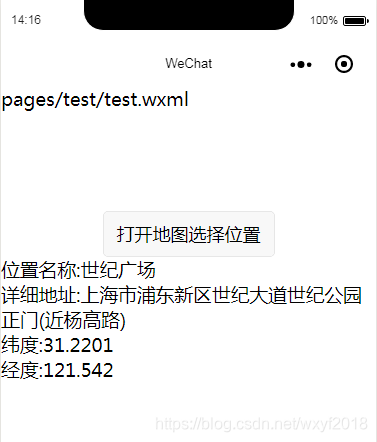
    <view>位置名称:{{name}}</view>
    <view>详细地址:{{address}}</view>
    <view>纬度:{{latitude}}</view>
    <view>经度:{{longitude}}</view>
  </view>
</view>
</view>
4、js
// pages/test/test.js
//获取应用实例
const app = getApp()
Page({
  data: {
    name: '',
    address: '',
    latitude: '',
    longitude: ''
  },
  getLocation: function () {
    var _this = this;
    wx.chooseLocation({
      success: function (res) {
        var name = res.name
        var address = res.address
        var latitude = res.latitude
        var longitude = res.longitude
        _this.setData({
          name: name,
          address: address,
          latitude: latitude,
          longitude: longitude
        })
      },
      complete(r){
        console.log(r)
        console.log(222)
      }
    })
  }
})

版权声明:本文为wxyf2018原创文章,遵循CC 4.0 BY-SA版权协议,转载请附上原文出处链接和本声明。