前端生成小程序码
之前做过一个扫码进店的功能,为了方便功能验证,便自己做了一下在生成小程序码。
先上代码
i n d e x . h t m l \color{green}{index.html}index.html
  <view class="headContainer">
    <input bindinput="getHotelCode" placeholder="请输入酒店编号"></input>
    <button bindtap="createQRCode">生成二维码</button>
  </view>
  <view style="text-align: center">
    <image class="img" src='data:image/jpeg;base64,{{src2}}'></image>
  </view>
i n d e x . j s \color{green}{index.js}index.js
Page({
  data: {
    src2: '',
    hotelCode: ''
  },
  // 获取酒店编号
  getHotelCode: function(e) {
    this.setData({
      hotelCode: e.detail.value
    })
  },

  // 生成页面的二维码
  createQRCode: function() {
    let that = this
    wx.request({
      url: 'https://api.weixin.qq.com/cgi-bin/token?grant_type=client_credential&appid=***&secret=***',
      method: "POST",
      success(res) {
        let requestUrl = 'https://api.weixin.qq.com/wxa/getwxacodeunlimit?access_token=' + res.data.access_token
        wx.request({
          url: requestUrl,
          data: {
            scene: that.data.hotelCode, // 小程序码携带的参数
            page: "pages/home/index"  // 扫小程序码要进入的页面路径
          },
          method: "POST",
          responseType: 'arraybuffer', //设置响应类型
          success(res) {
            var src2 = wx.arrayBufferToBase64(res.data); //对数据进行转换操作
            that.setData({
              src2: src2
            })
          },
          fail(err) {
            console.log(err)
          }
        })
      }
    })
  },
})
需要先获取小程序的 access_token,即第一个请求。url: ‘https://api.weixin.qq.com/cgi-bin/token?grant_type=client_credential&appid=***&secret=***’,注意:这里的appid需要填写自己小程序的appid,secret需要填写自己小程序的秘钥。
获取到的access_token有效期为7200s,由于个人只是生成测试用的小程序码,便每次生成都获取一次access_token。好的方案可改为生成小程序码前判断access_token是否过期,如果没有过期就没有必要再获取。
这里还有一个注意点,即需要生成小程序码的page页面。page的参数页面必须为已发布的小程序页面,未发布的页面是生成不了小程序码的。
效果图如下: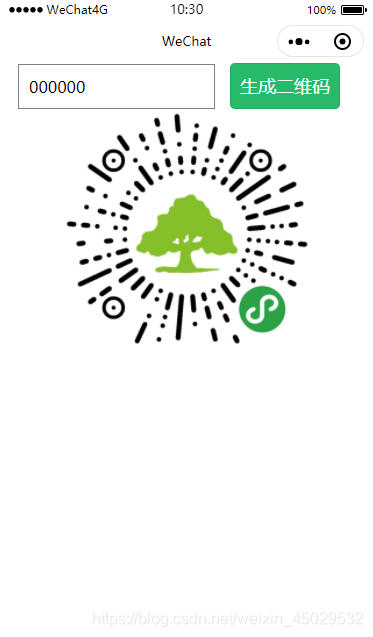
再提一下参数接收:
在小程序页面的onLoad生命周期内接收,需要使用decodeURIComponent
  onLoad: function(options) {
    if (options.scene) {
      hotelCode = decodeURIComponent(options.scene)
    }
  },
版权声明:本文为weixin_45029532原创文章,遵循CC 4.0 BY-SA版权协议,转载请附上原文出处链接和本声明。