使用Cloudera Manager搭建Hive服务
作者:尹正杰
版权声明:原创作品,谢绝转载!否则将追究法律责任。
一.安装Hive环境
1>.进入CM服务安装向导

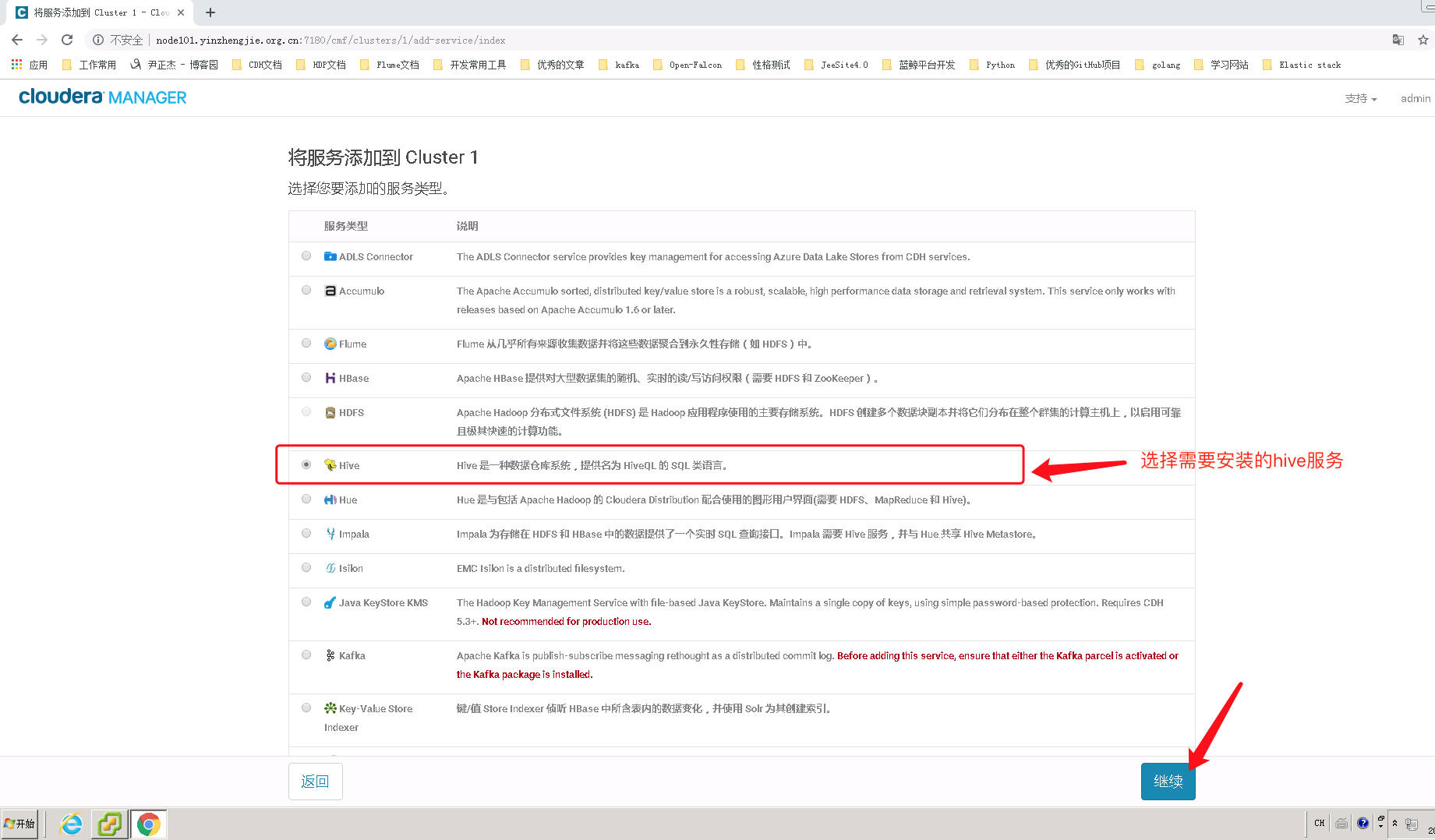
2>.选择需要安装的hive服务
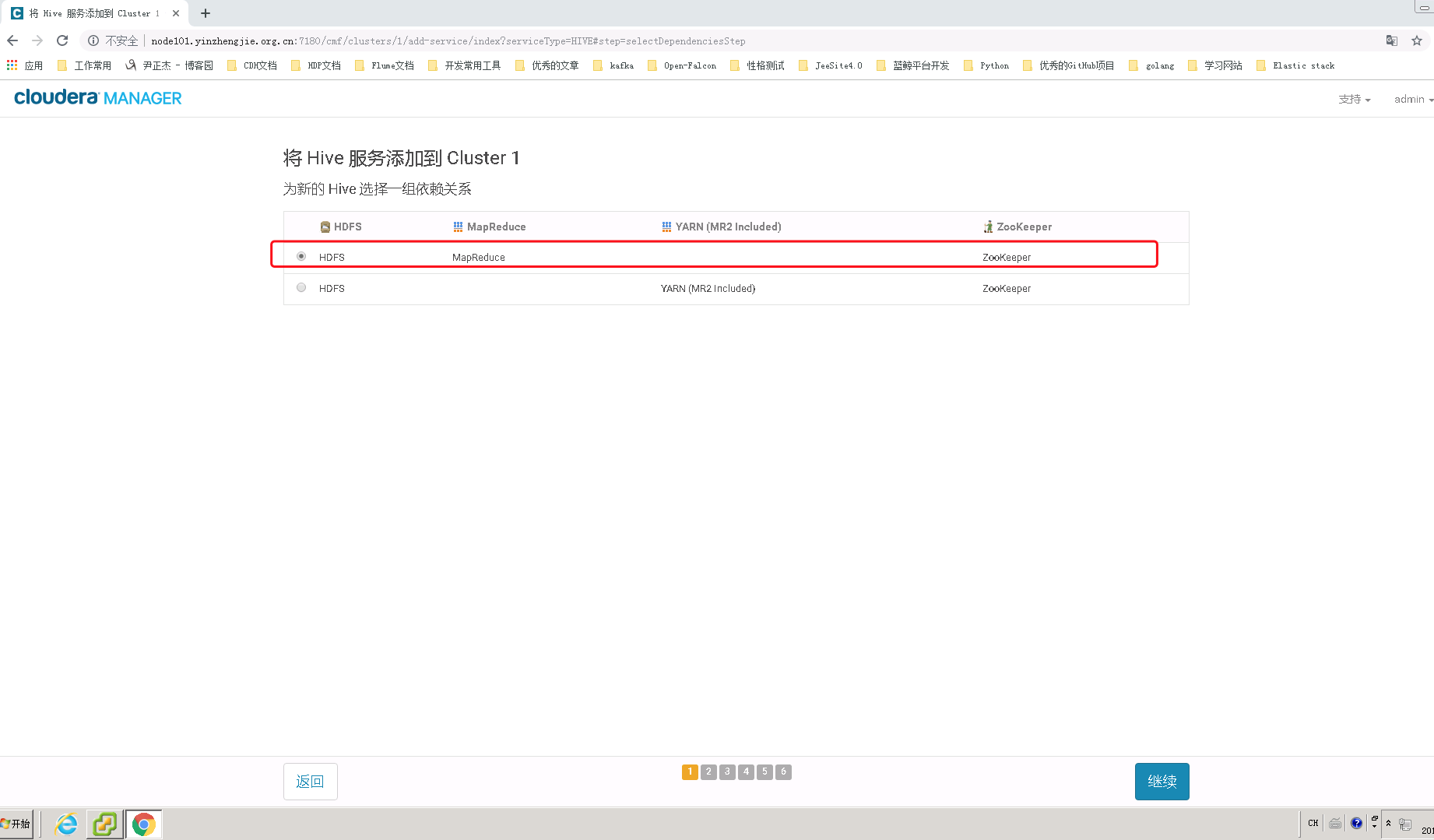
3>.选择hive的依赖环境,我们选择第一个即可(hive不仅仅可以使用mr计算,还可以使用tez计算哟~)
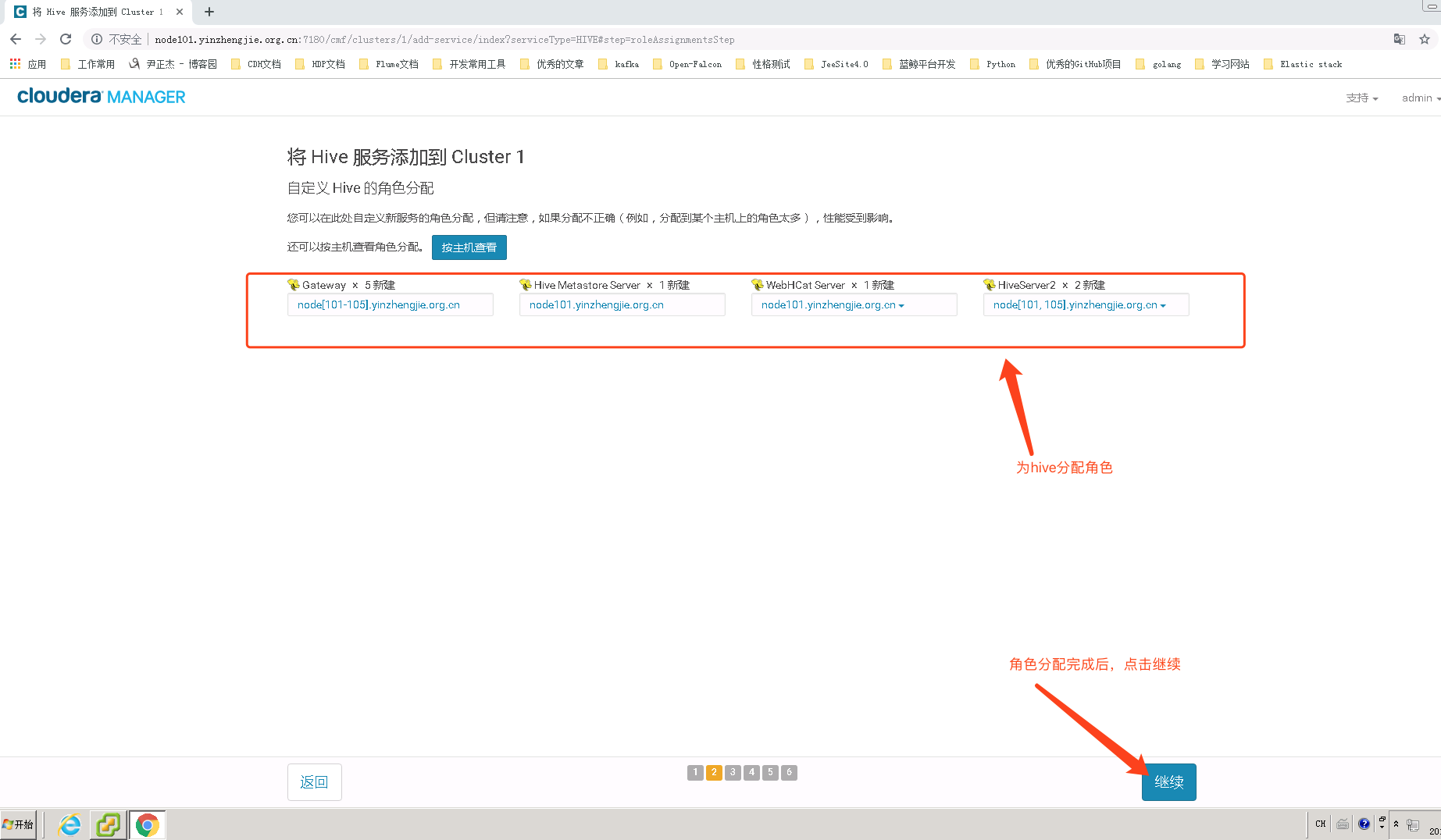
4>.为Hive分配角色


Hive Metastore是管理和存储元信息的服务,它保存了数据库的基本信息以及数据表的定义等,为了能够可靠地保存这些元信息,Hive Metastore一般将它们持久化到关系型数据库中,默认采用了嵌入式数据库Derby(数据存放在内存中),用户可以根据需要启用其他数据库,比如MySQL。
推荐阅读:https://www.cnblogs.com/yinzhengjie/p/10836132.html
Hive Metastore 简介戳我
HCatalog是Hadoop中的表和存储管理层,能够支持用户用不同的工具(Pig、MapReduce)更容易地表格化读写数据。
HCatalog从Apache孵化器毕业,并于2013年3月26日与Hive项目合并。
Hive版本0.11.0是包含HCatalog的第一个版本。(随Hive一起安装),CDH 5.15.1默认使用的是Hive版本为:1.1.0+cdh5.15.1+1395,即Apache Hive 1.1.0版本。
HCatalog的表抽象向用户提供了Hadoop分布式文件系统(HDFS)中数据的关系视图,并确保用户不必担心数据存储在哪里或以什么格式存储-RCFile格式,文本文件,SequenceFiles或ORC文件。
HCatalog支持读写任意格式的SerDe(序列化-反序列化)文件。默认情况下,HCatalog支持RCFile,CSV,JSON和SequenceFile以及ORC文件格式。要使用自定义格式,您必须提供InputFormat,OutputFormat和SerDe。
HCatalog构建于Hive metastore,并包含Hive的DDL。HCatalog为Pig和MapReduce提供读写接口,并使用Hive的命令行界面发布数据定义和元数据探索命令。
HCatalog 简介戳我
HiveServer2(HS2)是一个服务端接口,使远程客户端可以执行对Hive的查询并返回结果。目前基于Thrift RPC的实现是HiveServer的改进版本,并支持多客户端并发和身份验证
启动hiveServer2服务后,就可以使用jdbc,odbc,或者thrift的方式连接。 用java编码jdbc或则beeline连接使用jdbc的方式,据说hue是用thrift的方式连接的hive服务。
HiveServer2 简介戳我
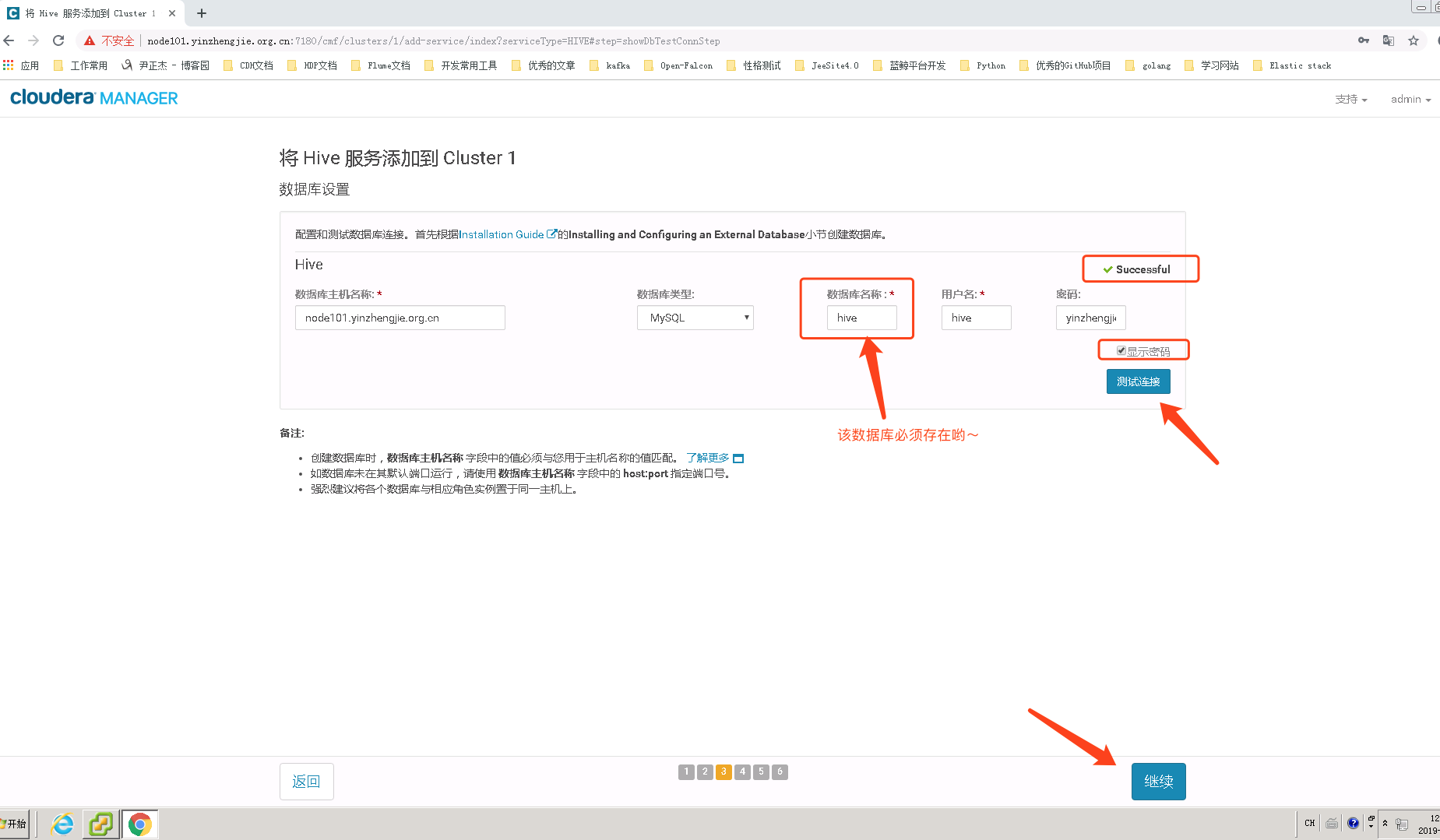
5>.hive的数据库设置(存储元数据metastore的数据库)
mysql> CREATE DATABASE hive CHARACTER SET =utf8;
Query OK,1 row affected (0.00sec)
mysql>mysql> GRANT ALL PRIVILEGES ON hive.* TO 'hive'@'%' IDENTIFIED BY 'yinzhengjie'WITH GRANT OPTION;
Query OK,0 rows affected (0.07sec)
mysql>mysql>FLUSH PRIVILEGES;
Query OK,0 rows affected (0.02sec)
mysql>quit
Bye
[root@node101.yinzhengjie.org.cn~]#
MySQL授权hive用户的准备工作
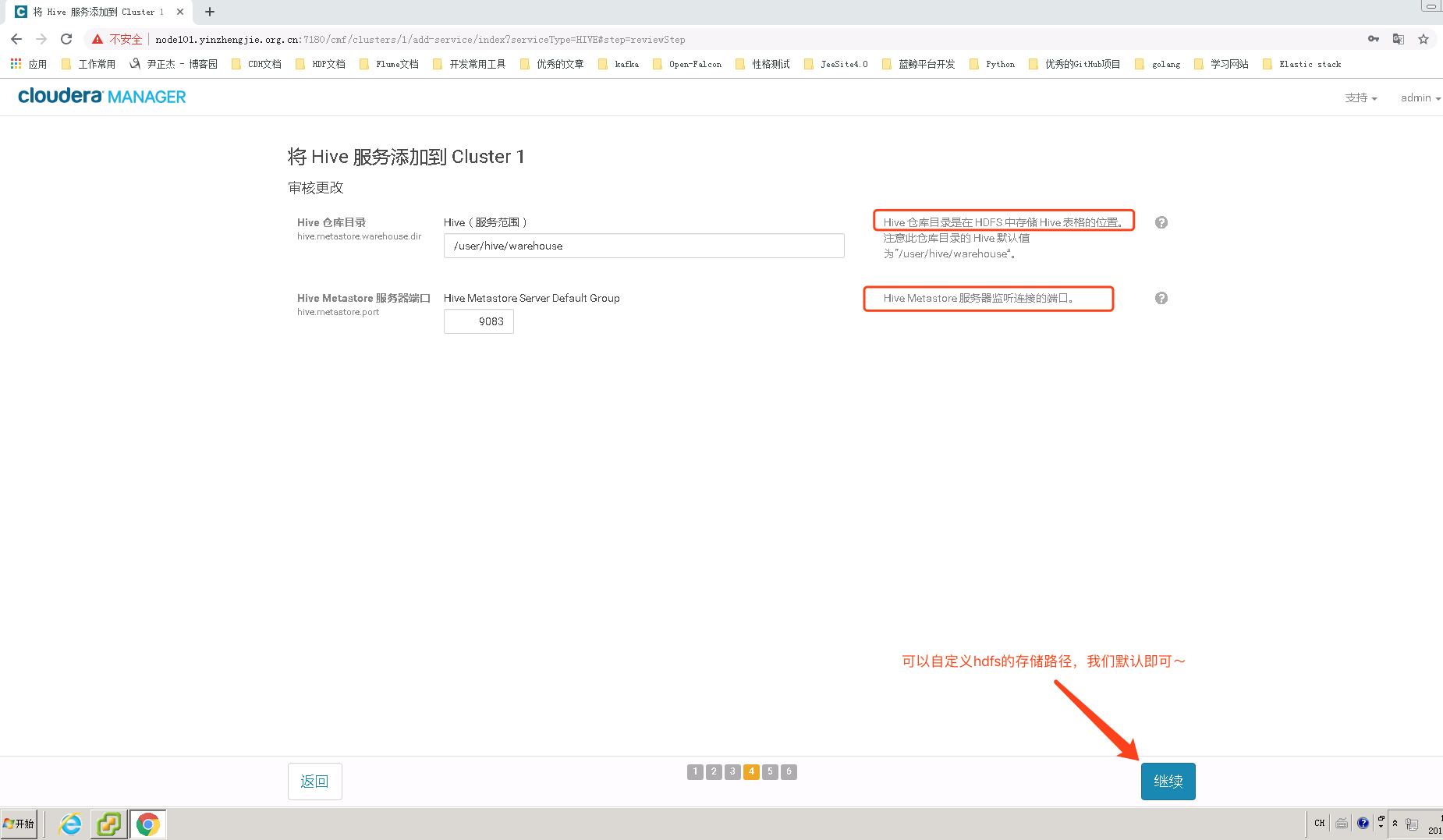
6>.修改hive在hdfs的数据仓库存放位置
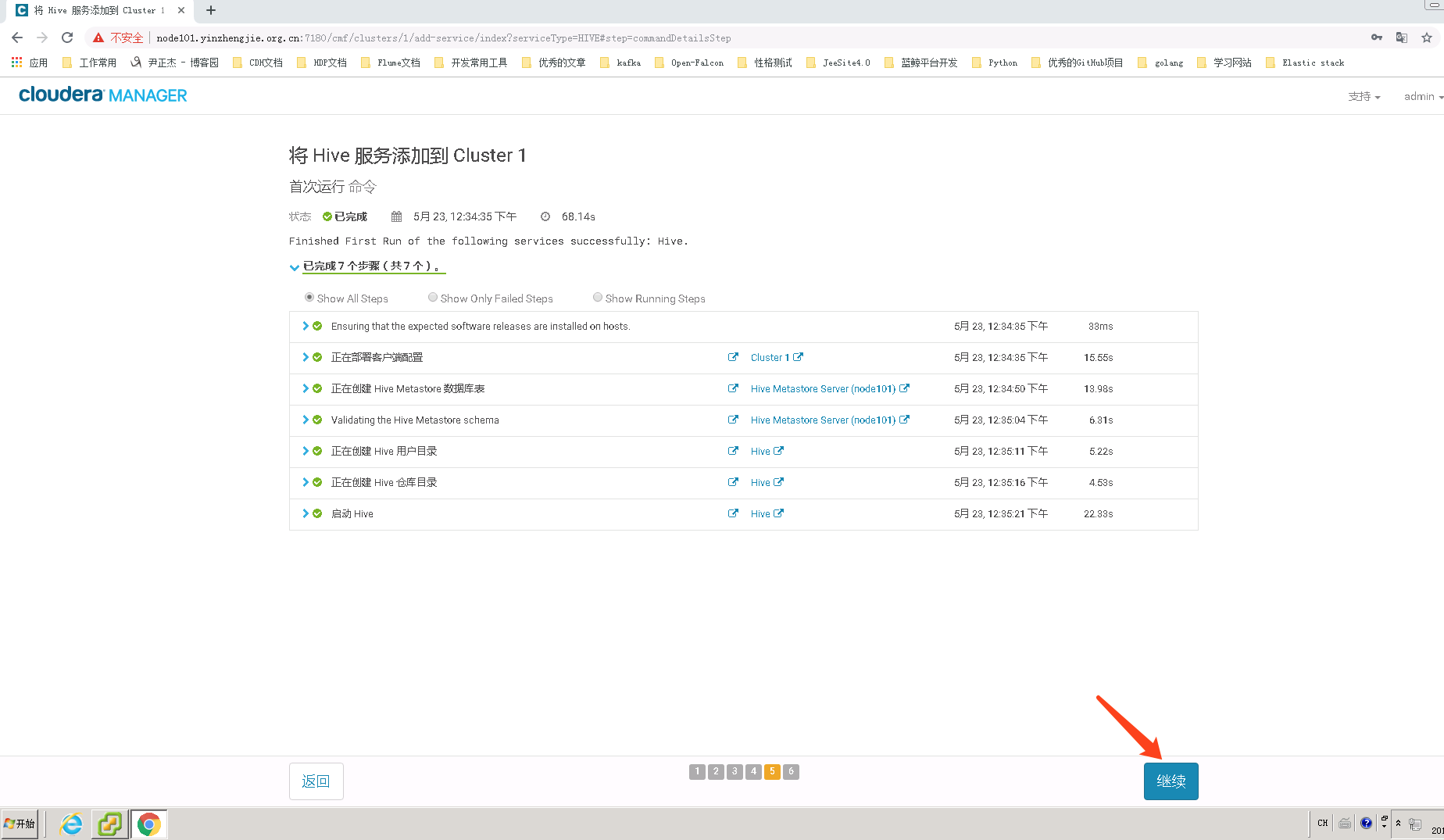
7>.等待Hive服务部署完成
mysql>show databases;+--------------------+
| Database |
+--------------------+
| information_schema |
| cdh |
| hive |
| mysql |
| performance_schema |
+--------------------+
5 rows in set (0.00sec)
mysql>use hive
Reading table informationforcompletion of table and column names
You can turn off this feature to get a quicker startup with-A
Database changed
mysql>mysql>show tables;+---------------------------+
| Tables_in_hive |
+---------------------------+
| BUCKETING_COLS |
| CDS |
| COLUMNS_V2 |
| COMPACTION_QUEUE |
| COMPLETED_TXN_COMPONENTS |
| DATABASE_PARAMS |
| DBS |
| DB_PRIVS |
| DELEGATION_TOKENS |
| FUNCS |
| FUNC_RU |
| GLOBAL_PRIVS |
| HIVE_LOCKS |
| IDXS |
| INDEX_PARAMS |
| MASTER_KEYS |
| METASTORE_DB_PROPERTIES |
| NEXT_COMPACTION_QUEUE_ID |
| NEXT_LOCK_ID |
| NEXT_TXN_ID |
| NOTIFICATION_LOG |
| NOTIFICATION_SEQUENCE |
| NUCLEUS_TABLES |
| PARTITIONS |
| PARTITION_EVENTS |
| PARTITION_KEYS |
| PARTITION_KEY_VALS |
| PARTITION_PARAMS |
| PART_COL_PRIVS |
| PART_COL_STATS |
| PART_PRIVS |
| ROLES |
| ROLE_MAP |
| SDS |
| SD_PARAMS |
| SEQUENCE_TABLE |
| SERDES |
| SERDE_PARAMS |
| SKEWED_COL_NAMES |
| SKEWED_COL_VALUE_LOC_MAP |
| SKEWED_STRING_LIST |
| SKEWED_STRING_LIST_VALUES |
| SKEWED_VALUES |
| SORT_COLS |
| TABLE_PARAMS |
| TAB_COL_STATS |
| TBLS |
| TBL_COL_PRIVS |
| TBL_PRIVS |
| TXNS |
| TXN_COMPONENTS |
| TYPES |
| TYPE_FIELDS |
| VERSION |
+---------------------------+
54 rows in set (0.00sec)
mysql>
配置完成后,我们观察hive数据库中是存放元数据信息相关表的(说实话,初始化表挺多的,我这里现实有54张表,为随机抽取记账本看了下,都是空表~)
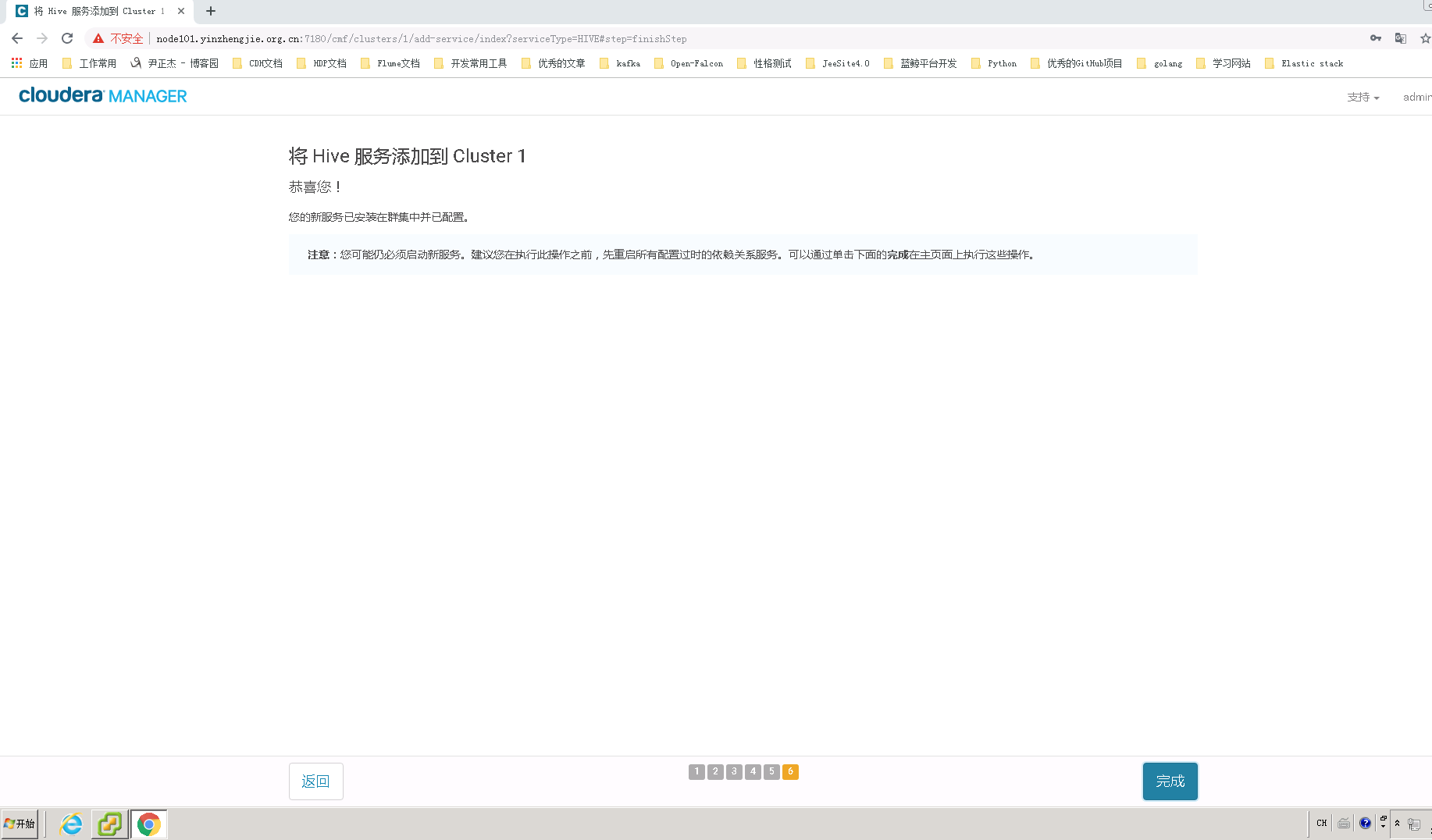
8>.Hive服务添加成功
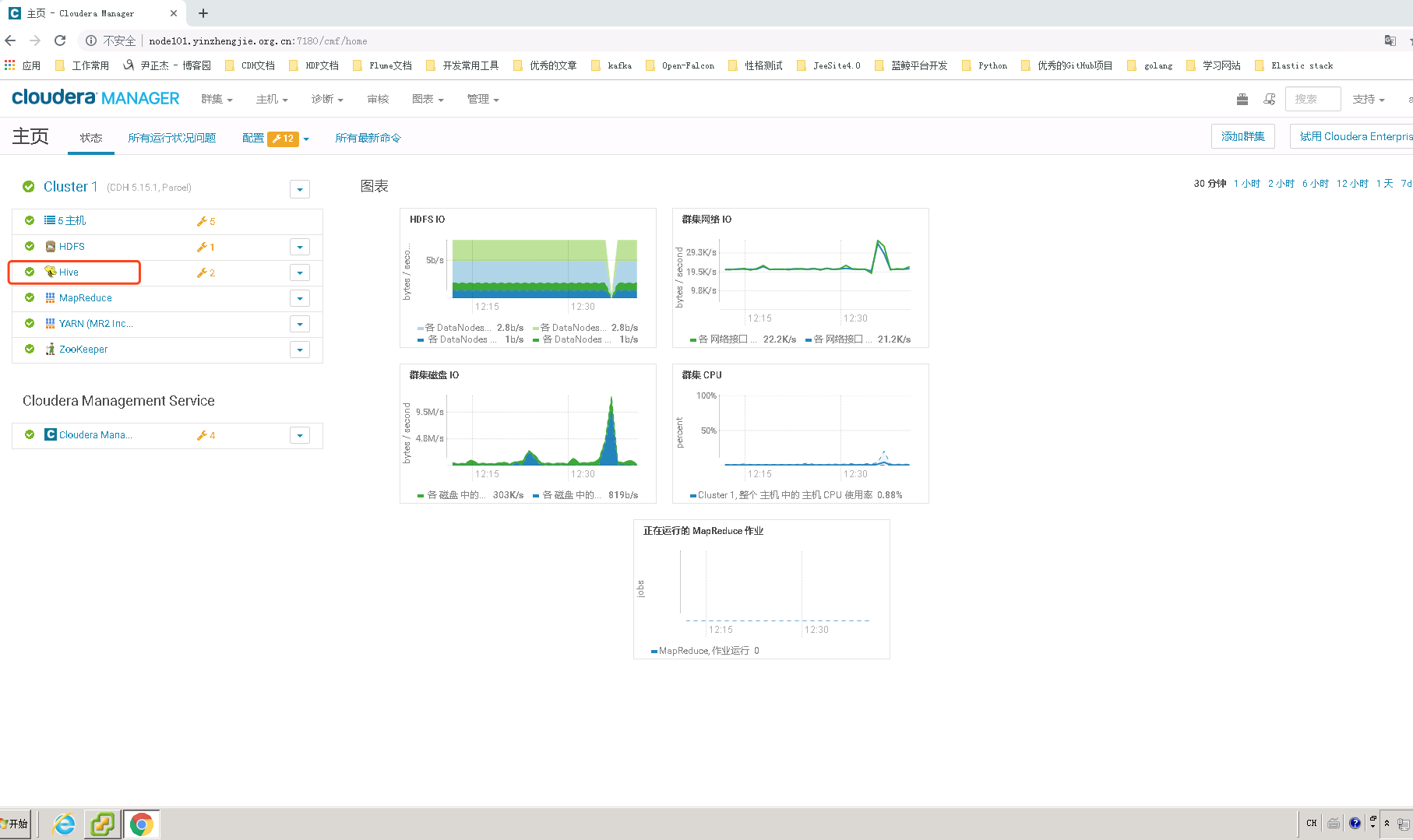
9>.在CM界面中可以看到Hive服务是运行正常的
二.测试Hive环境是否可用
1>.将测试数据上传到HDFS中
[root@node101.yinzhengjie.org.cn ~]# catPageViewData.csv1999/01/11 10:12,us,927,www.yahoo.com/clq,www.yahoo.com/jxq,948.323.252.617
1999/01/12 10:12,de,856,www.google.com/g4,www.google.com/uypu,416.358.537.539
1999/01/12 10:12,se,254,www.google.com/f5,www.yahoo.com/soeos,564.746.582.215
1999/01/12 10:12,de,465,www.google.com/h5,www.yahoo.com/agvne,685.631.592.264
1999/01/12 10:12,cn,856,www.yinzhengjie.org.cn/g4,www.google.com/uypu,416.358.537.539
1999/01/13 10:12,us,927,www.yahoo.com/clq,www.yahoo.com/jxq,948.323.252.617
1999/01/13 10:12,de,856,www.google.com/g4,www.google.com/uypu,416.358.537.539
1999/01/13 10:12,se,254,www.google.com/f5,www.yahoo.com/soeos,564.746.582.215
1999/01/13 10:12,de,465,www.google.com/h5,www.yahoo.com/agvne,685.631.592.264
1999/01/13 10:12,de,856,www.yinzhengjie.org.cn/g4,www.google.com/uypu,416.358.537.539
1999/01/13 10:12,us,927,www.yahoo.com/clq,www.yahoo.com/jxq,948.323.252.617
1999/01/14 10:12,de,856,www.google.com/g4,www.google.com/uypu,416.358.537.539
1999/01/14 10:12,se,254,www.google.com/f5,www.yahoo.com/soeos,564.746.582.215
1999/01/15 10:12,de,465,www.google.com/h5,www.yahoo.com/agvne,685.631.592.264
1999/01/15 10:12,de,856,www.yinzhengjie.org.cn/g4,www.google.com/uypu,416.358.537.539
1999/01/15 10:12,us,927,www.yahoo.com/clq,www.yahoo.com/jxq,948.323.252.617
1999/01/15 10:12,de,856,www.google.com/g4,www.google.com/uypu,416.358.537.539
1999/01/15 10:12,se,254,www.google.com/f5,www.yahoo.com/soeos,564.746.582.215
1999/01/15 10:12,de,465,www.google.com/h5,www.yahoo.com/agvne,685.631.592.264
1999/01/15 10:12,de,856,www.yinzhengjie.org.cn/g4,www.google.com/uypu,416.358.537.539[root@node101.yinzhengjie.org.cn~]#
[root@node101.yinzhengjie.org.cn ~]# cat PageViewData.csv ##查看本地文件日志,为了测试我就随机写了条数据
[root@node101.yinzhengjie.org.cn ~]# hdfs dfs -ls /tmp/Found5items
d--------- - hdfs supergroup 0 2019-05-20 10:48 /tmp/.cloudera_health_monitoring_canary_files
drwxr-xr-x - yarn supergroup 0 2018-10-19 15:00 /tmp/hadoop-yarn
drwx-wx-wx - root supergroup 0 2019-04-29 14:27 /tmp/hive
drwxrwxrwt- mapred hadoop 0 2019-02-26 16:46 /tmp/logs
drwxr-xr-x - mapred supergroup 0 2018-10-25 12:11 /tmp/mapred
[root@node101.yinzhengjie.org.cn~]#
[root@node101.yinzhengjie.org.cn~]#
[root@node101.yinzhengjie.org.cn~]# ll
total4
-rw-r--r-- 1 root root 1584 May 20 10:42PageViewData.csv
[root@node101.yinzhengjie.org.cn~]#
[root@node101.yinzhengjie.org.cn~]# hdfs dfs -put PageViewData.csv /tmp/[root@node101.yinzhengjie.org.cn~]#
[root@node101.yinzhengjie.org.cn~]# hdfs dfs -ls /tmp/Found6items
d--------- - hdfs supergroup 0 2019-05-20 10:48 /tmp/.cloudera_health_monitoring_canary_files-rw-r--r-- 3 root supergroup 1584 2019-05-20 10:49 /tmp/PageViewData.csv
drwxr-xr-x - yarn supergroup 0 2018-10-19 15:00 /tmp/hadoop-yarn
drwx-wx-wx - root supergroup 0 2019-04-29 14:27 /tmp/hive
drwxrwxrwt- mapred hadoop 0 2019-02-26 16:46 /tmp/logs
drwxr-xr-x - mapred supergroup 0 2018-10-25 12:11 /tmp/mapred
[root@node101.yinzhengjie.org.cn~]#
[root@node101.yinzhengjie.org.cn~]#
[root@node101.yinzhengjie.org.cn ~]# hdfs dfs -put PageViewData.csv /tmp/ #将数据上传到HDFS的/tmp目录中
2>.创建数据表page_view,以保证结构化用户访问日志
[root@node101.yinzhengjie.org.cn ~]# hive
Java HotSpot(TM)64-Bit Server VM warning: ignoring option MaxPermSize=512M; support was removed in 8.0Java HotSpot(TM)64-Bit Server VM warning: ignoring option MaxPermSize=512M; support was removed in 8.0Logging initialized using configurationin jar:file:/opt/cloudera/parcels/CDH-5.15.1-1.cdh5.15.1.p0.4/jars/hive-common-1.1.0-cdh5.15.1.jar!/hive-log4j.properties
WARNING: Hive CLI is deprecated and migration to Beeline is recommended.
hive>CREATE TABLE page_view(>view_time String,>country String,>userid String,>page_url String,>referrer_url String,>ip String)> ROW FORMAT DELIMITED FIELDS TERMINATED BY ',' LINES TERMINATED by '\n'
>STORED AS TEXTFILE;
OK
Time taken:2.598seconds
hive>show tables;
OK
page_view
Time taken:0.166 seconds, Fetched: 1row(s)
hive>
创建Hive数据表时,需显式指定数据存储格式,在以上示例中,TEXTFILE表示文本文件,“,”表示每列分隔符为逗号,而“\n”表示分隔符。
3>.使用LOAD语句将HDFS上的指定目录或文件加载到数据表page_view中
hive> LOAD DATA INPATH "/tmp/PageViewData.csv"INTO TABLE page_view;
Loading data to table default.page_view
Table default.page_view stats: [numFiles=1, totalSize=1584]
OK
Time taken:0.594seconds
hive>
4>.使用HQL查询数据。
hive> SELECT country,count(userid) FROM page_view WHERE view_time > "1990/01/12 10:12" GROUP BYcountry;
Query ID= root_20190523125656_e7558dc5-d450-4d17-bf81-209f802605de
Total jobs= 1Launching Job1 out of 1
Number of reduce tasks not specified. Estimated from input data size: 1
In order to change the average load for a reducer (inbytes):set hive.exec.reducers.bytes.per.reducer=
In order to limit the maximum number ofreducers:set hive.exec.reducers.max=
In order to set a constant number ofreducers:set mapred.reduce.tasks=Starting Job= job_201905221917_0001, Tracking URL = http://node101.yinzhengjie.org.cn:50030/jobdetails.jsp?jobid=job_201905221917_0001Kill Command = /opt/cloudera/parcels/CDH-5.15.1-1.cdh5.15.1.p0.4/lib/hadoop/bin/hadoop job -killjob_201905221917_0001
Hadoop job informationfor Stage-1: number of mappers: 1; number of reducers: 1
2019-05-23 12:56:45,895 Stage-1 map = 0%, reduce = 0%
2019-05-23 12:56:52,970 Stage-1 map = 100%, reduce = 0%, Cumulative CPU 3.29sec2019-05-23 12:56:59,017 Stage-1 map = 100%, reduce = 100%, Cumulative CPU 5.37sec
MapReduce Total cumulative CPU time:5 seconds 370msec
Ended Job=job_201905221917_0001
MapReduce Jobs Launched:
Stage-Stage-1: Map: 1 Reduce: 1 Cumulative CPU: 5.37 sec HDFS Read: 10553 HDFS Write: 21SUCCESS
Total MapReduce CPU Time Spent:5 seconds 370msec
OK
cn1de11se4us4Time taken:25.063 seconds, Fetched: 4row(s)
hive>
hive> SELECT country,count(userid) FROM page_view WHERE view_time > "1990/01/12 10:12" GROUP BY country;