重要:本文最后更新于2016-06-15 10:54:47,某些文章具有时效性,若有错误或已失效,请在下方留言或联系代码狗。
现在的流量,有一大半都是来自移动端,为了利用好这部分流量,很多站长都将网站改造成了自适应的模板,虽然获得了一部分流量,但用户粘度并不高,于是,有些站长开始制作APP。在智能手机多如毛的年代,有一个APP是一件非常高大上的事,但APP的开发比较贵,一般个人站长又不愿承受这么昂贵的代价,那么看了代码狗的文章,你将学会如何自己制作一个APP。
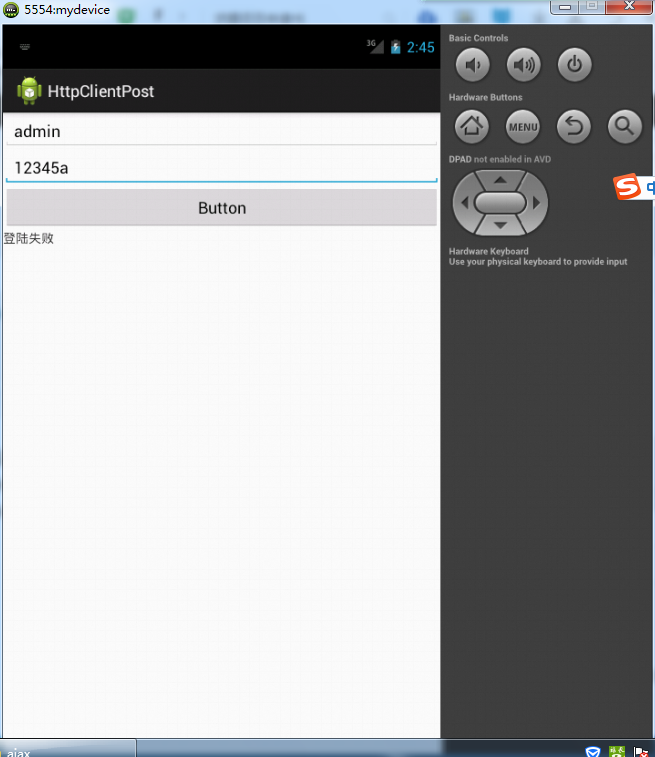
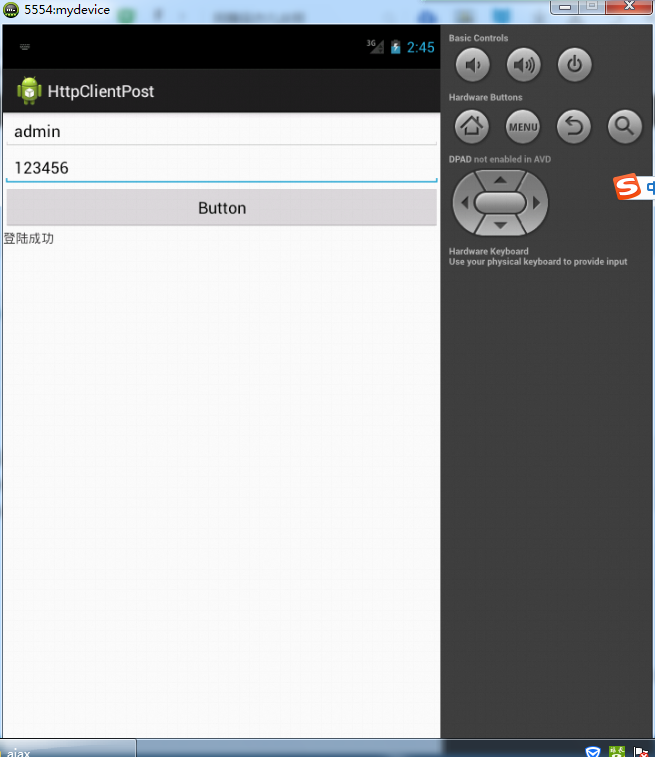
实现代码:
服务端php代码如下:
if($_POST['password_rsainput']=="123456"&&$_POST['logonId']=="admin"){ //这里没有使用数据库,就简单的使用一个判断来实现
echo "1"; //成功返回1
}else{
echo "0"; //失败返回0
}
?>
安卓端核心代码:
client = new DefaultHttpClient();
et = (EditText) findViewById(R.id.editText1);
et1 = (EditText) findViewById(R.id.editText2);
text = (TextView) findViewById(R.id.textView1);
findViewById(R.id.button1).setOnClickListener(new View.OnClickListener() {
@Override
public void onClick(View arg0) {
readNet("你的服务器文件地址",et.getText().toString(),et1.getText().toString());
}
});
}
public void readNet(String url, String in,String pa) {
new AsyncTask() {
@Override
protected String doInBackground(String... arg0) {
String urlString = arg0[0];
HttpPost post = new HttpPost(urlString);
try {
//aaaaa&password_rsainput=1234567
List list = new ArrayList();
list.add(new BasicNameValuePair("logonId", arg0[1]));
list.add(new BasicNameValuePair("password_rsainput", arg0[2]));
post.setEntity(new UrlEncodedFormEntity(list));
} catch (UnsupportedEncodingException e1) {}
try {
HttpResponse response = client.execute(post);
String value = EntityUtils.toString(response.getEntity());
// System.out.println(value);
return value;
} catch (ClientProtocolException e) {
// TODO Auto-generated catch block
e.printStackTrace();
} catch (IOException e) {
// TODO Auto-generated catch block
e.printStackTrace();
}
return null;
}
@Override
protected void onPostExecute(String result) {
if (result.equals("1")) {
text.setText("登陆成功");
}else {
text.setText("登陆失败");
}
}
}.execute(url,in,pa);
}
源码已经打包,需要的去下载吧!