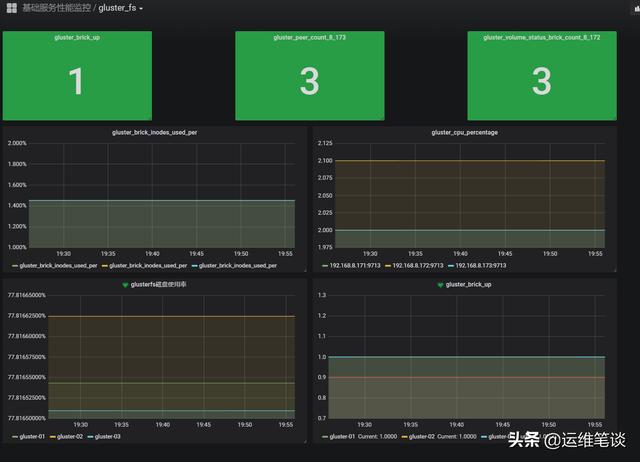
GlusterFS的测试环境搭建之后,在中间件的监控方面我首选prometheus,节约时间我们直接在github找已经造好的轮子。以下两个exporter值得推荐
1. https://github.com/gluster/gluster-prometheus # glusterfs官方仓库2. https://github.com/ofesseler/gluster_exporter # 轻量简单
先测试下gluster-prometheus
安装
1.github没有编译好的二进制文件(吐槽下,还要自己编译)
yum -y install goexport GOPATH=/root/go # 安装之后需要加下GOPATH环境变量mkdir -p $GOPATH/src/github.com/glustercd $GOPATH/src/github.com/glustergit clone https://github.com/gluster/gluster-prometheus.gitcd gluster-prometheus# Install the required dependancies.# Hint: assumes that GOPATH and PATH are already configured../scripts/install-reqs.shgo get -u github.com/golang/dep/cmd/dep # 需要上网条件好go get github.com/alecthomas/gometalinter # 需要上网条件好PREFIX=/usr make # 需要上网条件好PREFIX=/usr make install按照github上教程,过程略坑,首先linux服务器上安装好go环境,以下步骤是需要注意的地方,有些步骤还需要上网条件好才行!!!我尝试使用GOPROXY没有成功。
yum -y install go # go环境准备export GOPATH=/root/go go get -u github.com/golang/dep/cmd/dep #go包管理器go get github.com/alecthomas/gometalinter #go包管理器编译完成得到可执行文件gluster-exporter,若读者朋友上网条件不太好,可以私信我,我会把编译好的二进制文件发给你。
2.执行PREFIX=/usr make install会产生systemd文件
install -D build/gluster-exporter /usr/sbin/gluster-exporterinstall -D -m 0644 build/gluster-exporter.service /usr/lib/systemd/system/gluster-exporter.serviceinstall -D -m 0600 ./extras/conf/gluster-exporter.toml.sample ""/etc/gluster-exporter/gluster-exporter.tomlsystemctl enable gluster-exportersystemctl start gluster-exporter3.配置文件/etc/gluster-exporter/gluster-exporter.toml
[globals]gluster-mgmt = "glusterd"glusterd-dir = "/var/lib/glusterd"gluster-binary-path = "gluster"# If you want to connect to a remote gd1 host, set the variable gd1-remote-host# However, using a remote host restrict the gluster cli to read-only commands# The following collectors won't work in remote mode : gluster_volume_counts, gluster_volume_profile#gd1-remote-host = "localhost"gd2-rest-endpoint = "http://127.0.0.1:24007"port = 9713metrics-path = "/metrics"log-dir = "/var/log"log-file = "gluster-exporter.log"log-level = "info"[collectors.gluster_ps]name = "gluster_ps"sync-interval = 5disabled = false[collectors.gluster_brick]name = "gluster_brick"sync-interval = 5disabled = false4.测试下是否获取到gluster数据
浏览器访问http://IP:9713/metrics或者服务器上curl下。
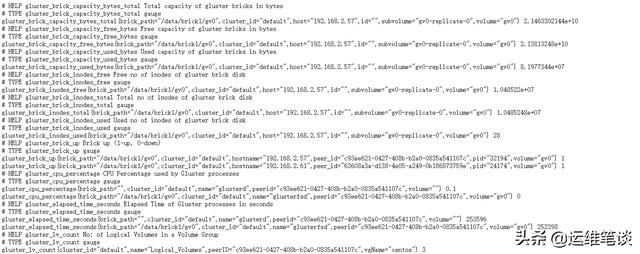
具体的metric的定义解释在https://github.com/gluster/gluster-prometheus/blob/master/docs/metrics.adoc,这个官方的exporter指标还是挺丰富的,gfs的CPU,内存,inode,读写,磁盘等信息都有,能满足监控的要求。
注意点
glusterfs最好每个节点都跑下,有些集群的指标为了避免重复,所以first up peer in peer list will export these metrics,可以查看issues,https://github.com/gluster/gluster-prometheus/issues/148
我们再测下
github.com/ofesseler/gluster_exporter
安装
go get github.com/ofesseler/gluster_exporter # golang.org可能需要网速快才行./gluster_exporter默认端口是9189
不需要配置文件,直接在对应的glusterfs节点上运行即可。
获取的指标相对官方来说少了一些,总体还是够用的,主要是通过以下命令获取到信息。
# gluster volume info# gluster peer status# gluster volume profile gv_test info cumulative# gluster volume status all detail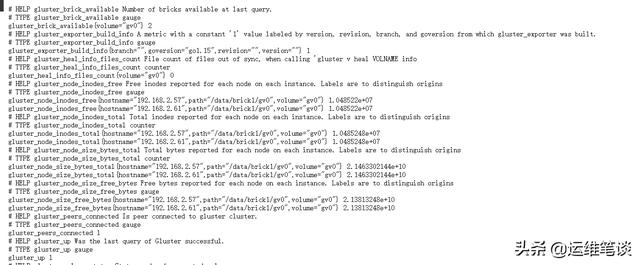
添加到prometheus服务端
创建service和servicemonitor文件
我们的prometheus是通过prometheus-operator跑在kubernetes集群上,所以还需要手动添加下service和servicemonitor
1.创建一个服务文件
apiVersion: v1kind: Servicemetadata: name: gluster-exporter namespace: monitoring labels: k8s-app: gluster-exporterspec: type: ClusterIP clusterIP: None ports: - name: port port: 9189 protocol: TCP---apiVersion: v1kind: Endpointsmetadata: name: glusterexporter namespace: monitoring labels: k8s-app: glusterexportersubsets:- addresses: - ip: 192.168.2.61 nodeName: gfs - ip: 192.168.2.57 nodeName: node01 ports: - name: port port: 9189 protocol: TCP2.创建一个servicemonitor文件用来做prometheus的target服务发现
apiVersion: monitoring.coreos.com/v1kind: ServiceMonitormetadata: name: gluster-exporter namespace: monitoring labels: k8s-app: gluster-exporterspec: endpoints: - port: port interval: 30s scheme: http selector: matchLabels: k8s-app: gluster-exporter namespaceSelector: matchNames: - monitoringgrafana绘图
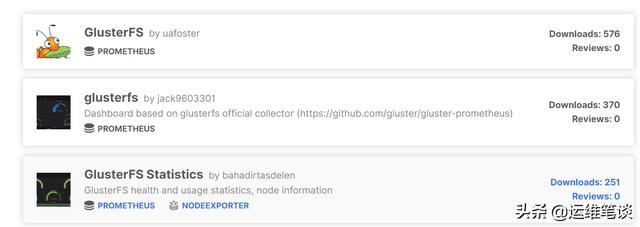
grafana的官方有对应的glusterfs的模板,喜欢的读者可以去下载
https://grafana.com/grafana/dashboards?search=gluster
我没有使用grafana上的模板,自己做了一个简单的,如下图: