Eclipse 版本:以Eclipse 2018/2019为例
1、打开www.baidu.com 搜索 crystal reports eclipse download
2、进到SAP 官网下载,需要用户/密码
All-in-one package, 此处下载的是已安装好插件的Eclipse
3、选择Manual install package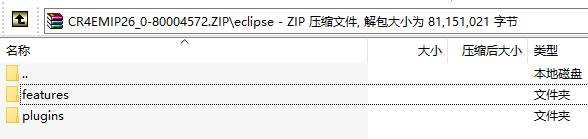
插件下载(版本CR4E 2.0.6):https://download.csdn.net/download/gezi676935/14158796
4、解压后放入Eclipse 安装目录下,覆盖即可
注意:Eclipse MARS.2 版本不支持.
5、重启Eclipse
6、此时,即可使用Eclipse 创建Cristal Reports project.
参考:
https://blog.csdn.net/rainyspring4540/article/details/48153461
版权声明:本文为gezi676935原创文章,遵循CC 4.0 BY-SA版权协议,转载请附上原文出处链接和本声明。