自动化执行后会生成一个html报告供检测执行的效果
自动化测试报告分两种:1.系统自带2.自制
系统自带:
查看步骤:
打开我们项目目录中的test-output文件夹,选择index网页打开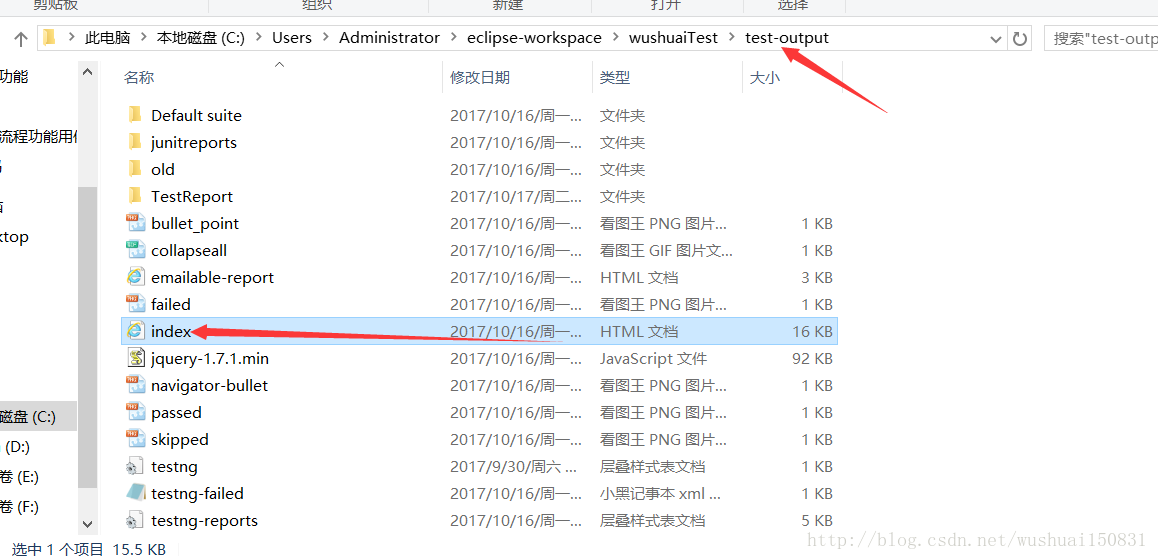
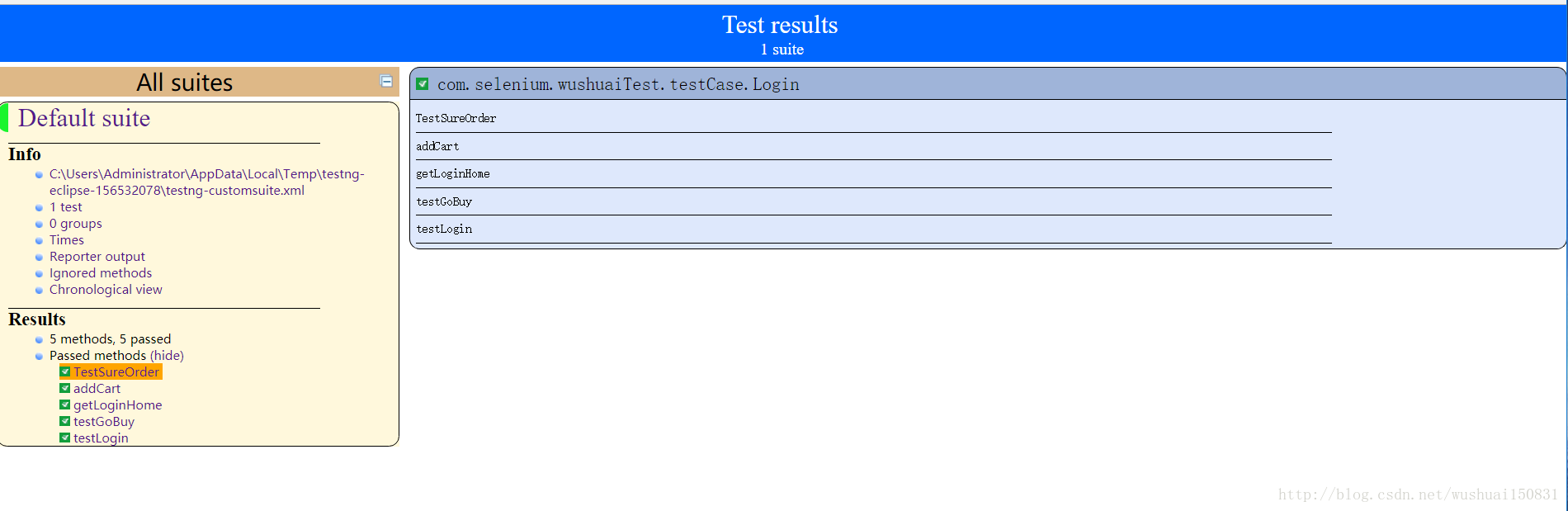
这种看着不太直观,自制的更加直观
自制版制作步骤:
1.首先下载一个文件名为testng.xslt-1.1.zip
testng.xslt-1.1我在印象笔记里面备份了一份
打开testng.xslt中lib文件夹,找到saxon-8.7jar包
复制jar包到我们的工程存放的lib文件夹下,lib文件夹需要新建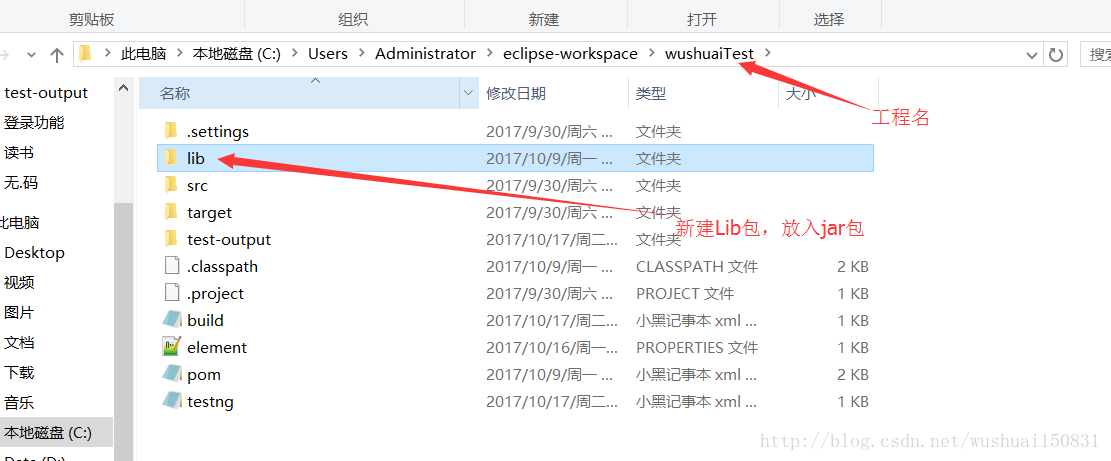
2.把jar包导入到工程中
右键工程-properties-java build path-libraries-Add External jars-选择saxonjar包路径即可
3.xslt中的testng.results导入到工程中的test-out文件夹中
步骤:
    找到testxslt-src-main-resoures-testresults,复制testresults到工程目录中的test-output文件夹中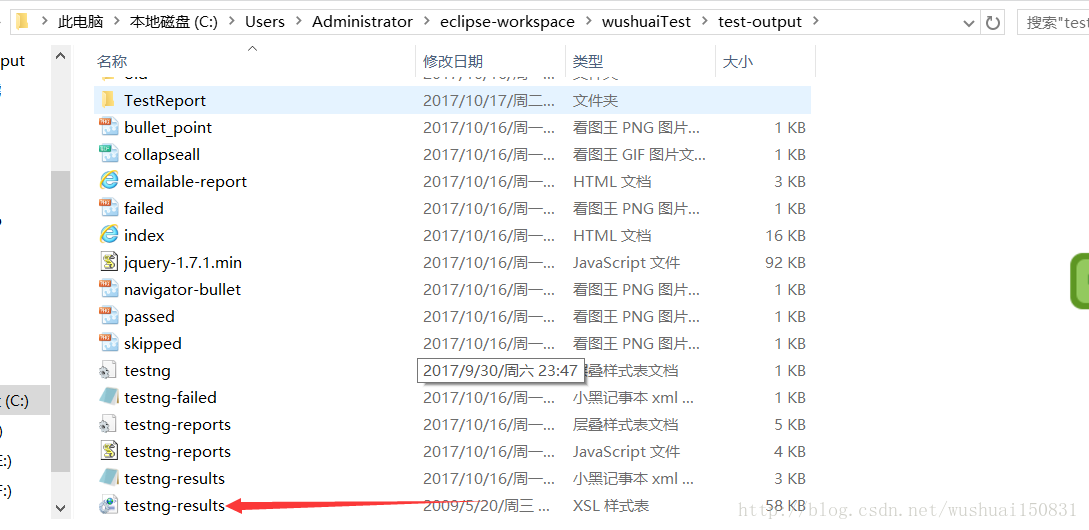
创建build.xml文件
步骤:
    右键项目-new-file名称为build.xml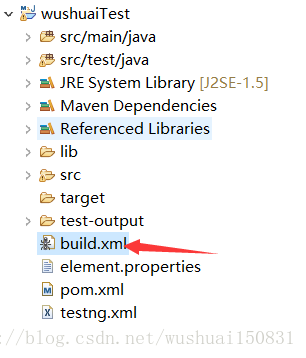
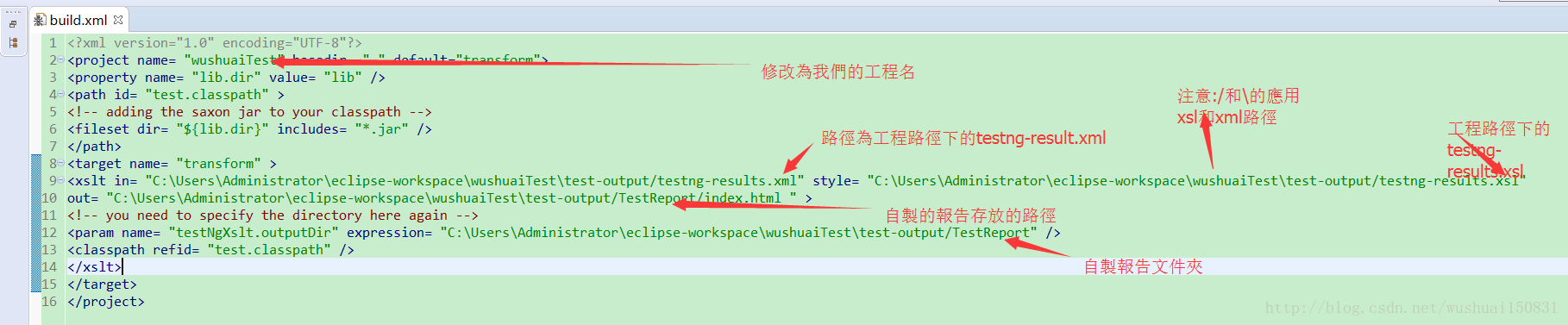
build.xml内容-官方:
<?xml version="1.0" encoding="UTF-8"?>
<project name= "wushuaiTest" basedir= "." default="transform">
<property name= "lib.dir" value= "lib" />
<path id= "test.classpath" >
<!-- adding the saxon jar to your classpath -->
<fileset dir= "${lib.dir}" includes= "*.jar" />
</path>
<target name= "transform" >
<xslt in= "C:\Users\Administrator\eclipse-workspace\wushuaiTest\test-output/testng-results.xml" style= "C:\Users\Administrator\eclipse-workspace\wushuaiTest\test-output/testng-results.xsl"
out= "C:\Users\Administrator\eclipse-workspace\wushuaiTest\test-output/TestReport/index.html " >
<!-- you need to specify the directory here again -->
<param name= "testNgXslt.outputDir" expression= "C:\Users\Administrator\eclipse-workspace\wushuaiTest\test-output/TestReport" />
<classpath refid= "test.classpath" />
</xslt>
</target>
</project>
初始化build.xml
步驟:
    右鍵build.xml-Run As-1.Ant Build
    出现下图的BUILD SUCCESSFUL才算成功,
    出现BUILD FAILED算失败
之后我们运行自动化之后就可以查看报告样式了
步骤:
    执行完自动化脚本后-打开工程的testout-put文件夹-TestReport-index
    打开index.xml即可,打开方式用火狐浏览器或者谷歌浏览器都可以,用ie浏览器就看不到如图所示的报告了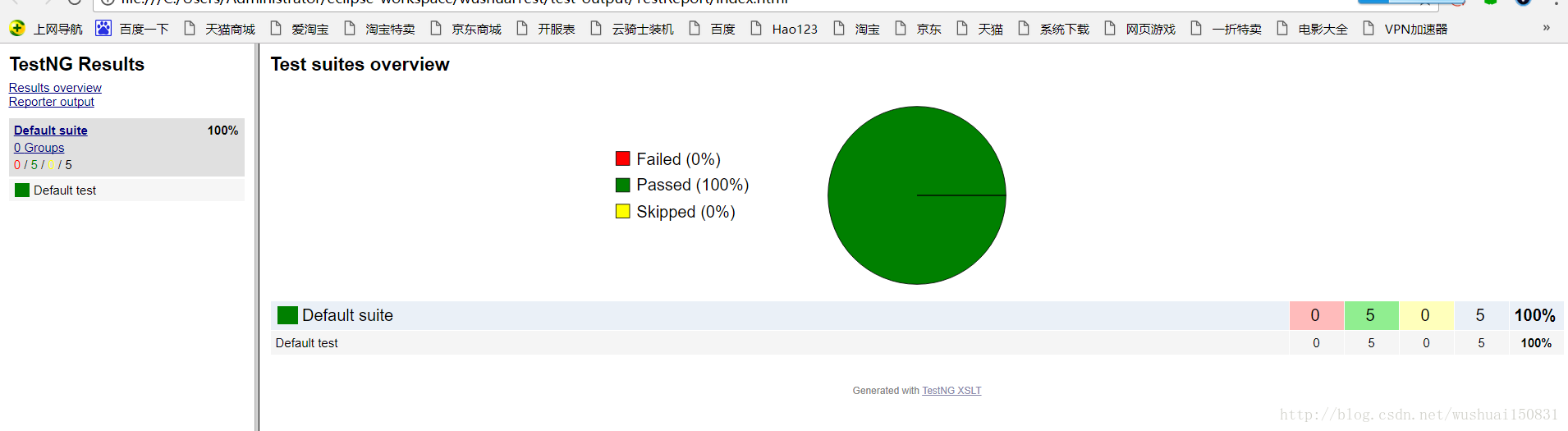
相对于系统自带的,我们自制的更加清晰!
版权声明:本文为wushuai150831原创文章,遵循CC 4.0 BY-SA版权协议,转载请附上原文出处链接和本声明。