天气预报webservice urlhtt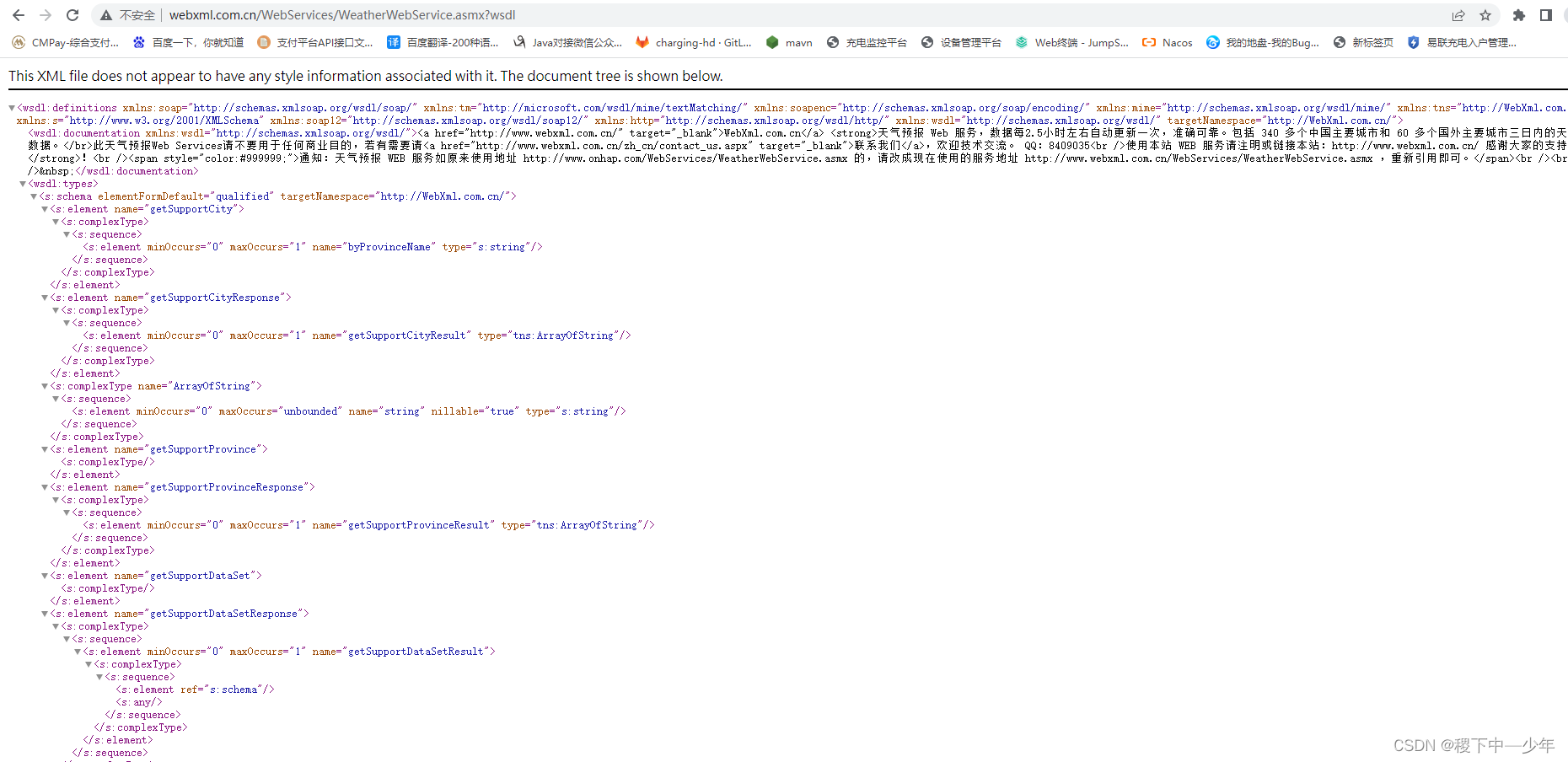 p://www.webxml.com.cn/WebServices/WeatherWebService.asmx?wsdl
package com.pay.merchant.controller.test;

import cn.hutool.http.webservice.SoapClient;
import com.alibaba.fastjson.JSONObject;
import org.dom4j.Document;
import org.dom4j.Element;
import org.dom4j.io.SAXReader;

import java.io.StringReader;
import java.util.HashMap;
import java.util.Iterator;
import java.util.Map;

/**
 * Created by ylm on 2022/6/9 13:39
 * Created by Miracle Luna on 2022/6/9 13:39
 */
public class SoapClientWebService {
    public static void main(String[] args) {
        //请求地址
        String soapUrl = "http://www.webxml.com.cn/WebServices/WeatherWebService.asmx?wsdl";
        HashMap<String, Object> map = new HashMap<>();
        map.put("theCityName", "武汉");
        SoapClient soapClient = SoapClient.create(soapUrl)
                //请求方法,命名空间
                .setMethod("web:getWeatherbyCityName", "http://WebXml.com.cn/")
                .setParams(map);
        String sendSoap = soapClient.send(true);
        System.out.println(sendSoap);
        Map<String, String> map1 = new HashMap<String, String>();
        Map soapMap = XmlMap(sendSoap, map1);
        System.out.println(JSONObject.toJSONString(soapMap));

    }


1.1 将xml转换为Map。 支持xml标签多层嵌套,并以"."分隔多级标签(不包括根节点)。 不支持XML标签重复时的情况

    public static Map<String, String> XmlMap(String xml, Map<String, String> map) {
        try {
            SAXReader reader = new SAXReader();
            Document doc = reader.read(new StringReader(xml));
            Element root = doc.getRootElement();
            String path = "";
            if (map.containsKey(root.getName().trim())) {
                path = map.get(root.getName().trim());
                map.remove(root.getName().trim());
            }
            for (Iterator i = root.elementIterator(); i.hasNext(); ) {
                Element element = (Element) i.next();
                if (element.isTextOnly()) {
                    if (path.length() > 0) {
                        map.put(path + element.getName().trim(), element.getTextTrim());
                    } else {
                        map.put(element.getName().trim(), element.getTextTrim());
                    }
                } else {
                    map.put(element.getName().trim(), path + element.getName().trim() + ".");
                    XmlMap(element.asXML(), map);
                }
            }
        } catch (Exception e) {
            e.printStackTrace();
        }
        return map;
    }

}
1.2 将返回得xml解析为字符串
//转成xml对象
Document document = XmlUtil.parseXml(sendSoap);
//通过命名空间获取节点数据
NodeList nodeList = document.getElementsByTagNameNS(namespaceURL, "*");
//取出第一个节点数据
cn.hutool.json.JSONObject jsonObj = new JSONObject(nodeList.item(0).getTextContent().trim());
Result result = new Result();
result.setCode(jsonObj.get("响应状态").toString());
result.setMsg(jsonObj.get("说明").toString());
返回得sendSoap xml
<?xml version="1.0" encoding="utf-8" standalone="no"?>
<soap:Envelope xmlns:soap="http://schemas.xmlsoap.org/soap/envelope/" xmlns:xsd="http://www.w3.org/2001/XMLSchema" xmlns:xsi="http://www.w3.org/2001/XMLSchema-instance">
<soap:Body>
<wsCmpJnlResponse xmlns="http://www.jeez.com.cn/JeezExternalDataService">
<wsCmpJnlResult>{"响应状态":0,"说明":"参数格式不正确","处理笔数":0,"处理明细":null}</wsCmpJnlResult>
</wsCmpJnlResponse>
</soap:Body>
</soap:Envelope>
控制台输出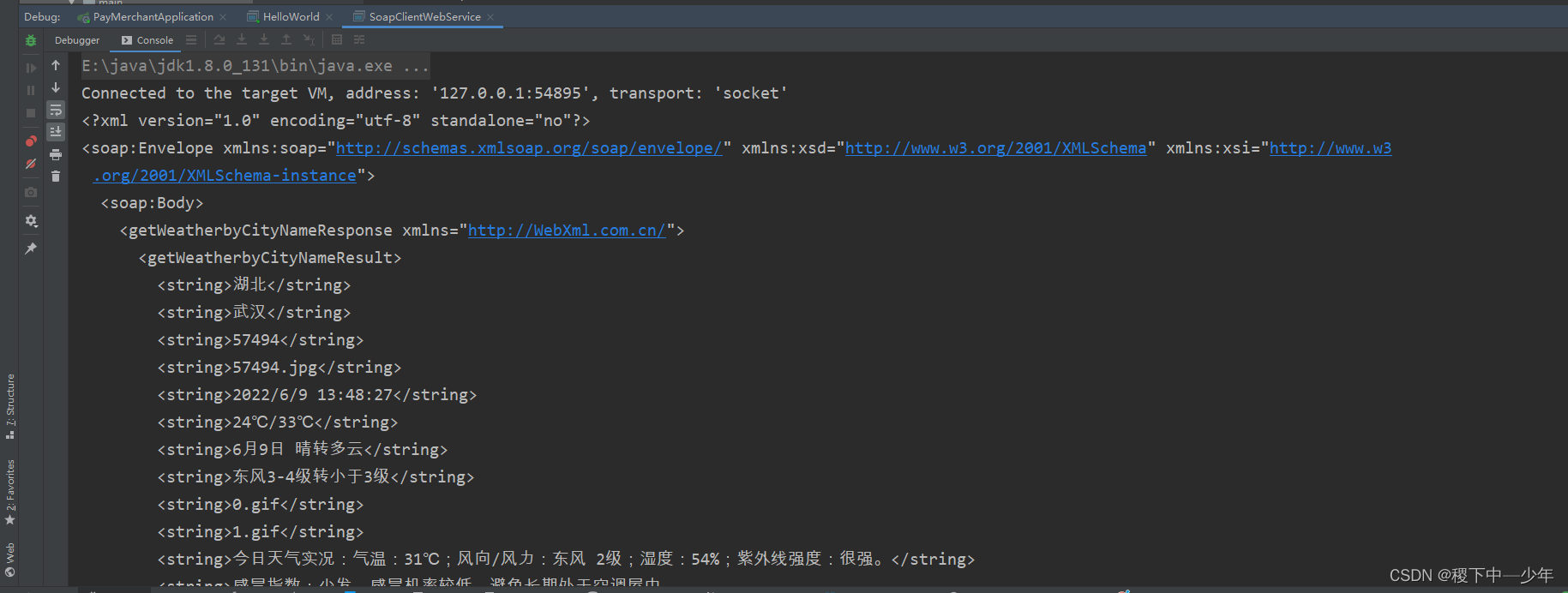

版权声明:本文为PopeyeESpinach原创文章,遵循CC 4.0 BY-SA版权协议,转载请附上原文出处链接和本声明。