开发工具与关键技术:DW  JavaScript
撰写时间:2019年2月21日
1、展开与收起对大家来说并不陌生。我们在浏览器浏览文章的时候便会看到下面有“阅读更多”这样的一个按钮,当你点击这个按钮,下面就会展开更多的文章。下面简单介绍一下我是怎样在js里写展开与收起这个动画效果的。
html的结构布局如下:
2、css样式代码如下:
@charset "utf-8";
/* CSS Document */
.content{
	width: 400px;
	margin: 0 auto;
}
.box{
	width: 80px;
	background: #ff0f03;
	margin: 0 auto;
	border-radius: 5px;
	text-align: center;
	cursor: pointer;
}
.box p {
	position: relative;
	padding: 9px;
}
.box p i{
	display: inline-block;
	width: 6px;
	height: 11px;
	background: url(../images/zkmore.gif) top left no-repeat;
	position: absolute;
	top: 15px;
	margin-left: 3px;
}
.box p.stop i{
	background: url(../images/zkmore.gif) 0 -19px no-repeat;
}
.box p.stop {
	display: none;
}
.couplet{
	display: flex;
	justify-content: space-between;
	text-align: center;
	margin: 50px 0px;
	overflow: hidden;/*超出部分隐藏*/
	height: 1px;
   transition: height 1s ease-out;/*过渡时间*/
}
.lcouplet,.rcouplet{
	width: 100px;
	background: #ff0f03;
	border-radius: 5px;
}
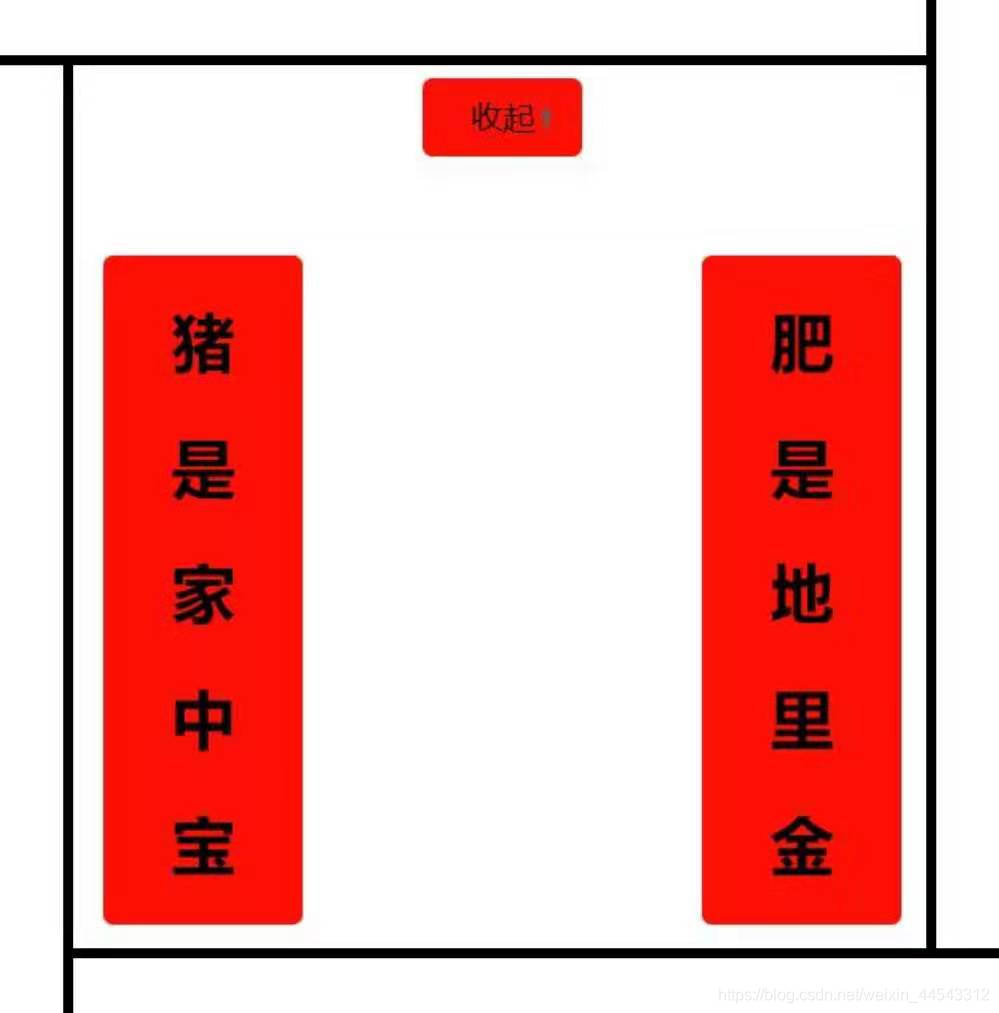
3、先在css样式里设置好要展开部分的高度把超出的部分隐藏起来,再来js这里给展开这个按钮一个点击事件去触发要展开的内容,并设置好要展开部分的高度;收起也是一样的原理。最后还要在css里设置一下过渡时间transition: height 1s ease-out;这样的动画效果会好点。
js代码如下:
4、效果图如下: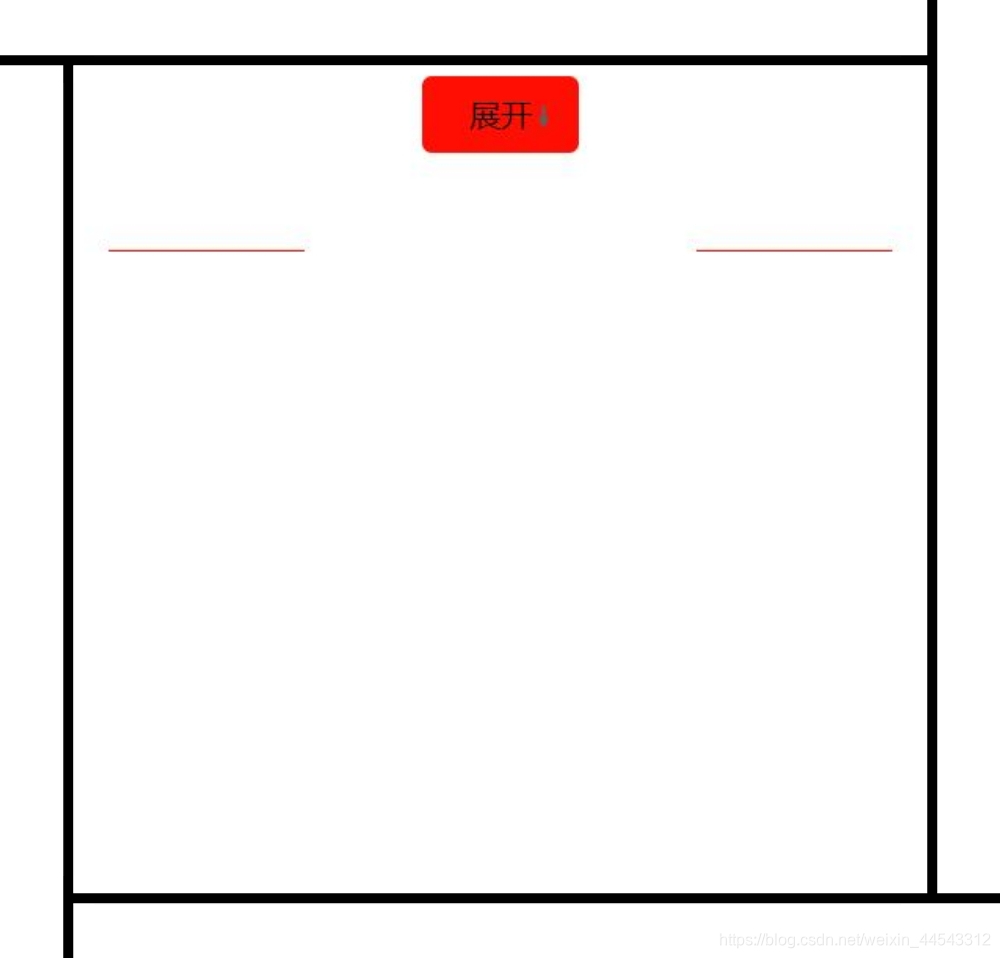
版权声明:本文为weixin_44543312原创文章,遵循CC 4.0 BY-SA版权协议,转载请附上原文出处链接和本声明。