使用IDEA提交代码时,一直卡着不动,显示:Commit Changes Dialog local changes refresh
解决方案:
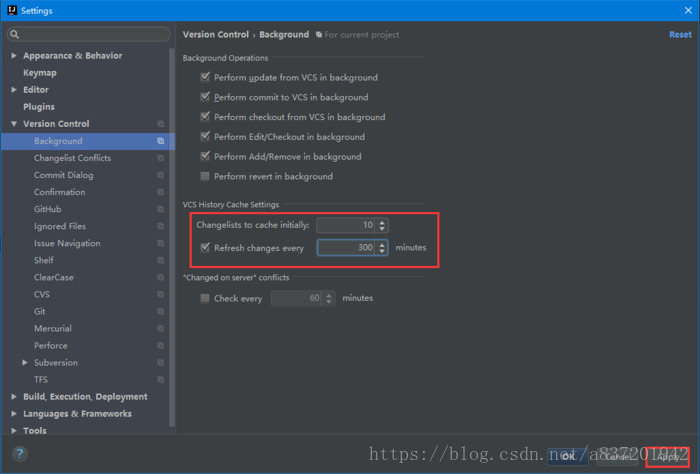
1.Settings - Version Control - Background
2.更改Changelists to cache initally 为10
3.勾选Refresh changes every
4.设置minutes(例如300)
5.保存设置
6.重启IDEA
使用IDEA提交代码时,一直卡着不动,显示:Commit Changes Dialog local changes refresh
解决方案:
1.Settings - Version Control - Background
2.更改Changelists to cache initally 为10
3.勾选Refresh changes every
4.设置minutes(例如300)
5.保存设置
6.重启IDEA