xshell无法连接ssh ubuntu
- 查看ssh进程是否正常
1. ps -e | grep ssh
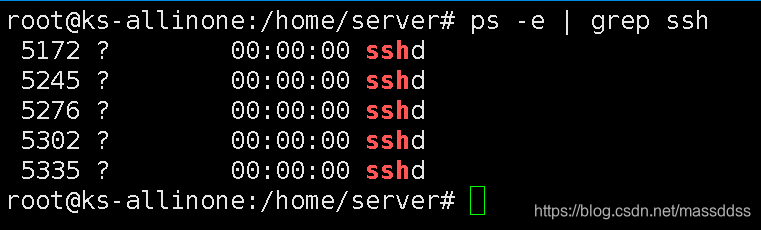
- 如果出现上图信息,表示ssh服务已启动,修改ssh配置文件信息
2. vi /etc/ssh/sshd_config

3. service ssh restart
报错:
Redirecting to /bin/systemctl restart ssh.service
Failed to restart ssh.service: Unit not found.

原因:以上命令都是centos6里面的命令,在centos7需要用:
systemctl restart sshd
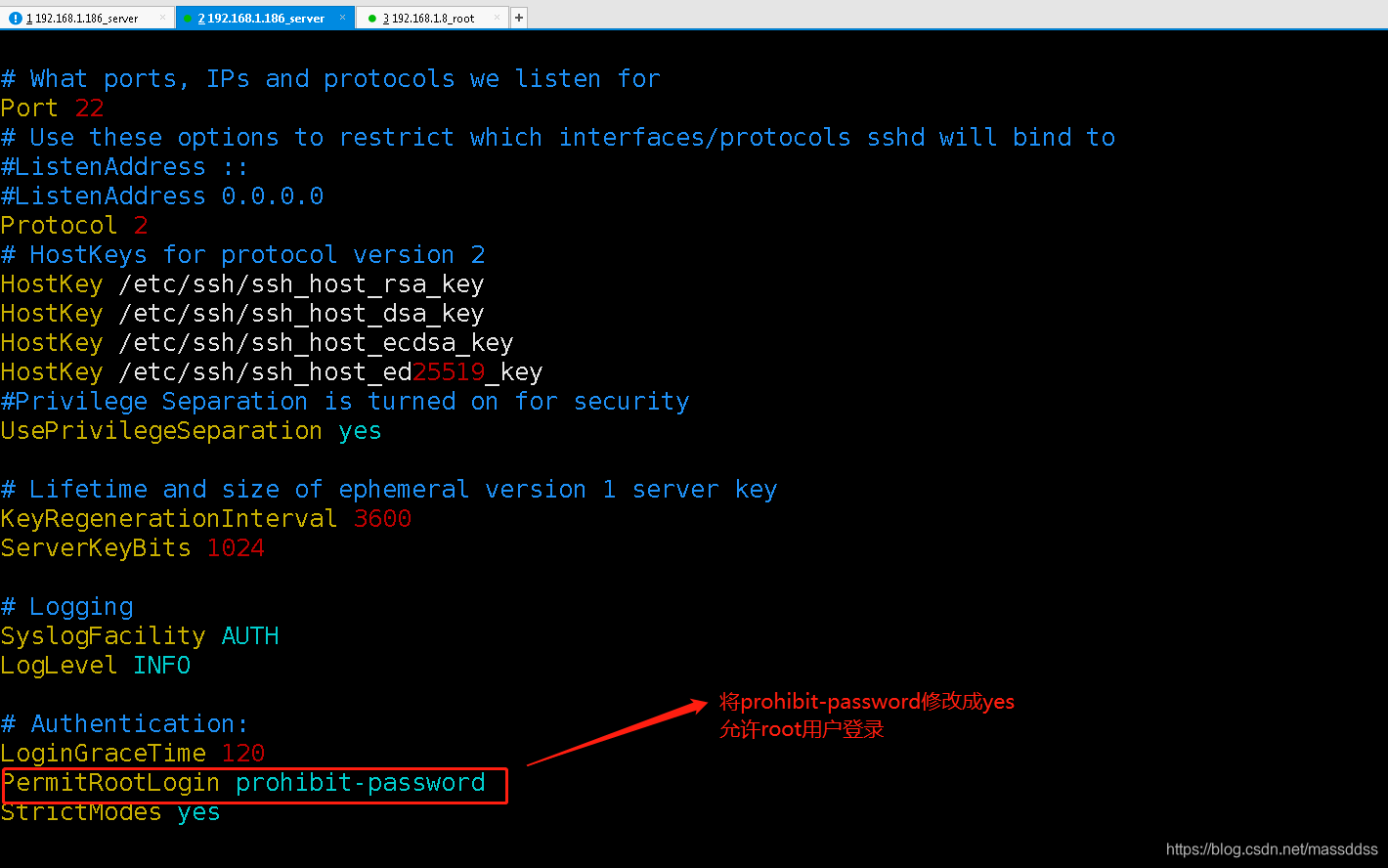
- 如果 ps -e | grep ssh 显示为空,下载ssh
5. apt-get update
6. apt-get install -y openssh-server
- 查看安装情况
7. ps -e | grep ssh
- 界面出现sshd,其余步骤同上。
版权声明:本文为massddss原创文章,遵循CC 4.0 BY-SA版权协议,转载请附上原文出处链接和本声明。