作者主页:夜未央5788
简介:Java领域优质创作者、Java项目、学习资料、技术互助
文末获取源码
项目介绍
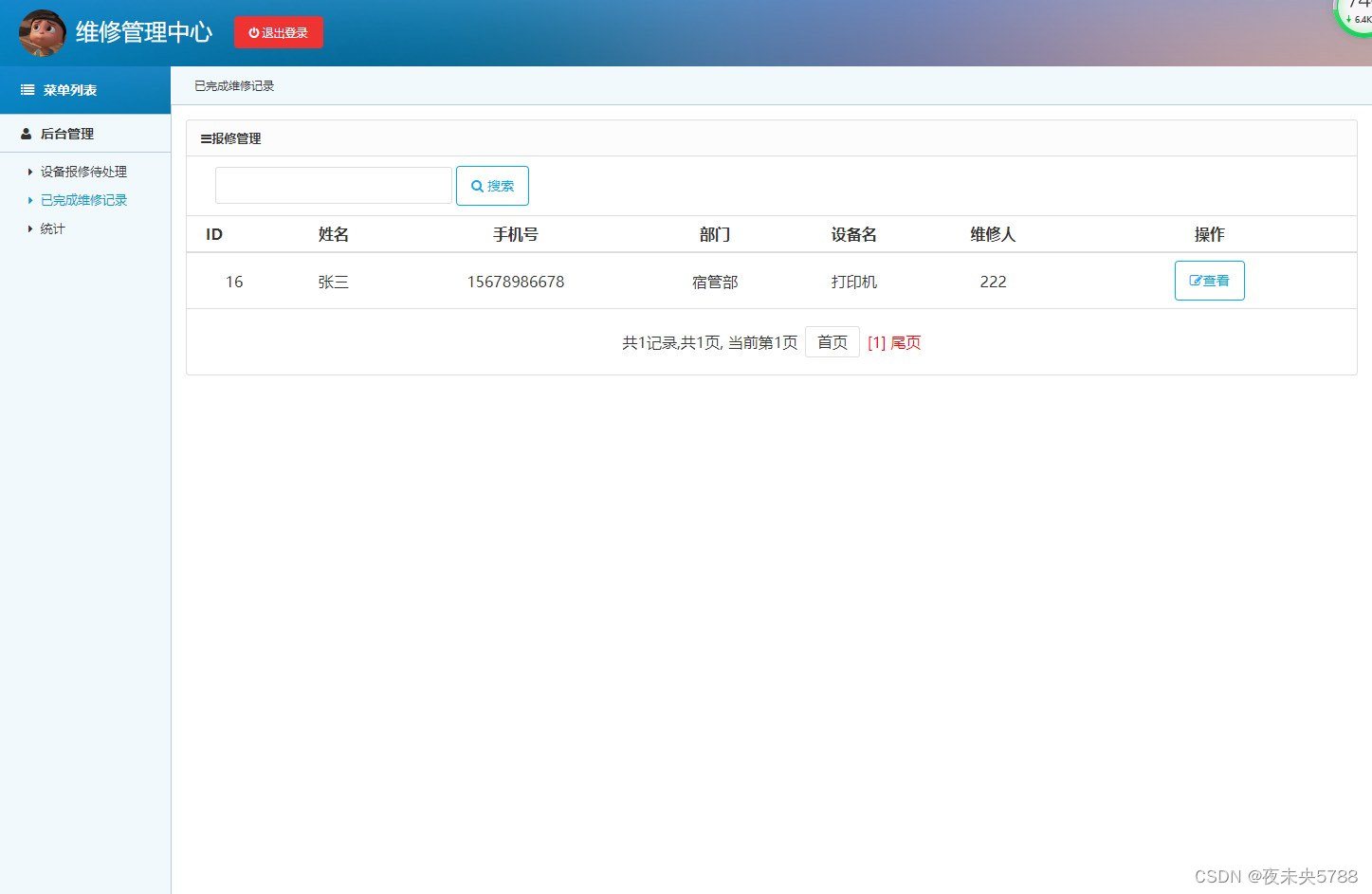
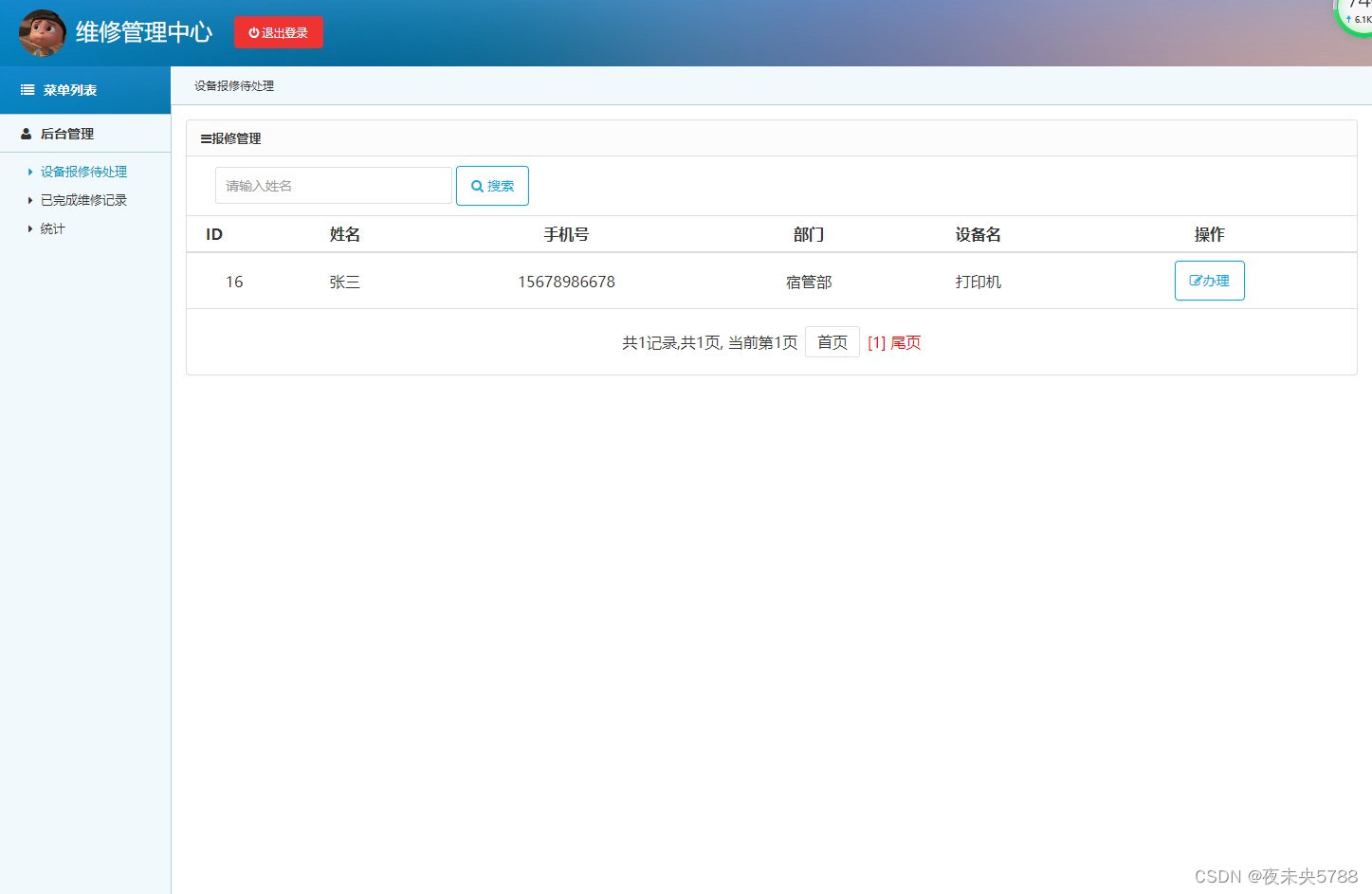
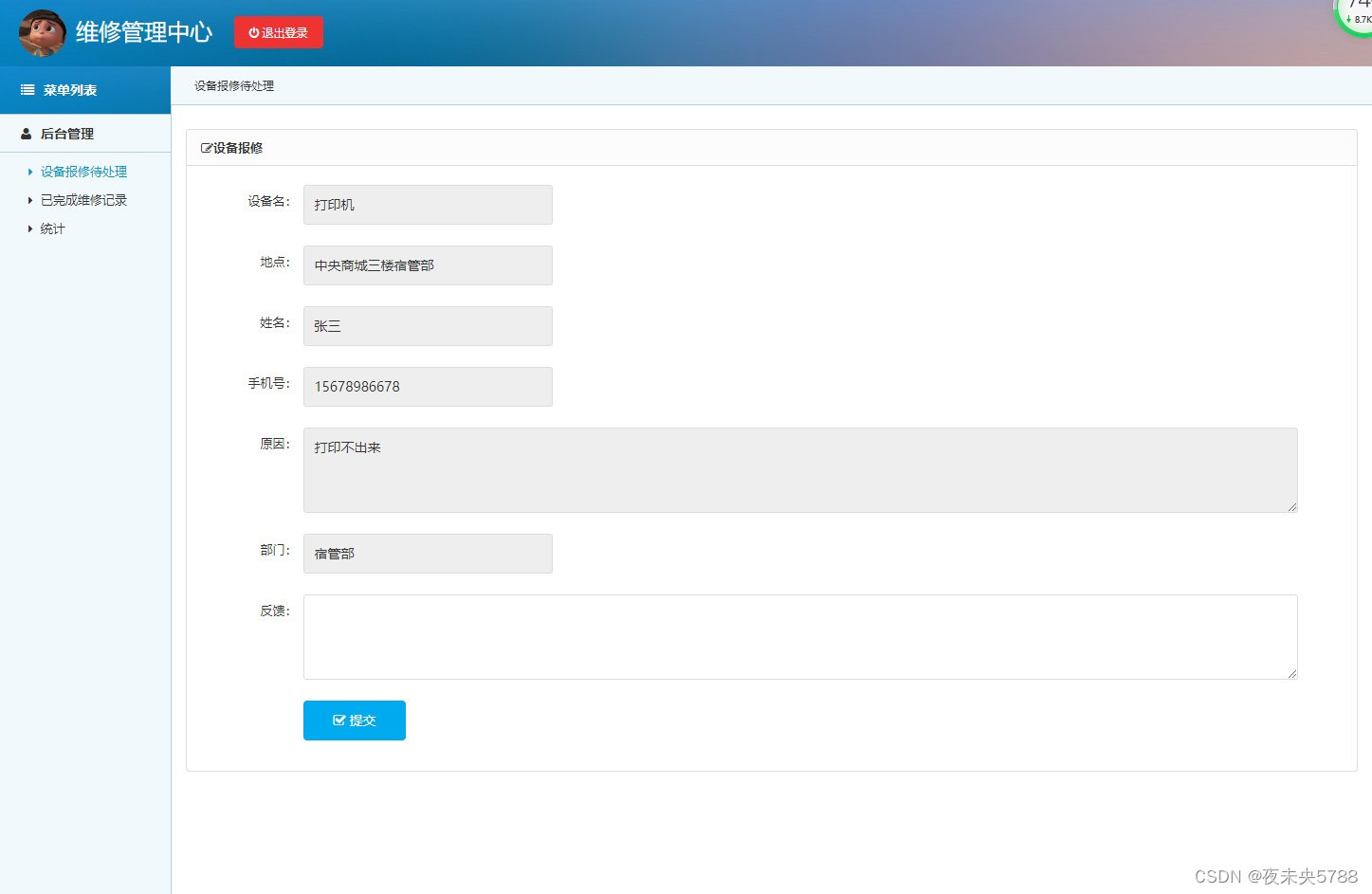
维修员角色包含以下功能:
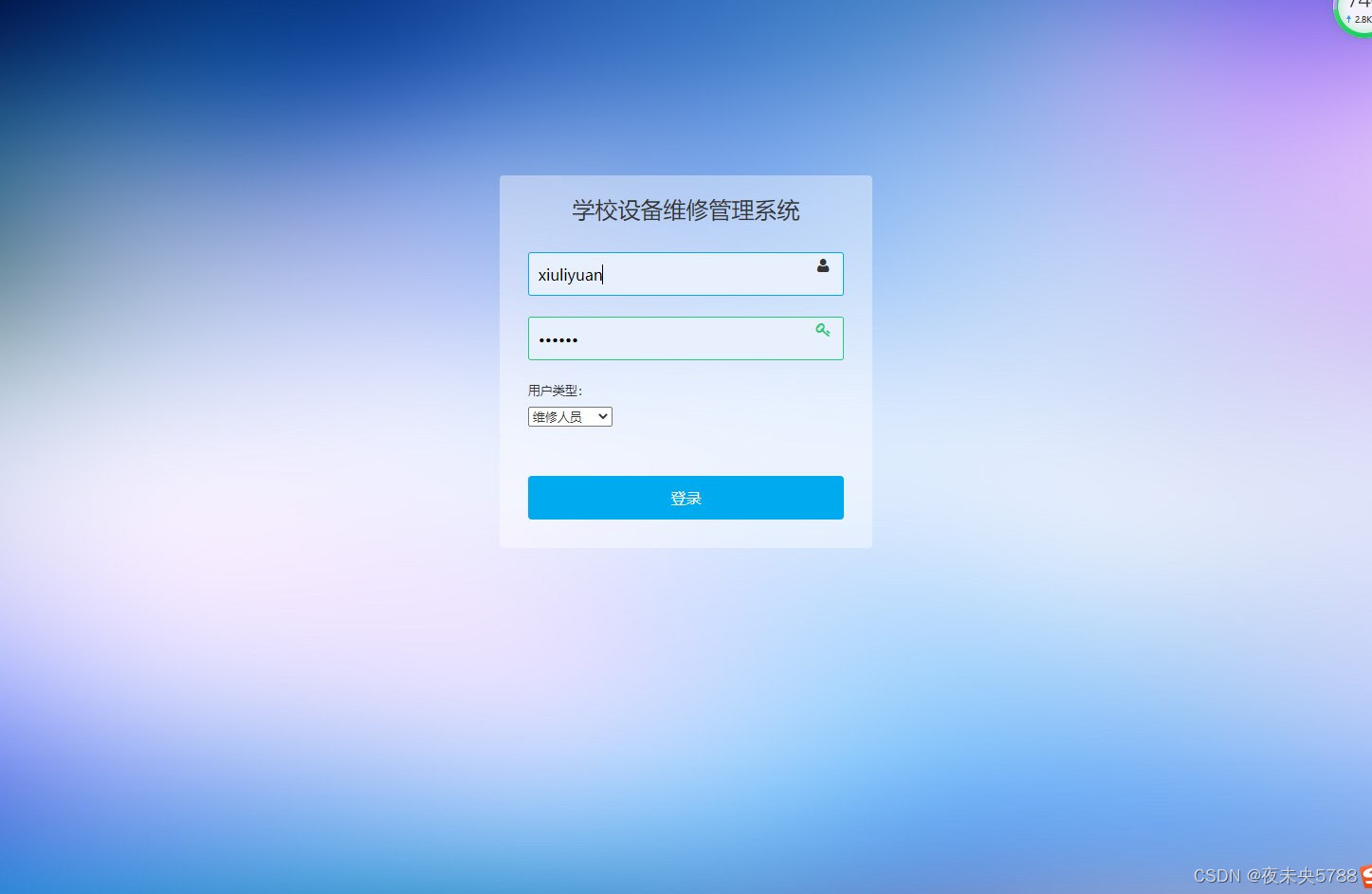
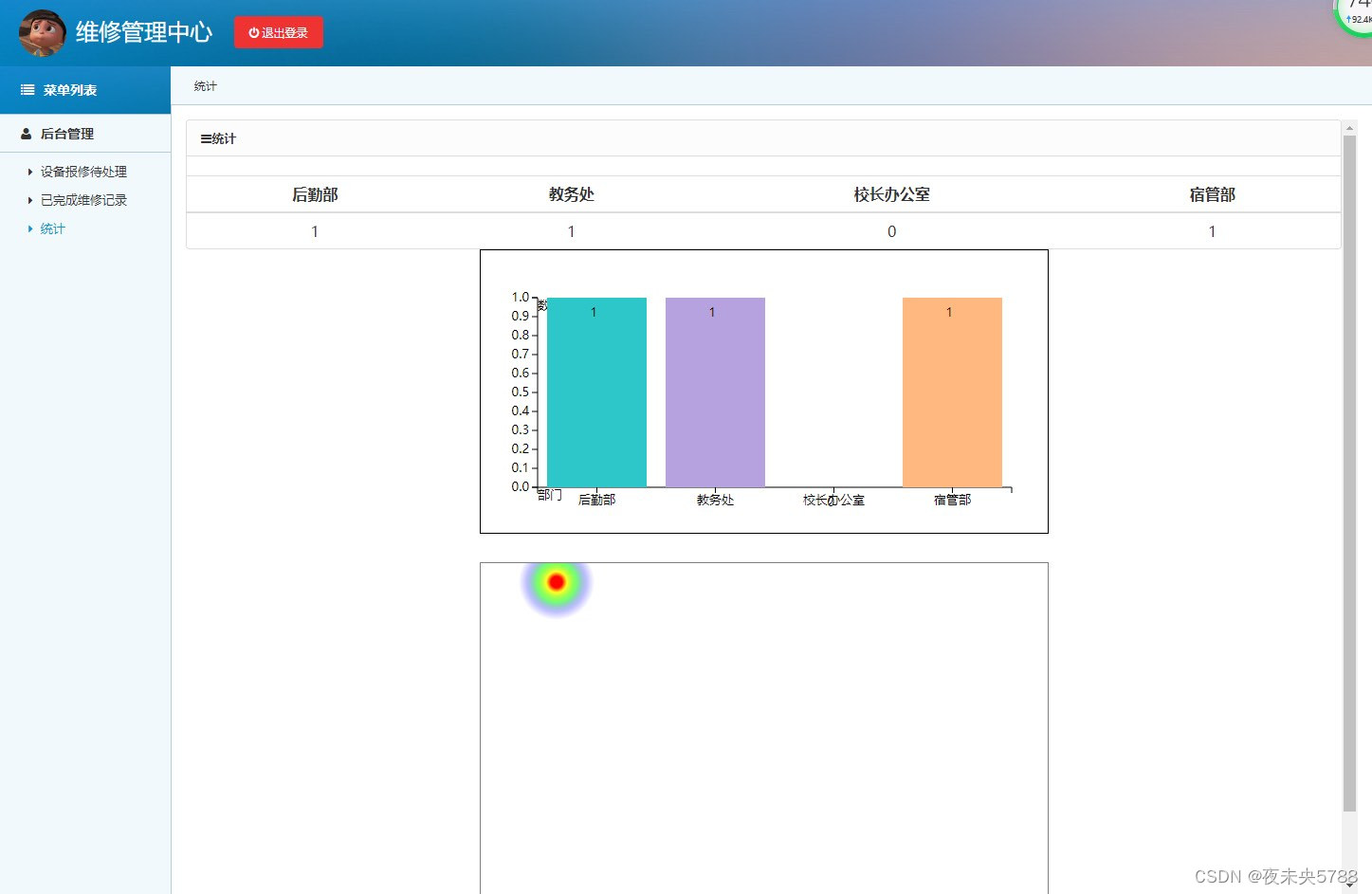
设备报修待处理,提交报修情况,查看已完成维修记录,查看统计,维修员登录等功能。
管理员角色包含以下功能:
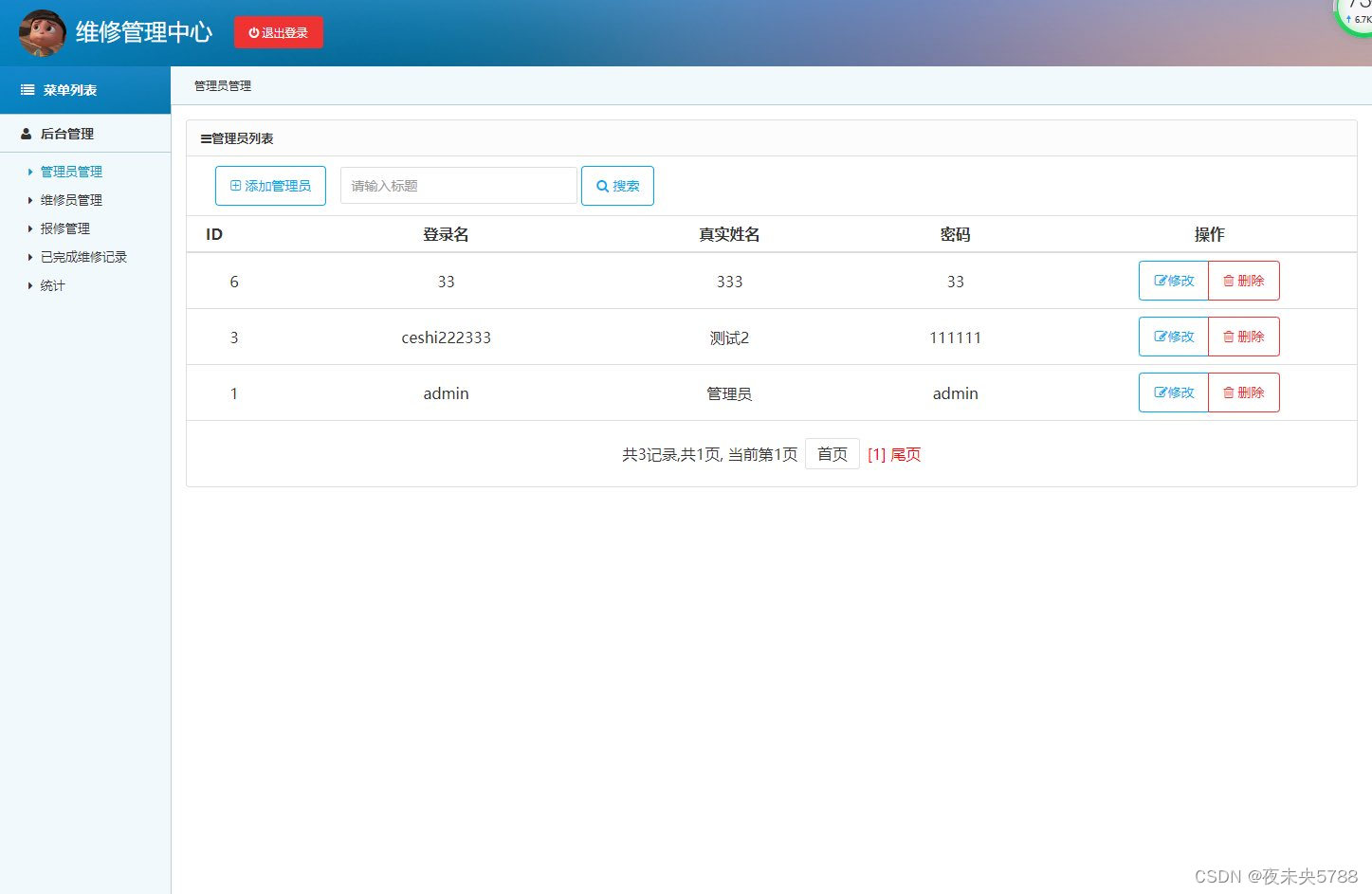
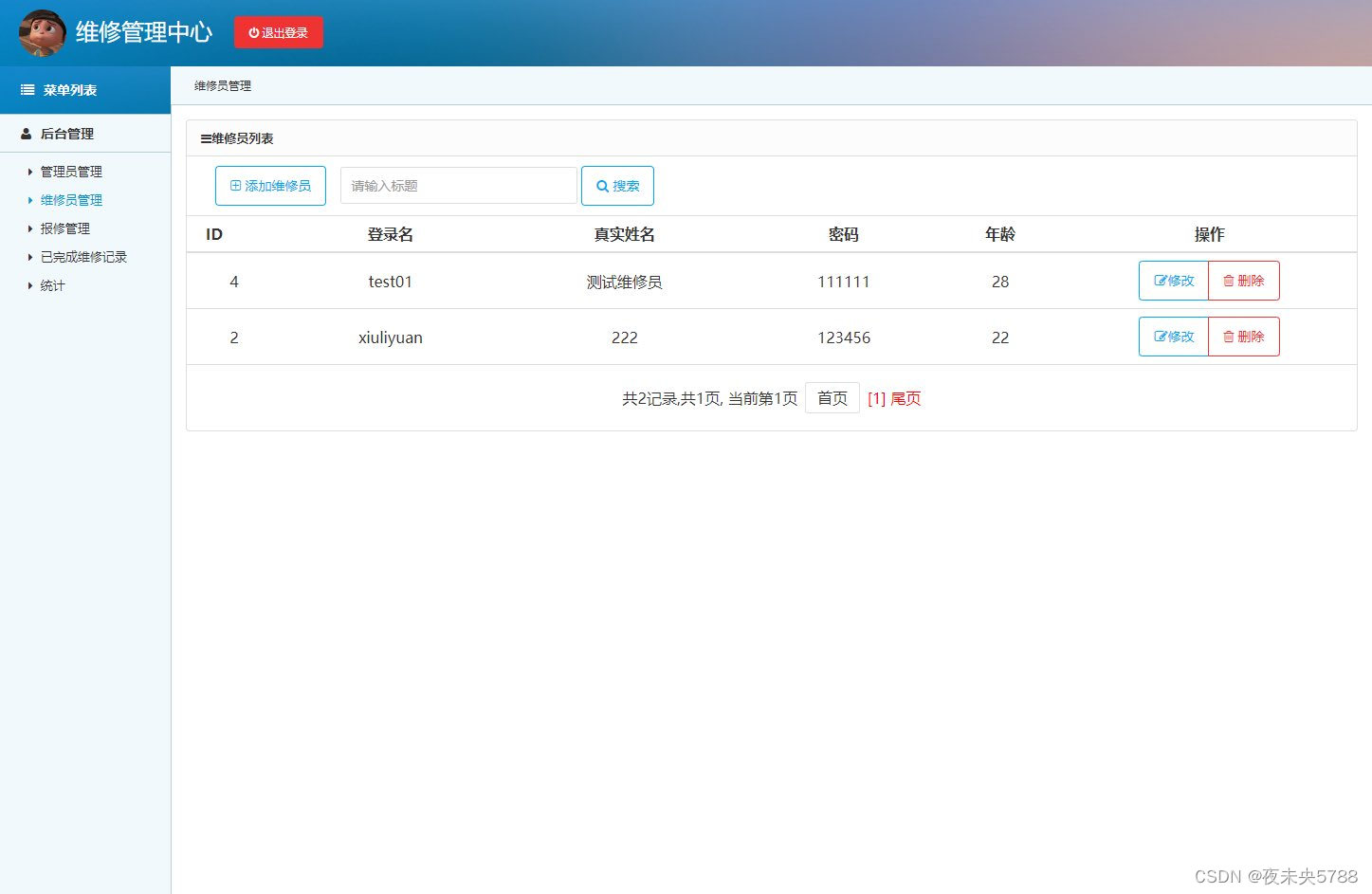
管理员登录,管理员信息管理,维修员信息管理,报修管理,查看已完成维修记录,查看统计等功能。
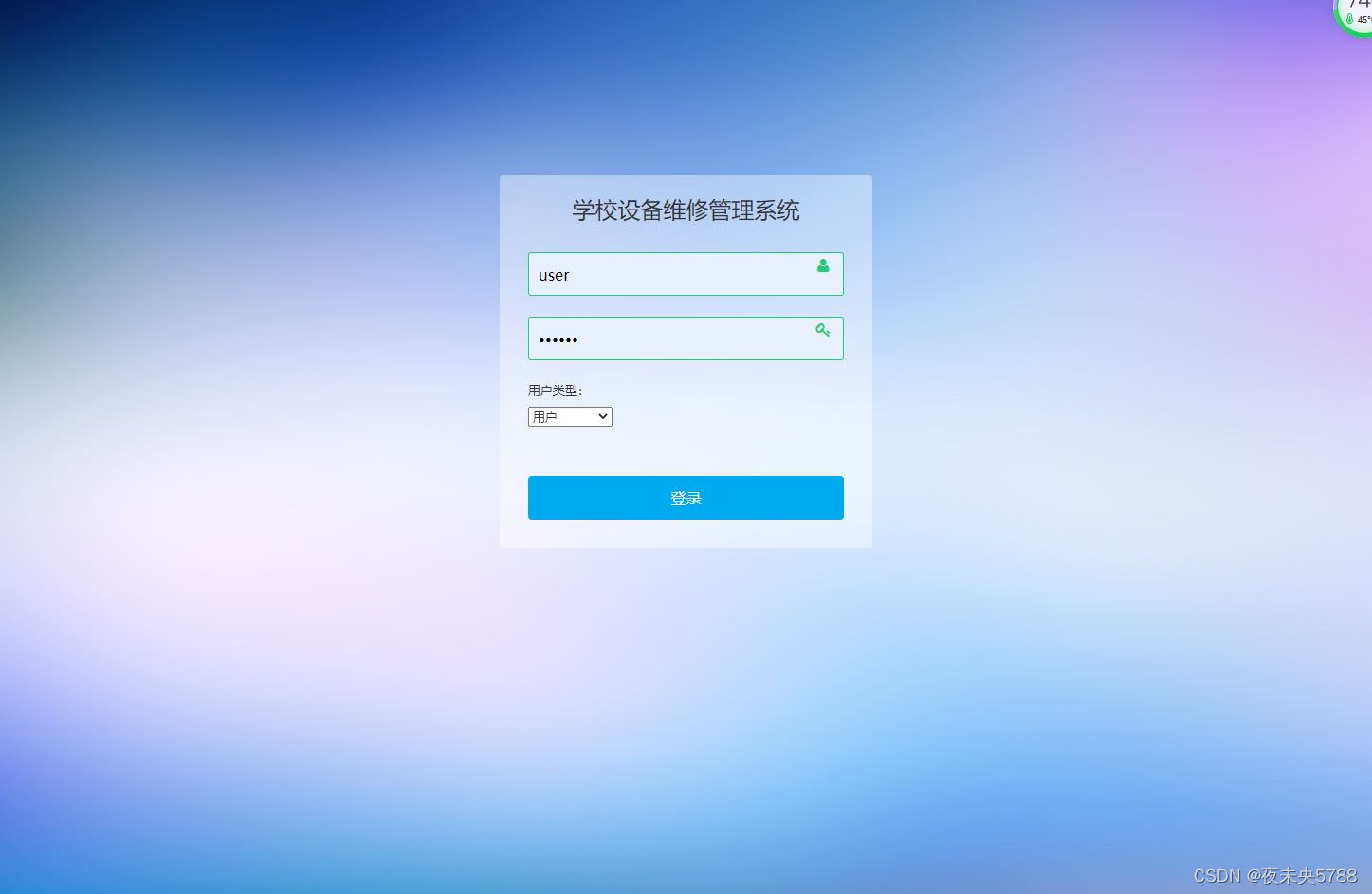
用户角色包含以下功能:
用户登录,设备报修等功能。
环境需要
1.运行环境:最好是java jdk 1.8,我们在这个平台上运行的。其他版本理论上也可以。
2.IDE环境:IDEA,Eclipse,Myeclipse都可以。推荐IDEA;
3.tomcat环境:Tomcat 7.x,8.x,9.x版本均可
4.硬件环境:windows 7/8/10 1G内存以上;或者 Mac OS;
5.数据库:MySql 5.7版本;
6.是否Maven项目: 否;查看源码目录中是否包含pom.xml;若包含,则为maven项目,否则为非maven项目
技术栈
1. 后端:Spring Struts Hibernate
2. 前端:JSP+css+javascript+bootstrap+jQuery
使用说明
1. 使用Navicat或者其它工具,在mysql中创建对应名称的数据库,并导入项目的sql文件;
2. 使用IDEA/Eclipse/MyEclipse导入项目,Eclipse/MyEclipse导入时,若为maven项目请选择maven;
若为maven项目,导入成功后请执行maven clean;maven install命令,然后运行;
3. 将项目中db.properties与配置文件中的数据库配置改为自己的配置;
4. 运行项目,输入localhost:8080/ssh_xybxsys/ 登录
运行截图
管理员角色
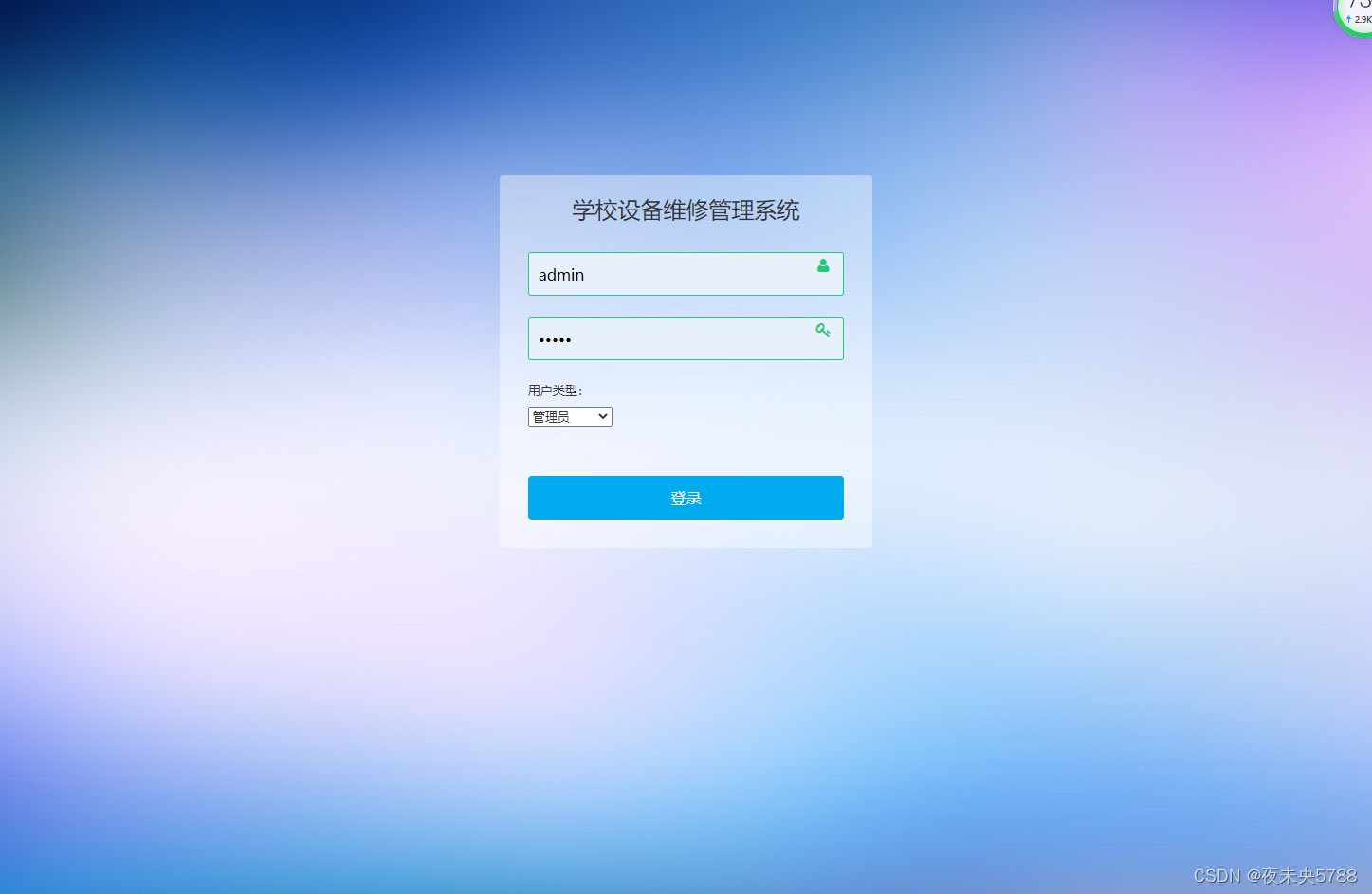
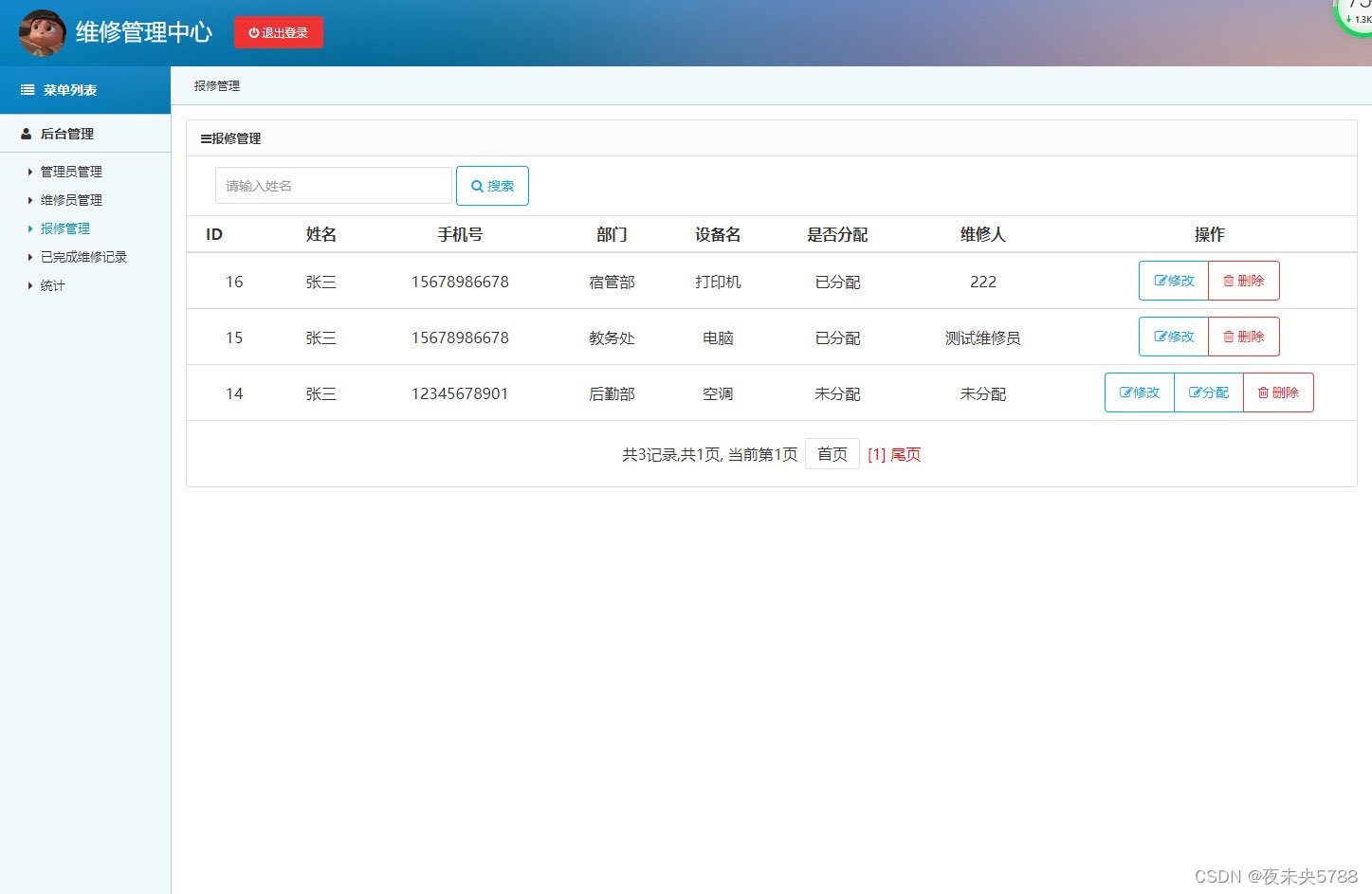
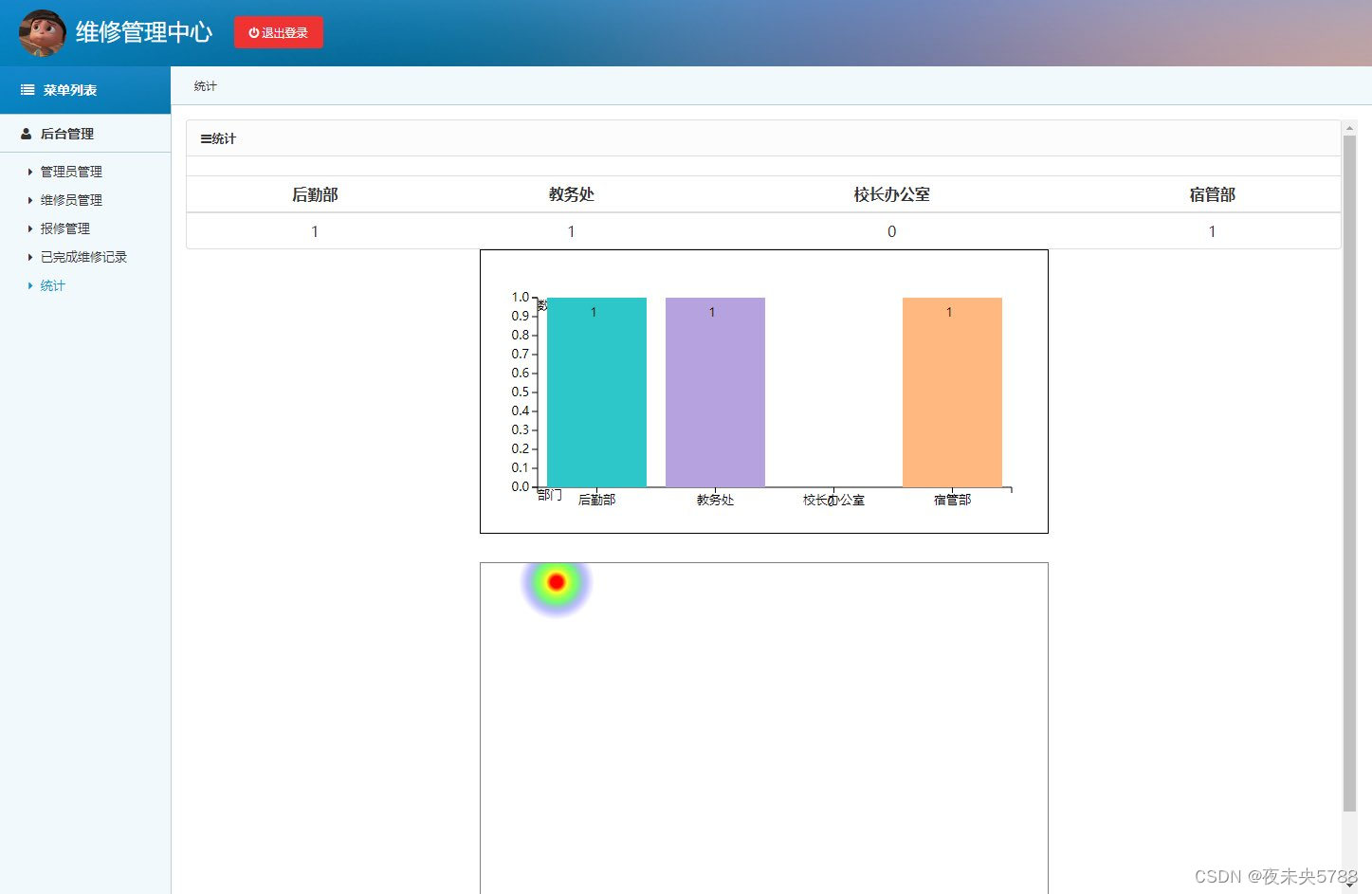
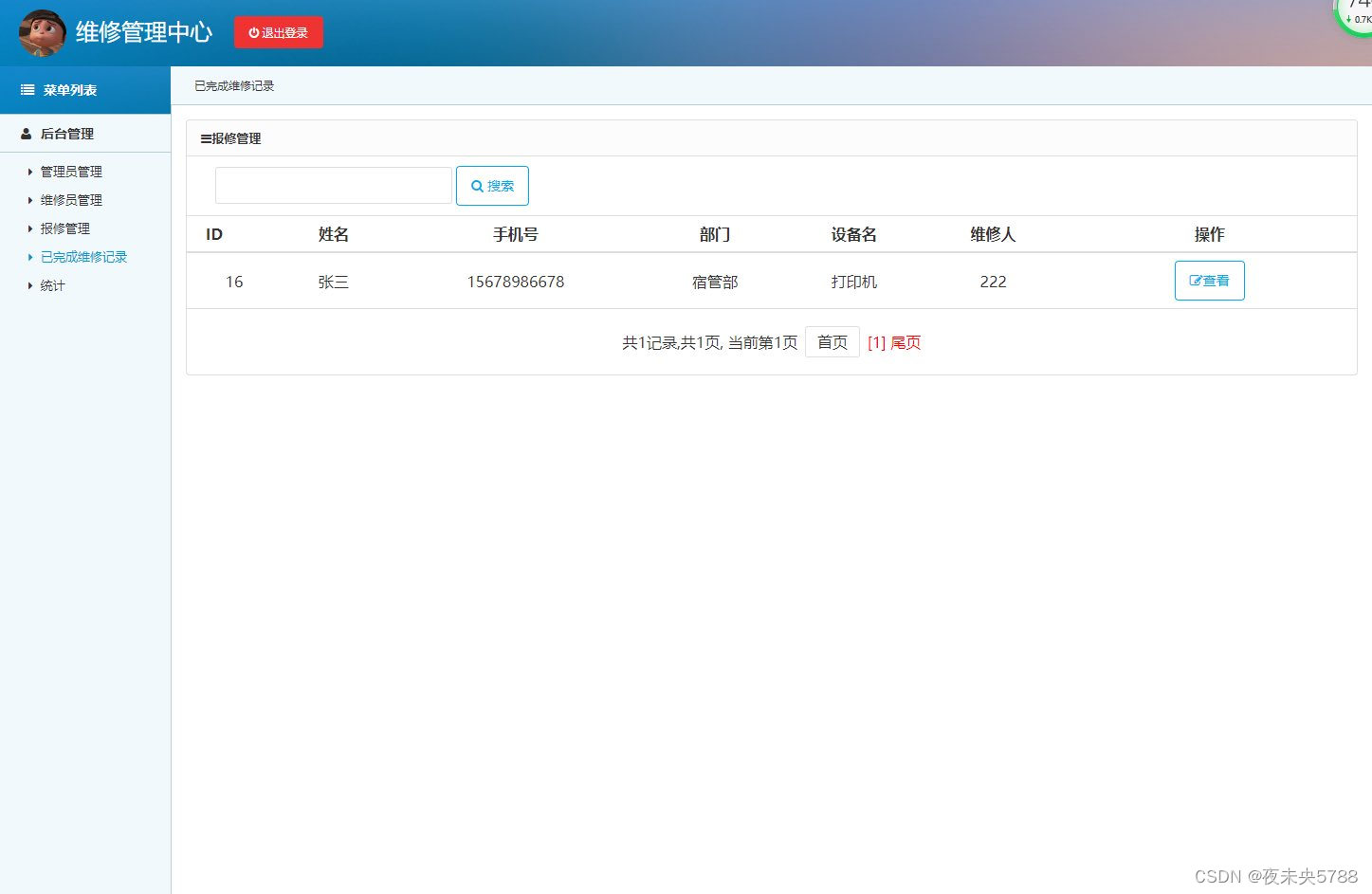
维修员角色
用户角色
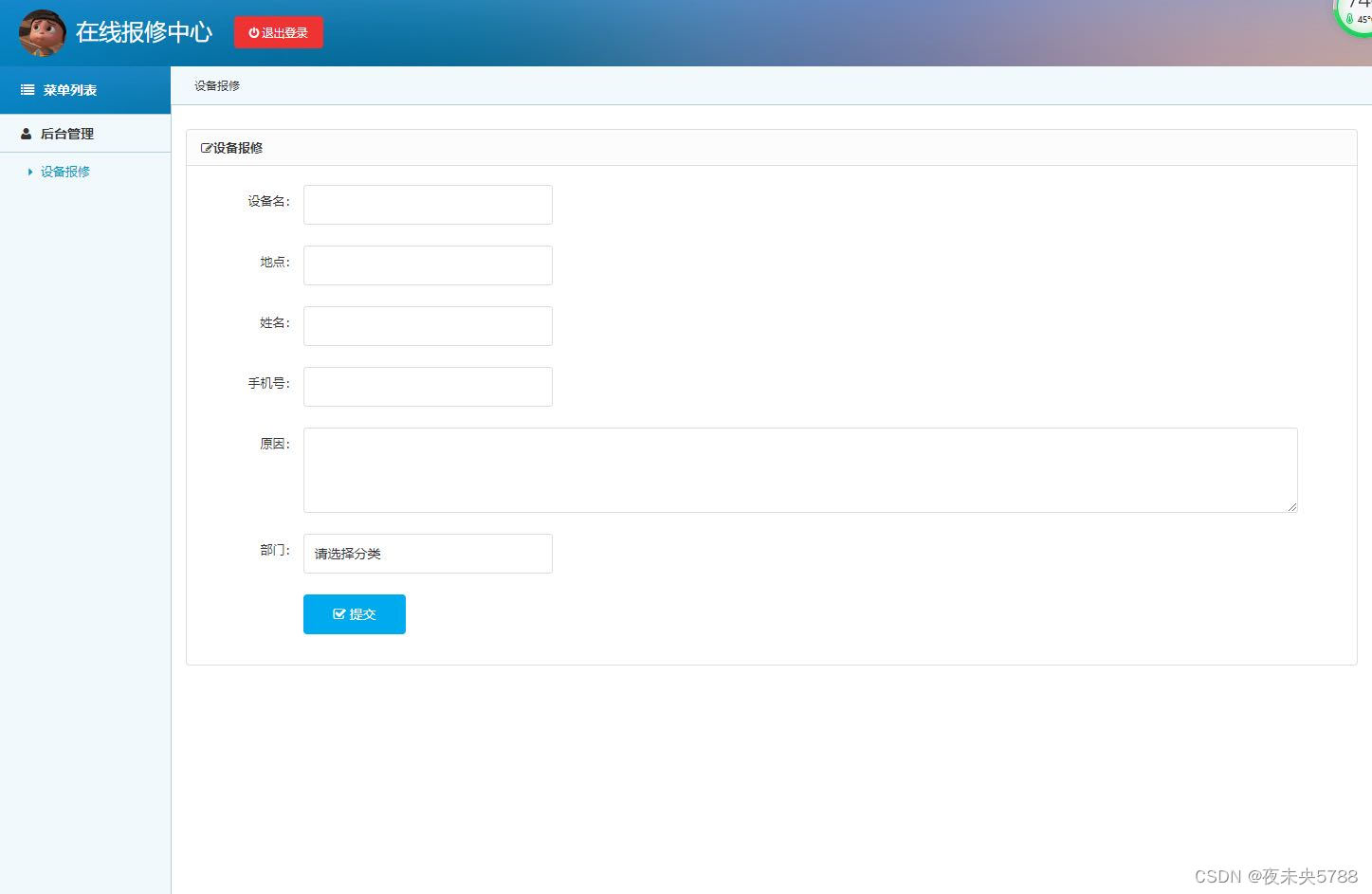
相关代码
DepartMentAction
package com.my.scientific.action;

import org.springframework.beans.factory.annotation.Autowired;
import org.springframework.stereotype.Controller;
import org.springframework.web.bind.annotation.RequestMapping;
import java.io.File;
import java.util.ArrayList;
import java.util.HashMap;
import java.util.List;
import java.util.Map;
import javax.servlet.http.HttpSession;
import org.apache.struts2.ServletActionContext;
import org.springframework.beans.factory.annotation.Autowired;
import org.springframework.context.annotation.Scope;
import org.springframework.stereotype.Controller;
import com.opensymphony.xwork2.ActionContext;
import com.opensymphony.xwork2.ActionSupport;
import com.my.scientific.utils.Pager;
import com.opensymphony.xwork2.ModelDriven;
import java.util.*;

import com.my.scientific.model.*;
import com.my.scientific.dao.*;
import com.my.scientific.service.*;

/**
 * @ClassName:
 * @Description:
 * @author administrator
 * @date 2021年07月24日 下午1:46:33 - 2021年07月21日 21时16分18秒
 */

@Controller("departMentAction")
@Scope("prototype")
public class DepartMentAction extends ActionSupport implements ModelDriven<DepartMent>{

	private static final long serialVersionUID = 1L;

	//==========model==============
	  private DepartMent departMent;
		@Override
		public DepartMent getModel() {
			if(departMent==null) departMent = new DepartMent();
			return departMent;
		}
		//==========model==============
	/**
	 * 依赖注入 start dao/service/===
	 */
	@Autowired
	private DepartMentService departMentService;

	//依赖注入 end  dao/service/===

	//-------------------------华丽分割线---------------------------------------------

	//============自定义参数start=============

	//============自定义参数end=============

	//-------------------------华丽分割线---------------------------------------------

	//============文件上传start=======================================================
	private File file;
	//提交过来的file的名字
    private String fileFileName;
    //提交过来的file的MIME类型
    private String fileContentType;
    public File getFile() {
		return file;
	}
	public void setFile(File file) {
		this.file = file;
	}
	public String getFileFileName() {
		return fileFileName;
	}
	public void setFileFileName(String fileFileName) {
		this.fileFileName = fileFileName;
	}
	public String getFileContentType() {
		return fileContentType;
	}
	public void setFileContentType(String fileContentType) {
		this.fileContentType = fileContentType;
	}
	 //============文件上传end=========================================================

	 //-------------------------华丽分割线---------------------------------------------//

	 //=============公=======共=======方=======法==========区=========start============//
	/**
	 * 列表分页查询
	 */
	public String departMent(){
	    Map<String,Object> alias = new HashMap<String,Object>();
		StringBuffer sb = new StringBuffer();
		sb = sb.append("from DepartMent where 1=1 ");
		sb = sb.append("order by id desc");
		Pager<DepartMent> pagers = departMentService.findByAlias(sb.toString(),alias);
		ActionContext.getContext().put("pagers", pagers);
		ActionContext.getContext().put("DepartMent", departMent);
		return SUCCESS;
    }

	/**
	 * 跳转到添加页面
	 * @return
	 */
	public String add(){
		return SUCCESS;
	}

	/**
	 * 执行添加
	 * @return
	 */
	public String exAdd(){
		departMentService.save(departMent);
		ActionContext.getContext().put("url", "/departMent_departMent.do");
		return "redirect";
	}

	/**
	 * 查看详情页面
	 * @return
	 */
	public String view(){
		DepartMent n = departMentService.getById(departMent.getId());
		ActionContext.getContext().put("DepartMent", n);
		return SUCCESS;
	}

	/**
	 * 跳转修改页面
	 * @return
	 */
	public String update(){
		DepartMent n = departMentService.getById(departMent.getId());
		ActionContext.getContext().put("DepartMent", n);
		return SUCCESS;
	}

	/**
	 * 执行修改
	 * @return
	 */
	public String exUpdate(){
		DepartMent n = departMentService.getById(departMent.getId());
		departMentService.update(n);
		ActionContext.getContext().put("url", "/departMent_departMent.do");
		return "redirect";
	}


	/**
	 * 删除
	 * @return
	 */
	public String delete(){
		departMentService.delete(departMent.getId());
		ActionContext.getContext().put("url", "/departMent_departMent.do");
		return "redirect";
	}

	//=============公=======共=======方=======法==========区=========end============//

	 //-------------------------华丽分割线---------------------------------------------//

	 //=============自=======定=======义=========方=======法==========区=========start============//


	//=============自=======定=======义=========方=======法==========区=========end============//


}
LoginAction
package com.my.scientific.action;

import java.io.File;
import java.util.ArrayList;
import java.util.Date;
import java.util.HashMap;
import java.util.List;
import java.util.Map;
import javax.servlet.http.HttpSession;
import org.apache.struts2.ServletActionContext;
import org.springframework.beans.factory.annotation.Autowired;
import org.springframework.context.annotation.Scope;
import org.springframework.stereotype.Controller;

import com.my.scientific.model.Manage;
import com.my.scientific.model.User;
import com.my.scientific.model.Worker;
import com.my.scientific.service.ManageService;
import com.my.scientific.service.UserService;
import com.my.scientific.service.WorkerService;
import com.opensymphony.xwork2.ActionContext;
import com.opensymphony.xwork2.ActionSupport;

@Controller("loginAction")
@Scope("prototype")
public class LoginAction extends ActionSupport {

//============依赖注入start================
		@Autowired
		private ManageService manageService;//管理
		@Autowired
		private UserService userService;//用户
		@Autowired
		private WorkerService workerService;
		//===========依赖注入end==================

		//-------------------------华丽分割线---------------------------------------------

		//============自定义参数start=============
		   private String userName;
		   private String passWord;
		   private String phone;//手机号
			private String realName;//真实名
		   public String getPhone() {
				return phone;
			}
			public void setPhone(String phone) {
				this.phone = phone;
			}
			public String getRealName() {
				return realName;
			}
			public void setRealName(String realName) {
				this.realName = realName;
			}

		   private int role;
		   private Integer keyword1;
		   private Integer keyword2;

		public Integer getKeyword1() {
			return keyword1;
		}
		public void setKeyword1(Integer keyword1) {
			this.keyword1 = keyword1;
		}
		public Integer getKeyword2() {
			return keyword2;
		}
		public void setKeyword2(Integer keyword2) {
			this.keyword2 = keyword2;
		}
		public String getUserName() {
			return userName;
		}
		public void setUserName(String userName) {
			this.userName = userName;
		}
		public String getPassWord() {
			return passWord;
		}
		public void setPassWord(String passWord) {
			this.passWord = passWord;
		}
		public int getRole() {
			return role;
		}
		public void setRole(int role) {
			this.role = role;
		}
		//============自定义参数end=============

		//-------------------------华丽分割线---------------------------------------------

		//============文件上传start=============
		private File file;
		//提交过来的file的名字
	    private String fileFileName;
	    //提交过来的file的MIME类型
	    private String fileContentType;
	    public File getFile() {
			return file;
		}
		public void setFile(File file) {
			this.file = file;
		}
		public String getFileFileName() {
			return fileFileName;
		}
		public void setFileFileName(String fileFileName) {
			this.fileFileName = fileFileName;
		}
		public String getFileContentType() {
			return fileContentType;
		}
		public void setFileContentType(String fileContentType) {
			this.fileContentType = fileContentType;
		}
		//============文件上传end=============

		//-------------------------华丽分割线---------------------------------------------

		//登陆页面
		public String login() {
			return "manageLogin";
		}
	   //注册页面(只有前台有注册)
		public String register() {
			/*User u = new User();
			u.setCreateTime(new Date());
			u.setPassWord(passWord);
			u.setPhone(phone);
			u.setRealName(realName);
			u.setUserName(userName);
	        userService.save(u);*/
			return "uLogin";
		}

		//医院概况
		public String yygk() {
			return "success";
		}
		//就医指南
		public String jyzn() {
			return "success";
		}


       //登录
		public String toLogin(){
//			  <option value="1">超级管理员</option>
//              <option value="2">管理员</option>

			if(role==4){//用户
				String hql = "from User where userName = :userName and passWord = :passWord";
				  Map<String,Object> alias = new HashMap<String,Object>();
				  alias.put("userName",userName);
				  alias.put("passWord", passWord);
				  List<User> userList= userService.getByHQL(hql, alias);
				if(userList.size()>0){
					//将用户信息放入session
					HttpSession session = ServletActionContext.getRequest()
							.getSession();
					session.setAttribute("userId",userList.get(0).getId() );
					session.setAttribute("user", userList.get(0));
					session.setAttribute("roleId", role);
					//查询5条公告
					return "manageIndex";
				}else{
					return "manageLogin";
				}
			}else{
				if(role == 3){//维修人员
					String hql = "from Worker where userName = :userName and passWord = :passWord";
					  Map<String,Object> alias = new HashMap<String,Object>();
					  alias.put("userName",userName);
					  alias.put("passWord", passWord);
					  List<Worker> byHQL = workerService.getByHQL(hql, alias);
					  if(byHQL.size()>0){
							//将用户信息放入session
							HttpSession session = ServletActionContext.getRequest()
									.getSession();
							session.setAttribute("userId",byHQL.get(0).getId() );
							session.setAttribute("worker", byHQL.get(0));
							session.setAttribute("roleId", role);
							//查询5条公告
							return "manageIndex";
						}else{
							return "manageLogin";
						}
				}else{
					String hql = "from Manage where name = :userName and passWord = :passWord and type="+role;
					  Map<String,Object> alias = new HashMap<String,Object>();
					  alias.put("userName",userName);
					  alias.put("passWord", passWord);
					List<Manage> manageList=manageService.getByHQL(hql, alias);
					if(manageList.size()>0){
						//将用户信息放入session
						HttpSession session = ServletActionContext.getRequest()
								.getSession();
						session.setAttribute("userName", manageList.get(0).getRealName());
						session.setAttribute("userId2",manageList.get(0).getId() );
						session.setAttribute("manage", manageList.get(0));
						session.setAttribute("roleId", role);
						return "manageIndex";
					}else{
						return "manageLogin";
					}
				}
			}

		}

		   //退出
			public String tuichu() {
				ActionContext ac = ActionContext.getContext();
				Map session = ac.getSession();
				session.remove("userName");
				session.remove("userId");
				if(role==1){
					return "userLogin";
				}else{
					return "manageLogin";
				}

			}

}
如果也想学习本系统,下面领取。关注并回复:129ssh