1,错误描述
如图:提示XX行有语法错误。无法解析。
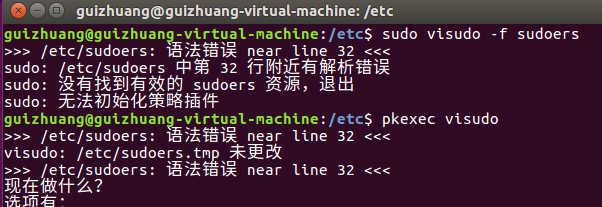
2,进入/ect/目录,键入命令:pkexec visudo

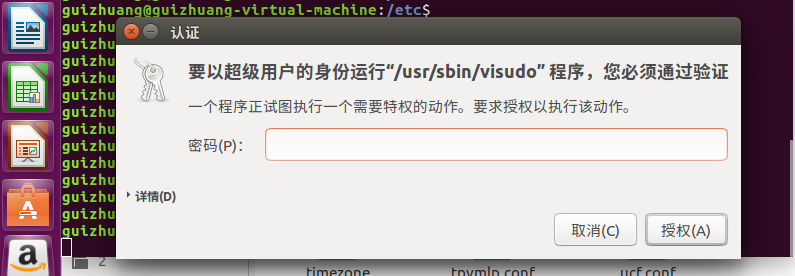
3,输入密码(ubuntu的登录密码)
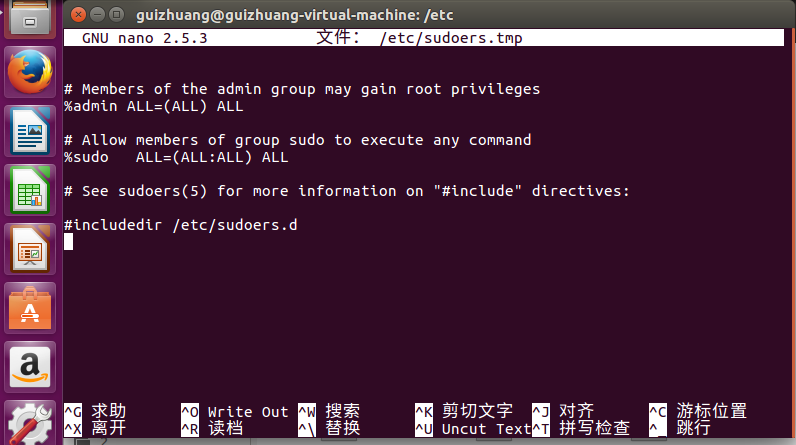
4,进入后修改你想要修改的,然后ctr+x离开(就是图中的^X选项)
5,输入y(选择‘是’)
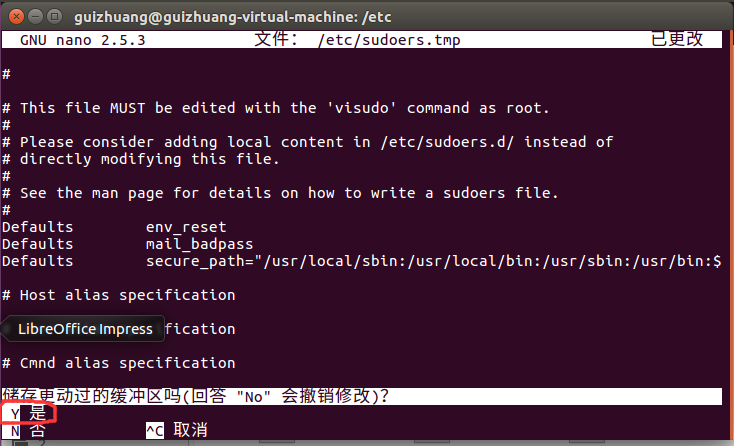
6,进入下面页面后直接回车即可。
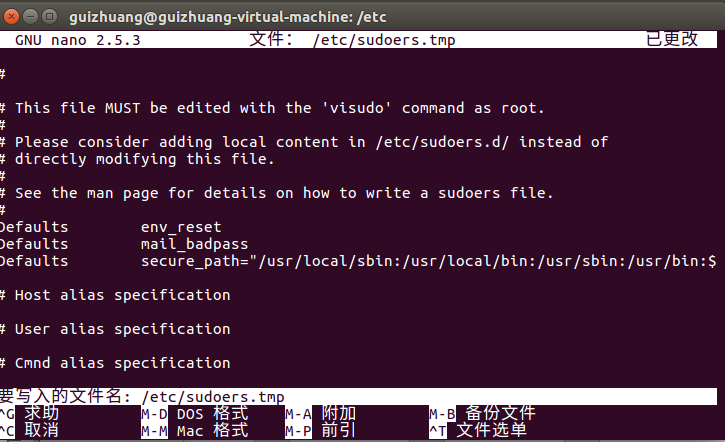
7,修复成功!(可以使用sudo命令)
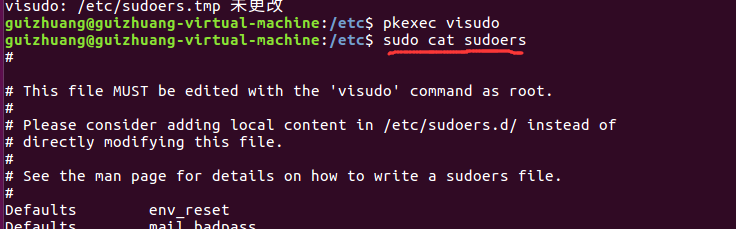
8,sudoers文件的配置内容(ubuntu的,这个是我的,不能保证每个人都一样),
#
# This file MUST be edited with the 'visudo' command as root.
#
# Please consider adding local content in /etc/sudoers.d/ instead of
# directly modifying this file.
#
# See the man page for details on how to write a sudoers file.
#
Defaultsenv_reset
Defaultsmail_badpass
Defaultssecure_path="/usr/local/sbin:/usr/local/bin:/usr/sbin:/usr/bin:/sbin:/bin:/snap/bin"
# Host alias specification
# User alias specification
# Cmnd alias specification
# User privilege specification
rootALL=(ALL:ALL) ALL
# Members of the admin group may gain root privileges
%admin ALL=(ALL) ALL
# Allow members of group sudo to execute any command
%sudoALL=(ALL:ALL) ALL
# See sudoers(5) for more information on "#include" directives:
#includedir /etc/sudoers.d