插入数据
insert into 表名(列名1,列名2,……)
values(列值1,列值2,……)
eg:
insert into customers(姓名,地址,城市,邮编,省份)
values('宋江','梁山路1号','济南','250000','山东省')
- 插入子查询结果—也可以一次插入多行元组
即可以将一个表的查询结果写入到另一个表中
eg:将"students"(学生表)中的信息(name,address,email)插入到“tongxuelu”中
insert into tongxuelu('姓名','地址',''电子邮件)
select name,address,email
from students
=========================================
修改数据
- 修改某一个元组的值
eg:
将学生20190104的年龄改为22岁
update student
set sage=22
where sno='20190104'
- 修改多个元组的值
eg:
将所有学生年龄增加1岁
update student
set age=age+1;
- 带子查询的修改语句
eg:
update sc
set grade=0
where 'cs'=
(select sdept   from student   where student.sno=sc.sno)
============================================
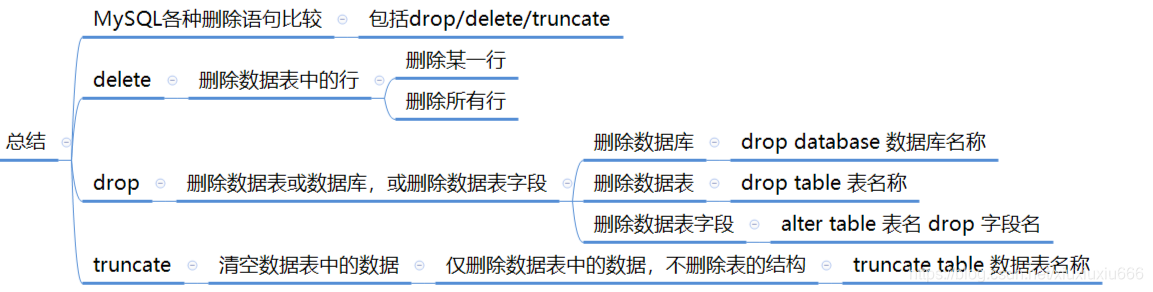
删除数据
- 删除单表中的元组
eg:
删除学号为20190105的学生记录
delete
from student
where sno='20190105'
- 删除多表中的元组
eg:
删除student表学生编号为37005的学生信息,和sc表中对应的成绩信息
delete
from student,sc
where student.sno=sc.studentid  and  student.sno='37005'
带子查询的删除语句
eg:
delete
from sc
where 'cs'=
(select sdept
from student
where student.sno=sc.sno);
============================================
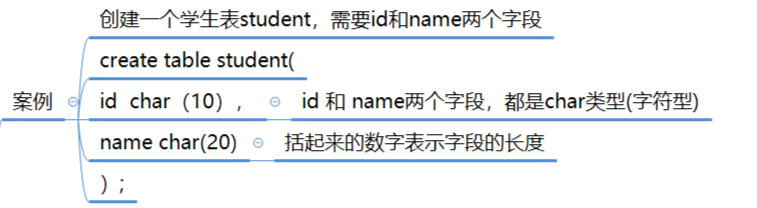
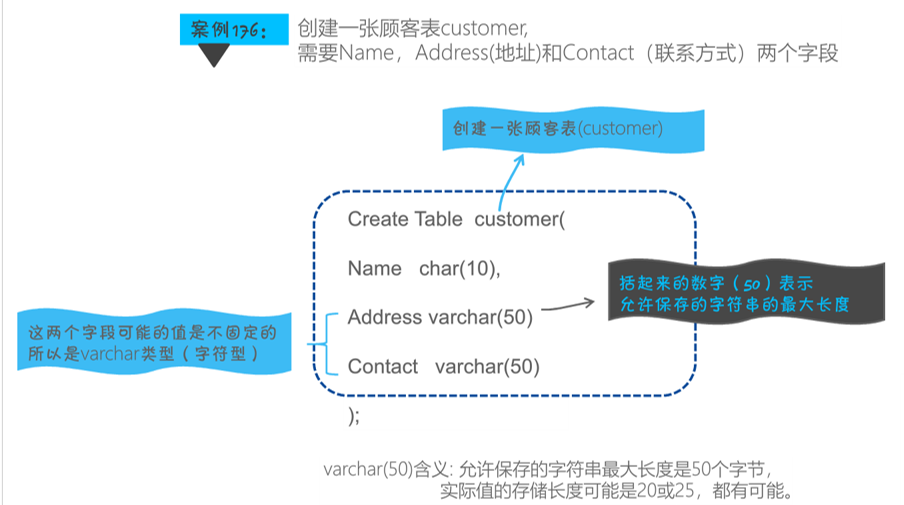
创建表
create table 表名(
      	列名1 列类型[列的完整性约束]);
约束:是对列的取值的说明
列类型:表示该列的数据类型
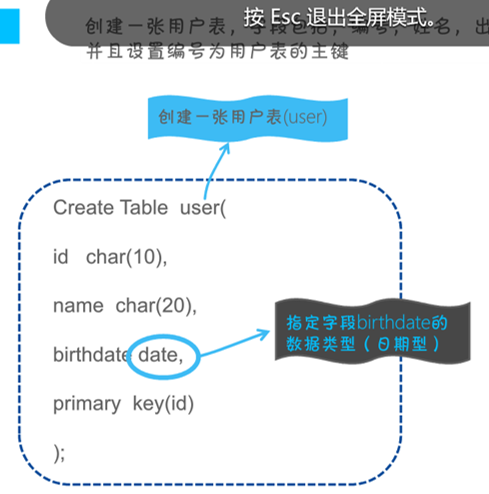
列类型:日期时间型 字符串型 数值型
1.整数型
create table student (id int(3) zerofill); 指定id列的数据为整数型数据 这列数据的显示宽度为3个字符
2.小数型
假设某个字段定义为float(6,3)
如果插入一个数123.45678,实际数据库里存的是123.457(MySQL保存值时四舍五入)
3.char(n)的用法
4.日期与时间型
========================================
MySQL中常见完整性约束
primary key
foreign key
unique
not null
auto_increment
default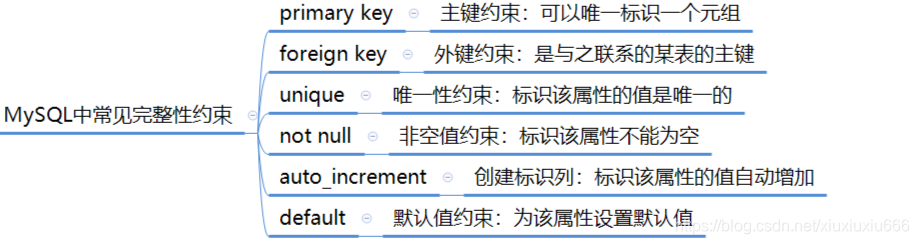
===========================================
修改表—alter table
alter table 表名称
[add …] 增加新列/主键/外键
[drop…] 删除列/主键
[modify…] 修改列(修改列名称或者数据类型)
alter table 表名称
add primary key(字段名)
alter table 表名
add foreign key(列名) references 表名(列名)   # add子句:添加外键
alter table 表名
drop 列名    # drop子句:1.删除列
modify sage smallint :modify子句:1.修改列名称或列类型
alter 列名 set default 默认值;
=========================================
删除表
drop table 表1,表2,表3……;
MySQL各种删除语句比较——包括drop/delete/truncate