如何在flutter运用中引入自己定义的依赖包
本人在自己定义了一个Android library依赖包
如图: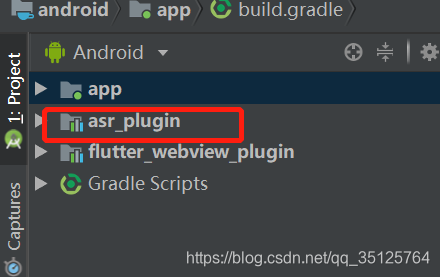
方式有两中:
方式一
- 打开主程序[以后默认名字为app]的build.gradle.中添加:
dependencies {
    testImplementation 'junit:junit:4.12'
    androidTestImplementation 'com.android.support.test:runner:1.0.2'
    androidTestImplementation 'com.android.support.test.espresso:espresso-core:3.0.2'
+   implementation project(':asr_plugin')//自己定义的依赖文件名
}
- 打开需要添加的插件asr_plugin的build.gradle文件
修改 compileSdkVersion,targetSdkVersion 和app中build.gradle中保持一致
compileSdkVersion 28
targetSdkVersion 28
以及
dependencies {
    implementation fileTree(dir: 'libs', include: ['*.jar'])

implementation 'com.android.support:appcompat-v7:28.0.0'//注意这个版本也需要注意对应上
    testImplementation 'junit:junit:4.12'
    androidTestImplementation 'com.android.support.test:runner:1.0.2'
    androidTestImplementation 'com.android.support.test.espresso:espresso-core:3.0.2'
}
方法二:使用android加载依赖
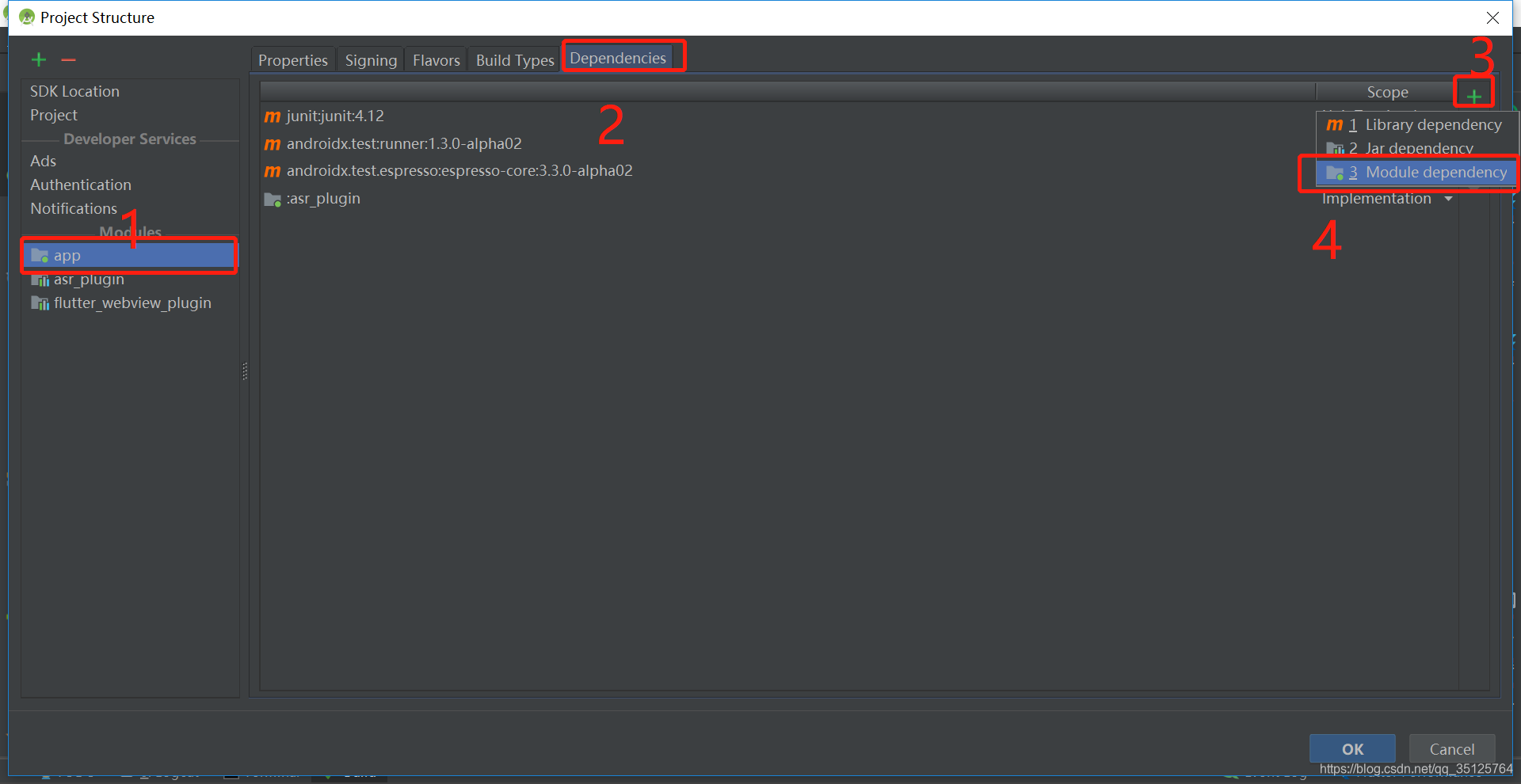
1,点击file->Project Structure->选中app->点击Dependencies->点击±>选者module Dependency->选者要的依赖->点击确认即可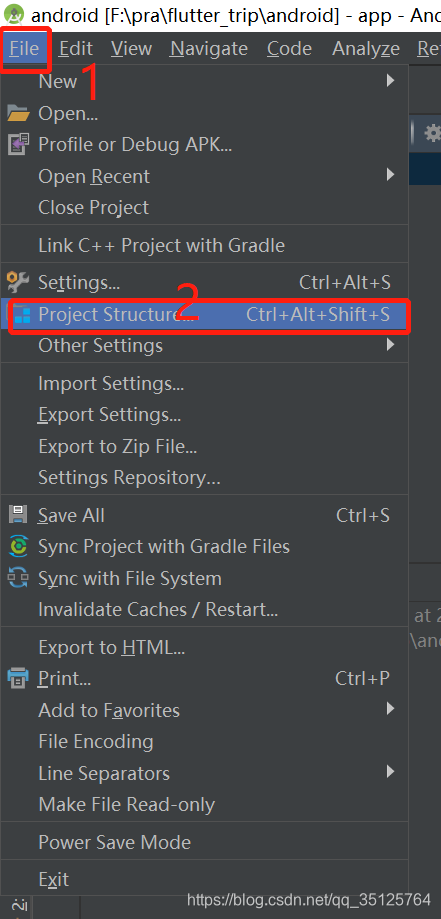
版权声明:本文为qq_35125764原创文章,遵循CC 4.0 BY-SA版权协议,转载请附上原文出处链接和本声明。