一、异步任务简介
1、异步&同步定义
AsyncTask异步任务类,比Handle更轻量级,更适合简单的异步操作。内部类封装了handle,在使用AsyncTask类进行刷新控件的刷新操作时,不用再额外创建声明Handle,可以直接使AsyncTask内部封装好的几个方法实现
2、AsyncTask参数介绍(三个参数)
- Params: 开始异步任务执行时传入的参数类型,对应excute()中传递参数
- Progress:异步任务执行过程中,返回下载进度值的类型
- Result:异步任务执行完成后,返回的结果类型,与dolnBackground()的返回值类型保持一致
3、核心方法
- execute() 执行
- onPreExecute() 在执行之前
- doInBackground() 相当于子线程 耗时操作在这个里边执行, 处理UI问题不行
- onProgressUpdate() 处理进度更新,可以操作UI
- onPostExecute() 接收线程任务的执行结果(doInBackground结果)
- onCancelled() 在执行过程中被取消( onPostExecute和onCancelled只会执行一个)
4、使用步骤
- 创建AsyncTask子类&根据需求实现核心方法
- 创建AsyncTask子类的实例对象(即:任务实例)
- 手动调用execute() 从而执行异步线程任务
案例:
activity_asynctask.xml
<?xml version="1.0" encoding="utf-8"?>
<LinearLayout xmlns:android="http://schemas.android.com/apk/res/android"
    android:layout_width="match_parent"
    android:layout_height="match_parent"
    android:orientation="vertical">

    <Button
        android:id="@+id/button5"
        android:layout_width="match_parent"
        android:layout_height="wrap_content"
        android:text="点击启动异步任务,开始请求服务器" />

    <TextView
        android:id="@+id/textView"
        android:layout_width="match_parent"
        android:layout_height="wrap_content"
        android:text="Hello~~~" />

</LinearLayout>
AsyncTaskActivity.java
package com.example.timerdemo;

import android.os.AsyncTask;
import android.os.Bundle;
import android.util.Log;
import android.view.View;
import android.widget.Button;
import android.widget.TextView;

import androidx.annotation.Nullable;
import androidx.appcompat.app.AppCompatActivity;

import java.io.ByteArrayOutputStream;
import java.io.IOException;
import java.io.InputStream;
import java.net.HttpURLConnection;
import java.net.MalformedURLException;
import java.net.URL;

// 请求服务器,将响应显示在界面中
public class AsyncTaskActivity extends AppCompatActivity {

    private String TAG = "AsyncTask";
    private Button button;
    private TextView textView;

    @Override
    protected void onCreate(@Nullable Bundle savedInstanceState) {
        super.onCreate(savedInstanceState);
        setContentView(R.layout.activity_asynctask);

        button = findViewById(R.id.button5);
        textView = findViewById(R.id.textView);

        button.setOnClickListener(new View.OnClickListener() {
            @Override
            public void onClick(View view) {
                // 实例化AsyncTask
                Log.i(TAG, "onClick: 点击按钮~!~");
                MyTask myTask = new MyTask();
                myTask.execute("http://www.imooc.com/api/teacher?type=3&cid=1");

            }
        });

    }

    // execute方法的参数:通常如果是请求服务器的话,那么这个参数我们会传入服务器接口地址
    // MyTask task = new MyTask();
    // task.execute("http://.....................");
    // http://www.imooc.com/api/teacher?type=3&cid=1
    class MyTask extends AsyncTask<String, Void, String> {

        @Override
        protected void onPreExecute() {
            super.onPreExecute();
            Log.i(TAG, "onPreExecute: 执行了");
        }

        // 请求服务器  可变长度取值按下标取
        @Override
        protected String doInBackground(String... strings) {

            try {
                URL url = new URL(strings[0]);

                HttpURLConnection conn = (HttpURLConnection) url.openConnection();

                conn.setRequestMethod("GET");
                conn.setConnectTimeout(6000);

                if(conn.getResponseCode() == HttpURLConnection.HTTP_OK){

                    InputStream in = conn.getInputStream();
                    byte[] b = new byte[1024];
                    int len = 0;
                    ByteArrayOutputStream baos = new ByteArrayOutputStream();
                    while ((len = in.read(b))>-1){
                        baos.write(b, 0, len);
                    }
                    String msg = new String(baos.toByteArray());
                    Log.i(TAG, "doInBackground: " + msg);
                    return msg;
                }
            } catch (MalformedURLException e) {
                e.printStackTrace();
            } catch (IOException e) {
                e.printStackTrace();
            }
            return null;
        }

        // 处理显示问题
        @Override
        protected void onPostExecute(String s) {
            super.onPostExecute(s);
            Log.i(TAG, "onPostExecute: 执行了");
            if(s != null){
                textView.setText(s);
            }
        }
    }
}
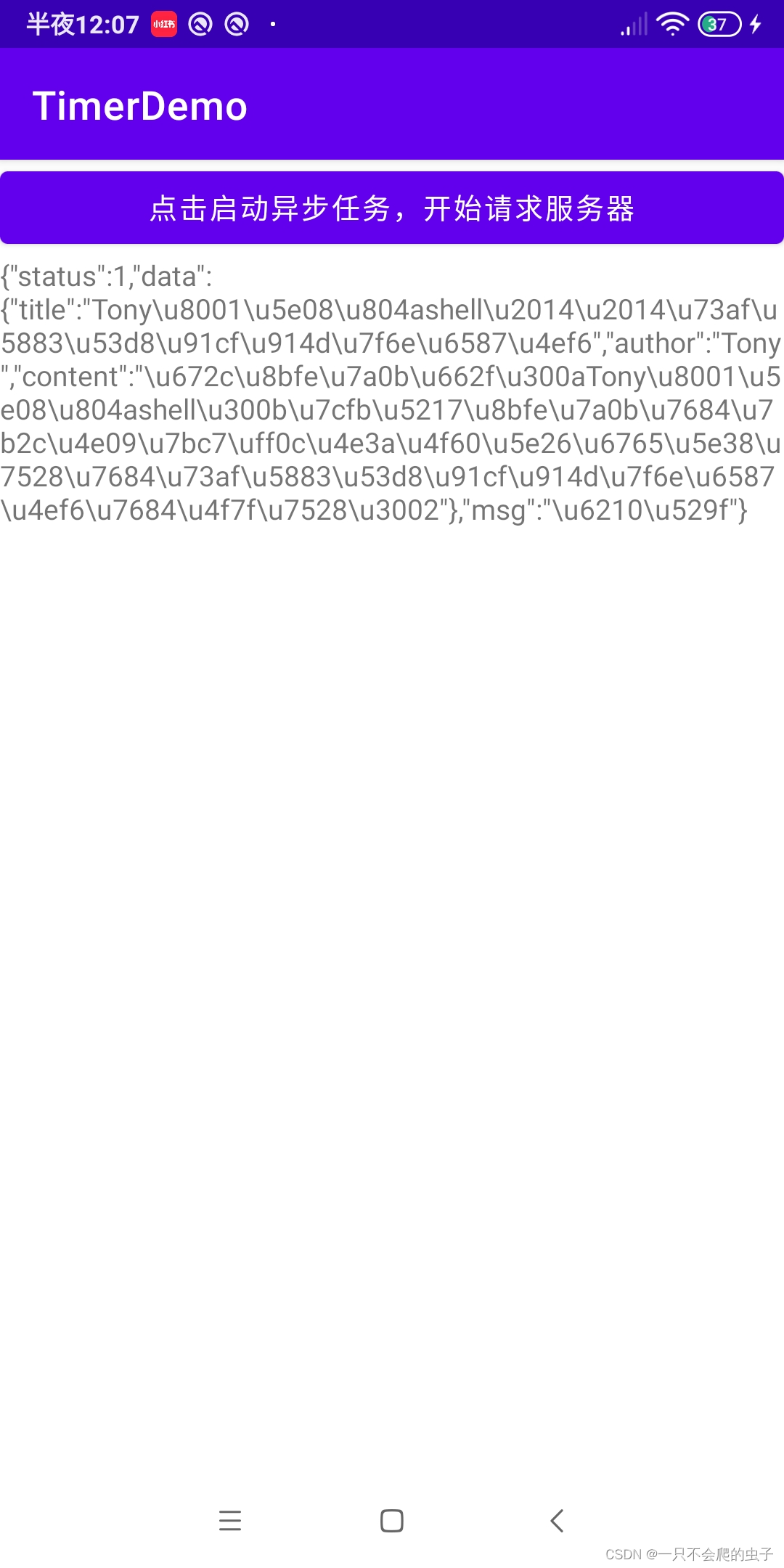
结果:
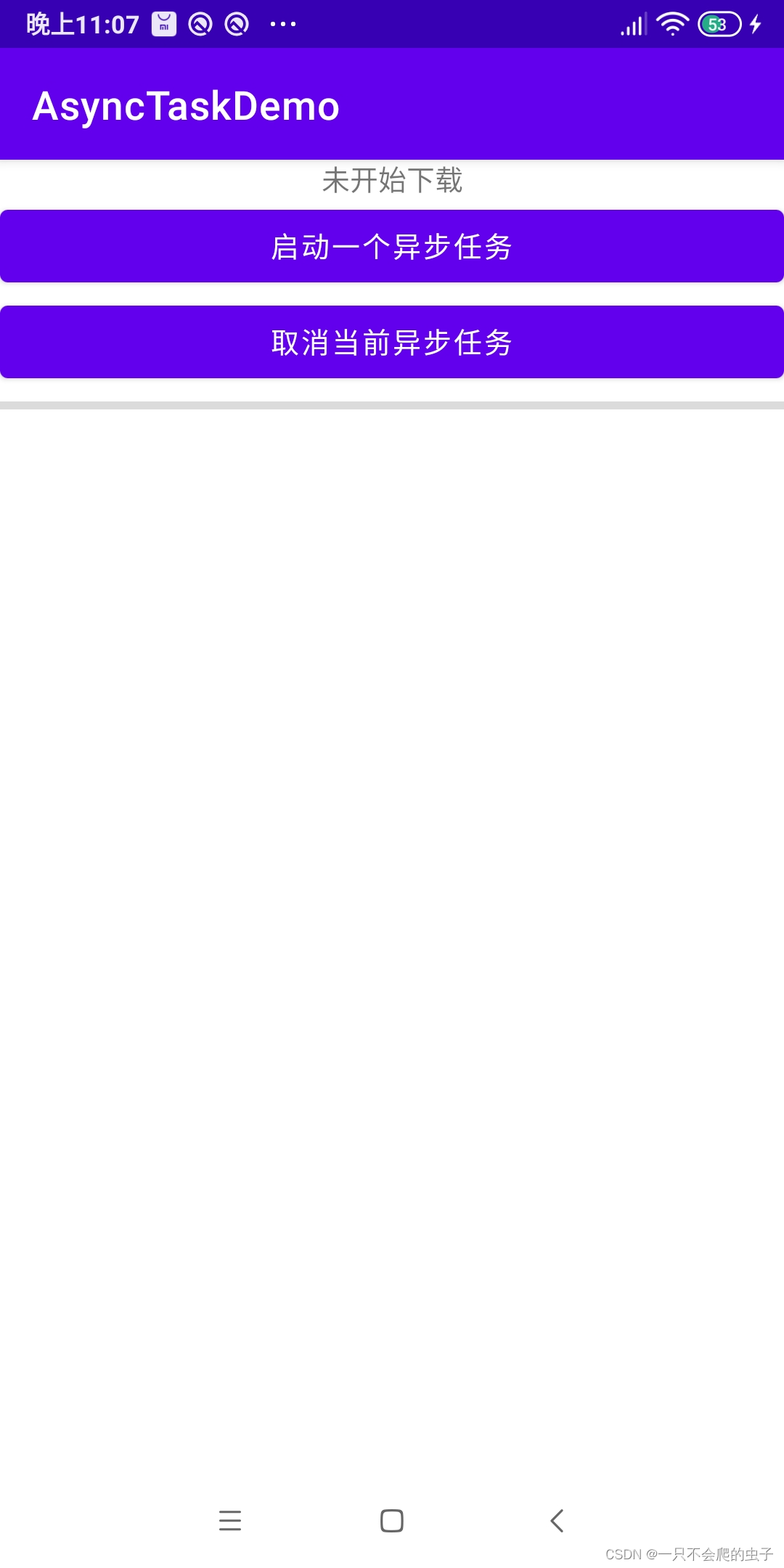
案例2:进度条
activity_main.xml
<?xml version="1.0" encoding="utf-8"?>
<androidx.constraintlayout.widget.ConstraintLayout xmlns:android="http://schemas.android.com/apk/res/android"
    xmlns:app="http://schemas.android.com/apk/res-auto"
    xmlns:tools="http://schemas.android.com/tools"
    android:layout_width="match_parent"
    android:layout_height="match_parent"
    tools:context=".MainActivity">

    <TextView
        android:id="@+id/textView"
        android:layout_width="wrap_content"
        android:layout_height="wrap_content"
        android:text="未开始下载"
        app:layout_constraintEnd_toEndOf="parent"
        app:layout_constraintStart_toStartOf="parent"
        app:layout_constraintTop_toTopOf="parent" />

    <Button
        android:id="@+id/button"
        android:layout_width="match_parent"
        android:layout_height="wrap_content"
        android:text="启动一个异步任务"
        app:layout_constraintEnd_toEndOf="parent"
        app:layout_constraintStart_toStartOf="parent"
        app:layout_constraintTop_toBottomOf="@+id/textView"/>

    <Button
        android:id="@+id/button2"
        android:layout_width="match_parent"
        android:layout_height="wrap_content"
        android:text="取消当前异步任务"
        app:layout_constraintEnd_toEndOf="parent"
        app:layout_constraintStart_toStartOf="parent"
        app:layout_constraintTop_toBottomOf="@+id/button" />

    <ProgressBar
        android:id="@+id/pgb"
        android:layout_width="match_parent"
        android:layout_height="wrap_content"
        style="?android:attr/progressBarStyleHorizontal"
        app:layout_constraintTop_toBottomOf="@+id/button2"/>


</androidx.constraintlayout.widget.ConstraintLayout>
MainActivity.java
package com.example.asynctaskdemo;

import androidx.appcompat.app.AppCompatActivity;

import android.os.AsyncTask;
import android.os.Bundle;
import android.view.View;
import android.widget.Button;
import android.widget.ProgressBar;
import android.widget.TextView;

import java.nio.channels.AsynchronousByteChannel;

public class MainActivity extends AppCompatActivity {

    private TextView textView;
    private Button button1, button2;
    private ProgressBar progressBar;
    private AsyncTask<Void, Integer, String> pTask;

    @Override
    protected void onCreate(Bundle savedInstanceState) {
        super.onCreate(savedInstanceState);
        setContentView(R.layout.activity_main);

        textView = findViewById(R.id.textView);
        button1 = findViewById(R.id.button);
        button2 = findViewById(R.id.button2);
        progressBar = findViewById(R.id.pgb);

        pTask = new ProgressTask();

        button1.setOnClickListener(new View.OnClickListener() {
            @Override
            public void onClick(View view) {
                pTask.execute();
            }
        });

        button2.setOnClickListener(new View.OnClickListener() {
            @Override
            public void onClick(View view) {
                pTask.cancel(true);
            }
        });

    }

    class ProgressTask extends AsyncTask<Void, Integer, String> {

        @Override
        protected void onPreExecute() {
            super.onPreExecute();
        }

        @Override
        protected String doInBackground(Void... voids) {
            try {
                for(int i = 1; i <= 3; i++){
                    publishProgress(i);
                    Thread.sleep(3000);
                }
                return "sss";
            }catch (InterruptedException e) {
                e.printStackTrace();
            }
            return null;
        }

        @Override
        protected void onProgressUpdate(Integer... values) {
            super.onProgressUpdate(values);
            progressBar.setProgress(100/3*values[0]);
            textView.setText("正在下载第" + values[0] + "个文件");
        }

        @Override
        protected void onPostExecute(String s) {
            super.onPostExecute(s);
            if(s != null){
                textView.setText("下载完成");
            }
        }

        @Override
        protected void onCancelled() {
            super.onCancelled();
            textView.setText("已暂停");
        }
    }
}
坐得住板凳,耐得住寂寞,守得住初心!
版权声明:本文为weixin_40352715原创文章,遵循CC 4.0 BY-SA版权协议,转载请附上原文出处链接和本声明。