文章目录
本文记述 pyinstaller 打包使用了 matplotlib 的程序遇到的问题。 假设我要打包graphics_main.py
Failed to execute script
报错信息:Failed to execute script.
解决方案:改用 -F 选项打包,只生成单个 .exe 文件并运行,看看错误是什么:
pyinstaller --clean -F graphics_main.py也可以直接进入下一步。
TypeError: expected str, bytes or os.PathLike object, not WindowsPath
报错信息:TypeError: expected str, bytes or os.PathLike object, not WindowsPath.
在生成的过程中,终端里包含如上一句话(仔细找一找,是不是有 TypeError)。解决方案:与下一个相同。
No such file or directory matplotlibrc
- 报错信息: No such file or directory matplotlibrc
-F(或-c)生成的文件运行后发现这句话并闪退。(闪退有点快可以手机录个视频看看)。
- 解决方案:更新 pyinstaller,并进入下一步。
pip install --upgrade pyinstaller
Failed to determine matplotlib’s data directory
- 报错信息: Failed to determine matplotlib’s data directory
打包过程中出现这个错误,随即打包中止。 - 解决方案:卸载 pathlib
pip uninstall pathlib
Cannot find existing PySide6 plugin directories
这个和matplotlib无关,但是也是我遇到的问题于是记录于此。
- 报错信息: Cannot find existing PySide6 plugin directories
打包过程中出现这个错误,打包中止。 - 解决方案:由于PySide6 的路径名出现中文无法识别,将 site-packages里的 PySide6 拷贝到随便一个没有中文和空格的路径里,然后用 -p 指定。
这里我拷贝到了 D:/Qt 的文件夹下:
pyinstaller --clean -F -p D:/Qt graphics_main.py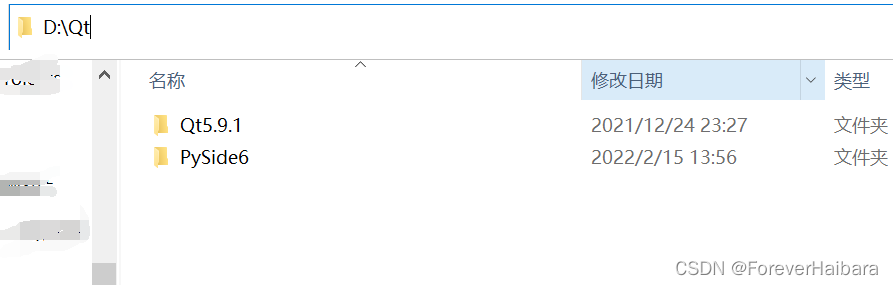
参考资料
版权声明:本文为weixin_53366150原创文章,遵循CC 4.0 BY-SA版权协议,转载请附上原文出处链接和本声明。