QQ聊天功能Springboot(websocket)的实现
项目展示
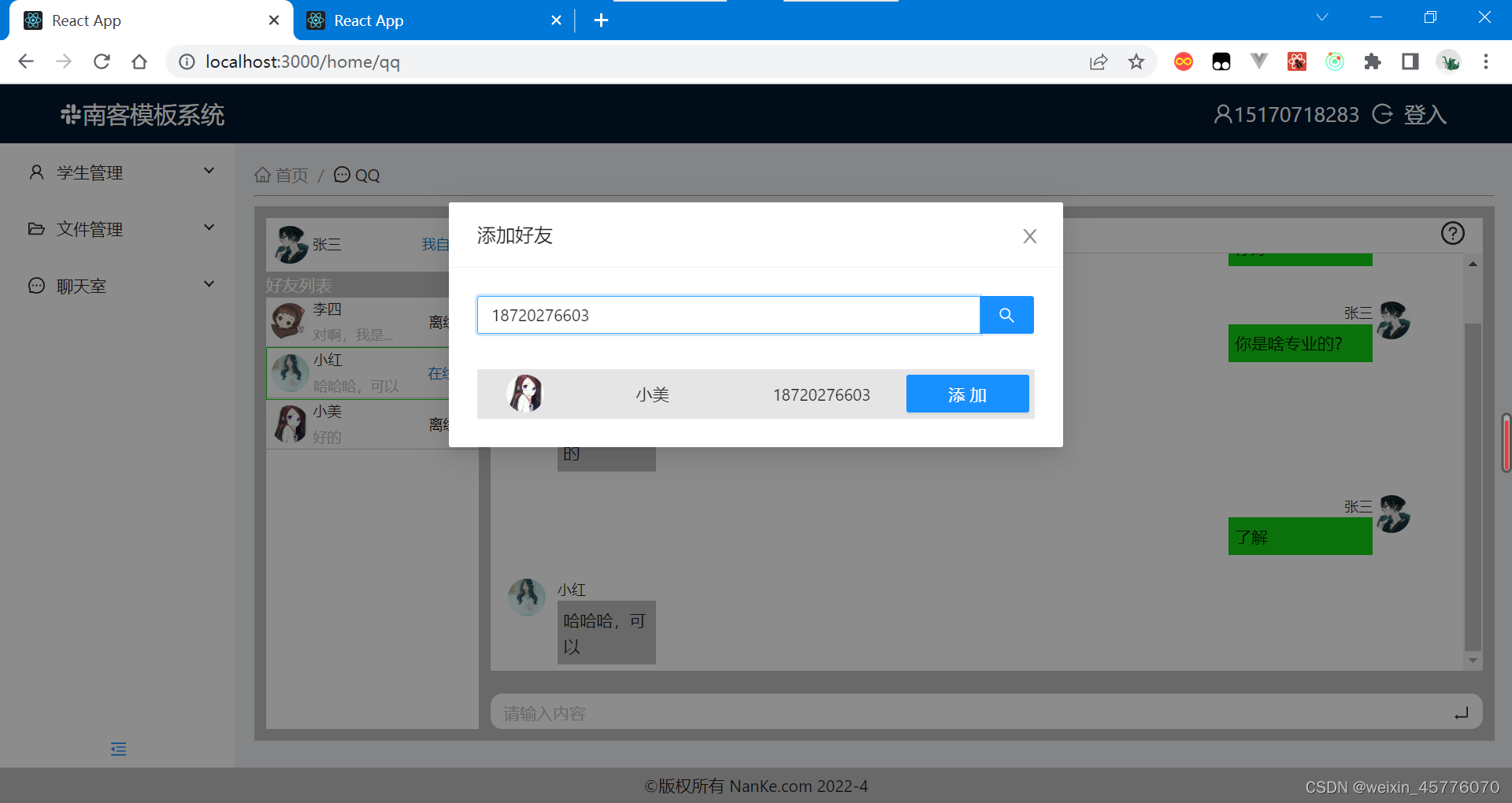
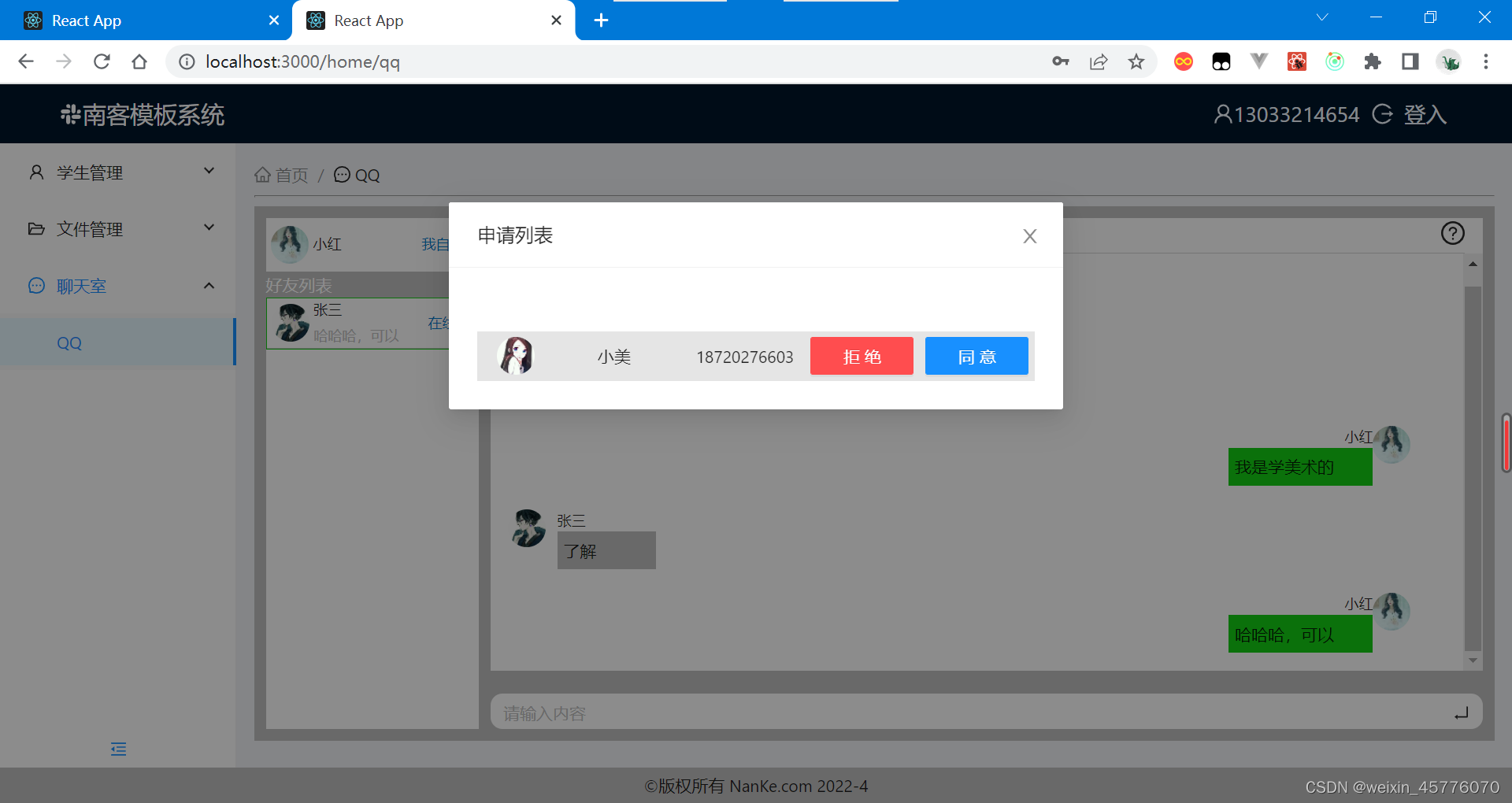
服务器端
//刚建立连接时发送0,1

//收到客户消息时发送,
0私聊发送消息(对应服务器,3),
1群聊(对应服务器,4),
2同意好友(对应服务器,0,1)
拒绝好友(无对应服务器)

//断开连接时发送2

//0建立连接时加载所有用户,发给自己或对面
{
    "type": "0",
    "users": [
        {
            "img": "http://localhost:8080/imgs/2.png",
            "message": "对啊,我是想问你一个非常难的问题,不知道你会不会",
            "newsId": "101010",
            "name": "李四",
            "username": "13627048642"
        }
    ]
}
//1建立连接时加载在线用户,发给所有人
{
    "type": "1",
    "lineUsers": [
        "15170718283"
    ]
}
//2断开连接时加载离线用户,发给所有人
{
    "type": "2",
    "offLineUsers": "13033214654"
}
//3私聊发送给用户,发给对面
{
    "type": "3",
    "from": "13033214654",
    "text": "哈哈哈,可以"
}
//4群聊发送给用户,发给所有人
{
    "type": "4",
    "img": "http://localhost:8080/imgs/3.png",
    "num": 1,
    "name": "张三",
    "text": "6666"
}
客户端
//0私聊发送消息(对应服务器,3)
  let message = {
    type:'0',
    to:to.username,
    newsId:to.newsId,
    text:str
  }
//1群聊(对应服务器,4)
  let message = {
    type:'1',
    img:my.img,
    name:my.name,
    text:str
  }
//2同意好友(对应服务器,0,1)
  let data = {
    type:'2',
    username:item.username
  }
//3拒绝好友(无对应服务器)
  let data = {
    type:'3',
    username:item.username
  }
导入模块
        <!-- websocket -->
        <dependency>
            <groupId>org.springframework.boot</groupId>
            <artifactId>spring-boot-starter-websocket</artifactId>
        </dependency>
websoket模块相关文件
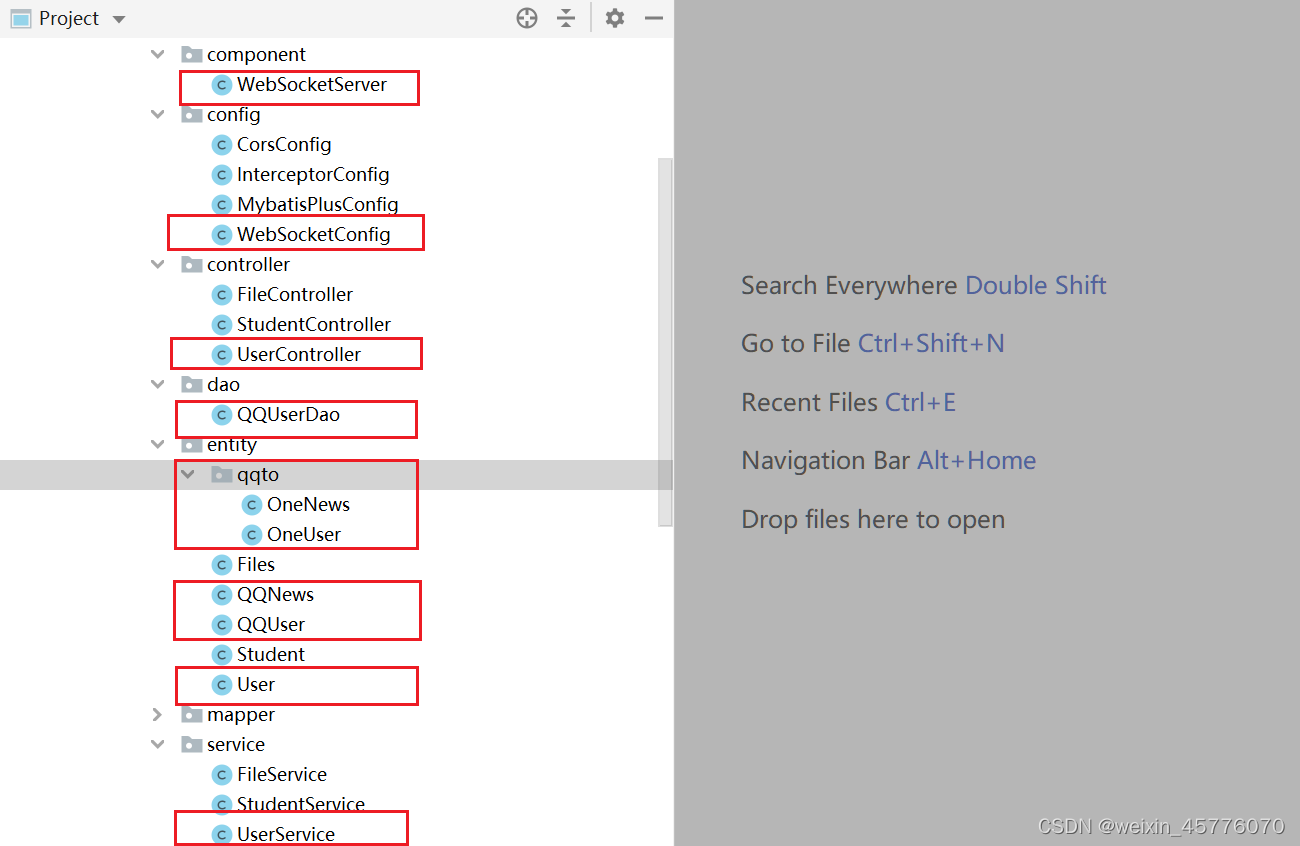
数据库表的设计
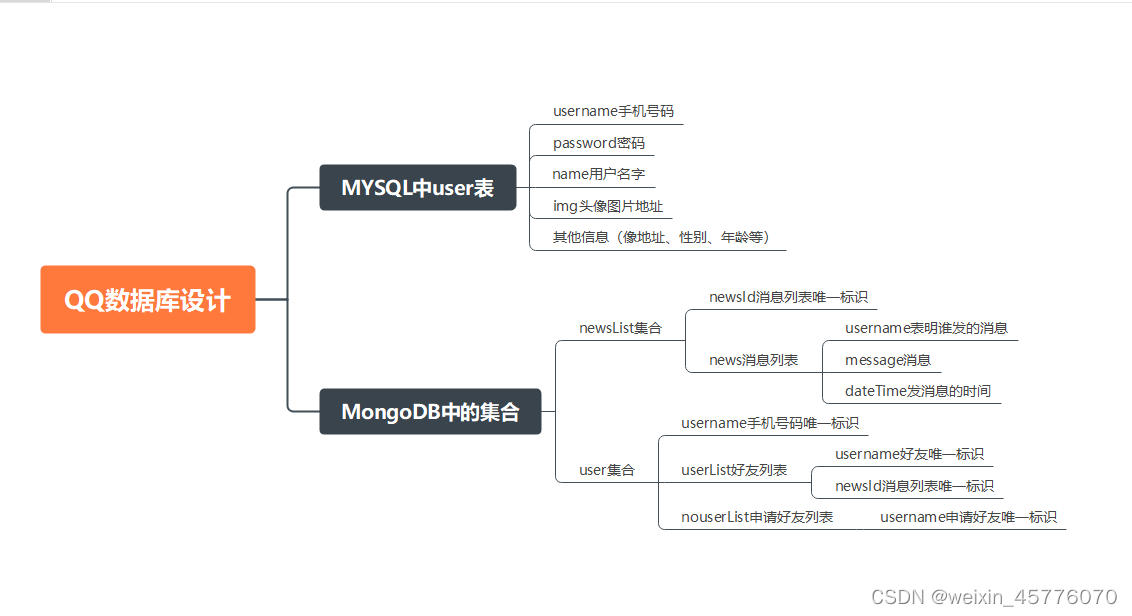
项目源码链接
版权声明:本文为weixin_45776070原创文章,遵循CC 4.0 BY-SA版权协议,转载请附上原文出处链接和本声明。