百度了一下,答案还行,但是满足不了自己的需求,所以索性自己造个轮子吧,也让有缘人节省一些时间
以下是查到的
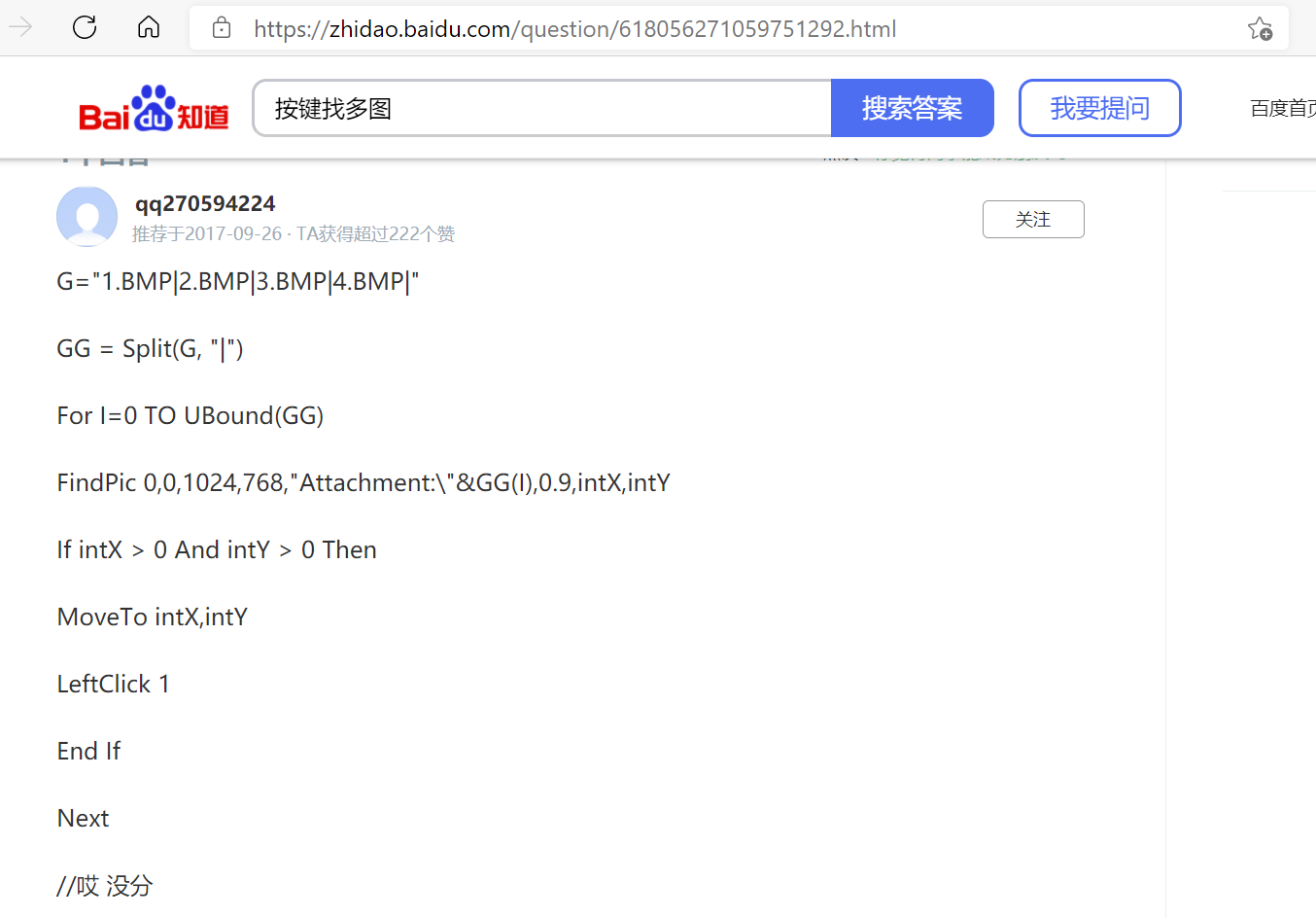
接下来,上代码:
Function countSubStr(string1,string2)
    '查找string2在string1中出现的次数
    start = 1
    length = 1
    countSubStr = 0
    While start < len(string1) + 1
        str = Left(string1, length)
        If Instr(start, str, string2)>0 Then
            countSubStr = countSubStr + 1
        End If
        start = start + 1
        length = length + 1
    Wend
End Function
Function locationPic(x1,y1,x2,y2,picName)
    '查找图片,找到后鼠标移动到坐标
    '查找区域为左上坐标x1,y1到右下坐标x2,y2
    '返回boolean"True",否则返回"False",true=-1,false=0
    '默认附件路径
    FindPic x1, y1, x2, y2, "Attachment:\" & picName & ".bmp", 0.8, tempX, tempY
    If tempX > 0 And tempY > 0 Then
        MoveTo tempX, tempY
        locationPic = True
    Else
        locationPic = False
    End If
End Function
Function findMultiPics(x1,y1,x2,y2,pics)
    '找多图,结合循环和判断语句可以有更多玩法,
    '返回值类型为boolean,true=-1,false=0
    '查找区域为左上坐标x1,y1到右下坐标x2,y2
    'pics可以是单图名称,也可以用 | 符号连接的多个图片名
    '找多图时按照下标顺序查找,找到后返回True,不再继续查找
    '默认附件路径,在函数locationPic()中设置
    separation = "|"
    picArr = split(pics, separation)
    cntSS = countSubStr(pics, separation)
    If cntSS = 0 Then
        findMultiPics = locationPic(x1, y1, x2, y2, pics)
    Else
        picCnt = 0
        While picCnt <= cntSS
            findMultiPics = locationPic(x1, y1, x2, y2, picArr(picCnt))
            If findMultiPics = True Then
                Goto ExitWhile
            End If
            picCnt = picCnt + 1
        Wend
        Rem ExitWhile
    End If
End Function
Function loopFindMultiPics(x1,y1,x2,y2,pics)
    '增强版找多图,找不到目标图片就一直找,直到找到为止
    '返回值类型为boolean,true=-1,false=0
    '查找区域为左上坐标x1,y1到右下坐标x2,y2
    'pics可以是单图名称,也可以用 | 符号连接的多个图片名
    '找多图时按照下标顺序查找,找到后返回True,不再继续查找
    '默认附件路径,在函数locationPic()中设置
    separation = "|"
    picArr = split(pics, separation)
    cntSS = countSubStr(pics, separation)
    Do
        If cntSS = 0 Then
            loopFindMultiPics = locationPic(x1, y1, x2, y2, pics)
            If loopFindMultiPics = True Then
                Exit Do
            End If
        Else
            picCnt=0
            While picCnt <= cntSS
                loopFindMultiPics = locationPic(x1, y1, x2, y2, picArr(picCnt))
                If loopFindMultiPics = True Then
                    Exit Do
                End If
                picCnt = picCnt + 1
            Wend
        End If
    Loop
End Function
'想要返回偏移坐标可以调用tempX和tempY
版权声明:本文为wo871427008原创文章,遵循CC 4.0 BY-SA版权协议,转载请附上原文出处链接和本声明。