安装yum-utils:
[root@iZ2vc97qcawcm6uqblda2fZ java]# yum install -y yum-utils
配置Docker的阿里云镜像源:
yum-config-manager --add-repo http://mirrors.aliyun.com/docker-ce/linux/centos/docker-ce.repo安装Docker:
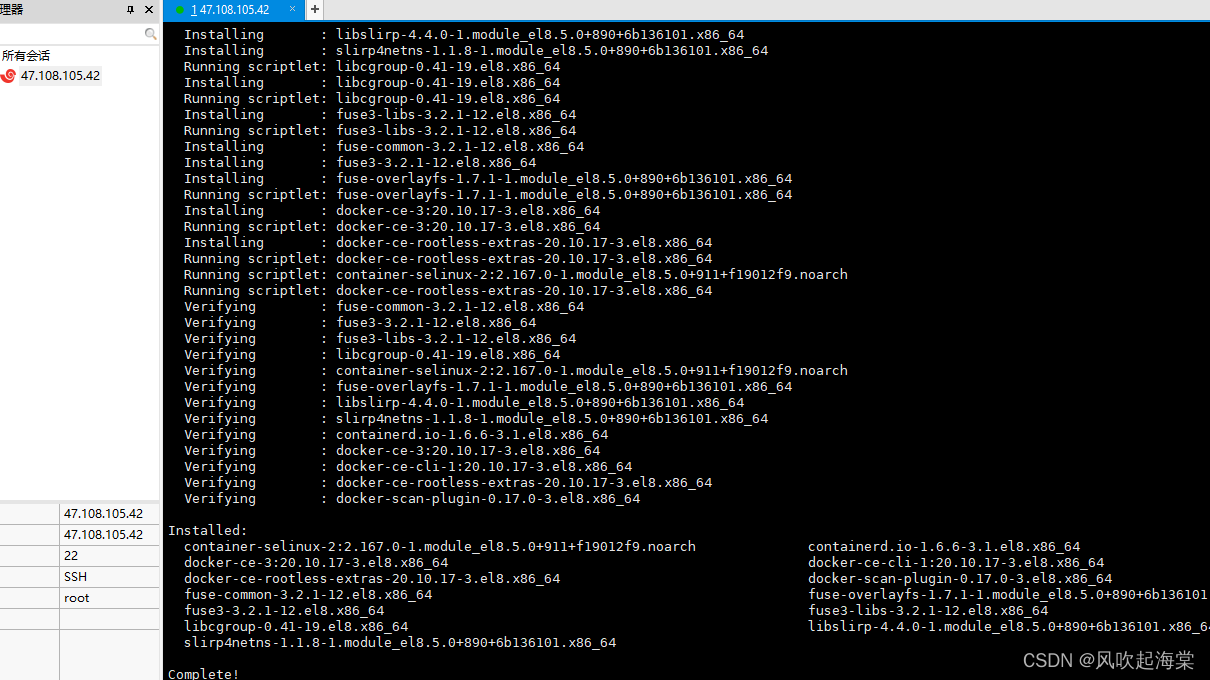
yum install -y docker-ce docker-ce-cli containerd.io --nobest安装成功:
查看docker版本号:
[root@iZ2vc97qcawcm6uqblda2fZ java]# docker -v
Docker version 20.10.17, build 100c701
启动docker:
[root@iZ2vc97qcawcm6uqblda2fZ java]# systemctl start docker
尝试拉去镜像:
[root@iZ2vc97qcawcm6uqblda2fZ java]# docker pull hello-world
Using default tag: latest
latest: Pulling from library/hello-world
2db29710123e: Pull complete
Digest: sha256:53f1bbee2f52c39e41682ee1d388285290c5c8a76cc92b42687eecf38e0af3f0
Status: Downloaded newer image for hello-world:latest
docker.io/library/hello-world:latest
查看镜像:
[root@iZ2vc97qcawcm6uqblda2fZ java]# docker images
REPOSITORY    TAG       IMAGE ID       CREATED        SIZE
hello-world   latest    feb5d9fea6a5   9 months ago   13.3kB
创建容器:
[root@iZ2vc97qcawcm6uqblda2fZ java]# docker run hello-world

Hello from Docker!
This message shows that your installation appears to be working correctly.

To generate this message, Docker took the following steps:
 1. The Docker client contacted the Docker daemon.
 2. The Docker daemon pulled the "hello-world" image from the Docker Hub.
    (amd64)
 3. The Docker daemon created a new container from that image which runs the
    executable that produces the output you are currently reading.
 4. The Docker daemon streamed that output to the Docker client, which sent it
    to your terminal.

To try something more ambitious, you can run an Ubuntu container with:
 $ docker run -it ubuntu bash

Share images, automate workflows, and more with a free Docker ID:
 https://hub.docker.com/

For more examples and ideas, visit:
 https://docs.docker.com/get-started/

[root@iZ2vc97qcawcm6uqblda2fZ java]#
查看所有容器(包括已关闭的容器):
[root@iZ2vc97qcawcm6uqblda2fZ java]# docker ps -a
CONTAINER ID   IMAGE         COMMAND    CREATED              STATUS                          PORTS     NAMES
a3587fc944a8   hello-world   "/hello"   About a minute ago   Exited (0) About a minute ago             stoic_lumiere
[root@iZ2vc97qcawcm6uqblda2fZ java]#
停止某个容器:
docker stop 容器id/名称
递归移除某个容器
docker rm -f
启动容器
docker start
重启容器
docker restart
版权声明:本文为qq_48649411原创文章,遵循CC 4.0 BY-SA版权协议,转载请附上原文出处链接和本声明。