GITHUB连接方式SSH
- 什么是SSH
- 检查存在的SSH
- 生成新的SSH密钥并将其添加
- GITHUB配置SSH
- 测试SSH连接
- 使用SSH工作
上面是官网的文档,建议在使用之前一定要去看看,不要在使用git和ssh出现问题的时候上网乱查,现在网上有的写得很乱很杂,还不如直接看看官网。
我在用SSH出现过的问题,我把SSH配好了之测试连接ssh -T git@github.com结果出现ssh_exchange_identification: read: Connection reset by peer当时我是可以用Google Chrome可以直接访问GitHub就没有在意网络和公司安全策略的问题,我试了几下还是这样我就没太在意这个错误,接着我去git add .和最后的git push origin master,在git push origin master又来了这个问题
ssh_exchange_identification: read: Connection reset by peer
fatal: Could not read from remote repository.

Please make sure you have the correct access rights
and the repository exists.
就这样上网一顿狂搜,0.0还是迷迷糊糊的,好郁闷。最后我还是老老实实的去官网看看人家怎么说的
The authenticity of host 'github.com (192.30.252.1)' can't be established.
RSA key fingerprint is 16:27:ac:a5:76:28:2d:36:63:1b:56:4d:eb:df:a6:48.
Are you sure you want to continue connecting (yes/no)?
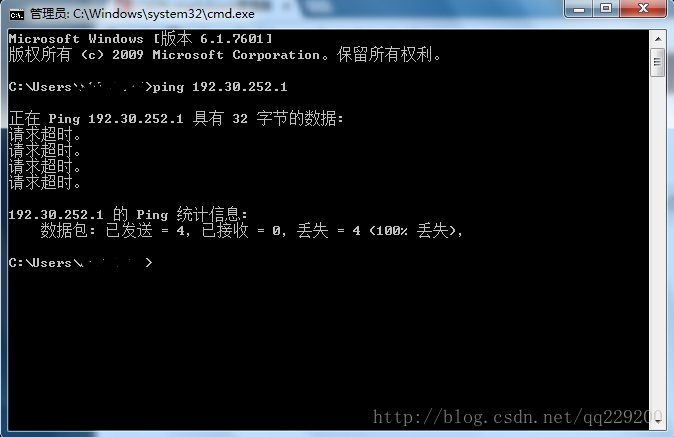
192.30.252.1当时看到这个IP地址我就怀疑我被安全策略了,
然后我把工程目录下的.git文件里面config种的url = https://github.com/user_name/file_name.git,还是https好用
$ git push -u origin master
Counting objects: 3, done.
Writing objects: 100% (3/3), 210 bytes | 0 bytes/s, done.
Total 3 (delta 0), reused 0 (delta 0)
Branch master set up to track remote branch master from origin.
To https://github.com/user_name/file_name.git
* [new branch] master -> master版权声明:本文为qq229200原创文章,遵循CC 4.0 BY-SA版权协议,转载请附上原文出处链接和本声明。