需求就是需要用高德地图展示经纬度数据,获取行驶轨迹(只要是高德api提供的都行)
废话不多说
一.先建立个springboot项目(自己动手随便建一个),引入thymeleaf 前端架构
<dependency>
    <groupId>org.springframework.boot</groupId>
    <artifactId>spring-boot-starter-thymeleaf</artifactId>
</dependency>
二.yml文件添加框架所需参数
  thymeleaf:
      #缓冲的配置
    cache: false
    check-template: true
    check-template-location: true
      #开启MVC thymeleaf 视图解析
    enabled: true
    encoding: utf-8
    mode: HTML5
    prefix: classpath:/templates/
    suffix: .html
在resouce下按prefix建立templates文件夹,后端准备工作完成!
百度高德api,或者直接给地址
https://lbs.amap.com/api/javascript-api/example/map-lifecycle/map-show
三.首先,需要注册登陆申请apikey(参考官网教程)
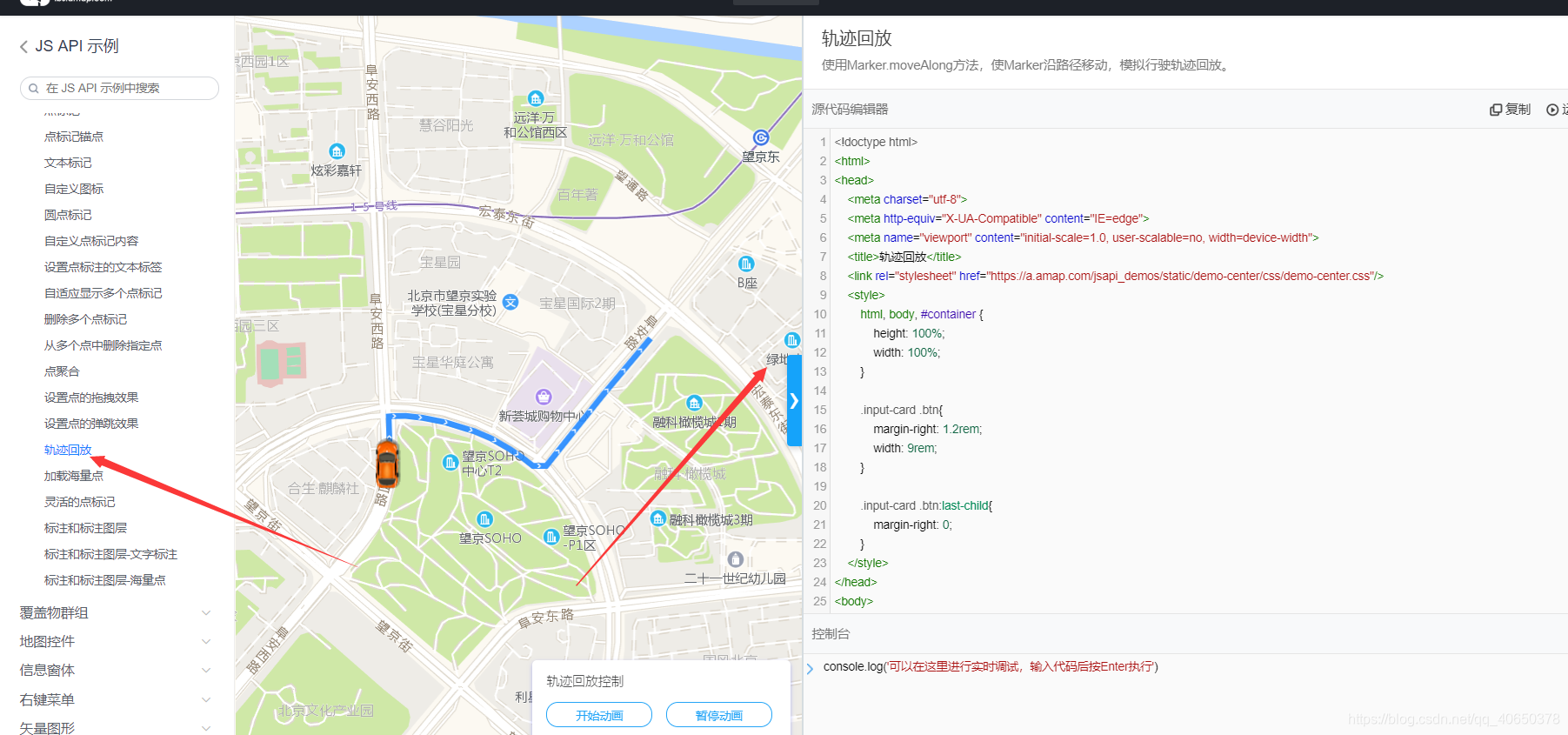
找到你需要的api,直接复制,比如我需要的是轨迹,就如下
1在html上添加(别忘了先把apikey加入)
<html lang="en" xmlns:th="http://www.thymeleaf.org"> 使html支持模板模式
2html引入js
<script th:inline="javascript">...</script >
3注意模板对变量的写法
var GpsDTOList= [[${GpsDTOList}]];这里我只用取经纬度坐标来做数据源(html里的参数变量可以参考官方api),需要参数处理自我调整。前端完毕!
四.编写返回allList接口,这里只给接口的代码,其他自己弄
    @RequestMapping(value = "/demo", method = {RequestMethod.GET})
    public String queryErrGpsInfo1(ServletRequest request , @RequestParam("startDate") String startDate,
                                        @RequestParam("endDate") String endDate,
                                        @RequestParam(value = "carId") String carId)  {


        List<GpsDto> GpsDTOList = gpsService.queryGpsInfoByTh(startDate,endDate,carId);
       request.setAttribute("GpsDTOList", GpsDTOList);
       return "demo";
    }
五.发送一个get请求,带上参数,半天不到时间一个简单的对接高德地图项目做好了,完美GET!
版权声明:本文为qq_40650378原创文章,遵循CC 4.0 BY-SA版权协议,转载请附上原文出处链接和本声明。