这一段时间很喜欢使用ModelForm进行表单的创建,特别的便捷。但是在使用的时候碰到了一个让我十分头疼的问题,我想实现多张图片的上传,并实现图片的一个预览功能。发现走ModelForm改十分的头疼。因此想了想能不能通过前端来实现对图片的预览?
经过一天的时间总算做出来了,效果如下。
未添加图片时的效果
添加一张图片后的效果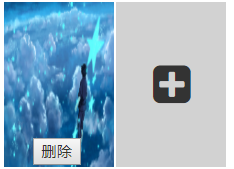
add_photos.html
<div id="add-photos">
   {% if photos %}
   {# 判断 是否有图片 #}
    {% for photo in photos  %}
    {# 显示图片信息 #}
     <div class="one-photo">
        <div class="add-now p-{{ forloop.counter }}" onclick="inputUrl('#photo-{{ forloop.counter }}')">
            <img src = "{{ MEDIA_URL }}{{ photo.photo }}" style="display: block">
        </div>
        {# 判断图片状态 #}
         <input type="text" value="{{ forloop.counter }}" style="display: none" name="delete">
        <input type="file" name="photo"  accept=".jpg,.jpeg,.png" style="display: none;" onchange="fileUrl(this);" id="photo-{{ forloop.counter }}">
        <button type="button" onclick="removeImge('{{ forloop.counter }}')" >删除</button>
    </div>
    {% endfor %}
   {% endif %}
{% if photos|length  <= 4 %}
{# 若图片个数小于5则显示新的图片添加位 #}
    <div class="one-photo">
        <div class="add-now p-{{ photos|length| add:"1" }}" οnclick="inputUrl('#photo-{{ photos|length| add:"1" }}')">
            <i class="fa fa-fw fa-plus-square"></i>
            <img src = "">
        </div>
        <input type="file"  name="photo"  accept=".jpg,.jpeg,.png" style="display: none;" οnchange="fileUrl(this);" id="photo-{{ photos|length| add:"1" }}" >
        <button type="button" οnclick="removeImge('{{ photos|length| add:"1" }}')" style="display: none;">删除</button>
    </div>
</div>
{% endif %}
add_photos.css
#add-photos
{
	height: 150px;
	width: 100%;
}
.add-now{
	height: 150px;
	width: 100px;
	box-sizing: border-box;
	background-color: #d2d2d2;
}
.add-now>img{

    display: none;
    width:100px;
    height: 150px;
}
.add-now>i{
    font-size: 40px;
    margin-left: 25px;
    margin-top: 55px;
}
.one-photo{
	float: left;
	margin-right: 2px;
	position: relative;

}
.one-photo>button{
	position: absolute;
	right: 30%;
	bottom: 2px;
}
add_photos.js
function inputUrl(id){ //点击div触发点击input事件
	$(id).click();
};

function fileUrl(self){ //当有图片输入时
    var read = new FileReader();
    img = document.getElementById(""+self.id).files[0];
    read.readAsDataURL(img);
    num = self.id[self.id.length-1];
    reads.onload = function(e){
    	$(".p-"+num+">img").attr("src",this.result);
    }
    $(".p-"+num+">img").css({"display":"block"});
    $(".p-"+num).siblings("button").css("display","block");
    var photoSize = $(".one-photo").length;
    num = parseInt(num);
    if (num>=photoSize && photoSize<=4) //最多支持添加五张图片
    	addNew(num+1);
}

function addNew(num){ //新增加一个输入框
	var boxDiv = $('<div class="one-photo"></div>');
	var imgDiv = $('<div class="add-now p-'+num+'" οnclick="inputUrl(\'#photo-'+num+'\')"></div>');
	var img = $('<img src = "" style="display: none; width:200px;">');
	var input = $('<input type="file" name="photo"  accept=".jpg,.jpeg,.png" style="display: none;" οnchange="fileUrl(this);" id="photo-'+num+'">');
	var delButton = $('<button οnclick="removeImge(\''+num+'\')" style="display:none;">删除</button>')
	imgDiv.append(img);
	boxDiv.append(imgDiv);
	boxDiv.append(input);
	boxDiv.append(delButton);
	$("#add-photos").append(boxDiv);


}

function removeImge(num){
	var photos = $(".one-photo");
	var photosLength = photos.length;
	photos[num-1].remove(); //删除当前图片框div
	for(var i=num;i<photosLength;++i){ //修改后面图片内容
		photos.eq(i).find("div.add-now").attr("class","add-now p-"+i);
		photos.eq(i).find("div.add-now").attr("onclick","inputUrl('#photo-"+i+"')");
		photos.eq(i).find("input").attr("id","photo-"+i);
		photos.eq(i).find("button").attr("onclick","removeImge(\""+i+"\")");
	}
}
但是在进行前后端交互的时候又遇到了一些问题,file input 不能设定初始值,展示时并未出现问题,但当提交得到的时空列表,无法判断时图片删除完了还是未修改。因此引入一个text input用来标记每一个图片是否有改动,修改的话将这个input值设置为U-num。删除图片时,将input移除掉。这样就能来检测图片的状态了。
manage_photos.py
import os
import re
from collections import Iterable

class ManagePhoto:

    def __init__(self, photo_model, foreign=None):
        self.photo_model = photo_model
        self.foreign = foreign

    def save_photo(self, photos): # 保存图片
        if self.foreign is None:
            for photo in photos:
                add_photo = self.photo_model(photo=photo)
                add_photo.save()
        else:
            for photo in photos:
                add_photo = self.photo_model(foreign_name=self.foreign, photo=photo)
                add_photo.save()

    def remove_photo(self, photos): #删除图片
        if isinstance(photos, Iterable):
            for photo in photos:
                self.remove(photo.photo)
                photo.delete()
        else:
            self.remove(photos.photo)
            photos.delete()

    @classmethod
    def remove(cls, photo_path):
        try:
            cwd = os.getcwd()
            path = settings.MEDIA_URL
            path = cwd + path + str(photo_path)
            os.remove(path)
        except:
           pass

    @classmethod
    def update(cls, photo, new_photo): #修改图片
        photo.update(photo=new_photo)

    def update_photo(self, photos, new_photos, update=None):
        if update is None:
            self.remove_photo(photos)
        else:
            up, delete = self.change(photos, update)
            for i in up:
                self.update(photos[i], new_photos[0])
                new_photos.pop(0)
            for i in delete:
                self.remove_photo(photos[i])
            self.save_photo(new_photos)

    @classmethod
    def change(cls, photos, update): #将修改的图片序号和删除的序号提取出来
        up = set()
        have = set()
        for i in update:
            if i[0] == "U":
                up.add(eval(i[-1])-1)
            else:
                have.add(eval(i[0])-1)
        return up, set(range(len(photos))) - have
版权声明:本文为weixin_43916778原创文章,遵循CC 4.0 BY-SA版权协议,转载请附上原文出处链接和本声明。