idea运行springboot项目的maven环境配置及依赖引入
maven本地仓库下载
- 前往maven官网下载maven仓库
- 这里需要根据自己的idea版本选择仓库版本下载,图示是最新版本,maven版本过高会不能使用
- 我的是idea 2019 1.4+maven 3.5.4+jdk1.8

- 在非C盘的磁盘专门为maven创建一个文件夹Maven(方便查找)
- 设置系统变量MAVEN_HOME为…\maven3.6.3,
- 添加系统变量Path为%MAVEN_HOME%\bin
- 在cmd输入mvn -v获取当前maven 版本
- 如果获取不到,可能是计算机安全等级过高,右键cmd使用管理员身份打开,再执行命令可获得maven 版本
- idea中设置File >> Settings,配置maven仓库位置和setting文件位置。这里的Maven是之前下载仓库创建的文件夹,repository不用改变
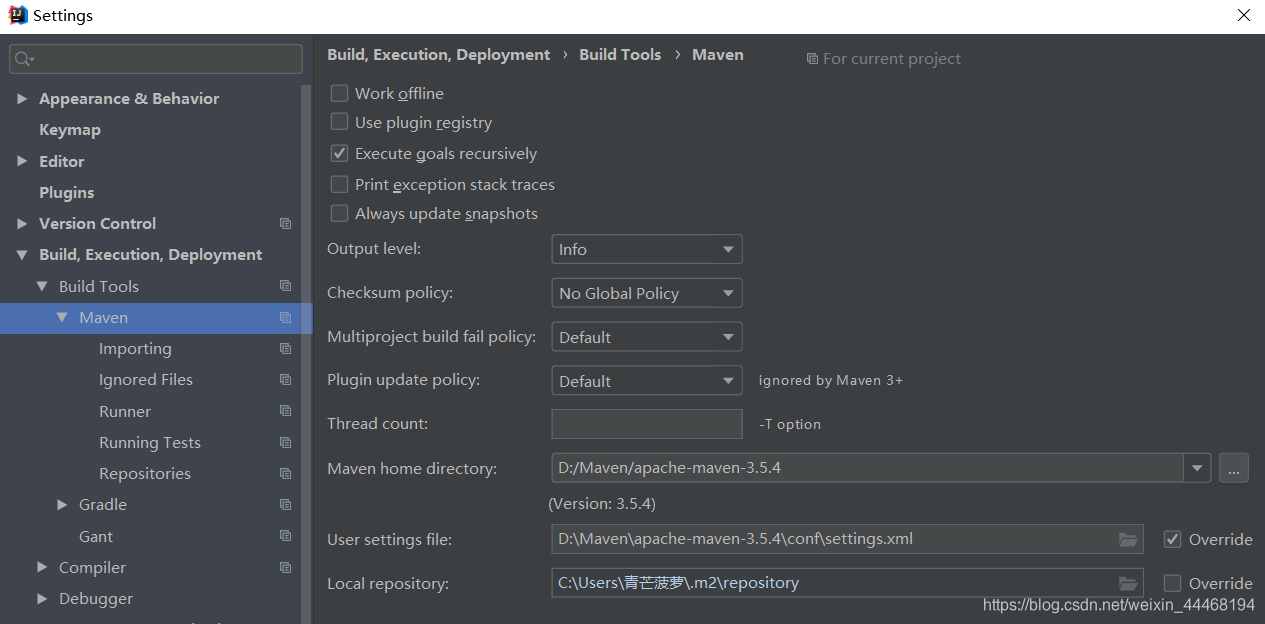
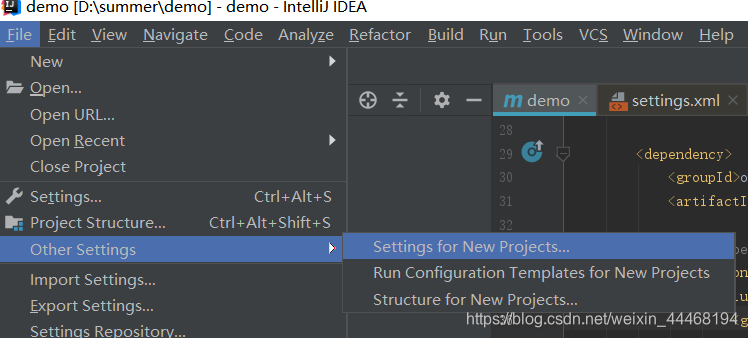
这个setting只能运用于当前项目,使用图示位置进入相同的settings界面修改项目默认仓库和setting.xml位置
maven的setting包可以自行设置阿里云镜像
  <mirrors>
    <!-- mirror
     | Specifies a repository mirror site to use instead of a given repository. The repository that
     | this mirror serves has an ID that matches the mirrorOf element of this mirror. IDs are used
     | for inheritance and direct lookup purposes, and must be unique across the set of mirrors.
     |
    <mirror>
      <id>mirrorId</id>
      <mirrorOf>repositoryId</mirrorOf>
      <name>Human Readable Name for this Mirror.</name>
      <url>http://my.repository.com/repo/path</url>
    </mirror>
     -->


    <mirror>
      <id>nexus-aliyun</id>
      <mirrorOf>*</mirrorOf>
      <name>Nexus aliyun</name>
      <url>http://maven.aliyun.com/nexus/content/groups/public</url>
    </mirror>
  </mirrors>
springboot项目下载
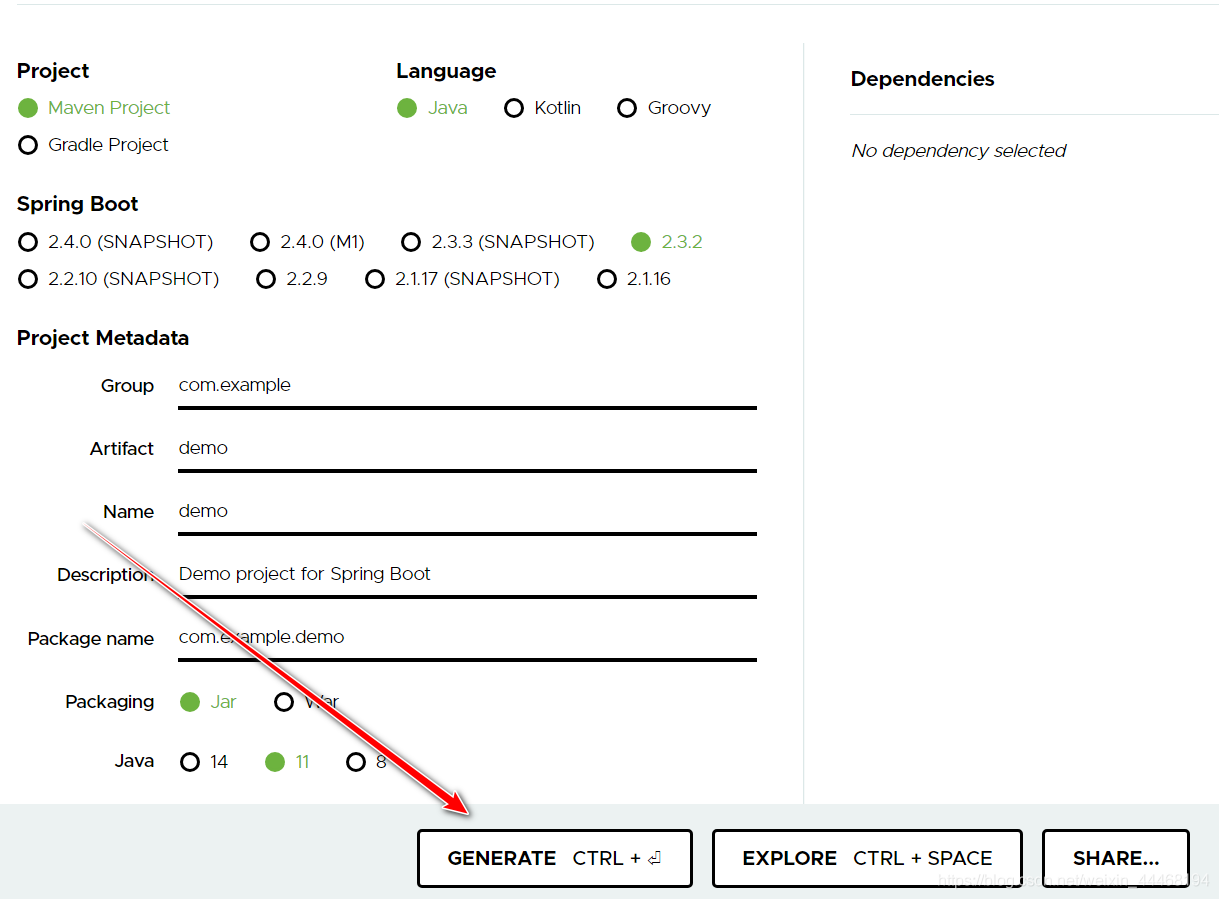
springboot官网下载专区下载压缩包
配置好后创建,弹出一个下载框,这个文件就是后面的项目文件
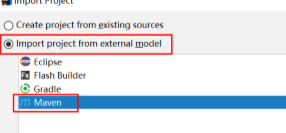
解压后,在idea中打开这个springboot项目
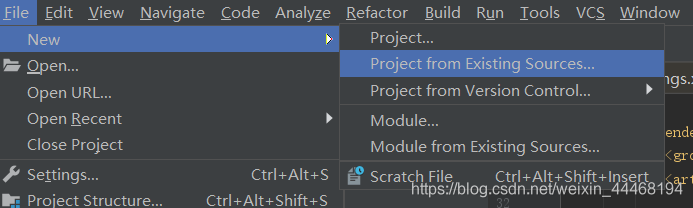
在选择项目时只需要选择maven项目和jdk,其他都是直接next
依赖导入
- 复制下面依赖的代码到pom.xml的dependencies标签内
		<dependency>
			<groupId>org.springframework.boot</groupId>
			<artifactId>spring-boot-starter-web</artifactId>
		</dependency>
		<dependency>
			<groupId>org.springframework.boot</groupId>
			<artifactId>spring-boot-starter-tomcat</artifactId>
			<scope>provided</scope>
		</dependency>
		<dependency>
			<groupId>org.springframework.boot</groupId>
			<artifactId>spring-boot-devtools</artifactId>
			<scope>runtime</scope>
		</dependency>
		<dependency>
			<groupId>org.mybatis.spring.boot</groupId>
			<artifactId>mybatis-spring-boot-starter</artifactId>
			<version>2.1.3</version>
		</dependency>
		<dependency>
			<groupId>mysql</groupId>
			<artifactId>mysql-connector-java</artifactId>
			<scope>runtime</scope>
		</dependency>
		<dependency>
			<groupId>org.springframework.boot</groupId>
			<artifactId>spring-boot-starter-jdbc</artifactId>
		</dependency>
		<dependency>
			<groupId>org.apache.commons</groupId>
			<artifactId>commons-dbcp2</artifactId>
			<version>2.5.0</version>
		</dependency>
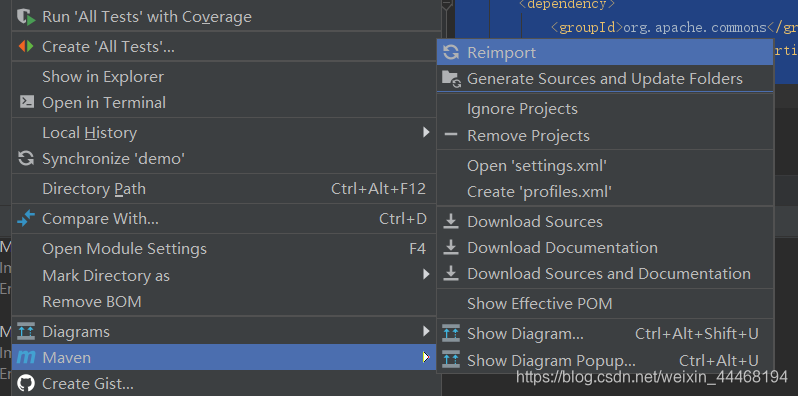
- 右下角会自动弹出导入依赖,若是没有,可右键项目选择
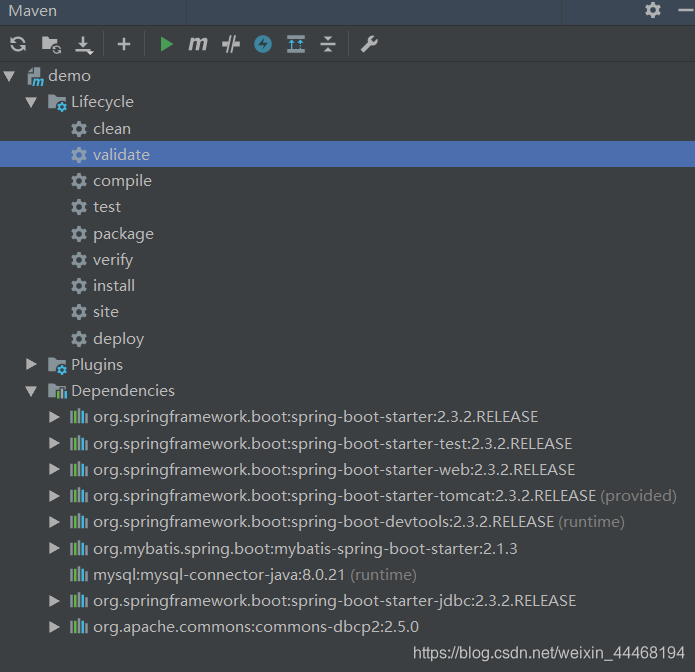
- 右侧maven可查看是否导入成功
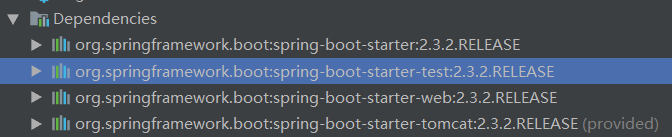
- 若是只有test依赖导入有红波浪线,那么就注释掉test依赖的scope内容
- 如果显示无法导入maven project 那么可能是版本问题,2019.1.4 idea搭配3.5.4maven仓库可正常使用,3.6.3会无法使用,具体可百度
成功!
版权声明:本文为weixin_44468194原创文章,遵循CC 4.0 BY-SA版权协议,转载请附上原文出处链接和本声明。