在Ubuntu 中,我们通常会用terminal进行一些操作。但是有时仅用一个终端无法满足程序员的要求,这时我们会开启多个终端。当多个终端窗口布满桌面时,如何使桌面整洁美观会影响到我们的心情。
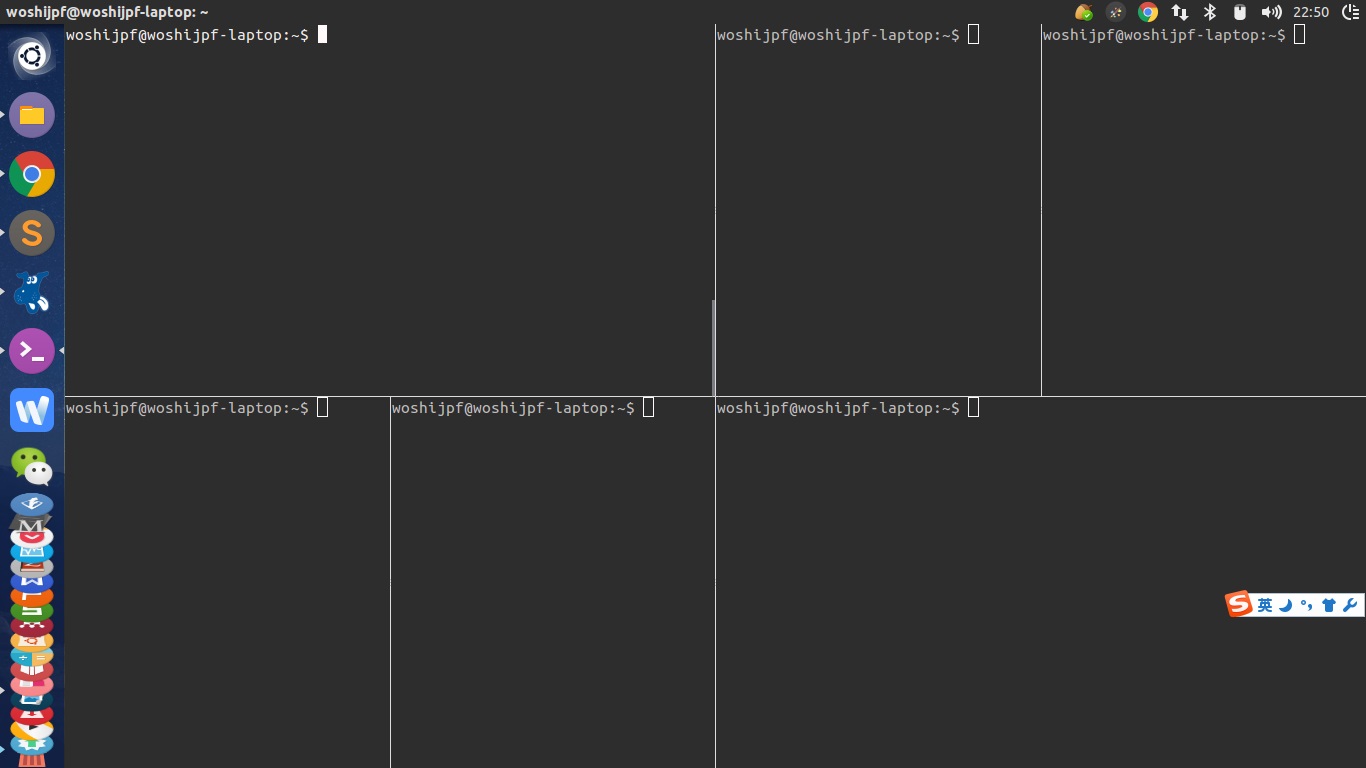
terminator可以实现多个终端窗口的管理,在一个窗口里开启多个终端子窗口,并且可以自由的在一个窗口中分割区域建立新终端,还可以通过鼠标拉伸调整每个终端的大小。这时整个桌面整洁利落了,满足了你的所有需求。
使用效果图如下:
下面介绍如何安装和使用。
1. 安装
sudo apt-get install terminator2. 使用
step1:按照以前的方式打开一个终端,如 Ctrl+Alt+T
step2:然后就可以在终端界面上点击右键,对该终端窗口进行拆分,创建新的终端子界面,如上图所示。可以左右切分,也可以上下切分,每切分出一个新窗口就会创建一个新的终端操作子界面。
3. 使用快捷键
#常用快捷键
Ctrl+Shift+E 垂直分割窗口
Ctrl+Shift+O 水平分割窗口
F11 全屏
Ctrl+Shift+C 复制
Ctrl+Shift+V 粘贴
Ctrl+Shift+N 或者 Ctrl+Tab 在分割的各窗口之间切换
Ctrl+Shift+X 将分割的某一个窗口放大至全屏使用
Ctrl+Shift+Z 从放大至全屏的某一窗口回到多窗格界面
更多快捷键
- Search for a Keyword – Ctrl+Shift+f(这个功能好赞啊)
- Move to Next Terminal – Ctrl+Shift+N or Ctrl+Tab
- Move Parent Dragbar Right – Ctrl+Shift+Right_Arrow_key
- Move Parent Dragbar Left – Ctrl+Shift+Left_Arrow_key
- Move Parent Dragbar Up – Ctrl+Shift+Up_Arrow_key
- Move Parent Dragbar Down – Ctrl+Shift+Down_Arrow_key
- Hide/Show Scrollbar –Ctrl+Shift+s
- Move to the Above Terminal – Alt+Up_Arrow_Key
- Move to the Below Terminal – Alt+Down_Arrow_Key
- Move to the Left Terminal – Alt+Left_Arrow_Key
- Move to the Right Terminal – Alt+Right_Arrow_Key
- Copy a text to clipboard – Ctrl+Shift+c
- Paste a text from Clipboard – Ctrl+Shift+v
- Close the Current Terminal –Ctrl+Shift+w
- Quit the Terminator –Ctrl+Shift+q
- Toggle Between Terminals(切换终端) – Ctrl+Shift+x
- Open New Tab –Ctrl+Shift+t
- Move to Next Tab – Ctrl+page_Down
- Move to Previous Tab – Ctrl+Page_up
- Increase Font size –Ctrl+(+)
- Decrease Font Size –Ctrl+(-)
- Reset Font Size to Original – Ctrl+0
- Toggle Full Screen Mode –F11
- Reset Terminal – Ctrl+Shift+R
- Reset Terminal and Clear Window – Ctrl+Shift+G
- Remove all the terminal grouping –Super+Shift+t
- Group all Terminal into one – Super+g
4. 美化
我觉得这个对我不重要,大家可以去这里查看:https://blog.csdn.net/learning_tortosie/article/details/102581261
参考:https://blog.csdn.net/learning_tortosie/article/details/102581261
ubuntu下如何配置terminator(以16.04为例)
版权声明:本文为Strive_For_Future原创文章,遵循CC 4.0 BY-SA版权协议,转载请附上原文出处链接和本声明。