代码:
<!DOCTYPE html>
<html>
	<head>
		<meta charset="utf-8">
		<title>抽学号</title>
	</head>
	<body>
		<div id='a1'>
			<span id="data"></span>
		</div>
		<button onclick="handlechange()" style="margin-top: 20px;width: 200px;height: 50px;" type="button">抽学号</button>
	</body>
</html>

<style>
	#a1{
		width: 200px;
		height: 200px;
		background-color: #0088BB;
		text-align: center;
		line-height: 200px;
	}
	#data{
		font-size: 30px;
	}
</style>

<script>
	var a1 = document.getElementById('data');//绑定span里的id
	let data = 0;//定义数据data当作学号

	function handlechange(){//点击按钮触发方法handlechange()
		data = Math.floor((Math.random()*50)+1);//设置学号为1-50共50个
		a1.innerHTML= data;//在插入在span中用于展示
	}

</script>
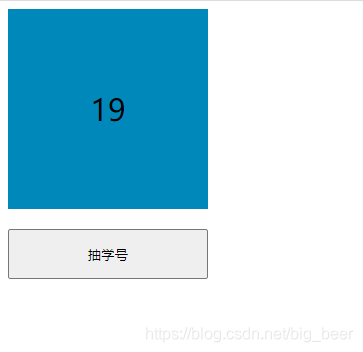
效果图:
总结
主要方法是使用Math.random()生成的一个0到1之间的一个数字(不包含0和1)。(Math.random()*50)的意思是0到50之间的一个数字(不包含0和1)。
((Math.random()*50)+1)的意思是1到51之间的一个数字(不包含1和51)。
Math.floor((Math.random()*50)+1)的意思是把数字转换成整数(向下取整)。
小提示:即使((Math.random()*50)+1)取值是是取不到1的,但是会因为存在1.0000001之类的存在,这类数会因为Math.floor向下取整得到数字1。但是因为取不到51,最多是50.99999999999,所以向下取整最多也就是50了。
版权声明:本文为big_beer原创文章,遵循CC 4.0 BY-SA版权协议,转载请附上原文出处链接和本声明。