HTML:
<body>
		<div class="wrapper">
			<div class="center">

			</div>
			<div class="main">
				<div class="left">
					<a href="#" class="sy">首页</a>
					<a href="#" class="jcss clickColor">基础设施</a>
					<a href="#" class="sjzy">数据资源</a>
				</div>
				<div class="right">
					<a href="#" class="yyzc">应用支撑</a>
					<a href="#" class="bzgf">标准规范</a>
					<a href="#" class="aqbz">安全保障</a>
				</div>
			</div>
		</div>

	</body>
CSS:
body {
	background-color: #000000;
}

.wrapper {
	width: 1920px;
	height: 90px;
	overflow: hidden;
	position: relative;
}
.center{
	width: 25%;
	height: 85%;
	position: absolute;
	left: 50%;
	top: 0%;
	transform: translate(-50%,0%);
	cursor: pointer;
}

.main {
	width: 100%;
	height: 100%;
	display: flex;
	justify-content: space-around;
	align-items: center;
	background-color: transparent;
	background: url(../img/nav.png) center no-repeat;
	background-size: contain;
	overflow: hidden;
	transition: transform 1.5s;
}
/*初始化移动出去*/
.move {
	transform: translateY(-70%);
}
.clickColor{
	color: #FED340 !important;
}

.left,
.right {
	width: 26%;
	height: 100%;
	display: flex;
	justify-content: center;
	align-items: center;
	overflow: hidden;
}

.left {
	margin-right: 140px;
}

.main a {
	flex: 1;
	font-family: "微软雅黑";
	font-size: 24px;
	color: #A5D6FE;
	text-align: center;
}

a:hover {
	color: #FED340;
}

.jcss,
.bzgf {
	border-left: 1.7px solid #44B4EB;
	border-right: 1.7px solid #44B4EB;
	border-radius: 2px;
}
需求:
鼠标划入导航出现,鼠标移出导航2秒内隐藏。
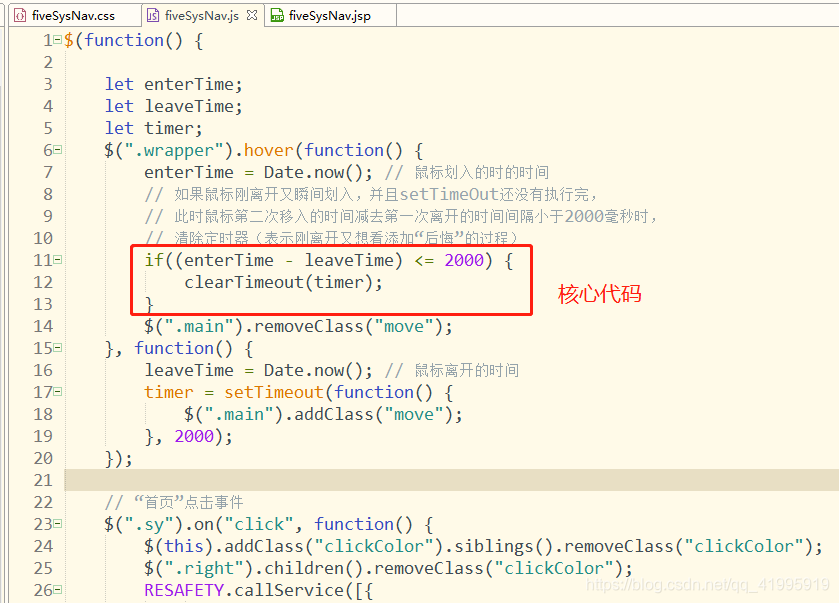
核心JS:
	let enterTime;
	let leaveTime;
	let timer;
	$(".wrapper").hover(function() {
		enterTime = Date.now(); // 鼠标划入的时的时间
		// 如果鼠标刚离开又瞬间划入,并且setTimeOut还没有执行完,
		// 此时鼠标第二次移入的时间减去第一次离开的时间间隔小于2000毫秒时,
		// 清除定时器(表示刚离开又想看添加“后悔”的过程)
		if((enterTime - leaveTime) <= 2000) {
			clearTimeout(timer);
		}
		$(".main").removeClass("move");
	}, function() {
		leaveTime = Date.now(); // 鼠标离开的时间
		timer = setTimeout(function() {
			$(".main").addClass("move");
		}, 2000);
	});

版权声明:本文为qq_41995919原创文章,遵循CC 4.0 BY-SA版权协议,转载请附上原文出处链接和本声明。