组件的复用

<!DOCTYPE html>
<html lang="en">
<head>
    <meta charset="UTF-8">
    <meta http-equiv="X-UA-Compatible" content="IE=edge">
    <meta name="viewport" content="width=device-width, initial-scale=1.0">
    <title>Document</title>
    <script src="https://cdn.jsdelivr.net/npm/vue@2.6.14/dist/vue.js"></script>
</head>
<body>
    <!-- 自定义组件的使用 -->
    <div id="app">
     <me-cute></me-cute>
     <me-cute></me-cute>
    </div>

    <script>
        Vue.component("me-cute",{
            template:'<h2>我可爱</h2>'
        })
        // 现在我要使用组件,实现复用
        new Vue({
            el:"#app",
            data:{

            }
        })
    </script>
</body>
</html>
<!DOCTYPE html>
<html lang="en">
<head>
    <meta charset="UTF-8">
    <meta http-equiv="X-UA-Compatible" content="IE=edge">
    <meta name="viewport" content="width=device-width, initial-scale=1.0">
    <title>Document</title>
    <script src="https://cdn.jsdelivr.net/npm/vue@2.6.14/dist/vue.js"></script>
</head>
<body>
    <!-- 自定义组件的使用 -->
    <div id="app">
     <me-cute title="啦啦啦"></me-cute>
     <me-cute title="哈哈哈"></me-cute>
    </div>

    <script>
        Vue.component("me-cute",{
            template:'<h2>我可爱{{title}}</h2>',
            props:['title']
        })
        // 现在我要使用组件,实现复用
        new Vue({
            el:"#app",
            data:{

            }
        })
    </script>
</body>
</html>
<!DOCTYPE html>
<html lang="en">
<head>
    <meta charset="UTF-8">
    <meta http-equiv="X-UA-Compatible" content="IE=edge">
    <meta name="viewport" content="width=device-width, initial-scale=1.0">
    <title>Document</title>
    <script src="https://cdn.jsdelivr.net/npm/vue@2.6.14/dist/vue.js"></script>
</head>
<body>
    <div id="blog-post-demo">
        <!-- 这里直接把post给绑上了 v-bind:post="post"-->
     <blog-post v-for="post in posts" v-bind:id="post.id" v-bind:post="post"></blog-post>
    </div>
    <script>
        Vue.component("blog-post",{
            props:['post'],
            // 这里这样写,可以写多个属性
            template:`
            <div class="blog-post">
                <h2>{{post.id}}--{{post.title}}</h2>
                </div>
            `
        })
        new Vue({
            el:"#blog-post-demo",
            data:{
                 posts:[
                     {id:1,title:'My Journey with Vue'},
                     {id:2,title:'Blgging with Vue'},
                     {id:3,title:'Why Vue is so fun'}
                 ],

            }
        })
    </script>
</body>
</html>
<!DOCTYPE html>
<html lang="en">
<head>
    <meta charset="UTF-8">
    <meta http-equiv="X-UA-Compatible" content="IE=edge">
    <meta name="viewport" content="width=device-width, initial-scale=1.0">
    <title>Document</title>
    <script src="https://cdn.jsdelivr.net/npm/vue@2.6.14/dist/vue.js"></script>
</head>
<body>
<!-- 自定义组件使用 -->
    <div id="components-demo">
        <button-counter></button-counter>
    </div>

    <script>
        Vue.component('button-counter',{
            data:function(){
                return {
                    count:0
                }
            },
            template:'<button v-on:click="count++">You clicked me {{count}} times.</button>'
        })

    // 实列
    new Vue({
        el:"#components-demo"
    })
    </script>

</body>
</html>
组件的复用
<!DOCTYPE html>
<html lang="en">
<head>
    <meta charset="UTF-8">
    <meta http-equiv="X-UA-Compatible" content="IE=edge">
    <meta name="viewport" content="width=device-width, initial-scale=1.0">
    <title>Document</title>
    <script src="https://cdn.jsdelivr.net/npm/vue@2.6.14/dist/vue.js"></script>
</head>
<body>
<!-- 自定义组件使用 -->
    <div id="components-demo">
        <!-- 组件的复用 -->
        <button-counter></button-counter></br></br/>
        <button-counter></button-counter><br/></br/>
        <button-counter></button-counter>
    </div>

    <script>
        Vue.component('button-counter',{
            data:function(){
                return {
                    count:0
                }
            },
            template:'<button v-on:click="count++">You clicked me {{count}} times.</button>'
        })

    // 实列
    new Vue({
        el:"#components-demo"
    })
    </script>

</body>
</html>
prop子组件传递数据

<!DOCTYPE html>
<html lang="en">
<head>
    <meta charset="UTF-8">
    <meta http-equiv="X-UA-Compatible" content="IE=edge">
    <meta name="viewport" content="width=device-width, initial-scale=1.0">
    <title>Document</title>
    <script src="https://cdn.jsdelivr.net/npm/vue@2.6.14/dist/vue.js"></script>
</head>
<body>
    <!-- 通过prop向子组件传数据 -->
    <!-- 任何值都可以传递给prop,通过它展示出来 -->
    <div id="app">
    <blog-post title="MY JOURNEY WITH YOU"></blog-post>
    <blog-post title="Blogging with Vue"></blog-post>
    <blog-post title="Why Vue is so fun"></blog-post>
    </div>
    <script>
        // 组件
        Vue.component('blog-post',{
            props:['title'],
            template:'<h3>{{title}}</h3>'
        })

  new Vue({
      el:"#app",
      data:{

      }
  })
    </script>
</body>
</html>
<!DOCTYPE html>
<html lang="en">
<head>
    <meta charset="UTF-8">
    <meta http-equiv="X-UA-Compatible" content="IE=edge">
    <meta name="viewport" content="width=device-width, initial-scale=1.0">
    <title>Document</title>
    <script src="https://cdn.jsdelivr.net/npm/vue@2.6.14/dist/vue.js"></script>
</head>
<body>
    <div id="blog-post-demo">
     <blog-post v-for="post in posts" v-bind:key="post.id" v-bind:title="post.title"></blog-post>

    </div>
    <script>
        Vue.component("blog-post",{
            props:["title"],
            template:"<h3>{{title}}</h3>"
        })
        new Vue({
            el:"#blog-post-demo",
            data:{
                 posts:[
                     {id:1,title:'My Journey with Vue'},
                     {id:2,title:'Blgging with Vue'},
                     {id:3,title:'Why Vue is so fun'}
                 ],

            }
        })
    </script>
</body>
</html>
<!DOCTYPE html>
<html lang="en">
<head>
    <meta charset="UTF-8">
    <meta http-equiv="X-UA-Compatible" content="IE=edge">
    <meta name="viewport" content="width=device-width, initial-scale=1.0">
    <title>Document</title>
    <script src="https://cdn.jsdelivr.net/npm/vue@2.6.14/dist/vue.js"></script>
</head>
<body>
    <div id="blog-post-demo">
     <blog-post v-for="post in posts" v-bind:id="post.id" v-bind:title="post.title"></blog-post>
     <!-- 下面没有绑定值 -->
     <blog-post></blog-post>
    </div>
    <script>
        Vue.component("blog-post",{
            props:["id","title"],
      // 这里这样写,可以写多个属性
            template:`
            <div class="blog-post">
                <h2>{{id}}--{{title}}</h2>
                </div>
            `
        })
        new Vue({
            el:"#blog-post-demo",
            data:{
                 posts:[
                     {id:1,title:'My Journey with Vue'},
                     {id:2,title:'Blgging with Vue'},
                     {id:3,title:'Why Vue is so fun'}
                 ],

            }
        })
    </script>
</body>
</html>
监听子组件事件
<!DOCTYPE html>
<html lang="en">
<head>
    <meta charset="UTF-8">
    <meta http-equiv="X-UA-Compatible" content="IE=edge">
    <meta name="viewport" content="width=device-width, initial-scale=1.0">
    <title>Document</title>
    <script src="https://cdn.jsdelivr.net/npm/vue@2.6.14/dist/vue.js"></script>
</head>
<body>
    <div id="blog-posts-events-demo">
        <div :style="{fontSize:postFontSize+'em'}">
            <!--父组件子组件都可以听过v-on来实现控制 -->
            <blog-post
            v-on:enlarge-text="postFontSize+=0.1"
            v-for="post in posts"
            v-bind:key="post.id"
            v-bind:post="post">
        </blog-post>

        </div>
    </div>
    <script>
    Vue.component("blog-post",{
            props:['post'],
            // <h3>里的内容写法决定data数组里的内容显示哪些
                //$emit方法提供了触发事件的机会
            template:`
            <div class="blog-post">
              <h3>{{post.id}}-----{{post.title}}</h3>
              <button v-on:click="$emit('enlarge-text')">
                Enlarge text
                </button>
             <div v-html="post.content"></div>
           </div>
           `
        })
new Vue({
        el:"#blog-posts-events-demo",
        data:{
            posts:[  {id:1,title:'My Journey with Vue'},
                     {id:2,title:'Blgging with Vue'},
                     {id:3,title:'Why Vue is so fun'}  ],
                    //  这个非常重要
            postFontSize:1
        }
    })
    </script>

</body>
</html>
使用事件抛出一个值
<!DOCTYPE html>
<html lang="en">
<head>
    <meta charset="UTF-8">
    <meta http-equiv="X-UA-Compatible" content="IE=edge">
    <meta name="viewport" content="width=device-width, initial-scale=1.0">
    <title>Document</title>
    <script src="https://cdn.jsdelivr.net/npm/vue@2.6.14/dist/vue.js"></script>
</head>
<body>
    <div id="blog-posts-events-demo">
        <div :style="{fontSize:postFontSize+'em'}">
            <!--父组件子组件都可以听过v-on来实现控制 -->
            <!-- 这样就是动态的了 $event -->
            <!-- 可以通过$event访问到被抛出的值0.3 -->
            <blog-post
            v-on:enlarge-text="postFontSize+=$event"
            v-for="post in posts"
            v-bind:key="post.id"
            v-bind:post="post">
        </blog-post>

        </div>
    </div>
    <script>
    Vue.component("blog-post",{
            props:['post'],
            // <h3>里的内容写法决定data数组里的内容显示哪些
                //$emit方法提供了触发事件的机会
                // $emit第二个参数决定文本放大几倍
            template:`
            <div class="blog-post">
              <h3>{{post.id}}-----{{post.title}}</h3>
              <button v-on:click="$emit('enlarge-text',0.3)">
                Enlarge text
                </button>
             <div v-html="post.content"></div>
           </div>
           `
        })
new Vue({
        el:"#blog-posts-events-demo",
        data:{
            posts:[  {id:1,title:'My Journey with Vue'},
                     {id:2,title:'Blgging with Vue'},
                     {id:3,title:'Why Vue is so fun'}  ],
                    //  这个非常重要
            postFontSize:1
        }
    })
    </script>

</body>
</html>
在组件上使用v-model
<!DOCTYPE html>
<html lang="en">
<head>
    <meta charset="UTF-8">
    <meta http-equiv="X-UA-Compatible" content="IE=edge">
    <meta name="viewport" content="width=device-width, initial-scale=1.0">
    <title>Document</title>
    <script src="https://cdn.jsdelivr.net/npm/vue@2.6.14/dist/vue.js"></script>

</head>
<body>
    <div id="app">
       你好: <input v-bind:value="searchText" v-on:input="searchText"></br>
      你是? <custom-input v-model="searchText"></custom-input>
    </div>
    <!-- v-model是其他方式的简便写法 -->
    <!-- <input v-model="searchText"> -->

  <script>
      Vue.component('custom-input',{
          props:['value'],
          template:`
          <input v-bind:value="value"
          v-on:input="$emit('input',$event.target.value)">
          `
      })
const app=      new Vue({
       el:"#app",
       data:{
       searchText:'你好'
       }
      })
  </script>
</body>
</html>
slot 插槽用在组件中
<!DOCTYPE html>
<html lang="en">
<head>
    <meta charset="UTF-8">
    <meta http-equiv="X-UA-Compatible" content="IE=edge">
    <meta name="viewport" content="width=device-width, initial-scale=1.0">
    <title>Document</title>
    <script src="https://cdn.jsdelivr.net/npm/vue@2.6.14/dist/vue.js"></script>
</head>
<body>
    <div id="app">
    <alert-box>SOmething bad happend</alert-box>
    </div>
    <script>
        Vue.component('alert-box',{
            // 在slot前后面可以随意加其他的内容,
            template:`
            <div class="demo-alert-box">
                <strong>ERROR!</strong>
                <h2>我喜欢你</h2>
                <slot></slot>
                <h2>你喜欢我吗?</h2>
                </div>
            `
        })
        new Vue({
            el:"#app",
            data:{

            }
        })
    </script>
</body>
</html>
动态组件 is
切换选项卡
<!DOCTYPE html>
<html lang="en">
<head>
    <meta charset="UTF-8">
    <meta http-equiv="X-UA-Compatible" content="IE=edge">
    <meta name="viewport" content="width=device-width, initial-scale=1.0">
    <title>Document</title>
    <script src="https://cdn.jsdelivr.net/npm/vue@2.6.14/dist/vue.js"></script>
    <style>
         <style>
      .tab-button {
        padding: 6px 10px;
        border-top-left-radius: 3px;
        border-top-right-radius: 3px;
        border: 1px solid #ccc;
        cursor: pointer;
        background: #f0f0f0;
        margin-bottom: -1px;
        margin-right: -1px;
      }
      .tab-button:hover {
        background: #e0e0e0;
      }
      .tab-button.active {
        background: #e0e0e0;
      }
      .tab {
        border: 1px dotted #ccc;
        padding: 10px;
      }
    </style>
</head>
<body>
    <div id="app" class="demo">
    <button
    v-for="tab in tabs"
    v-bind:key="tab"
    v-bind:class="['tab-button', { active: currentTab === tab }]"
    v-on:click="currentTab = tab"
    >
    {{tab}}
</button>
<!-- 当currentTabComponet 改变时,is也会改变 -->
<!-- 不能理解这里代码  -->
    <component v-bind:is="currentTabComponent" class="tab"></component>
    </div>
    <script>
     Vue.component("tab-home", {
        template: "<div>Home component</div>"
      });
      Vue.component("tab-posts", {
        template: "<div>Posts component</div>"
      });
      Vue.component("tab-archive", {
        template: "<div>Archive component</div>"
      });

        new Vue({
            el:"#app",
            data:{
                currentTab: "Home",
                tabs:["Home","posts","Archive"]
            },
    computed: {
          currentTabComponent: function() {
        return "tab-" + this.currentTab.toLowerCase();
          }
        }
        });
    </script>
</body>
</html>
解析DOM模板时的注意事项
我个人做例子的时候并没有报错,虽然我只做了一个例子

<!DOCTYPE html>
<html lang="en">
<head>
    <meta charset="UTF-8">
    <meta http-equiv="X-UA-Compatible" content="IE=edge">
    <meta name="viewport" content="width=device-width, initial-scale=1.0">
    <title>Document</title>
    <script src="https://cdn.jsdelivr.net/npm/vue@2.6.14/dist/vue.js"></script>
    <!-- <script type="text/x-template"></script> -->
</head>
<body>
      <div id="app">
     <table>
         <blog-post-row></blog-post-row>
     </table>

      </div>
      <script>
          Vue.component("blog-post-row",{
              template:`
              <tr>
                <td>1</td>
                <td>2</td>
                </tr>
              `
          })
          new Vue({
              el:"#app",
              data:{

              }
          })
      </script>

</body>
</html>
组件名
注册组件的时候,需要给他起一个名字,这个名字位置就是第一个参数
Vue.component('组件名',{
})
组件吗命名方式有两种 xxx-xxx 横线连接小写单词 my-conponent
单词首字母大写,也就是驼峰命名方法 MyComponent
全局组件
全局组件的注册行为必须在Vue实例new Vue 创建之前发生。
任何地方都可以用
Vue.component('my-component',{
})
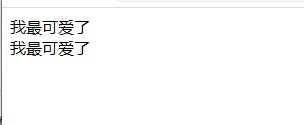
<!DOCTYPE html>
<html lang="en">
<head>
    <meta charset="UTF-8">
    <meta http-equiv="X-UA-Compatible" content="IE=edge">
    <meta name="viewport" content="width=device-width, initial-scale=1.0">
    <title>Document</title>
    <script src="https://cdn.jsdelivr.net/npm/vue@2.6.14/dist/vue.js"></script>
</head>
<body>
    <div id="app">
        <!-- 这里用了 -->
    <my-cute></my-cute>
    </div>
    <div id="ccc">
        <!-- 这里也用了 -->
        <my-cute></my-cute>
    </div>
    <script>
        // 全局组件
        Vue.component('my-cute',{
            template:`
            <div>我最可爱了</div>
            `
        })
        new Vue({
            el:"#app",
            data:{

            }
        })
        new Vue({
            el:"#ccc",
            data:{

            }
        })
    </script>
</body>
</html>
局部组件

<!DOCTYPE html>
<html lang="en">
<head>
    <meta charset="UTF-8">
    <meta http-equiv="X-UA-Compatible" content="IE=edge">
    <meta name="viewport" content="width=device-width, initial-scale=1.0">
    <title>Document</title>
    <script src="https://cdn.jsdelivr.net/npm/vue@2.6.14/dist/vue.js"></script>
</head>
<body>
    <div id="app">
        <component-a></component-a>
        <component-b></component-b>
    </div>
    <script>
        // 局部组件
        var ComponentA={
            template:`
            <div>我有钱</div>
            `
        }
        var ComponentB={
            template:`
            <div>我有很多钱</div>
            `
        }
        new Vue({
            el:"#app",
        //    局部组件引入,注意有s
        // 前面是页面引用名,后面是局部组件名
          components:{
              'component-a' :ComponentA,
              'component-b':ComponentB

          }
        })
    </script>
</body>
</html>
局部组件之间也可以有父子关系,局部组件的套用不是很懂
局部注册的组件在其子组件中不可用

<!DOCTYPE html>
<html lang="en">
<head>
    <meta charset="UTF-8">
    <meta http-equiv="X-UA-Compatible" content="IE=edge">
    <meta name="viewport" content="width=device-width, initial-scale=1.0">
    <title>Document</title>
    <script src="https://cdn.jsdelivr.net/npm/vue@2.6.14/dist/vue.js"></script>
</head>
<body>
    <div id="app">
        <component-a></component-a>
        <component-b></component-b>
    </div>
    <script>
        // 局部组件
        var ComponentA={
            template:`
            <div>我有钱</div>
            `
        }
        var ComponentB={
            components:{
                'component-a':ComponentA
            },
            template:`
            <h4>我好有钱</h4>
            `
        }
        new Vue({
            el:"#app",
        //    局部组件引入,注意有s
        // 前面是页面引用名,后面是局部组件名
          components:{
            'component-a':ComponentA,
            'component-b':ComponentB

          }
        })
    </script>
</body>
</html>
模块系统
这里的知识点很重要+vue单文件
prop的命名

<!DOCTYPE html>
<html lang="en">
<head>
    <meta charset="UTF-8">
    <meta http-equiv="X-UA-Compatible" content="IE=edge">
    <meta name="viewport" content="width=device-width, initial-scale=1.0">
    <title>Document</title>
    <!-- 引入的cdn -->
    <script src="https://cdn.jsdelivr.net/npm/vue@2.6.14/dist/vue.js"></script>
</head>
<body>
    <div id="app">
        <!-- 注意:页面中postitle的写法为 短横线分隔命名法-->
        <!-- 组件中是 驼峰命名法 -->
        <!-- 使用字符串模块的话,这个限制就不存在 -->
    <blog-post post-title="hello"></blog-post>
    </div>
    <script >
        Vue.component('blog-post',{
            props:['postTitle'],
            template:`
            <h3>
                {{postTitle}}
            </h3>
            `
        })
        new Vue({
            el:"#app",
            data:{

            }
        })
    </script>
</body>
</html>
Prop类型
注意:写的时候是props
prop的类型有两种 字符串数组 和 对象
对象 是指定名称和值类型

<!DOCTYPE html>
<html lang="en">
<head>
    <meta charset="UTF-8">
    <meta http-equiv="X-UA-Compatible" content="IE=edge">
    <meta name="viewport" content="width=device-width, initial-scale=1.0">
    <title>Document</title>
    <script src="https://cdn.jsdelivr.net/npm/vue@2.6.14/dist/vue.js"></script>
</head>
<body>
    <div id="app">
     <my-cute name="lili" age="18" hobbiy="moeny"  ></my-cute>
    </div>
    <script>
        Vue.component('my-cute',{
            props:['name','age','hobbiy'],
         // 写多个必须加个div包起来
            template:`
             <div class="my-cute">
            <h3>{{name}}</h3>
            <h3>{{age}}</h3>
            <h3>{{hobbiy}}</h3>
            </div>
            `
        })
        new Vue({
            el:"#app",
            data:{

            }
        })
    </script>
</body>
</html>
对象

传递静态的prop

<!DOCTYPE html>
<html lang="en">
<head>
    <meta charset="UTF-8">
    <meta http-equiv="X-UA-Compatible" content="IE=edge">
    <meta name="viewport" content="width=device-width, initial-scale=1.0">
    <title>Document</title>
    <script src="https://cdn.jsdelivr.net/npm/vue@2.6.14/dist/vue.js"></script>
</head>
<body>
    <div id="app">
   <ku title="money song"></ku>
    </div>
    <script>
        // 给prop传递一个静态的值
        Vue.component('ku',{
           props:["title"],
           template:`
           <h3>{{title}}</h3>
           `
        })
        new Vue({
            el:"#app"
        })
    </script>
</body>
</html>
传递动态的prop
就是把prop data v-bind联合起来一起用
应该就是把data的值通过props传递到页面内。(可能搞错了,因为data的值可以直接插入到页面中。)

<!DOCTYPE html>
<html lang="en">
<head>
    <meta charset="UTF-8">
    <meta http-equiv="X-UA-Compatible" content="IE=edge">
    <meta name="viewport" content="width=device-width, initial-scale=1.0">
    <title>Document</title>
    <script src="https://cdn.jsdelivr.net/npm/vue@2.6.14/dist/vue.js"></script>
</head>
<body>
    <div id="app">
    <sunny v-bind:sun="sunlight"></sunny>
    </div>
    <script>
        Vue.component('sunny',{
            // sunlight 太阳 sunny 晴天
            //灵魂是props的名字和data里的名字要不一样
            props:["sun"],
            template:`
            <h3>{{sun}}</h3>
            `
        })
        new Vue({
            el:"#app",
            data:{
              sunlight:"红色"
            }
        })
    </script>
</body>
</html>
传入一个数字
不是很懂官方文档想要表达什么意思

<!DOCTYPE html>
<html lang="en">
<head>
    <meta charset="UTF-8">
    <meta http-equiv="X-UA-Compatible" content="IE=edge">
    <meta name="viewport" content="width=device-width, initial-scale=1.0">
    <title>Document</title>
    <script src="https://cdn.jsdelivr.net/npm/vue@2.6.14/dist/vue.js"></script>
</head>
<body>
    <div id="app">
        <!-- 即便42是静态的,我们仍然需要v-bind来告诉Vue -->
        <!-- 这是一个javascript表达式而不是一个字符串 -->
     <blog-post v-bind:likes="42"></blog-post>
     <!-- 用变量进行动态赋值 -->
     <blog-post v-bind:likes="post.likes"></blog-post>
    </div>
    <script>
        Vue.component('blog-post',{
            props:['likes'],
            template:`
            <h3>{{likes}}</h3>
            `
        })
        new Vue({
            el:"#app",
            data:{
            post:{
                likes:41
            }
            }
        })
    </script>
</body>
</html>
传入一个布尔值
我就不明白 is-published是哪来的!!!!!!!!!!!
布尔值不写了,要么就是我前面都错了,要么就是........!!!!!!!!!!
所以不喜欢看这种说半截的啊啊啊啊啊啊啊啊啊啊
烦死了...................
之后补视频看看.....................

<!DOCTYPE html>
<html lang="en">
<head>
    <meta charset="UTF-8">
    <meta http-equiv="X-UA-Compatible" content="IE=edge">
    <meta name="viewport" content="width=device-width, initial-scale=1.0">
    <title>Document</title>
    <script src="https://cdn.jsdelivr.net/npm/vue@2.6.14/dist/vue.js"></script>
</head>
<body>
    <div id="app">
        <!-- 包含该prop没有值得情况下,都意味着true -->
        <!-- 这个就是prop没有值 -->
        <!-- 笑死,根本看不懂官方文档哈哈哈哈哈 -->
    <blog-post ></blog-post>
    </div>
    <script>
        Vue.component('blog-post',{
            props:[],
            template:`
            <h2>{{ }}</h2>
            `
        })
        new Vue({
            el:"#app",
           data:{

           }
        })
    </script>
</body>
</html>
传入一个数组

<!DOCTYPE html>
<html lang="en">
<head>
    <meta charset="UTF-8">
    <meta http-equiv="X-UA-Compatible" content="IE=edge">
    <meta name="viewport" content="width=device-width, initial-scale=1.0">
    <title>Document</title>
    <script src="https://cdn.jsdelivr.net/npm/vue@2.6.14/dist/vue.js"></script>
</head>
<body>
    <div id="app">
        <!-- 即便数组是一个静态的,我们任然需要v-bind来告诉Vue -->
        <!-- 这是一个javascript表达式而不是一个字符串 -->
        <!-- 这里是通过 props+v-bind -->
   <blog-post v-bind:comment-ids="[234,266,273]"></blog-post>

   <!-- 用一个变量进行动态赋值 -->
   <!-- 这里是 props+data+v-bind -->
   <blog-post v-bind:comment-ids="post.commentIds"></blog-post>
    </div>
    <script>
        Vue.component("blog-post",{
            props:['commentIds'],
            template:`
            <h3>{{commentIds}}</h3>
            `
        })
        new Vue({
            el:"#app",
            data:{
                // 为了做区分,用不同的数字
             post:{
                 commentIds:['23','26','27']
             }
            }
        })
    </script>
</body>
</html>
传入一个对象
<!DOCTYPE html>
<html lang="en">
<head>
    <meta charset="UTF-8">
    <meta http-equiv="X-UA-Compatible" content="IE=edge">
    <meta name="viewport" content="width=device-width, initial-scale=1.0">
    <title>Document</title>
    <script src="https://cdn.jsdelivr.net/npm/vue@2.6.14/dist/vue.js"></script>
</head>
<body>
    <div id="app">
   <!-- 即便对象是静态的,我们仍然需要v-bind来告诉Vue -->
   <!-- 这是一个javascript表达式而不是一个字符串 -->
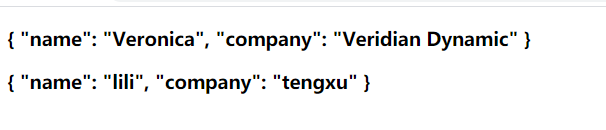
<blog-post v-bind:author="{
    name:'Veronica',
    company:'Veridian Dynamic'
}"
></blog-post>
   <!-- 用一个变量进行动态赋值 -->
   <blog-post v-bind:author='post.author'></blog-post>
    </div>

    <script>
        // props里的内容要加引号,不然会报错
        Vue.component('blog-post',{
            props:['author'],
             template:`
              <h3> {{author}}</h3>
            `
        })
        new Vue({
            el:"#app",
            data:{
              post:{
                  author:{
                      name:"lili",
                      company:"tengxu"
                  }
              }
            }
        })
    </script>
</body>
</html>
传入一个对象的所有property
就是在页面显示的元素,不用写很多东西了。
<!DOCTYPE html>
<html lang="en">
<head>
    <meta charset="UTF-8">
    <meta http-equiv="X-UA-Compatible" content="IE=edge">
    <meta name="viewport" content="width=device-width, initial-scale=1.0">
    <title>Document</title>
    <script src="https://cdn.jsdelivr.net/npm/vue@2.6.14/dist/vue.js"></script>
</head>
<body>
    <div id="app">
     <!-- 注意:这里因为没有循环所以无法取具体值,强行取id title值会报错 -->
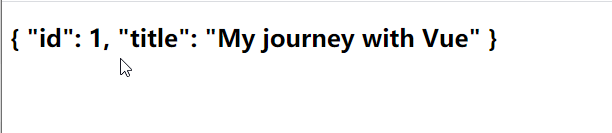
      <blog-post v-bind:post="posts"></blog-post>
    </div>
    <script>
        Vue.component('blog-post',{
           props:['post'],
           template:`
           <h2>{{post}}</h2>
           </div>
           `
        })
        new Vue({
            el:"#app",
            data:{
               posts:{
                   id:1,
                   title:"My journey with Vue"
               }
            }

        })
    </script>
</body>
</html>
<!DOCTYPE html>
<html lang="en">
<head>
    <meta charset="UTF-8">
    <meta http-equiv="X-UA-Compatible" content="IE=edge">
    <meta name="viewport" content="width=device-width, initial-scale=1.0">
    <title>Document</title>
    <script src="https://cdn.jsdelivr.net/npm/vue@2.6.14/dist/vue.js"></script>
</head>
<body>
    <div id="app">
     <!-- 注意:这里循环后,需要把取出来的值单独放出来,所以v-bind:post=post -->
      <blog-post v-for="post in posts" v-bind:post="post"></blog-post>
    </div>
    <script>
        Vue.component('blog-post',{
           props:['post'],
           template:`
           <h2>{{post}}</h2>
           </div>
           `
        })
        new Vue({
            el:"#app",
            data:{
               posts:{
                   id:1,
                   title:"My journey with Vue"
               }
            }

        })
    </script>
</body>
</html>
<!DOCTYPE html>
<html lang="en">
<head>
    <meta charset="UTF-8">
    <meta http-equiv="X-UA-Compatible" content="IE=edge">
    <meta name="viewport" content="width=device-width, initial-scale=1.0">
    <title>Document</title>
    <script src="https://cdn.jsdelivr.net/npm/vue@2.6.14/dist/vue.js"></script>
</head>
<body>
    <div id="app">
      <blog-post v-bind:id="posts.id" v-bind:title="posts.title"></blog-post>
      <!-- 测试看是哪一方面的问题 -->
      <h2>{{posts.id}}</h2>
      <h2>{{posts.title}}</h2>
    </div>
    <script>
        Vue.component('blog-post',{
            // 这里真的绝了,我报了一上午的错。就一直找不到id,直接这样写就没错了.
           props:['id','title'],
           template:`
        <div class="blog-post">
            <h2>{{id}}</h2>
            <h2>{{title}}</h2>
            </div>
           `
        })
        new Vue({
            el:"#app",
            data:{
               posts:{
                   id:1,
                   title:"My journey with Vue"
               }
            }

        })
    </script>
</body>
</html>
<!DOCTYPE html>
<html lang="en">
<head>
    <meta charset="UTF-8">
    <meta http-equiv="X-UA-Compatible" content="IE=edge">
    <meta name="viewport" content="width=device-width, initial-scale=1.0">
    <title>Document</title>
    <script src="https://cdn.jsdelivr.net/npm/vue@2.6.14/dist/vue.js"></script>
</head>
<body>
    <div id="app">
      <blog-post v-bind="post"></blog-post>

    </div>
    <script>
        Vue.component('blog-post',{
        //   这里没想到吧!这么简单哈哈哈哈哈呜呜呜呜呜呜
           props:['id','title'],
           template:`
           <h2>{{id}}--{{title}}</h2>
           `
        })
        new Vue({
            el:"#app",
            data:{
               post:
                  { id:1, title:"My journey with Vue"}
            }
        })
    </script>
</body>
</html>
掉进了深坑,会另外开一篇文章,说下
单向数据流
prop具有的特性是父子之间是单向下行绑定的状态,父级的更新了,子组件也会更新。但是子组件的更新,父级不会。这样的好处是key防止子组件变更父组件。
下面有两种常见试图变更一个prop的情形:
1.这个prop用来传递一个初始值;这个子组件接下来希望将其作为一个本地的prop数据来使用,在这种情况下,最好定义一个本地的data property并将这个prop用作其初始值。

<!DOCTYPE html>
<html lang="en">
<head>
    <meta charset="UTF-8">
    <meta http-equiv="X-UA-Compatible" content="IE=edge">
    <meta name="viewport" content="width=device-width, initial-scale=1.0">
    <title>Document</title>
    <script src="https://cdn.jsdelivr.net/npm/vue@2.6.14/dist/vue.js"></script>
</head>
</head>
<body>
    <div id="app">
        <blog-post v-bind:initial-counter=initialCounter.money></blog-post>
    </div>
    <script>
        Vue.component('blog-post',{
            props:['initialCounter'],
            template:`
            <h2>{{initialCounter}}</h2>
            `,
            data:function(){
                return {
                    counter:this.initialCounter
                }
            }
        })
   const app=     new Vue({
            el:"#app",
            data:{
      initialCounter:{
           money:100000000
      }
            }
        })
    </script>
</body>
</html>
2.这个prop以一种原始的值传入且需要进行转换,在这种情况下,最好使用prop的值来定义一个计算属性。

<!DOCTYPE html>
<html lang="en">
<head>
    <meta charset="UTF-8">
    <meta http-equiv="X-UA-Compatible" content="IE=edge">
    <meta name="viewport" content="width=device-width, initial-scale=1.0">
    <title>Document</title>
    <script src="https://cdn.jsdelivr.net/npm/vue@2.6.14/dist/vue.js"></script>
</head>
<body>
    <div id="app">
   <df v-bind:size="size"></df>
    </div>
    <script>
        Vue.component('df',{
            props:['size'],
            template:`
            <h2>{{size}}</h2>`,
            computed:{
                normalizedSize:function(){
                    return this.size.trim().toLowerCase()
                }
            }
        })
        new Vue({
            el:"#app",
            data:{
              size:40
            }
        })
    </script>
</body>
</html>
注意:在jsvascript中对象和数组是通过引用传入的,所有对于一个数组和对象类型的来说,在子组件中改变变更这个数组或数组将影响父组件的状态。
我根本不知道写这两个例子的目的是什么?????
prop验证
可以为组件指定验证要求,指定值类型。
为了定制prop的验证方式,你可以为props中的值提供一个带有验证需求的对象,而不是一个字符串数组。
但是prop会在一个组件实例创建之前进行验证,所有实例的property在default/validator函数中是不可用的。

<!DOCTYPE html>
<html lang="en">
<head>
    <meta charset="UTF-8">
    <meta http-equiv="X-UA-Compatible" content="IE=edge">
    <meta name="viewport" content="width=device-width, initial-scale=1.0">
    <title>Document</title>
    <script src="https://cdn.jsdelivr.net/npm/vue@2.6.14/dist/vue.js"></script>
</head>
<body>
    <div id="app">
   <my-component v-bind="post"></my-component>
    </div>
    <script>
        Vue.component('my-component',{
            props:{
               title:String,
               content:[String,Number],
               author:{type:String,
                    required:true},
               salary:{
                //    默认值这里不是很能理解,因为salary的值设为啥就显示啥,没有影响啊
                   type:Number,
                   default:8000
               },
               name:{
                   type:Object,
                   default:function(){
                       return {message:"聚财宝"}
                   }
               }
            },
            template :`
            <div class="my-component">
              <h2>{{title}}</h2>
              <h2>{{content}}</h2>
              <h2>{{author}}</h2>
              <h2>{{salary}}</h2>
              <h2>{{name}}</h2>
                </div>
            `
        })
        new Vue({
            el:"#app",
            data:{
             post:{
                 title:"大风来啦",
                 content:10000,
                 author:"李虎",
                 salary:8000,
                //  不确定这个写法对不对
                 name:{meaasge:"聚财宝"}
             }

            }
        })
    </script>
</body>
</html>
官方的格式
  Vue.component('my-component',{
            props:{
                //基础类型检查(null和undefined 会通过任何类型)
                propA:Number,
                // 多个可能的类型
                propB:[String,Number],
                //必填的字符串
                propC:{
                    type:String,
                    required:true
                },
                //带有默认值的数字
                propD:{
                    type:Number,
                    default:100
                },
                //带有默认值的对象
                type:Object,
                //数组或对象默认值必须从一个工厂函数获取
                default:function(){
                    return {message:'hello'}
                }
            },
            //自定义验证函数
            propF:{
                validator:function(value){
                    return ['success','warning','danger'].indexOf(value)!==-1
                }
            }
            })
prop的指定类型
type可以是下列原生构造函数中的一个:
String Number Boolean Array Object Date Function Symbol 还可以是自定义的构造函数
如何设置为了自定义的构造函数,可以通过instanceof来进行确认检查。还有一个其他方式我也看不懂
这里我完全不懂是如何验证的,我在网上找到了一个关于这个的代码

<body>
    <div id="app">
        {{myObj}}
            <my-component :my-obj="12"></my-component>
            <my-component :my-obj="myObj"></my-component>
    </div>
    <script>
        function MyObj(){
            this.name=1;
            this.age=2;
        }
        var myObj=new MyObj();
        console.log(new MyObj());

        Vue.component('my-component',{
            props:{
                //自定义构造器测试
                myObj:MyObj,
            },
            template:'<div>自定义构造器测试 ——{{myObj}}</div>'

        })
        new Vue({
            el:'#app',
            data:{
                myObj:myObj
            }
        })
    </script>
</body>
非prop的Attribute
非prop的Attribute指的是传向一个组件,但是该组件并没有对应的attribute.
不懂不写
替换、合并已有的Attribute
不懂,不写
禁用Attribute元素
如果你不希望组件的根元素继承attribute,可以在组件的选项中设置inheritAttrs:false.
inheritAttrs:false选项不会影响style和class的绑定
不懂根元素的啥继承,不写
事件名
使用小写字母横线模式 my-cute
自定义组件的v-model
model选项还可以用来避免输入框的啥子冲突喔????
后面的都看不懂,我也没法自己做出对比,自己想出。
..................
.............
..............
.............
插槽
现在插槽的语法变为v-slot指令,之前的写法可以丢了。
插槽内容
slot元素可以作为承载分发内容的出口。
插槽内可以包含任何模板代码,包括html,甚至于其他组件,但是如果使用时里面没有包含slot元素,那么等于白写了。
遇到了瓶颈 今天暂时不写了。