一。问题描述:
打开Idea运行java项目时出现以下错误:
Error running ‘XXX’:command line is too long.Shorten command line for ‘XXX’ or also for Junit default configuration
二。解决办法:
1.打开Idea,在右上角项目启动栏找到Edit Configuration: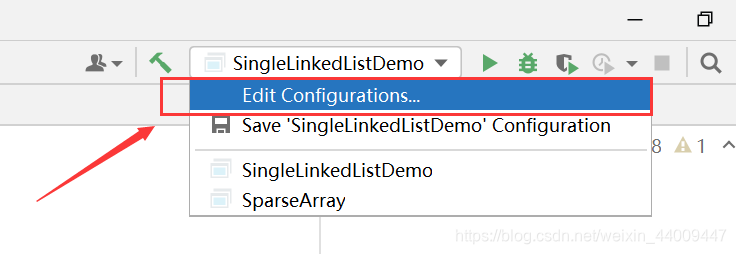
2.点击Modify options: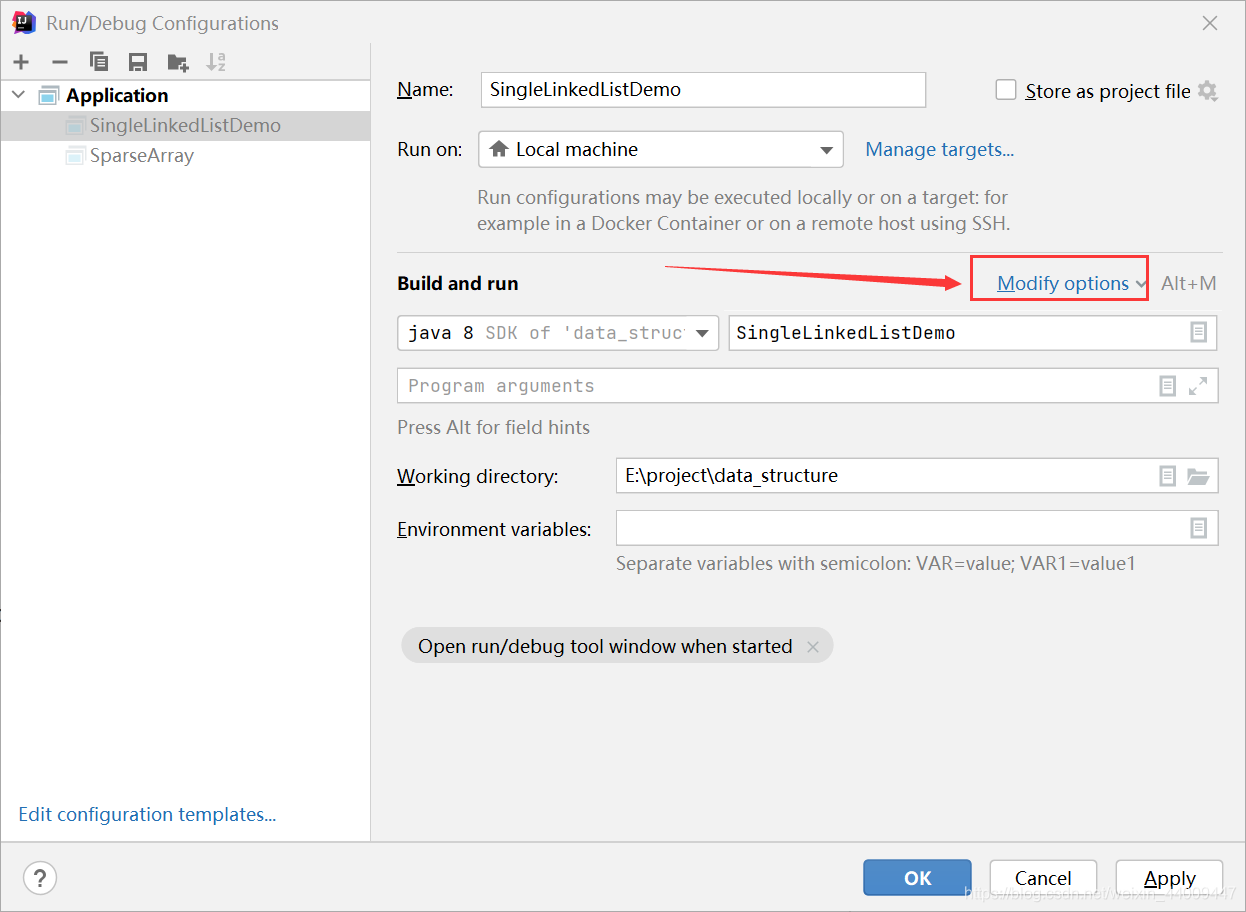
3.再点击Shorten command line: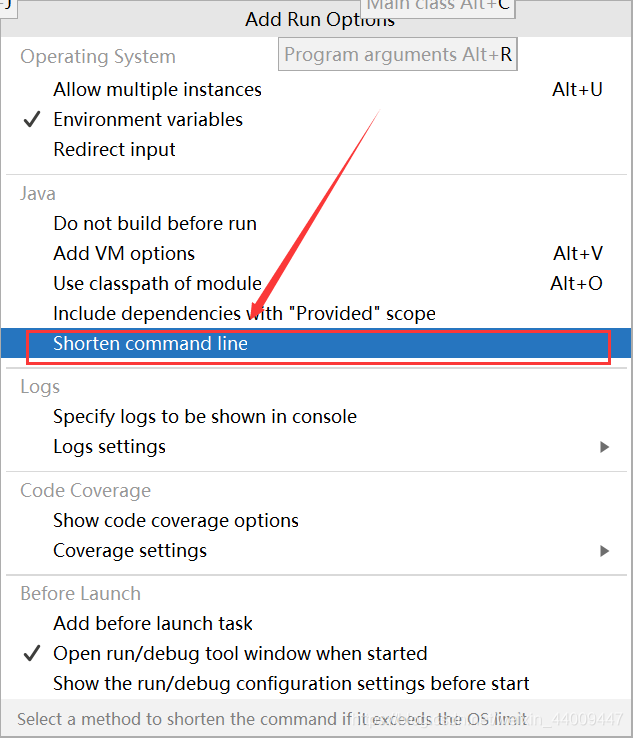
4.更换Shorten command line选项: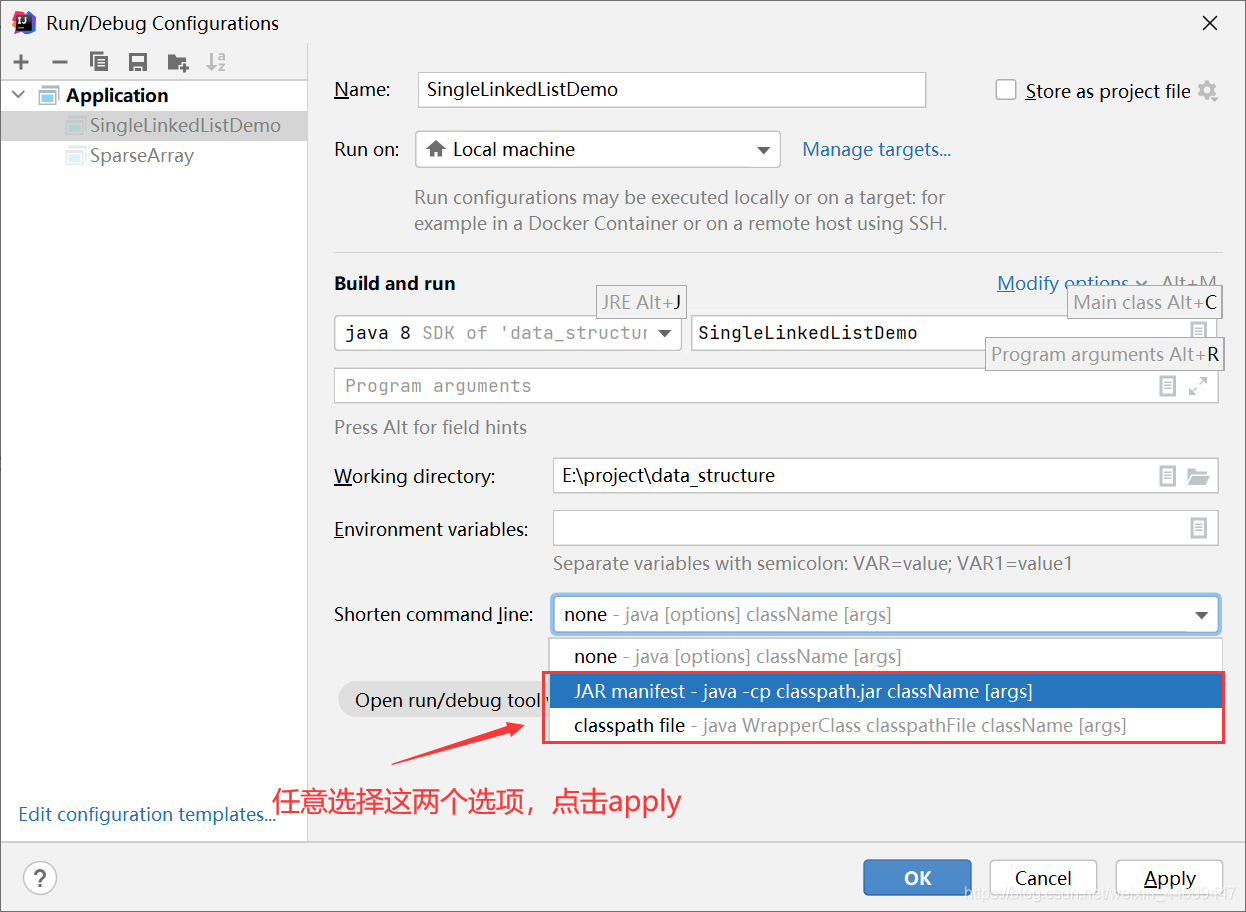
5.重新启动,问题解决,程序成功运行。
版权声明:本文为weixin_44009447原创文章,遵循CC 4.0 BY-SA版权协议,转载请附上原文出处链接和本声明。