前期准备:
我是从 GES DISC 下载GPM数据,首先是注册账号,这个就不用说了。然后,注意按说明获取授权,这个教程很详细啦,不再过多介绍。
下载过程:
1. 手动下载 list of links。选择你要下载的数据时间范围、区域、等等,然后下载包含所有下载连接的 txt 文件。
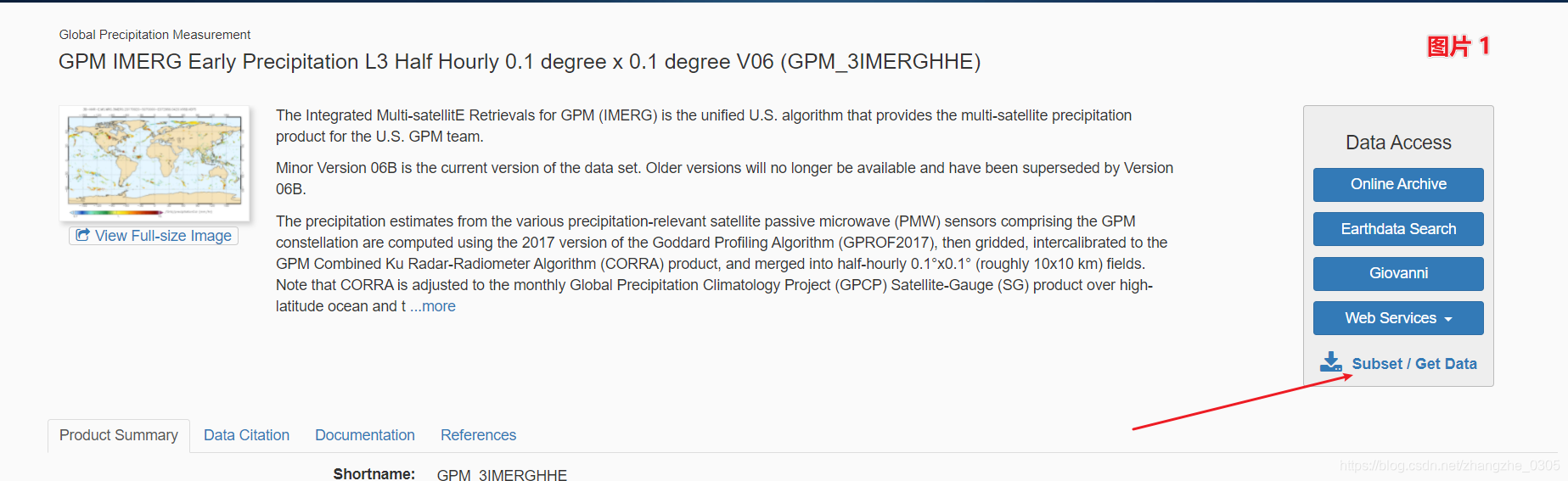
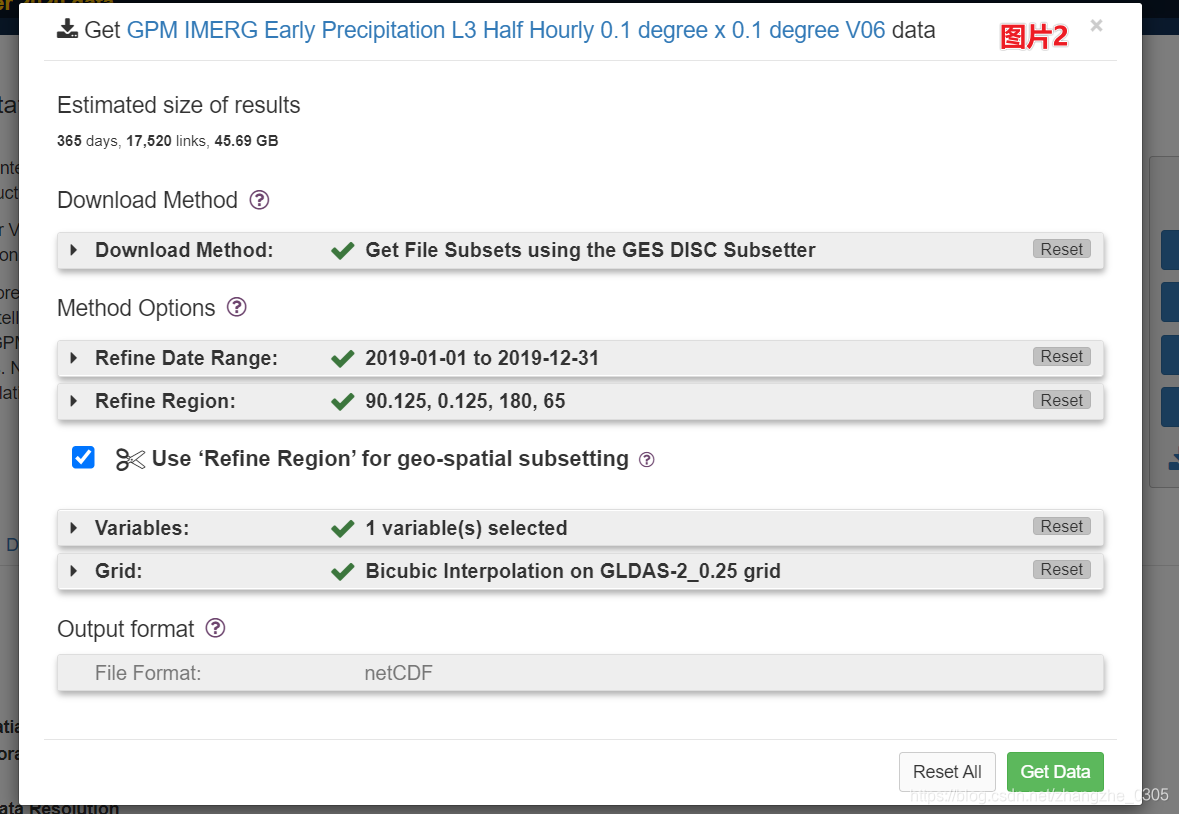
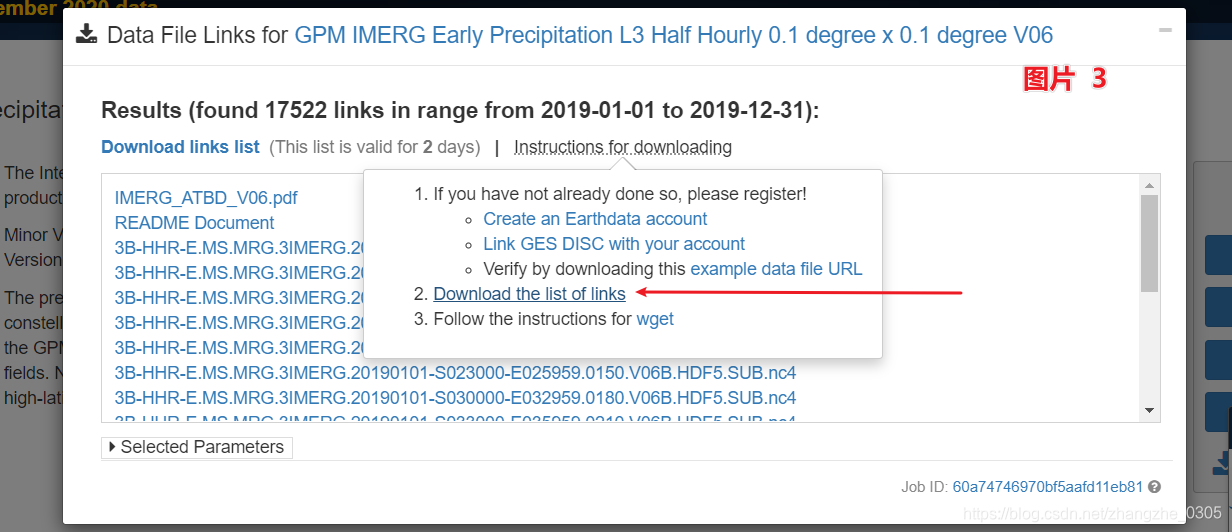
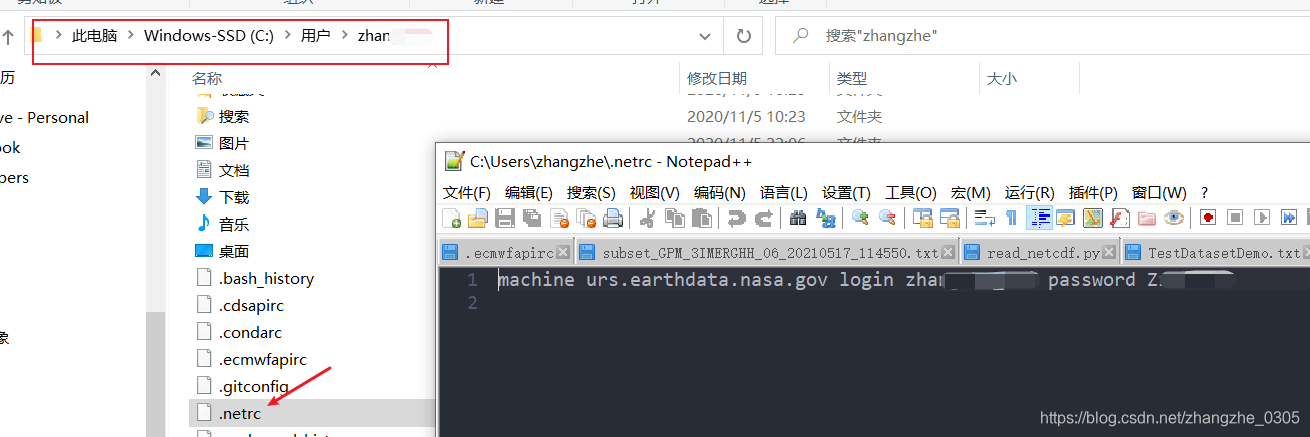
2. 在用户目录(windows,linux为根目录~)创建 .netrc 文件, 内容就是自己的账号和密码
.netrc 文件的内容:
machine urs.earthdata.nasa.gov login zhangsanzhanghao password 123456
再上个图吧,更清晰
3. 终于到了上代码环节,多线程下载搞起来。我试了10个线程,没问题。【我添加了额外的处理,忽略就好,只关注GPM数据下载即可】
【2021年11月9日16:47:17追加】:由于我只需要下载BST.txt中对应时间的GPM数据,所以以下代码中添加了部分BST和GPM进行关联的代码,加了注释,忽略即可。
整段代码逻辑很简单:读取xxx-gpm.txt->下载链接放入队列->启动线程
"""
@author: zhe zhang
@contact: zhezhangsci@gmail.com
@software: PyCharm
@time: 2021年5月21日16:04:11
"""

from queue import Queue
from threading import Thread
import requests
from time import time
import datetime
import os
import numpy as np

#读取BST文件,自用,GPM下载请忽略
def readTyphoonByTime(file_path):
    list_bst_all = []
    list_temp = []
    with open(file_path, "r") as f:
        for line in f.readlines():
            line = line.strip('\n')
            line_np = line.split()
            if line_np[0] == '66666':
                # print(line_np[3])
                if len(list_temp) > 1:
                    list_bst_all.append(list_temp)
                list_temp = []
            else:
                list_temp.append(line_np)
        list_bst_all.append(list_temp)
    return list_bst_all

# 创建BST与GPM.txt关联,自用,GPM下载请忽略
def createDictForGPM(gpm_file_txt_path):
    gpm_dict = {}
    with open(gpm_file_txt_path, "r") as f:
        for line in f.readlines():
            line_url = line.strip('\n')
            line_arr = line_url.split('.')
            line_name = line_arr[10][0:8] + line_arr[10][10:14] + '.nc4'
            gpm_dict[line_name] = line_url
    np.save('./2019_gpm.npy', gpm_dict)


# *****************以下为GPM下载代码*******************
def downloadGPM(file, my_url):
    '''
    :param file:  ./data_gpm/20xx/xxx.nc4
    :param my_url: gpm.txt中的下载链接
    :return:
    '''
    result = None
    if os.path.exists(file):
        print('file alreay exist!')
    else:
        try:
            result = requests.get(my_url)
            result.raise_for_status()
            f = open(file, 'wb')
            f.write(result.content)
            f.close()
            print('contents of URL written to ' + file)
        except:
            print('requests.get() returned an error code ')
            list_fail_grib.append(file)


# 多线程下载
class DownloadWorker(Thread):
    def __init__(self, queue):
        Thread.__init__(self)
        self.queue = queue

    def run(self):
        while True:
            # 从队列中获取任务并扩展tuple
            data = self.queue.get()
            downloadGPM(data[0], data[1])
            self.queue.task_done()


list_fail_grib = []

if __name__ == '__main__':
    # 定义程序起始时间,下载结束后,根据结束时间计算共花费多长时间

    # bst_file_path = ['./cma_bst/CH2019BST.txt']
    gpm_file_path = './data_gpm/20190101-20191231-gpm.txt'
    # createDictForGPM(gpm_file_txt_path=gpm_file_path)
    # gpm_dict_path = './2019_gpm.npy'
    # gpm_dict = np.load(gpm_dict_path, allow_pickle=True).item()

    gpm_base_path = './data_gpm/2019/'

    # 建立下载序列
    links = []
    # 如果仅下载GPM数据,这里直接遍历 gpm_file_path 即可
    for bst_file in bst_file_path:
        bst_file_list = readTyphoonByTime(bst_file)
        for idx, typhoon_bst in enumerate(bst_file_list):
            for single_trk in typhoon_bst:
                # 示例值 ['2020061106', '1', '145', '1226', '1004', '13']
                gpm_file_name = single_trk[0] + '00' + '.nc4'
                try:
                    gpm_url = gpm_dict[gpm_file_name]
                except:
                    print('*****  No ' + gpm_file_name + "  *****")
                    continue
                links.append((gpm_base_path + single_trk[0] + '.nc4', gpm_url))

    # 创建一个主进程与工作进程通信
    queue = Queue()


    # 创建四个工作线程
    for x in range(10):
        worker = DownloadWorker(queue)
        # 将daemon设置为True将会使主线程退出,即使所有worker都阻塞了
        worker.daemon = True
        worker.start()

    # 将任务以tuple的形式放入队列中
    for link in links:
        queue.put((link))

    # 让主线程等待队列完成所有的任务
    queue.join()
    print('*********** ALL Done *************')

    # 将下载失败的文件写出为npy
    fail_arr = np.array(list_fail_grib)
    np.save('./multigpm_failure_file.npy', fail_arr)
    print('over')
完结撒花!!
版权声明:本文为zhangzhe_0305原创文章,遵循CC 4.0 BY-SA版权协议,转载请附上原文出处链接和本声明。