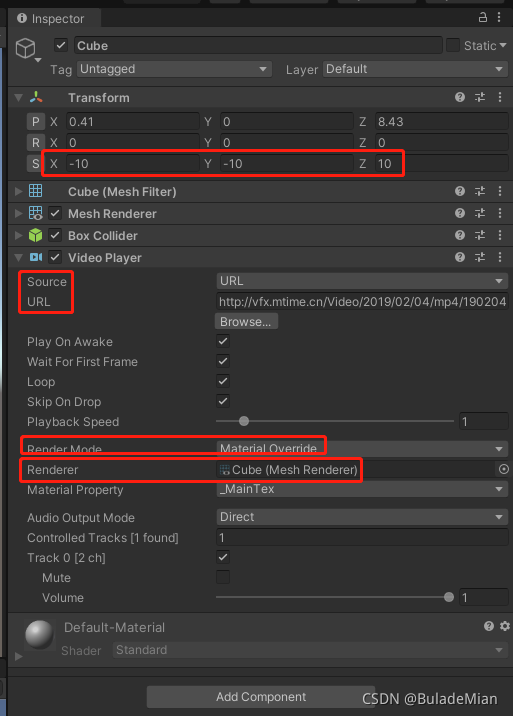
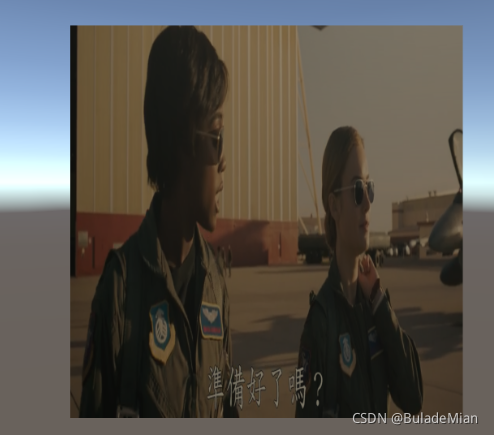
播放的视频可以在3D物体,2D物体,UI上进行播放。
播放视频的同时会 播放 视频 的声音。
Unity 2019.4.19可用。
年代久远的EasyMovieTexture之类的插件貌似有很多问题。
3D物体上播放
UGUI
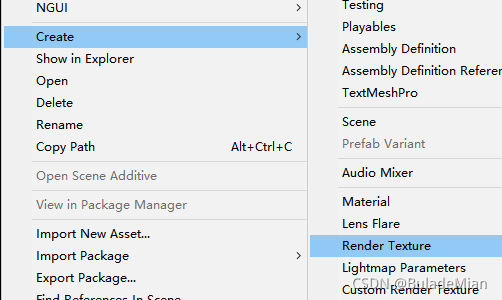
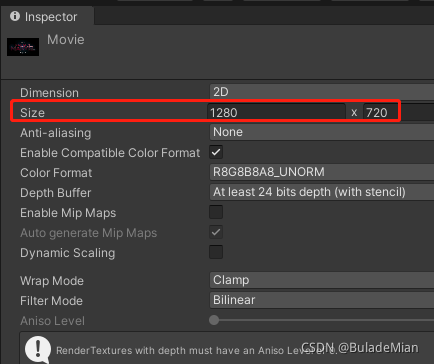
Project视图 鼠标 右键 -Create-Render Texture,自定义名字为Movie
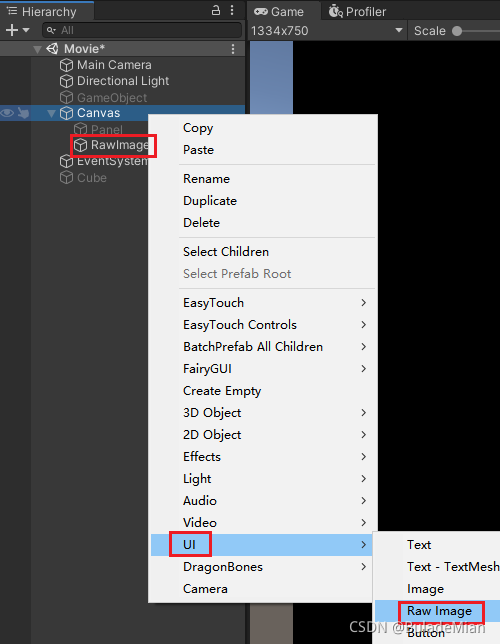
Hierarchy视图,鼠标右键新建UGUI-RawImage
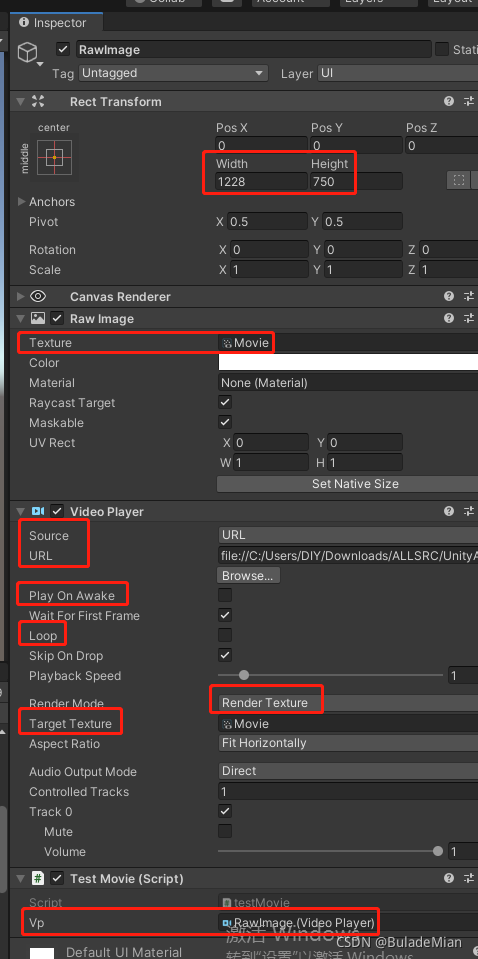
RawImage的Texture,VideoPlayer的TargetTexture都是上面刚刚创建的名字为Movie的Render Texture
using UnityEngine;
using UnityEngine.Video;//
public class testMovie : MonoBehaviour
{
    public VideoPlayer vp;
    // Start is called before the first frame update
    void Start()
    {
        if (vp != null)
        {
            vp .url = Application.streamingAssetsPath + "/190321153853126488.mp4";
            vp.Play();
            vp.isLooping = true;
        }
    }
}
播放路径
VideoPlayer的Source设置为URL
项目内文件地址
由于PC和安卓的地址不一样,因为安卓手机设备没有E盘。
e:\test\Assets\StreamingAssets\190321153853126488.mp4
Application.streamingAssetsPath + "/190321153853126488.mp4";//这一行安卓可用file://E:/20210827143941.mp4
网页地址
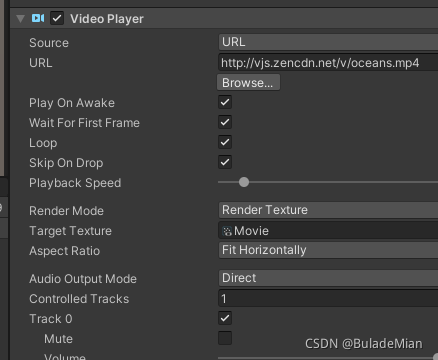
直接在URL复制粘贴 视频的地址。
安卓打包后可用。
参考资料:
1.
Unity VideoPlayer以url方式播放视频
2.Unity3D学习(十):使用VideoPlayer在UI上播放视频
4.
5.
版权声明:本文为BuladeMian原创文章,遵循CC 4.0 BY-SA版权协议,转载请附上原文出处链接和本声明。