nginx转发https相关配置
1.安装nginx和所需的module
#安装编译依赖
yum install -y gcc gcc-c++  pcre pcre-devel zlib zlib-devel openssl openssl-devel
wget https://nginx.org/download/nginx-1.18.0.tar.gz
tar zxvf nginx-1.18.0.tar.gz
cd nginx-1.18.0
#添加https转发需要的module
./configure --prefix=/usr/local/nginx  --with-stream --with-stream_ssl_preread_module --with-stream_ssl_module
make && make install
2.配置
备份
cp /usr/local/nginx/conf/nginx.conf /usr/local/nginx/conf/nginx.conf-bak
修改config(走4层,如果走7层可能需要目标网站证书)
vi /usr/local/nginx/conf/nginx.conf
user  root;
worker_processes  auto;
error_log  logs/error.log;
pid        logs/nginx.pid;
worker_rlimit_core   2G;
worker_rlimit_nofile 65535;
events {
    worker_connections  81920;
}
stream {
    log_format  main  '$remote_addr - [$time_local] $connection '
                      '$status $proxy_protocol_addr $server_addr ';
    access_log  logs/access.log  main;
    resolver 114.114.114.114;
    resolver_timeout 60s;
    variables_hash_bucket_size 512;
    server {
        listen      443;
        ssl_preread on;
        proxy_pass $ssl_preread_server_name:443;

    }
}
验证配置:
/usr/local/nginx/sbin/nginx -t
启动
/usr/local/nginx/sbin/nginx
客户机配置
vim /etc/hosts
#添加本地映射
192.168.10.100	api.open.uc.cn
3.测试
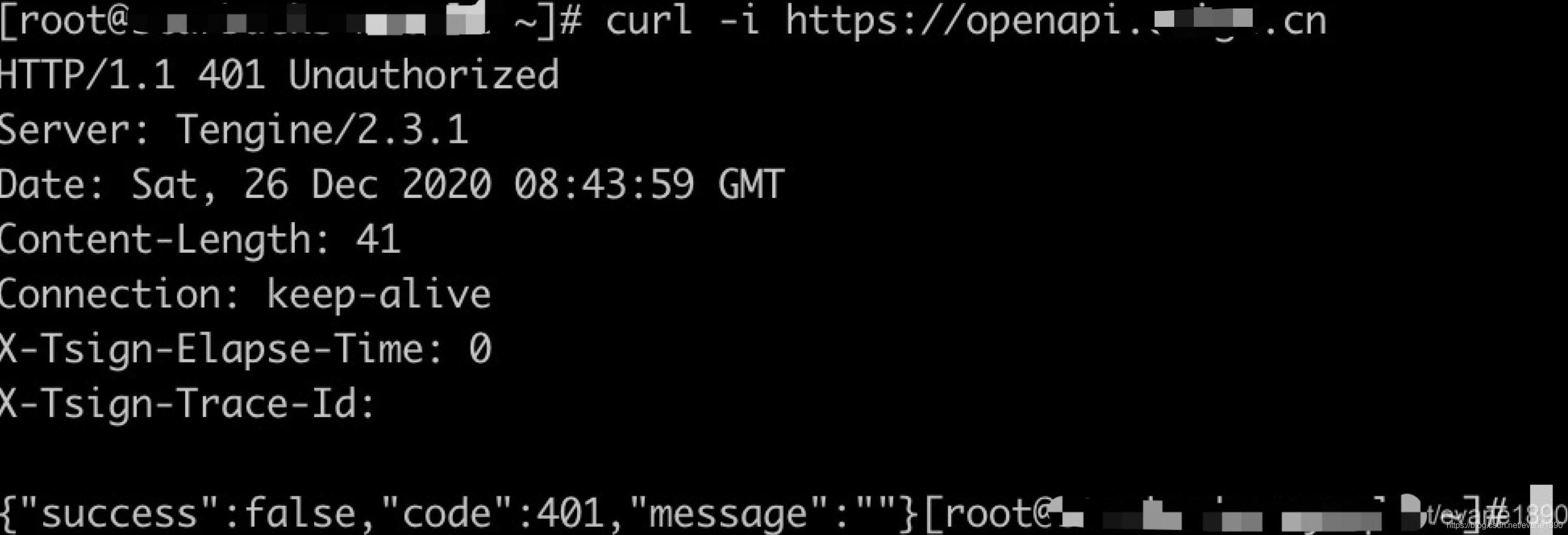
curl -i https://api.open.uc.cn
参考:
https://www.dazhuanlan.com/2020/01/16/5e1febfd751bc/
https://www.cnblogs.com/mangoVic/p/12239044.html
https://www.cnblogs.com/mangoVic/p/8359864.html
版权声明:本文为evane1890原创文章,遵循CC 4.0 BY-SA版权协议,转载请附上原文出处链接和本声明。