修改StudentInfo项目输出学生信息
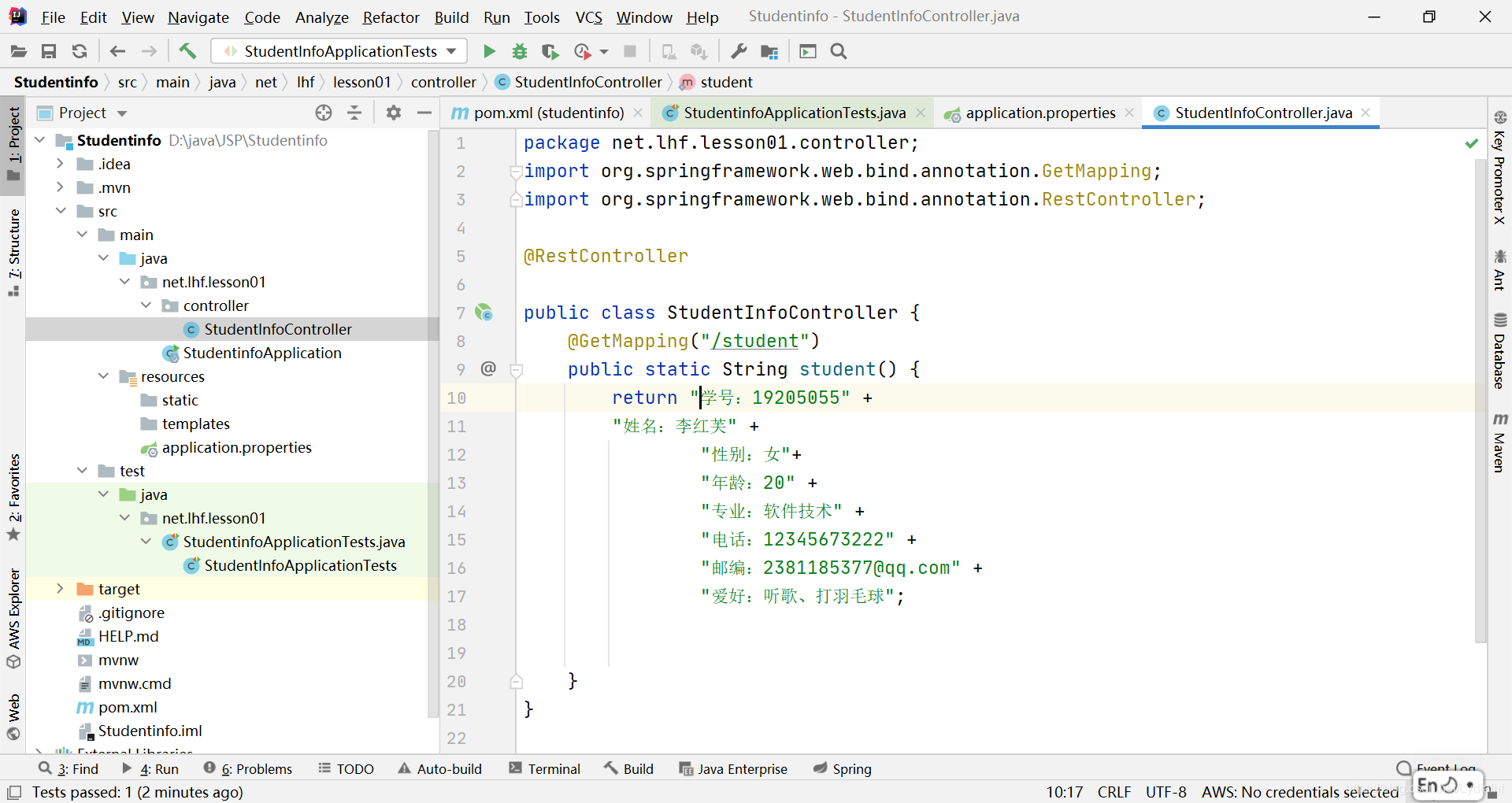
创建学生实体类Student
package net.lhf.lesson01.controller;

public class Student {
    private String id;
    private String name;
    private String gender;
    private int age;
    private String major;
    private String telephone;
    private String email;
    private String hobby;

    public String getId() {
        return id;
    }

    public void setId(String id) {
        this.id = id;
    }

    public String getName() {
        return name;
    }

    public void setName(String name) {
        this.name = name;
    }

    public String getGender() {
        return gender;
    }

    public void setGender(String gender) {
        this.gender = gender;
    }

    public int getAge() {
        return age;
    }

    public void setAge(int age) {
        this.age = age;
    }

    public String getMajor() {
        return major;
    }

    public void setMajor(String major) {
        this.major = major;
    }

    public String getTelephone() {
        return telephone;
    }

    public void setTelephone(String telephone) {
        this.telephone = telephone;
    }

    public String getEmail() {
        return email;
    }

    public void setEmail(String email) {
        this.email = email;
    }

    public String getHobby() {
        return hobby;
    }

    public void setHobby(String hobby) {
        this.hobby = hobby;
    }

    @Override
    public String toString() {
        return "Student{" +
                "id='" + id + '\'' +
                ", name='" + name + '\'' +
                ", gender='" + gender + '\'' +
                ", age=" + age +
                ", major='" + major + '\'' +
                ", telephone='" + telephone + '\'' +
                ", email='" + email + '\'' +
                ", hobby='" + hobby + '\'' +
                '}';
    }

}
添加注解@Component
添加注解@ConfigureProperties
将application.properties更名为application.yaml
配置student对象属性
#配置student对象
student:
  id: 1925055
  name: 李红芙
  gender: 女
  age: 20
  major: 软件技术
  telephone: 1783927
  email: 2335565@163.com
  hobby: 音乐、美食、旅行
修改控制器StudentInfoController,student()方法里返回student的值
运行启动类

package net.lhf.lesson01;

import net.lhf.lesson01.controller.Student;
import net.lhf.lesson01.controller.StudentInfoController;
import org.junit.Assert;
import org.junit.jupiter.api.Test;
import org.junit.runner.RunWith;
import org.springframework.beans.BeansException;
import org.springframework.beans.factory.annotation.Autowired;
import org.springframework.boot.test.context.SpringBootTest;
import org.springframework.context.ApplicationContext;
import org.springframework.context.ApplicationContextAware;
import org.springframework.test.context.junit4.SpringRunner;

@RunWith(SpringRunner.class) //测试启动器,并加载Spring Boot测试注解
@SpringBootTest //标记Spring Boot单元测试,并加载applicationContext上下文环境
class StudentInfoApplicationTests implements ApplicationContextAware {
    private ApplicationContext context;//声明应用容器


    @Override
    public void setApplicationContext(ApplicationContext applicationContext) throws BeansException {
        context = applicationContext;
    }
    @Autowired
    private StudentInfoController studentInfoController;
//
//    @Test
//    public void testStudent() {
//        // 获取控制器hello()方法的返回值
//        String studen = StudentInfoController.studen();
//        //断言方法的返回值是否是指定的数据
//        Assert.assertSame("学号:19205055" +
//                "姓名:李红芙" +
//                "性别:女"+
//                "年龄:20" +
//                "专业:软件技术" +
//                "电话:12345673222" +
//                "邮编:2381185377@qq.com" +
//                "爱好:听歌、打羽毛球",studen);

        // }
//        //System.out.println(student);

    @Test
    public void testStudent(){
        //从应用容器里按照名称获取Student实例
        Student student = (Student) context.getBean("student");
        //输出person对象
        System.out.println(student);
    }
}
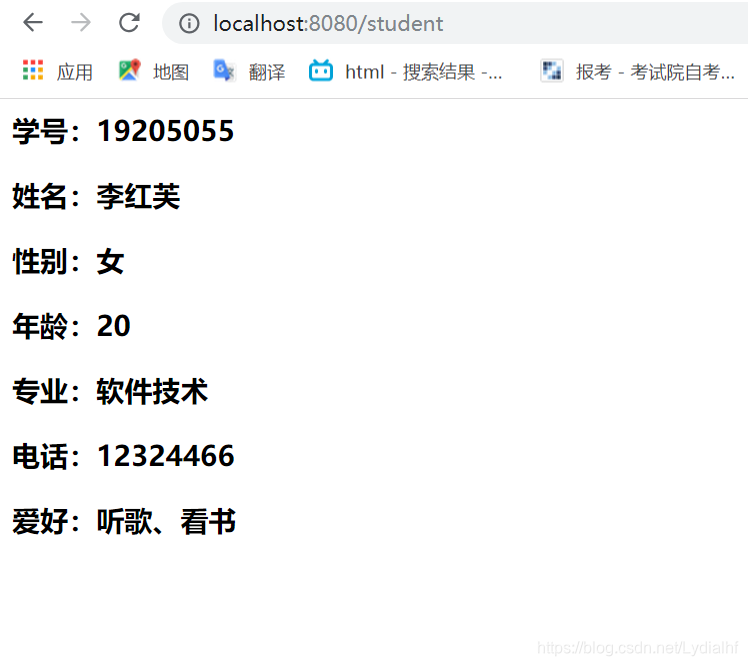
运行测试,查看结果

版权声明:本文为Lydialhf原创文章,遵循CC 4.0 BY-SA版权协议,转载请附上原文出处链接和本声明。