Saltstack 自动化运维管理
1. saltstack安装与配置
saltsack是一个配置管理系统,能够维护预定义状态的远程节点;是一个分布式远程执行系统,用来在远程节点上执行命令和查询数据。
repo源
[server]
name=server
baseurl=http://172.25.254.16/westos
gpgcheck=0

[salt]
name=salt
baseurl=http://172.25.254.16/3000
gpgcheck=0
[root@server1 ~]# yum install https://repo.saltstack.com/yum/redhat/salt-repo-3000.el7.noarch.rpm
[root@server1 ~]# yum list salt-*
[root@server1 ~]# yum install -y salt-master.noarch
[root@server1 ~]# systemctl enable --now salt-master.service
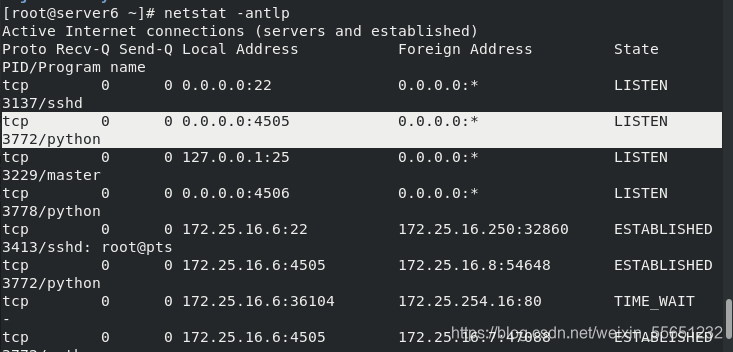
[root@server1 ~]# netstat -antlp
saltstack采用C/S模式,minion与master之间通过ZeroMQ消息队列通信,默认监听4505端口。
每个节点安装minion端通过消息队列订阅数据,master发布数据,所有端口通过4505拿到数据,是并行的。4505做消息队列的发布和订阅系统。
4506端口是请求响应端,当客户端执行结束后,想知道结果,通过4506端口反馈。
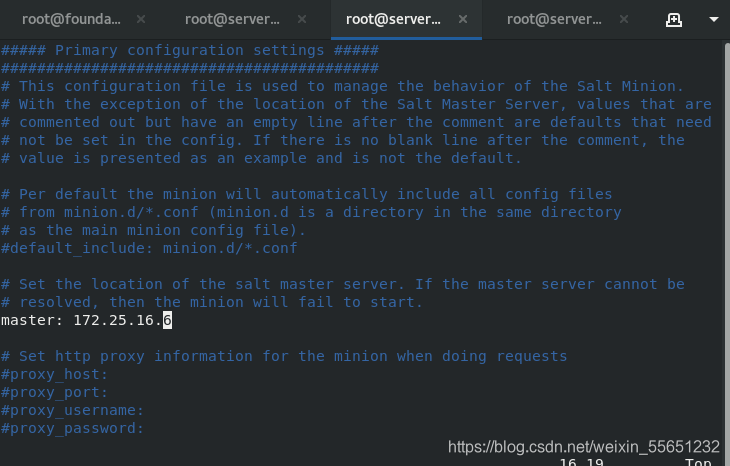
minion端配置
server2,3作同样操作
[root@server7 ~]# yum install  -y salt-minion.noarch
[root@server7 ~]#  cd /etc/salt/
[root@server7 salt]# vim minion
[root@server7 salt]# systemctl enable --now salt-minion.service
Created symlink from /etc/systemd/system/multi-user.target.wants/salt-minion.service to /usr/lib/systemd/system/salt-minion.service.
[root@server7 salt]# netstat -antlp
Active Internet connections (servers and established)
Proto Recv-Q Send-Q Local Address           Foreign Address         State       PID/Program name
tcp        0      0 0.0.0.0:22              0.0.0.0:*               LISTEN      3133/sshd
tcp        0      0 127.0.0.1:25            0.0.0.0:*               LISTEN      3333/master
tcp        0      0 172.25.16.7:22          172.25.16.250:54892     ESTABLISHED 3417/sshd: root@pts
tcp6       0      0 :::22                   :::*                    LISTEN      3133/sshd
tcp6       0      0 ::1:25                  :::*                    LISTEN      3333/master
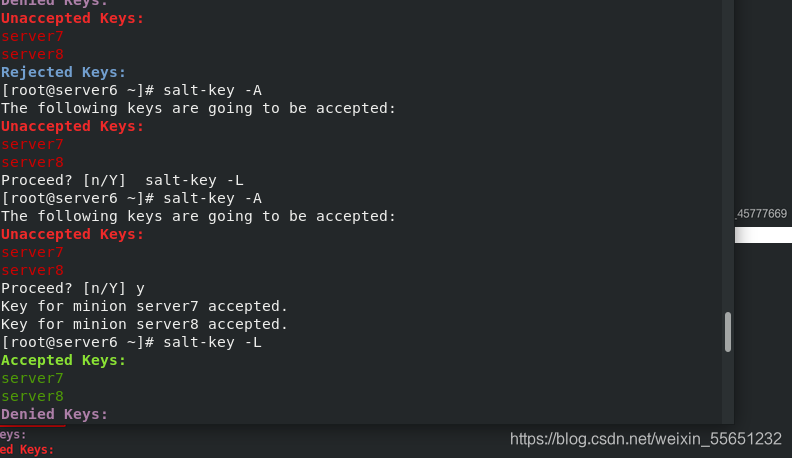
master端执行命令允许minion连接
[root@server6 ~]# yum install -y lsof
[root@server6 ~]# salt-key -L
Accepted Keys:
Denied Keys:
Unaccepted Keys:
server7
server8
Rejected Keys:
[root@server6 ~]# salt-key -A
The following keys are going to be accepted:
Unaccepted Keys:
server7
server8
Proceed? [n/Y]  salt-key -L
[root@server6 ~]# salt-key -A
The following keys are going to be accepted:
Unaccepted Keys:
server7
server8
Proceed? [n/Y] y
Key for minion server7 accepted.
Key for minion server8 accepted.
[root@server6 ~]# salt-key -L
Accepted Keys:
server7
server8
Denied Keys:
Unaccepted Keys:
Rejected Keys:
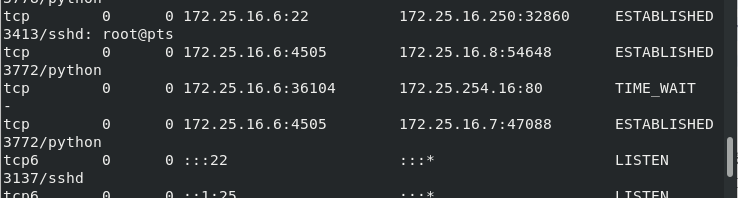
[root@server6 ~]# netstat -antlp
Active Internet connections (servers and established)
Proto Recv-Q Send-Q Local Address           Foreign Address         State       PID/Program name
tcp        0      0 0.0.0.0:22              0.0.0.0:*               LISTEN      3137/sshd
tcp        0      0 0.0.0.0:4505            0.0.0.0:*               LISTEN      3772/python
tcp        0      0 127.0.0.1:25            0.0.0.0:*               LISTEN      3229/master
tcp        0      0 0.0.0.0:4506            0.0.0.0:*               LISTEN      3778/python
tcp        0      0 172.25.16.6:22          172.25.16.250:32860     ESTABLISHED 3413/sshd: root@pts
tcp        0      0 172.25.16.6:4505        172.25.16.8:54648       ESTABLISHED 3772/python
tcp        0      0 172.25.16.6:36104       172.25.254.16:80        TIME_WAIT   -
tcp        0      0 172.25.16.6:4505        172.25.16.7:47088       ESTABLISHED 3772/python
tcp6       0      0 :::22                   :::*                    LISTEN      3137/sshd
tcp6       0      0 ::1:25                  :::*                    LISTEN      3229/master
[root@server6 ~]# lsof -i :4505
COMMAND    PID USER   FD   TYPE DEVICE SIZE/OFF NODE NAME
salt-mast 3772 root   15u  IPv4  33611      0t0  TCP *:4505 (LISTEN)
salt-mast 3772 root   17u  IPv4  37515      0t0  TCP server6:4505->server8:54648 (ESTABLISHED)
salt-mast 3772 root   18u  IPv4  37520      0t0  TCP server6:4505->server7:47088 (ESTABLISHED)

master端执测试与minion的连接
[root@server1 ~]# salt '*' test.ping  ##test 调用的模块 ping 模块内的ping方法
[root@server1 ~]# salt '*' cmd.run "ip addr"
[root@server1 ~]# salt '*' cmd.run hostname
[root@server1 ~]# salt server7 test.ping
[root@server1 ~]# salt server* test.ping
[root@server1 ~]# salt server? test.ping
[root@server1 ~]# salt server[23] test.ping

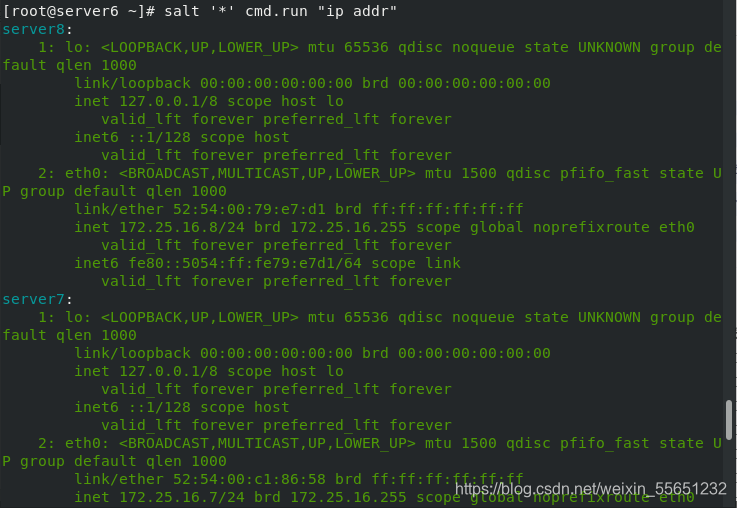
执行过的命令都被保存,默认缓存是24小时
[root@server6 salt]# cd /var/cache/salt/
[root@server6 salt]# ls
master
[root@server6 salt]# cd master/
[root@server6 master]# ls
jobs  minions  proc  queues  roots  syndics  tokens
[root@server6 master]# cd jobs/
[root@server6 jobs]# ls
2f  33  3d  56  5c  cf  ea
[root@server6 jobs]# cd
[root@server6 ~]#  yum install -y python-setproctitle.x86_64
[root@server6 ~]# ps ax
[root@server7 salt]# cat minion_id
server7[root@server7 salt]#
minion_id:启动minion后,会产生主机名文件,更改主机名后,要删除这个文件,每次启动时都会用原来生成的文件id去连接master,不删除文件的话,会读取这个文件,更改主机名后会不生效。删除后重启,会自动以当前主机名生成新的文件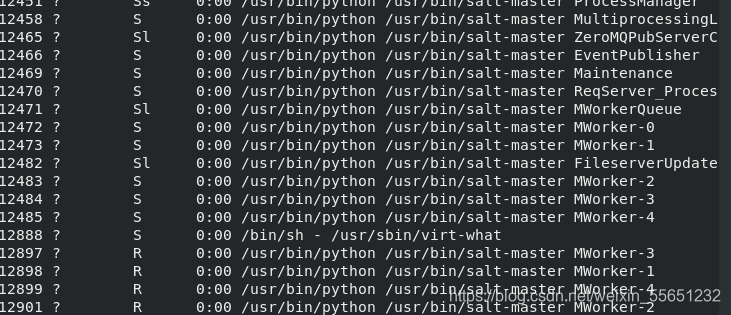
2. saltstack 远程执行
salt 命令由三个主要部分构成:salt'<target>'<funcation>[arguments]
target: 指定哪些minion, 默认的规则是使用glob匹配minion id.
# salt '*' test.ping
Targets也可以使用正则表达式:
# salt -E 'server[1-3]' test.ping
Targets也可以指定列表:
# salt -L 'server2,server3' test.ping

funcation是module提供的功能,Salt内置了大量有效的functions.
# salt '*' cmd.run 'uname -a'

arguments通过空格来界定参数.
# salt 'server2' sys.doc pkg			#查看pkg模块文档
# salt 'server2' sys.doc pkg | grep pkg.install
# salt 'server2' pkg.install httpd
# salt 'server2' pkg.remove httpd
salt内置的执行模块列表:
http://docs.saltstack.cn/ref/modules/all/index.html
[root@server6 salt]# salt server7 pkg.install httpd
[root@server6 salt]# salt server7 cmd.run 'rpm -q httpd'
[root@server6 salt]# salt 'server7'  sys.doc service
[root@server6 salt]# salt 'server7'  service.start httpd
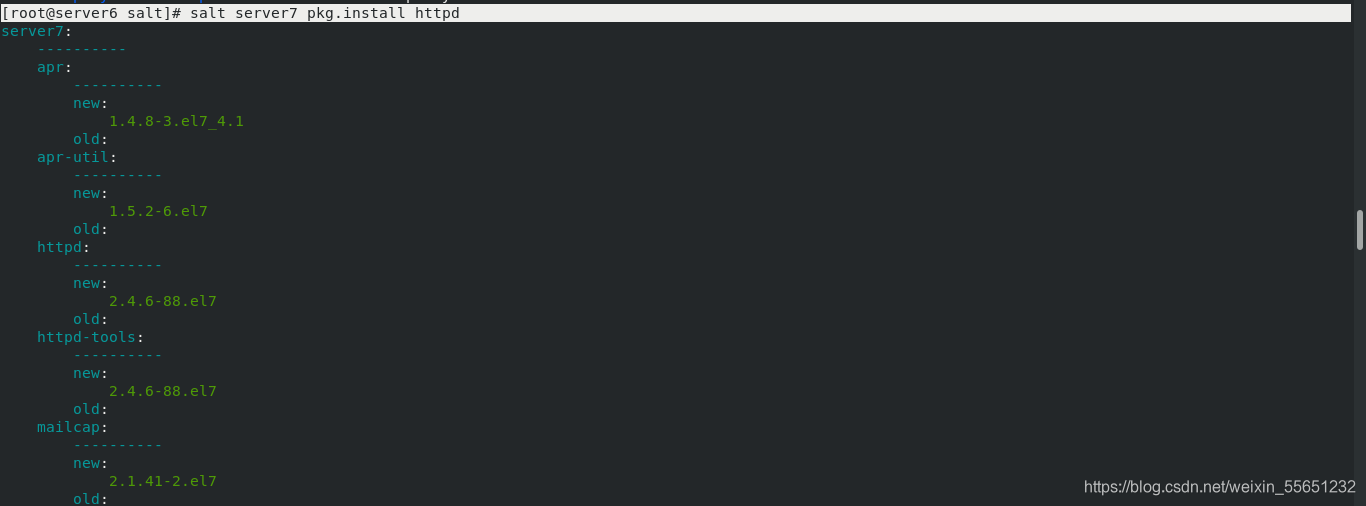
配置管理
Salt 状态系统的核心是SLS,或者叫SaLt State 文件。
•SLS表示系统将会是什么样的一种状态,而且是以一种很简单的格式来包含这些数据,常被叫做配置管理。
•sls文件命名:
•sls文件以”.sls”后缀结尾,但在调用是不用写此后缀。
•使用子目录来做组织是个很好的选择。
• init.sls 在一个子目录里面表示引导文件,也就表示子目录本身, 所以``apache/init.sls`` 就是表示``apache``.
•如果同时存在apache.sls 和 apache/init.sls,则 apache/init.sls 被忽略,apache.sls将被用来表示 apache.

创建一个sls文件:
# vim /srv/salt/apache.sls
httpd:                 	# ID声明
  pkg:                  	# 状态声明
    - installed           	# 函数声明
指定主机执行:
# salt server2 state.sls apache

准备Top文件:
# vim /srv/salt/top.sls
base:
  '*':
    - apache
批量执行:
# salt '*' state.highstate
编写远程执行模块:在server7中部署apache
[root@server6 salt]# cd /srv/
[root@server6 srv]# mkdir salt
[root@server6 srv]# cd salt/
[root@server6 salt]# ls
[root@server6 salt]# mkdir apache
[root@server6 salt]# cd apache/
[root@server6 apache]# vim apache.sls
[root@server6 apache]# scp server7:/etc/httpd/conf/httpd.conf .
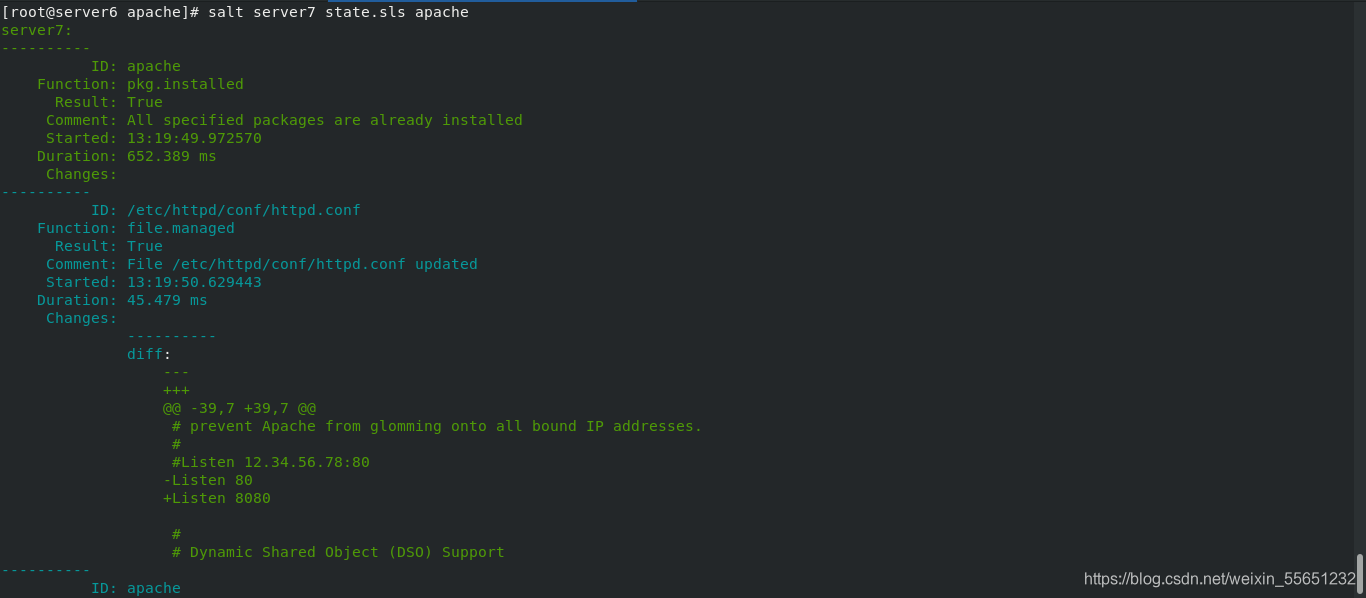
[root@server6 apache]# salt server7 state.sls apache
修改apache端口为8080
[root@server6 apache]# mv apache.sls init.sls
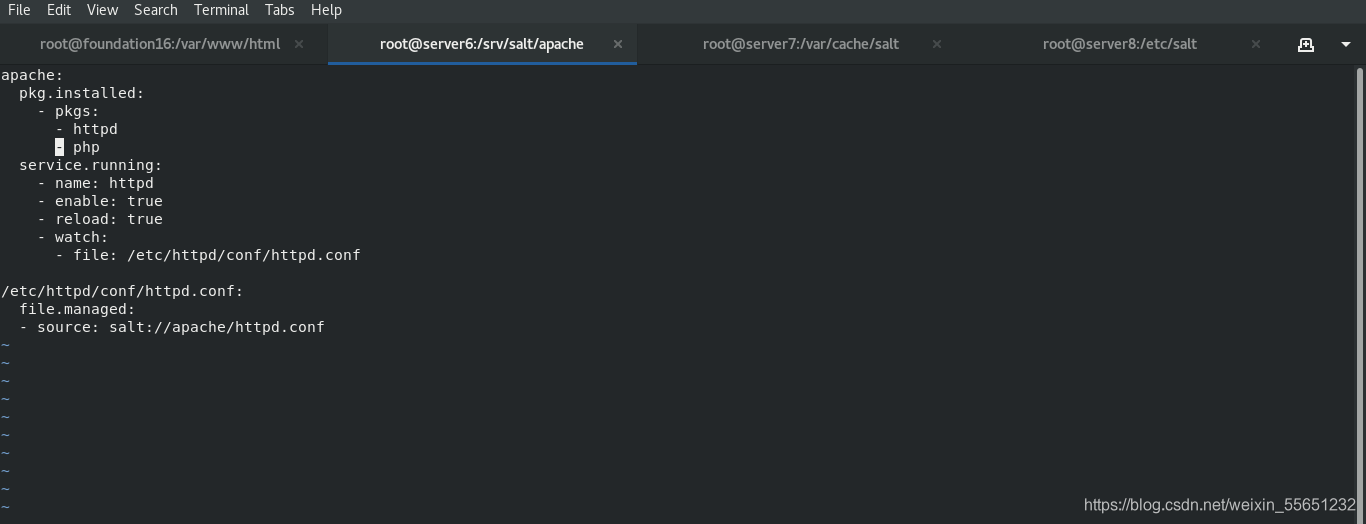
[root@server6 apache]# vim init.sls
apache:
  pkg.installed:
    - pkgs:
      - httpd
      - php
  service.running:
    - name: httpd
    - enable: true
    - reload: true
    - watch:
      - file: /etc/httpd/conf/httpd.conf

/etc/httpd/conf/httpd.conf:
  file.managed:
  - source: salt://apache/httpd.conf

[root@server6 apache]# salt server7 state.sls apache
编写远程执行模块:在server7中部署nginx
[root@server6 salt]# mkdir nginx
[root@server6 salt]# cd nginx/
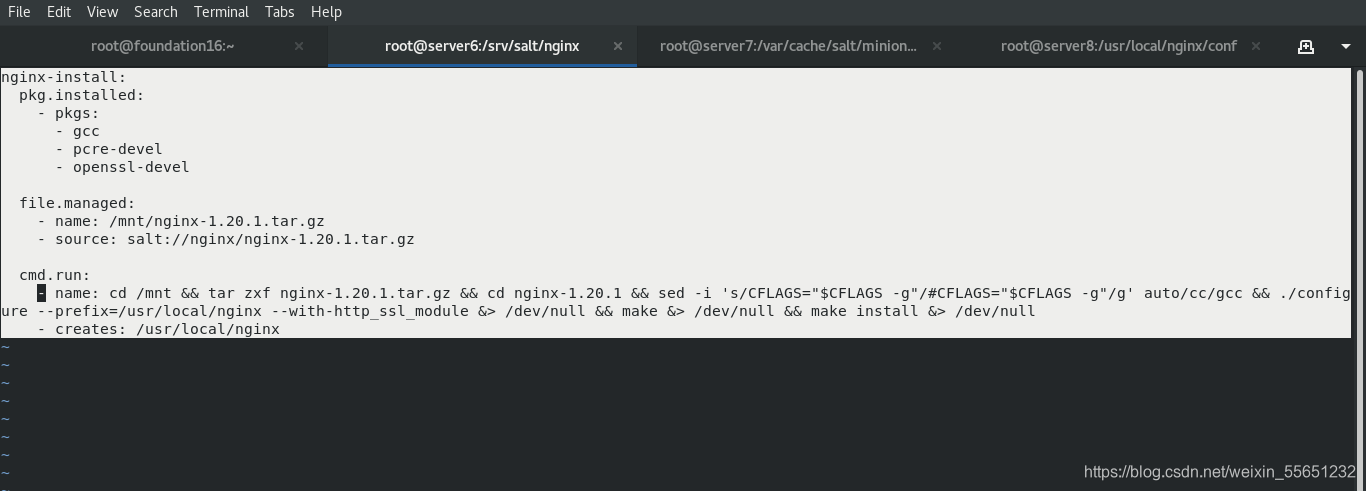
[root@server6 nginx]# vim init.sls
[root@server6 nginx]# cp ~/nginx-1.20.1.tar.gz  .
[root@server6 nginx]# ls
nginx-1.20.1.tar.gz
[root@server6 nginx]# vim init.sls
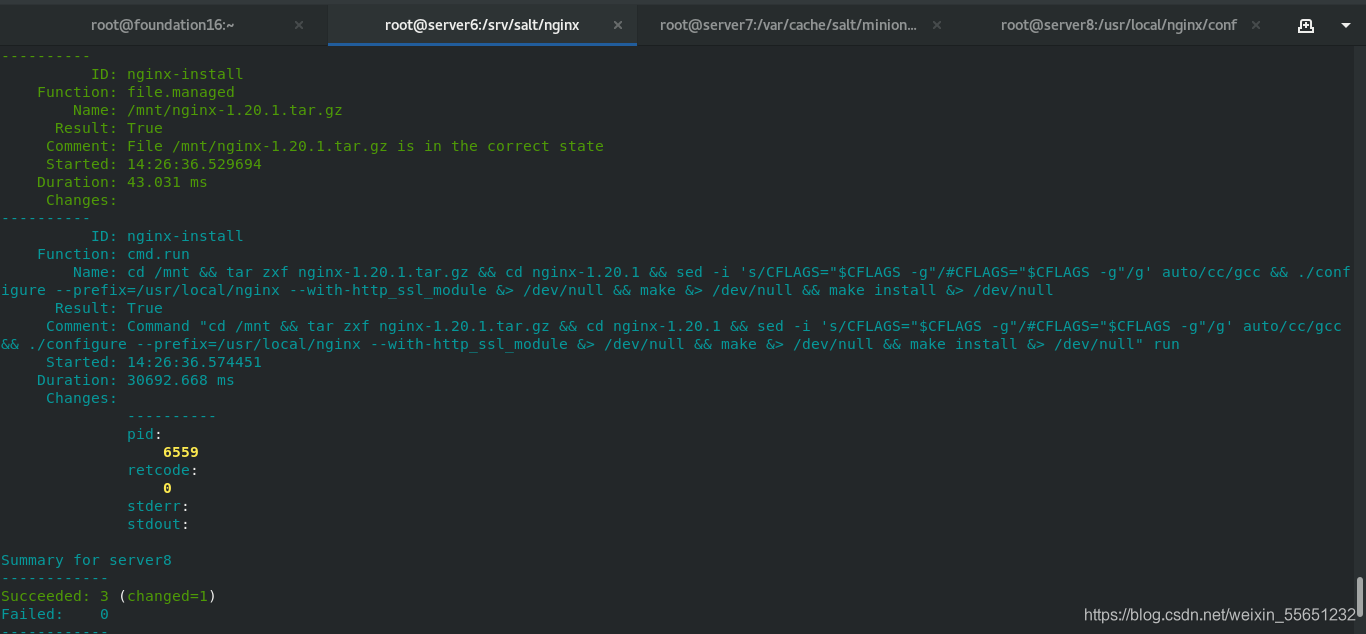
[root@server6 nginx]# salt server8 state.sls nginx


nginx-install:
  pkg.installed:
    - pkgs:
      - gcc
      - pcre-devel
      - openssl-devel

  file.managed:
    - name: /mnt/nginx-1.20.1.tar.gz
    - source: salt://nginx/nginx-1.20.1.tar.gz

  cmd.run:
    - name: cd /mnt && tar zxf nginx-1.20.1.tar.gz && cd nginx-1.20.1 && sed -i 's/CFLAGS="$CFLAGS -g"/#CFLAGS="$CFLAGS -g"/g' auto/cc/gcc && ./configure --prefix=/usr/local/nginx --with-http_ssl_module &> /dev/null && make &> /dev/null && make install &> /dev/null
    - creates: /usr/local/nginx
[root@server8 nginx-1.20.1]# cd /usr/local/nginx/
[root@server8 nginx]# ls
conf  html  logs  sbin
[root@server8 nginx]# cd conf/
[root@server8 conf]# scp nginx.conf 172.25.16.6:/srv/salt/nginx
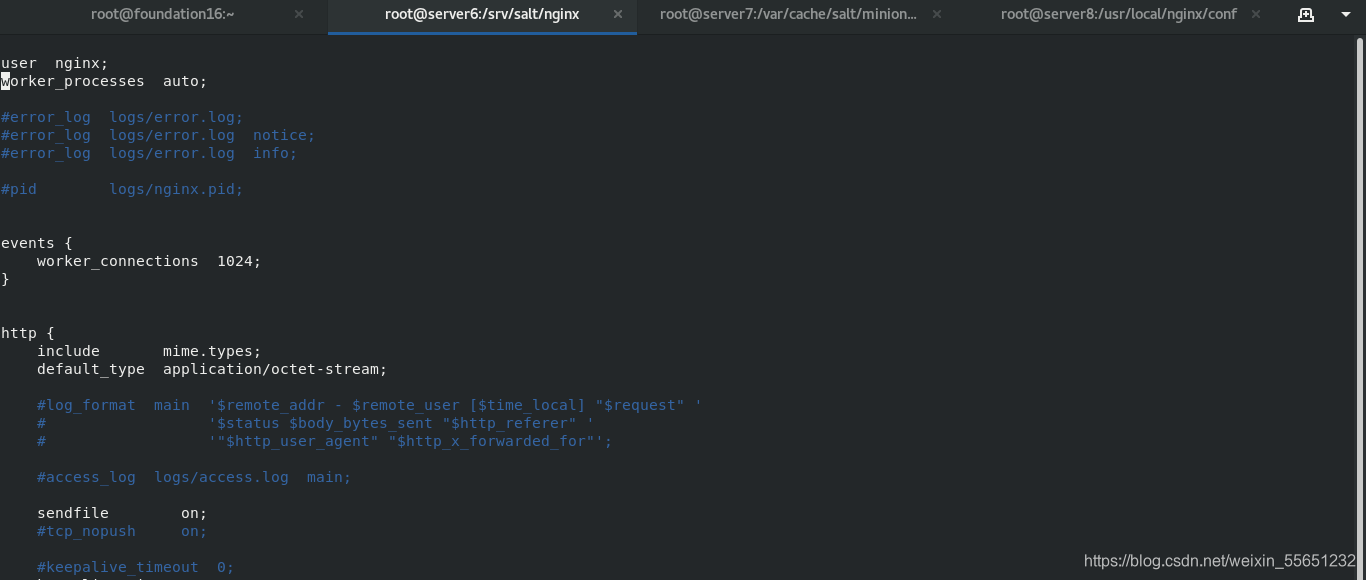
[root@server6 nginx]# vim nginx.conf

[root@server6 nginx]# pwd
/srv/salt/nginx
[root@server6 nginx]# ls
init.sls  nginx-1.20.1.tar.gz  nginx.service
[root@server6 nginx]# vim service.sls

include:
  - nginx

nginx-user:
  user.present:
    - name: nginx
    - shell: /sbin/nologin
    - home: /usr/local/nginx
    - createhome: false

/usr/local/nginx/conf/nginx.conf:
  file.managed:
    - source: salt://nginx/nginx.conf

nginx-service:
  file.managed:
    - name: /usr/lib/systemd/system/nginx.service
    - source: salt://nginx/nginx.service
  service.running:
    - name: nginx
    - enable: true
    - reload: true
    - watch:
      - file: /usr/local/nginx/conf/nginx.conf
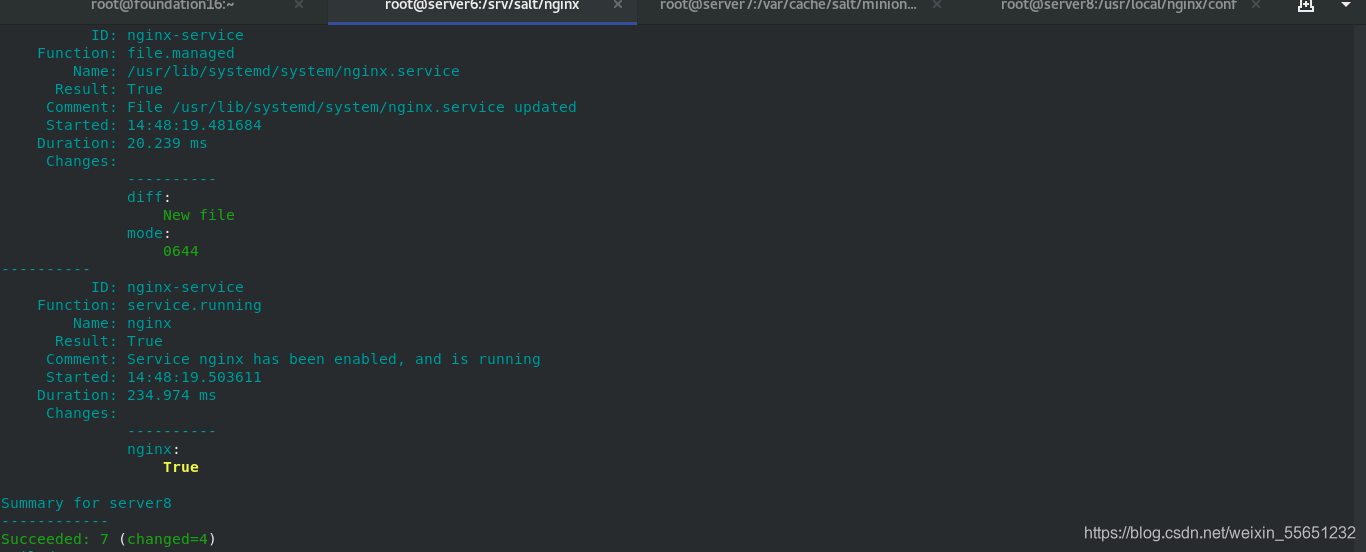
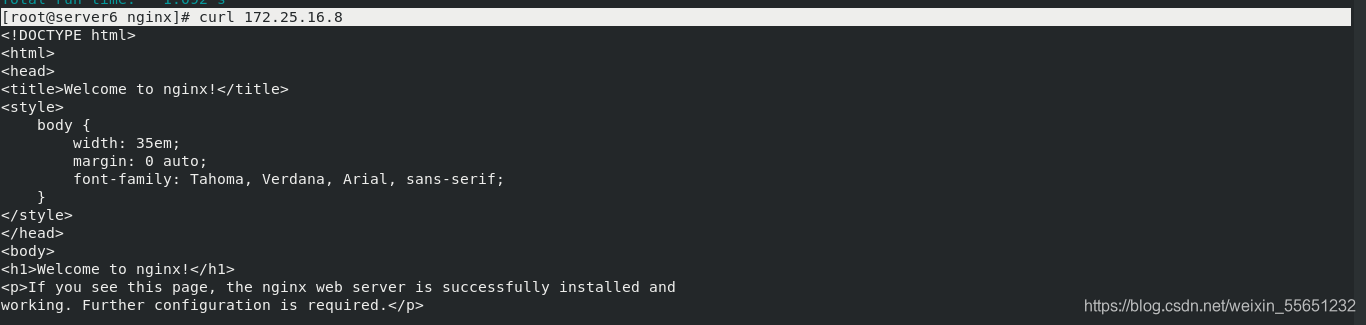
[root@server6 nginx]# curl 172.25.16.8
版权声明:本文为weixin_55651232原创文章,遵循CC 4.0 BY-SA版权协议,转载请附上原文出处链接和本声明。