springboot拦截器配置排除拦截
前言
现阶段正常的项目都是springboot+vue前后端分离的,所以配置拦截器就是主要就是拦截路径.但是正常项目都需要swagger接口文档,如果项目中配置了拦截器,需要排除swagger路径,负责项目启动,swagger界面访问不通,接口不好测试.如果是登录后才能访问其他页面,那么swagger也是不好访问的,项目启动第一个访问的就是swagger,所以拦截器配置要排除拦截swagger
拦截器配置类
最简单的配置
package com.shaoming.config;

import com.shaoming.interceptors.LoginInterceptor;
import org.springframework.context.annotation.Configuration;
import org.springframework.web.servlet.config.annotation.*;

/**
 * @Auther: shaoming
 * @Date: 2021/1/8 14:11
 * @Description: 注册拦截器配置类
 */
@Configuration//表名这是springboot的配置类
public class InterceptorConfig implements WebMvcConfigurer {
    @Override
    public void addInterceptors(InterceptorRegistry registry) {
        //定义排除swagger访问的路径配置
        String[] swaggerExcludes=new String[]{"/swagger-ui.html","/swagger-resources/**","/webjars/**"};

        registry.addInterceptor(new LoginInterceptor())
                // addPathPatterns 用于添加拦截规则
                .addPathPatterns("/**")
                .excludePathPatterns(swaggerExcludes);
        WebMvcConfigurer.super.addInterceptors(registry);
    }

}
示例模板
package com.shaoming.config;

import com.shaoming.interceptors.LoginInterceptor;
import org.springframework.context.annotation.Configuration;
import org.springframework.web.servlet.config.annotation.*;

/**
 * @Auther: shaoming
 * @Date: 2021/1/8 14:11
 * @Description: 注册拦截器配置类
 */
@Configuration//表名这是springboot的配置类
public class InterceptorConfig implements WebMvcConfigurer {
    @Override
    public void addInterceptors(InterceptorRegistry registry) {
        //定义排除swagger访问的路径配置
        String[] swaggerExcludes=new String[]{"/swagger-ui.html","/swagger-resources/**","/webjars/**"};
        //自定义去除的路径
        String[] myExcludes=new String[]{"/hello","/login"};
        registry.addInterceptor(new LoginInterceptor())
                // addPathPatterns 用于添加拦截规则
                .addPathPatterns("/**")
                //自己定义的不拦截的规则
                .excludePathPatterns(myExcludes)
                //去除拦截springboot的静态文件
                .excludePathPatterns("/html/*")
                .excludePathPatterns("/demo")
                .excludePathPatterns("/")
                .excludePathPatterns("/error")
                //下面是固定格式,如果不配置swagger页面将会访问不了
                .excludePathPatterns(swaggerExcludes);
        WebMvcConfigurer.super.addInterceptors(registry);
    }
    //springboot2.x 静态资源在自定义拦截器之后无法访问的解决方案
//    @Override
//    public void addResourceHandlers(ResourceHandlerRegistry registry) {
//        registry.addResourceHandler("/**") //代表以什么样的请求路径访问静态资源
//                .addResourceLocations("classpath:/static/")
//                .addResourceLocations("classpath:/templates/");
//    }

    @Override
    public void addViewControllers(ViewControllerRegistry registry) {
        registry.addViewController("/demo").setViewName("demo");
        registry.addViewController("/").setViewName("demo");
        registry.addViewController("/error").setViewName("error");
    }
}
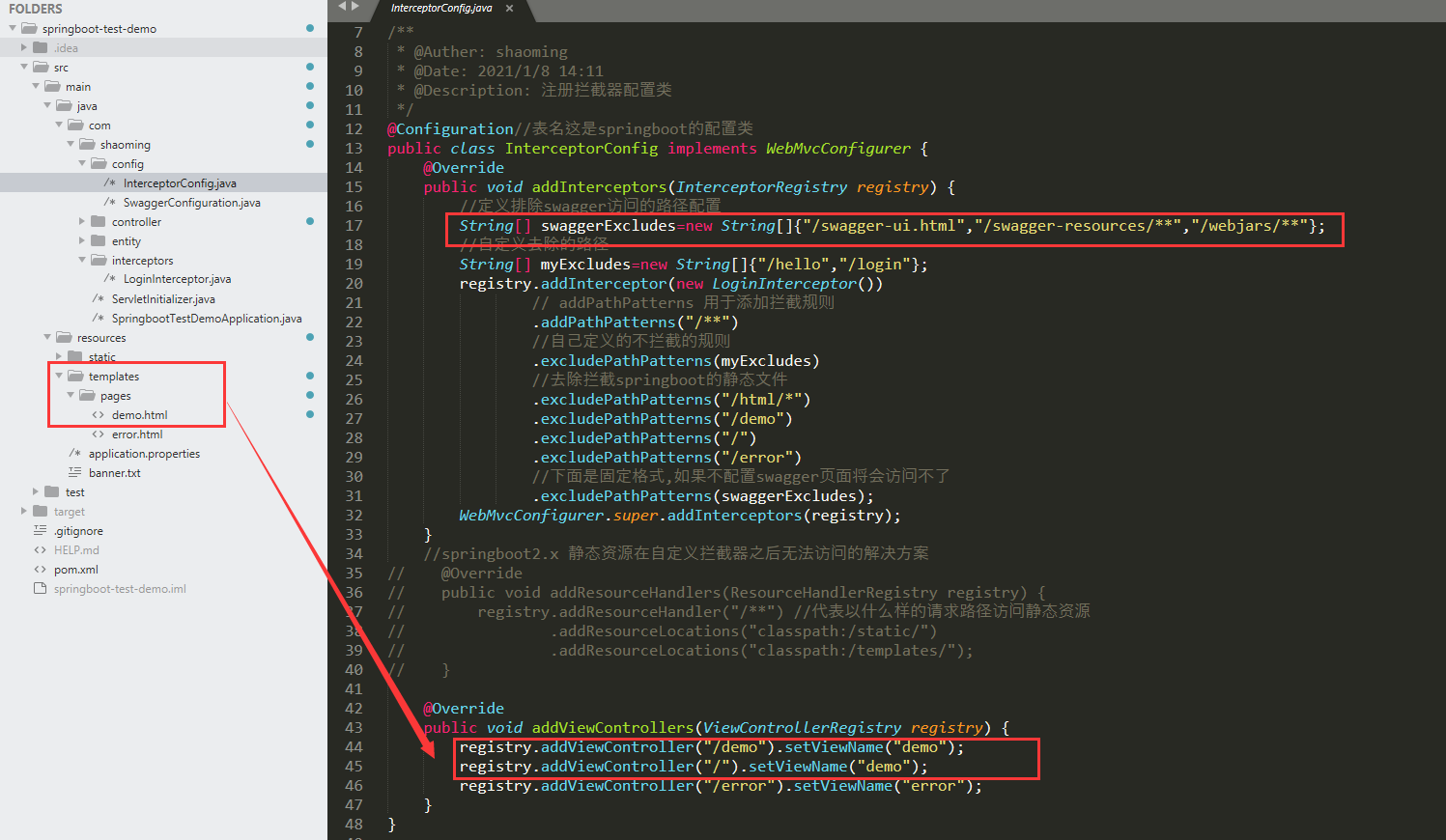
addViewControllers(跳转页面的方法)
springboot的web配置类配置转换页面的方法,简便开发,不需要通过controller的方法进行页面的跳转
registry.addViewController("/demo").setViewName("demo");
和 registry.addViewController("/").setViewName("demo");
等价于controller返回页面的方法
@GetMapping("/demo")
    @ApiOperation(value = "测试404页面")
    public String demo() {
        return "demo";
    }
@GetMapping("/")
    @ApiOperation(value = "测试404页面")
    public String index() {
        return "demo";
    }
注意springboot配置文件配置模板引擎的位置
spring.thymeleaf.prefix=classpath:/templates/pages/
“demo”;
}
注意springboot配置文件配置模板引擎的位置

```properties
spring.thymeleaf.prefix=classpath:/templates/pages/
版权声明:本文为shaoming314原创文章,遵循CC 4.0 BY-SA版权协议,转载请附上原文出处链接和本声明。