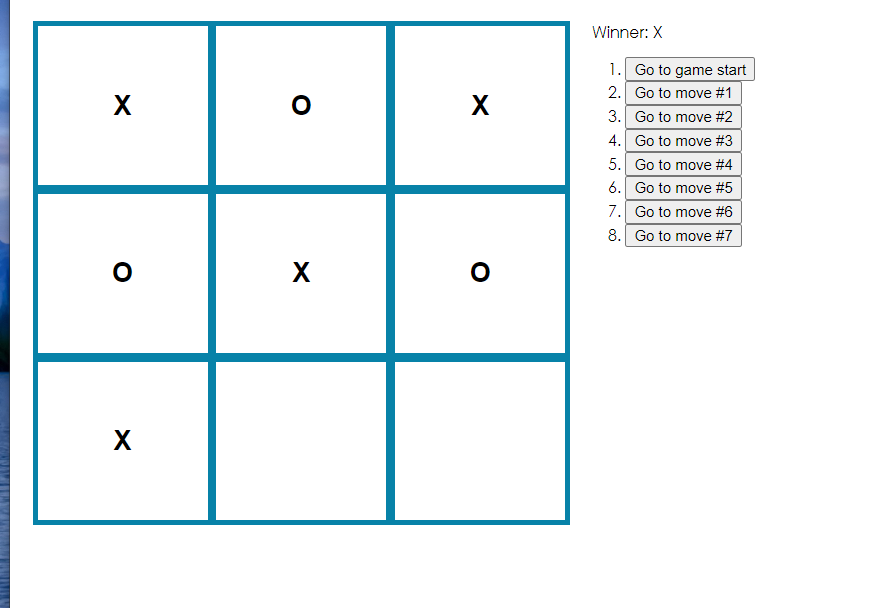
react入门学习:井字棋游戏
学习教程来自官方文档:https://react.docschina.org/tutorial/tutorial.html#what-are-we-building
文章目录
一.创建项目
1st:
npx creact-react-app my-app把源代码删掉
cd src
del *
windows命令行使用del *
在src目录下新建文件
touch index.css
touch index.js
在 index.js写入:
import React from 'react';
import ReactDOM from 'react-dom';
import './index.css';
运行网页
cd my-app
npm start
此时应该能看到空白网页
遇到的问题
npx create-react-app my-app 太慢
二.概览
1.初始代码
html文件就是自动生成的public路径下的
index.html<!DOCTYPE html> <html lang="en"> <head> <meta charset="utf-8" /> <link rel="icon" href="%PUBLIC_URL%/favicon.ico" /> <meta name="viewport" content="width=device-width, initial-scale=1" /> <meta name="theme-color" content="#000000" /> <meta name="description" content="Web site created using create-react-app" /> <link rel="apple-touch-icon" href="%PUBLIC_URL%/logo192.png" /> <!-- manifest.json provides metadata used when your web app is installed on a user's mobile device or desktop. See https://developers.google.com/web/fundamentals/web-app-manifest/ --> <link rel="manifest" href="%PUBLIC_URL%/manifest.json" /> <!-- Notice the use of %PUBLIC_URL% in the tags above. It will be replaced with the URL of the `public` folder during the build. Only files inside the `public` folder can be referenced from the HTML. Unlike "/favicon.ico" or "favicon.ico", "%PUBLIC_URL%/favicon.ico" will work correctly both with client-side routing and a non-root public URL. Learn how to configure a non-root public URL by running `npm run build`. --> <title>React App</title> </head> <body> <noscript>You need to enable JavaScript to run this app.</noscript> <div id="root"></div> <!-- This HTML file is a template. If you open it directly in the browser, you will see an empty page. You can add webfonts, meta tags, or analytics to this file. The build step will place the bundled scripts into the <body> tag. To begin the development, run `npm start` or `yarn start`. To create a production bundle, use `npm run build` or `yarn build`. --> </body> </html>CSS文件 src路径下的
index.cssbody { font: 14px "Century Gothic", Futura, sans-serif; margin: 20px; } ol, ul { padding-left: 30px; } .board-row:after { clear: both; content: ""; display: table; } .status { margin-bottom: 10px; } .square { background: #fff; border: 1px solid #999; float: left; font-size: 24px; font-weight: bold; line-height: 34px; height: 34px; margin-right: -1px; margin-top: -1px; padding: 0; text-align: center; width: 34px; } .square:focus { outline: none; } .kbd-navigation .square:focus { background: #ddd; } .game { display: flex; flex-direction: row; } .game-info { margin-left: 20px; }js文件
src路径下的index.jsimport React form 'react'; import ReactDOM from 'react-dom'; import './index.css'; class Square extends React.Component { render() { return ( <button className="square">{ }</button> ); //return后面的内容加括号,防止VScode等编辑器自动在return后面加分号 } } class Board extends React.Component { renderSquare(i){ return <Square />; } render() { const status = 'Next player:X'; return ( <div> <div className = "status"> {status} </div> <div className = "board-new"> {this.renderSquare(0)} {this.renderSquare(1)} {this.renderSquare(2)} </div> <div className="board-row"> {this.renderSquare(3)} {this.renderSquare(4)} {this.renderSquare(5)} </div> <div className="board-row"> {this.renderSquare(6)} {this.renderSquare(7)} {this.renderSquare(8)} </div> </div> ) } } class Game extends React.Component { render() { return ( <div className = "game"> <div className = "game-board"> <Bpard /> </div> <div className = "game-info"> <div>{ }</div> <ol>{ }</ol> </div> </div> ) } } ReactDOM.render( <Game />, document.getElementById('root') )初始代码中有三个React组件
- Square
- 渲染了单独的
<button>
- 渲染了单独的
- Board
- 渲染了9个方块
- Game
- 渲染了含有默认值的一个棋盘
- Square
2.render方法
React根据描述把结果展示出来
render方法的返回了一个React元素
上面的代码使用了JSX语法糖
3.Props传递数据
修改代码,将数据从Board组件传递到Square组件
在
Board组件的renderSquare方法中,改写代码,将名为value的prop传递到Square中renderSquare(i) { return <Square value={i} />; }然后,修改
Square组件的render方法,在button中加入内容class Square extends React.Component { render() { return( <button className="square"> {this.props.value} </button> ); } }修改后,在my-app路径下打开终端使用
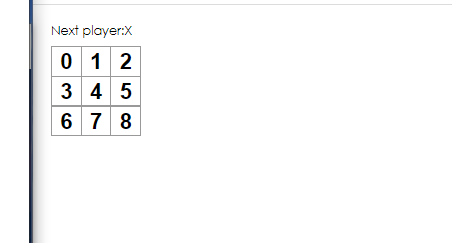
npm start启动项目在渲染结果中,可以看到每个方格中都有数字
刚刚修改代码的过程中,把一个prop从父组件
Board传递给了子组件Square- 在 React 应用中,数据通过 props 的传递,从父组件流向子组件
4.给组件添加交互
这一步的目标是让棋盘的在点击之后每个格子能落下”X"作为棋子
首先修改
Square组件的render()方法的返回值中的button标签增加onClick属性
class Square extends React.Component {
    render() {
        return (
            <button className="square" onClick={() => alert('click')}>{this.props.value}</button>
        );
    }
}
箭头函数也可以写为
onClick={function(){alert('click'); }}但是箭头函数可以减少代码量
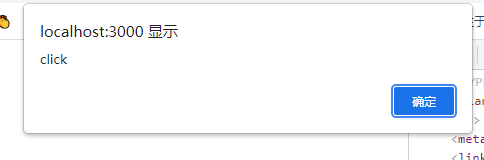
效果
给Square组件实现“记忆”功能
React 把组件看成是一个状态机(State Machines)。通过与用户的交互,实现不同状态,然后渲染 UI,让用户界面和数据保持一致。
React 里,只需更新组件的 state,然后根据新的 state 重新渲染用户界面(不要操作 DOM)。
通过state来实现“记忆”功能
在React组件的构造函数中设置
this.state初始化statethis.state应被视为一个组件的私有属性。在this.state中存储当前每个方格(Square)的值,并且在每次方格被点击的时候改变这个值。首先,在Square中用构造函数来初始化state
class Square extends React.Component {
	constructor(props){
		super(props);
		this.state = {
			value : null.
		};
	}

	render() {
		return (
			<button className="square" οnclick={()=?alert('click')}>
			{this.props.value}
			</button>
		);
	}
}
在所有含有构造函数的的 React 组件中,构造函数必须以
super(props)开头其次,修改Square组件的render方法,实现每当方格被点击时显示当前state值
方法是在Square组件的render方法中的
onClick事件监听函数中调用this.setStateclass Square extends React.Component { constructor(props) { super(props); this.state = { value: null, }; } render() { return ( <button className="square" onClick={() => this.setState({value: 'X'})} > {this.state.value} </button> ); } }这样子就能实现:在每次
<button>被点击的时候通知React去重新渲染Square组件组件更新后,
Square组件的this.state.value的值会变为'X'每次在组件中调用
setState,React都会自动更新子组件
三.游戏完善
井字棋游戏 要放置 "X"和"O"两种棋
1.状态提升
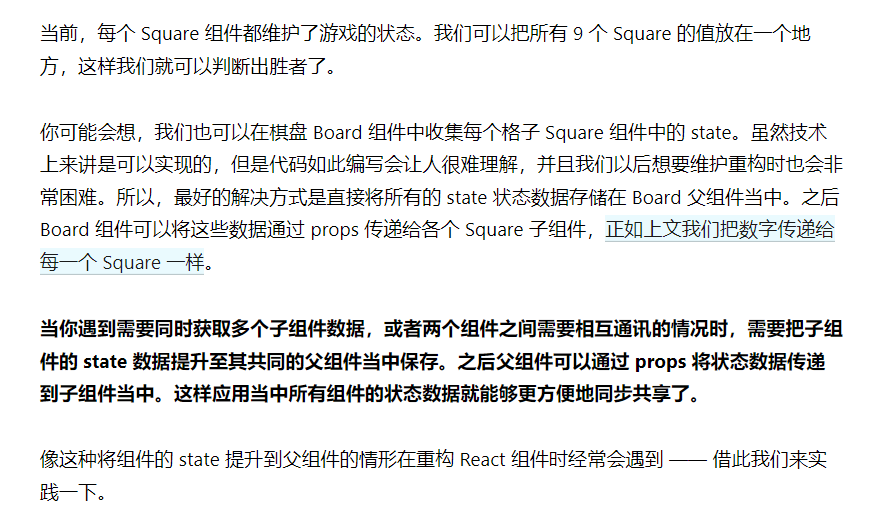
为Board组件添加构造函数,将Board组件的初始状态设置为长度为9的空数组值
constructor(props) {
        super(props);
        this.state = {
            squares: Array(9).fill(null),
        };
    }
其次
考虑到填充棋盘后,每个格子上可能的形式是
null,O,X三种这些我们打算存储到squares数组里面,那么就要修改
Board的renderSquare方法来读取这些值renderSquare(i) { return <Square value={this.state.squares[i]} />; }这样,每个
Square就都能接收到一个valueprop 了,这个 prop 的值可以是'X'、'O'、 或null(null代表空方格)。接着,要修改Square的事件监听函数
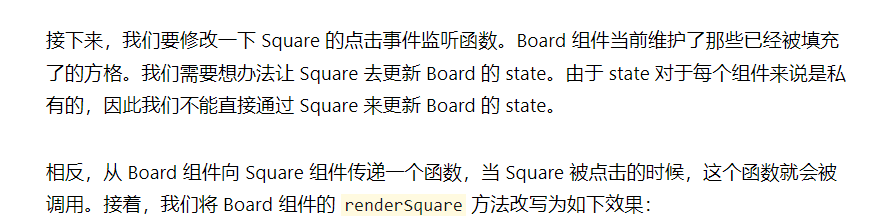
 renderSquare(i) {
        return (<Square value={this.state.squares[i]}
            onClick={() => this.handleClick(i)}
        />);
    }
再其次,从Board组件向Square组件中传递
value和onClick两个props参数需要修改
Square的代码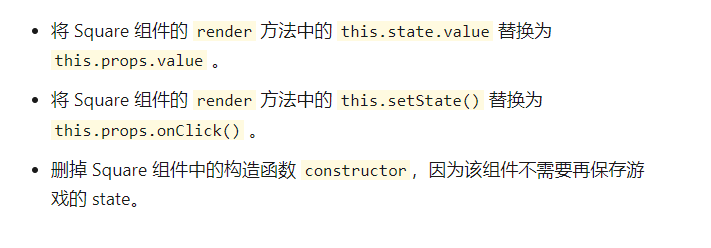
class Square extends React.Component {
	render(){
		return (
			<button
				className="square"
				onClick={()=>this.props.onClick()}
			>
			{this.props.value}
			</button>
		);
	}
}
当每一个
Square被点击时,Board提供的onClick函数就会触发,这是如何实现的呢?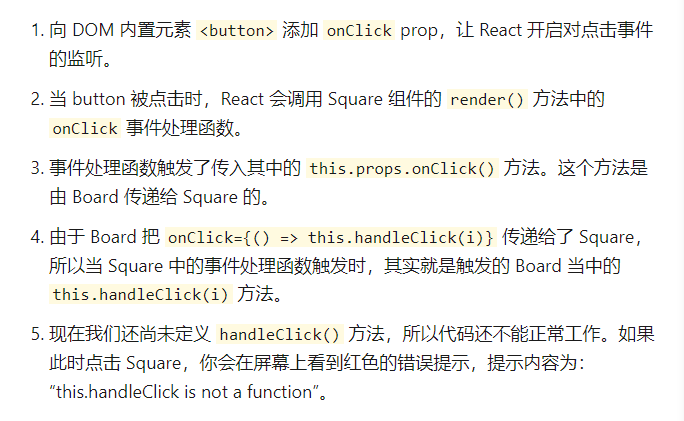
于是,添加
handleClick方法handleClick(i) { const squares = this.state.squares.slice(); squares[i] = 'X'; this.setState({squares: squares}); }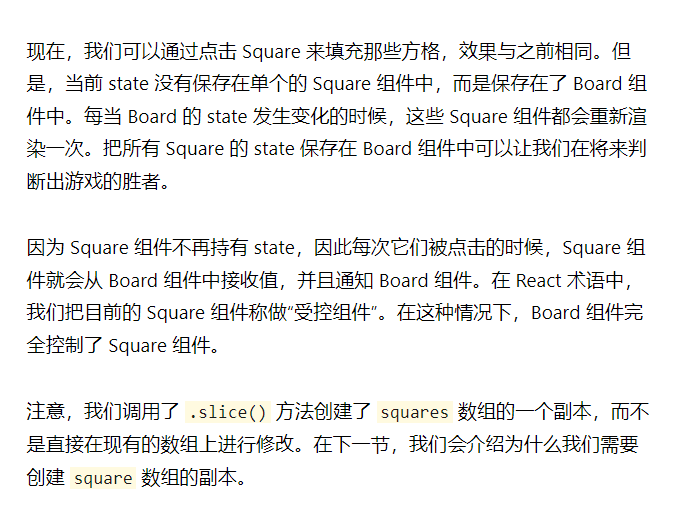
2.函数式组件
定义一个函数,接收props参数,然后返回需要渲染的元素
把Square组件重写为一个函数组件
function(props)
{
	return(
	<button className="square" onClick={props.onClick}>
	{props.value}
	</button>

	);
}
可以注意到
this.props被换成了props
箭头函数也变成了
onClick={props.onClick}
3.轮流落子
将"X"默认设置为先手棋,设置一个布尔值来表示下一步轮到哪个玩家
棋子每移动一步,
xIsNext都会反转,该值确定下一步轮到哪个玩家,并且游戏的状态会被保存下来在构造函数中添加
xIsNext修改
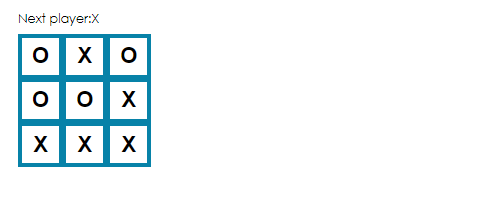
handleClick函数constructor(props) { super(props); this.state = { squares: Array(9).fill(null), xIsNext: true, }; } handleClick(i) { const squares = this.state.squares.slice(); squares[i] = this.state.xIsNext? 'X':'O'; this.setState({ squares: squares, xIsNext:!this.state.xIsNext, }); }效果
这样子就实现了轮流落子了
CSS修改了一下
body {
  font: 14px "Century Gothic", Futura, sans-serif;
  margin: 20px;
}

ol,
ul {
  padding-left: 30px;
}

.board-row:after {
  clear: both;
  content: "";
  display: table;
}

.status {
  margin-bottom: 10px;
}

.square {
  background: #fff;
  border: 5px solid rgb(7, 130, 168);
  float: left;
  font-size: 24px;
  font-weight: bold;
  line-height: 34px;
  height: 50px;
  margin-right: -1px;
  margin-top: -1px;
  padding: 0;
  text-align: center;
  width: 50px;
}

.square:focus {
  outline: none;
}

.kbd-navigation .square:focus {
  background: #ddd;
}

.game {
  display: flex;
  flex-direction: row;
}

.game-info {
  margin-left: 20px;
}
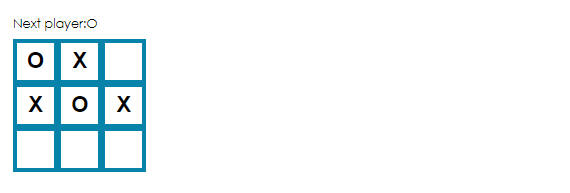
显示轮到哪个玩家
在Board组件的render方法中修改status的值
    render() {
        const status = 'Next player:'+(this.state.xIsNext?'X':'O');

        return (
            <div>
                <div className="status">
                    {status}
                </div>
                <div className="board-row">
                    {this.renderSquare(0)}
                    {this.renderSquare(1)}
                    {this.renderSquare(2)}
                </div>
                <div className="board-row">
                    {this.renderSquare(3)}
                    {this.renderSquare(4)}
                    {this.renderSquare(5)}
                </div>
                <div className="board-row">
                    {this.renderSquare(6)}
                    {this.renderSquare(7)}
                    {this.renderSquare(8)}
                </div>
            </div>
        )
    }
效果:
4.判断胜出者
定义一个函数
function calculateWinner(squares) {
	const lines = [
		[0,1,2],
		[3,4,5],
		[6,7,8],
		[0,3,6],
		[1,4,7],
		[2,5,8],
		[0,4,8],
		[2,4,6],

	];
	for(let i = 0 ; i < lines.length ; i++) {
		const[a,b,c] = lines[i];
		if(squares[a]&&squares[a]===squares[b]&&squares[a]===squares[c]){
		return squares[a];
		}
	}

    return null;
}
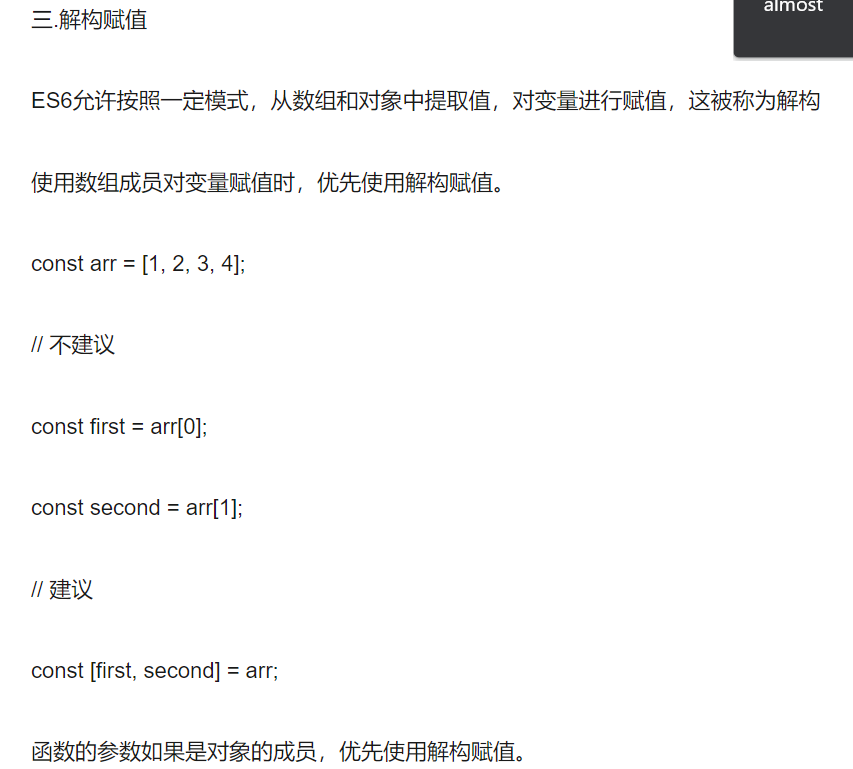
代码中const[a,b,c]=lines[i]
相当于
const a = lines[i][0];
const b = lines[i][1];
const c = lines[i][2];
接着,在Board组件的render方法中调用刚刚那个函数检查是否有玩家胜出,有人胜出就把玩家信息显示出来
修改
Board组件的render方法render() { const winner = calculateWinner(this.state.squares); let status; if (winner) { status = 'Winner:' + winner; } else { status = 'Next player: ' + (this.state.xIsNext ? 'X' : 'O'); } return ( <div> <div className="status"> {status} </div> <div className="board-row"> {this.renderSquare(0)} {this.renderSquare(1)} {this.renderSquare(2)} </div> <div className="board-row"> {this.renderSquare(3)} {this.renderSquare(4)} {this.renderSquare(5)} </div> <div className="board-row"> {this.renderSquare(6)} {this.renderSquare(7)} {this.renderSquare(8)} </div> </div> ) }效果
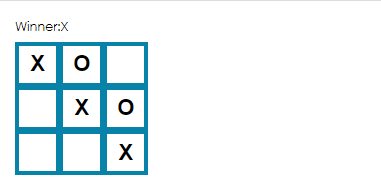
此时还有个问题
已经有人胜出了,但是棋盘还能落子
还有个bug,当某个Square落子之后,还能覆盖继续落子
修改
handleClick,使得当有玩家胜出时,或者某个Square被填充时,该函数不做任何处理直接返回handleClick(i) { const squares = this.state.squares.slice(); if (calculateWinner(squares) || squares[i]) { return; } squares[i] = this.state.xIsNext? 'X':'O'; this.setState({ squares: squares, xIsNext:!this.state.xIsNext, }); }
5.目前代码
此时已经实现了井字棋游戏的功能
目前的
index.js代码如下import React from 'react'; import ReactDOM from 'react-dom'; import './index.css'; // class Square extends React.Component { // render(){ // return ( // <button // className="square" // onClick={()=>this.props.onClick()} // > // {this.props.value} // </button> // ); // } // } function Square(props) { return ( <button className="square" onClick={props.onClick}> {props.value} </button> ); } class Board extends React.Component { constructor(props) { super(props); this.state = { squares: Array(9).fill(null), xIsNext: true, }; } handleClick(i) { const squares = this.state.squares.slice(); if (calculateWinner(squares) || squares[i]) { return; } squares[i] = this.state.xIsNext? 'X':'O'; this.setState({ squares: squares, xIsNext:!this.state.xIsNext, }); } renderSquare(i) { return (<Square value={this.state.squares[i]} onClick={() => this.handleClick(i)} />); } render() { const winner = calculateWinner(this.state.squares); let status; if (winner) { status = 'Winner:' + winner; } else { status = 'Next player: ' + (this.state.xIsNext ? 'X' : 'O'); } return ( <div> <div className="status"> {status} </div> <div className="board-row"> {this.renderSquare(0)} {this.renderSquare(1)} {this.renderSquare(2)} </div> <div className="board-row"> {this.renderSquare(3)} {this.renderSquare(4)} {this.renderSquare(5)} </div> <div className="board-row"> {this.renderSquare(6)} {this.renderSquare(7)} {this.renderSquare(8)} </div> </div> ) } } class Game extends React.Component { render() { return ( <div className="game"> <div className="game-board"> <Board /> </div> <div className="game-info"> <div>{ }</div> <ol>{ }</ol> </div> </div> ) } } ReactDOM.render( <Game />, document.getElementById('root') ) function calculateWinner(squares) { const lines = [ [0, 1, 2], [3, 4, 5], [6, 7, 8], [0, 3, 6], [1, 4, 7], [2, 5, 8], [0, 4, 8], [2, 4, 6], ]; for (let i = 0; i < lines.length; i++){ const [a, b, c] = lines[i]; if (squares[a] && squares[a] === squares[b] && squares[a] === squares[c]) { return squares[a]; } } return null; }
四.历史记录功能
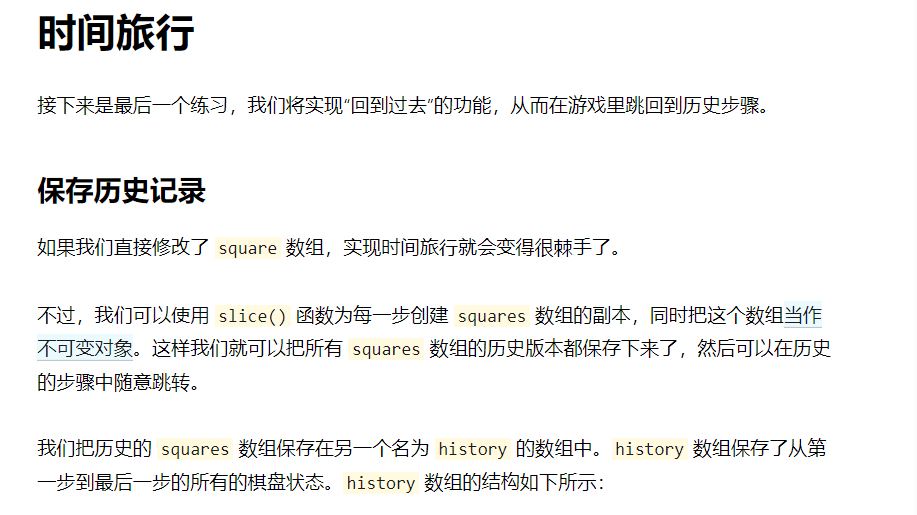
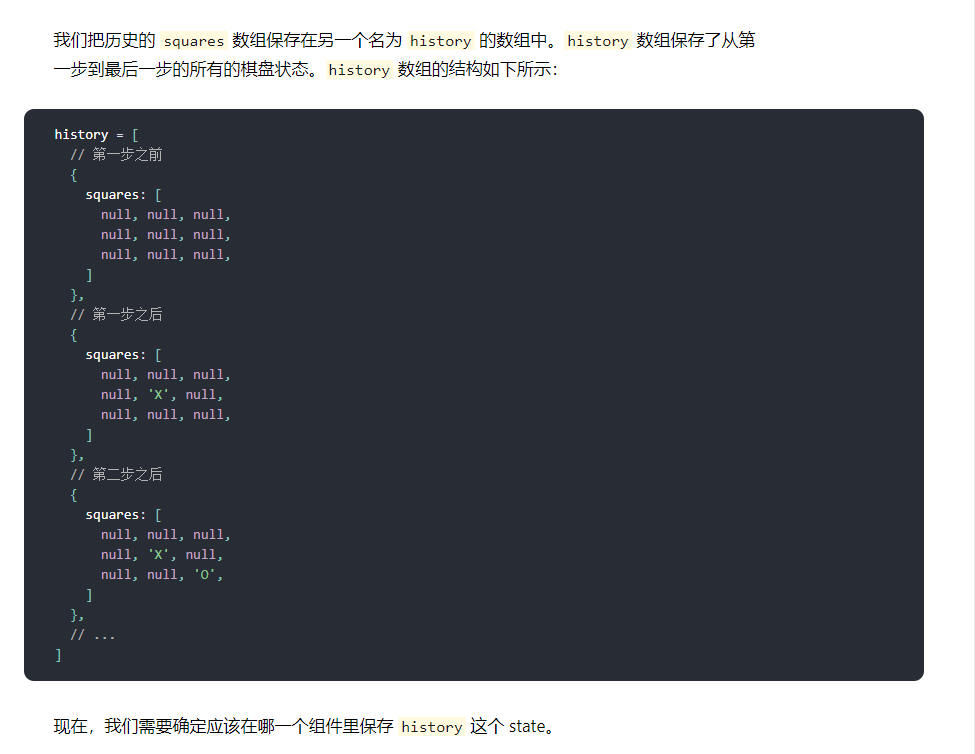
1.提升状态
目标是实现顶层Game组件展示出一个历史步骤的列表
这个功能需要访问
history的数据故把
history这个state放在顶层Game组件中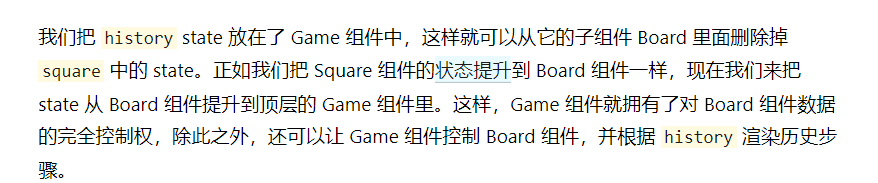
首先,在Game组件的构造函数中初始化state
constructor(props) {
	super(props);
	this.state = {
		history:[{
			squares: Array(9).fill(null),
		}],
		xIsNext: true,
	};
}
接着
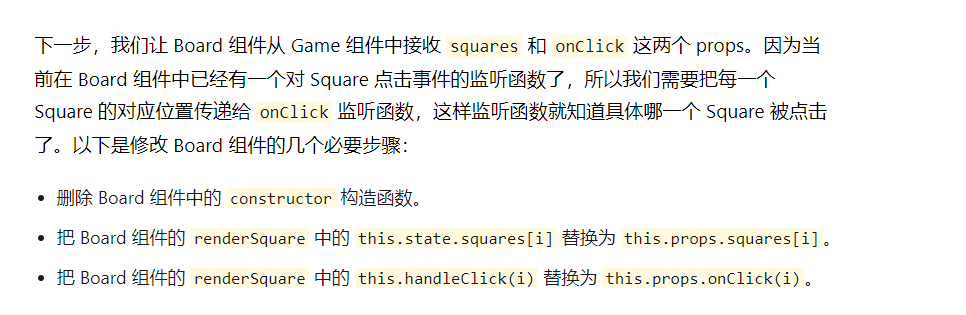
修改后的Board组件的代码:
class Board extends React.Component {

    handleClick(i) {
        const squares = this.state.squares.slice();
        if (calculateWinner(squares) || squares[i]) {
            return;
        }
        squares[i] = this.state.xIsNext? 'X':'O';
        this.setState({
            squares: squares,
            xIsNext:!this.state.xIsNext,
        });
    }
    renderSquare(i) {
        return (<Square value={this.props.squares[i]}
            onClick={() => this.props.onClick(i)}
        />);
    }

    render() {
        const winner = calculateWinner(this.state.squares);
        let status;
        if (winner) {
            status = 'Winner:' + winner;

        } else {
            status = 'Next player: ' + (this.state.xIsNext ? 'X' : 'O');
        }

        return (
            <div>
                <div className="status">
                    {status}
                </div>
                <div className="board-row">
                    {this.renderSquare(0)}
                    {this.renderSquare(1)}
                    {this.renderSquare(2)}
                </div>
                <div className="board-row">
                    {this.renderSquare(3)}
                    {this.renderSquare(4)}
                    {this.renderSquare(5)}
                </div>
                <div className="board-row">
                    {this.renderSquare(6)}
                    {this.renderSquare(7)}
                    {this.renderSquare(8)}
                </div>
            </div>
        )
    }
}
接着,修改
Game组件的render函数,用最新的一次历史记录来确定并展示游戏的状态class Game extends React.Component { constructor(props) { super(props); this.state = { history: [{ squares: Array(9).fill(null), }], xIsNext: true, }; } render() { const history = this.state.history; const current = history[history.length - 1]; const winner = calculateWinner(current.squares); let status; if (winner) { status = 'Winner: ' + winner; } else { status = 'Next player: ' + (this.state.xIsNext ? 'X' : 'O'); } return ( <div className="game"> <div className="game-board"> <Board squares={current.squares} onClick={(i)=>this.handleClick(i)} /> </div> <div className="game-info"> <div>{status}</div> <ol>{ }</ol> </div> </div> ) } }因为Game组件渲染了游戏状态,所以可以把Board组件的render方法中的对应代码移除,修改Board组件如下
class Board extends React.Component {
  renderSquare(i) {
    return (
      <Square
        value={this.props.squares[i]}
        onClick={() => this.props.onClick(i)}
      />
    );
  }

  render() {
    return (
      <div>
        <div className="board-row">
          {this.renderSquare(0)}
          {this.renderSquare(1)}
          {this.renderSquare(2)}
        </div>
        <div className="board-row">
          {this.renderSquare(3)}
          {this.renderSquare(4)}
          {this.renderSquare(5)}
        </div>
        <div className="board-row">
          {this.renderSquare(6)}
          {this.renderSquare(7)}
          {this.renderSquare(8)}
        </div>
      </div>
    );
  }
}
还要把
Board组件的handleClick方法移动到Game组件中handleClick(i) { const history = this.state.history const current = history[history.length - 1]; const squares = current.squares.slice(); if (calculateWinner(squares) || squares[i]) { return; } squares[i] = this.state.xIsNext ? 'X' : 'O'; this.setState({ history: history.concat([{ squares:squares, }]), xIsNext:!this.state.xIsNext, }) }
2.展现历史步骤记录
可以把历史记录以历史步骤列表的形式展现给玩家
可以通过map方法,把历史步骤映射为代表按钮的React元素
- 然后展示出一个按钮的列表
- 点击这些按钮,可以跳转到对应的历史步骤
在Game组件的render方法中调用history的map方法
          const moves = history.map((step, move) => {
              const desc = move ?
                  'Go to move #' + move :
                  'Go to game start';
              return (
                  <li>
                      <button onClick={() =>this.jumpTo(move)}></button>
                  </li>
              )
    })
对于井字棋历史记录的每一步,都创建出了一个包含按钮
<button>元素的<li>的列表。这些按钮拥有一个onClick事件处理函数,在这个函数里调用了this.jumpTo()方法下面就来实现
jumpTo()方法当需要渲染一个列表时,React会存储这个列表每一项的相关信息
要更新这个列表时,React要确定哪些项发生了改变
要考虑列表的增删改查
React 无法得知我们人类的意图,所以我们需要给每一个列表项一个确定的 key 属性,它可以用来区分不同的列表项和他们的同级兄弟列表项
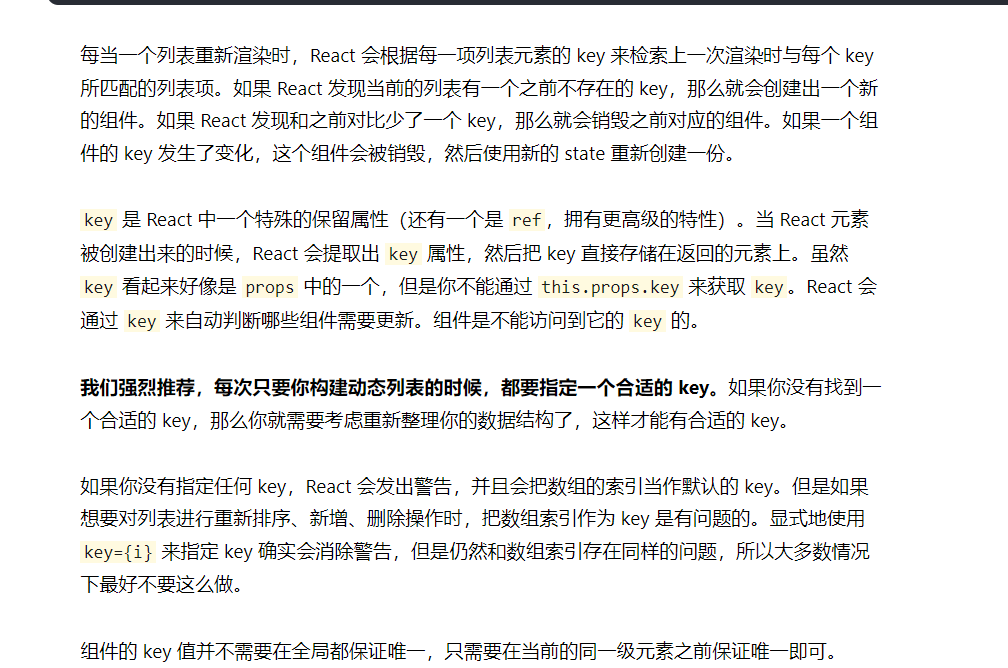
在井字棋的历史记录中,每一个历史步骤都有一个与之对应的唯一ID:这个ID就是每一步棋的序号
因为历史步骤不需要重新排序、新增、删除,所以使用步骤的索引作为
key是安全的添加key
 return (
                  <li key={move}>
                      <button onClick={() =>this.jumpTo(move)}></button>
                  </li>
              )
在Game的构造函数中添加stepNumber这个值来表示我们当前正在查看哪一项历史记录
constructor(props) {
        super(props);
        this.state = {
            history: [{
                squares: Array(9).fill(null),
            }],
            stepNumber: 0,
            xIsNext: true,
        };
    }
添加jumpTo方法
    jumpTo(step) {
        this.setState({
            stepNumber: step,
            xIsNext:(step%2)===0,
        })
    }
修改Game组件的handleClick方法
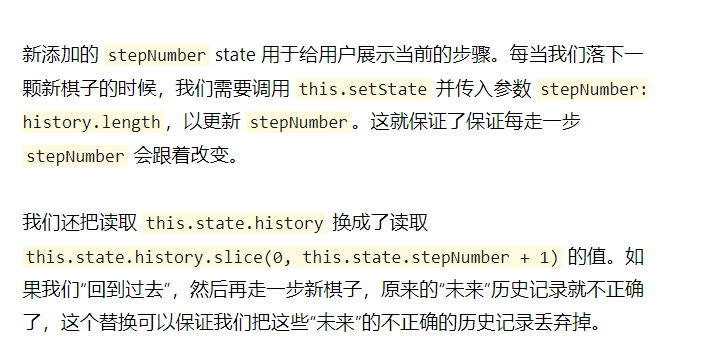
    handleClick(i) {
        const history = this.state.history.slice(0, this.state.stepNumber + 1);

        const current = history[history.length - 1];
        const squares = current.squares.slice();
        if (calculateWinner(squares) || squares[i]) {
            return;
        }
        squares[i] = this.state.xIsNext ? 'X' : 'O';
        this.setState({
            history: history.concat([{
                squares:squares,
            }]),
            stepNumber: history.length,
            xIsNext:!this.state.xIsNext,
        })
    }
再修改Game组件的render方法,将代码改为根据当前stepNumber渲染
const current = history[this.state.stepNumber];
3.最终代码
index.jsimport React from 'react'; import ReactDOM from 'react-dom'; import './index.css'; // class Square extends React.Component { // render(){ // return ( // <button // className="square" // onClick={()=>this.props.onClick()} // > // {this.props.value} // </button> // ); // } // } function Square(props) { return ( <button className="square" onClick={props.onClick}> {props.value} </button> ); } class Board extends React.Component { renderSquare(i) { return ( <Square value={this.props.squares[i]} onClick={() => this.props.onClick(i)} /> ); } render() { return ( <div> <div className="board-row"> {this.renderSquare(0)} {this.renderSquare(1)} {this.renderSquare(2)} </div> <div className="board-row"> {this.renderSquare(3)} {this.renderSquare(4)} {this.renderSquare(5)} </div> <div className="board-row"> {this.renderSquare(6)} {this.renderSquare(7)} {this.renderSquare(8)} </div> </div> ); } } class Game extends React.Component { constructor(props) { super(props); this.state = { history: [{ squares: Array(9).fill(null), }], stepNumber: 0, xIsNext: true, }; } handleClick(i) { const history = this.state.history.slice(0, this.state.stepNumber + 1); const current = history[history.length - 1]; const squares = current.squares.slice(); if (calculateWinner(squares) || squares[i]) { return; } squares[i] = this.state.xIsNext ? 'X' : 'O'; this.setState({ history: history.concat([{ squares:squares, }]), stepNumber: history.length, xIsNext:!this.state.xIsNext, }) } jumpTo(step) { this.setState({ stepNumber: step, xIsNext:(step%2)===0, }) } render() { const history = this.state.history; const current = history[this.state.stepNumber]; const winner = calculateWinner(current.squares); const moves = history.map((step, move) => { const desc = move ? 'Go to move #' + move : 'Go to game start'; return ( <li key={move}> <button onClick={() => this.jumpTo(move)}>{desc}</button> </li> ) }) let status; if (winner) { status = 'Winner: ' + winner; } else { status = 'Next player: ' + (this.state.xIsNext ? 'X' : 'O'); } return ( <div className="game"> <div className="game-board"> <Board squares={current.squares} onClick={(i) => this.handleClick(i)} /> </div> <div className="game-info"> <div>{status}</div> <ol>{moves}</ol> </div> </div> ); } } ReactDOM.render( <Game />, document.getElementById('root') ) function calculateWinner(squares) { const lines = [ [0, 1, 2], [3, 4, 5], [6, 7, 8], [0, 3, 6], [1, 4, 7], [2, 5, 8], [0, 4, 8], [2, 4, 6], ]; for (let i = 0; i < lines.length; i++){ const [a, b, c] = lines[i]; if (squares[a] && squares[a] === squares[b] && squares[a] === squares[c]) { return squares[a]; } } return null; }效果