第一步:打开数据库管理软件,连接到服务器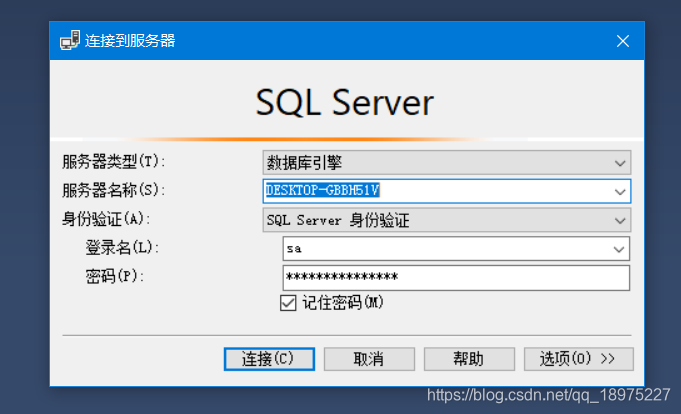
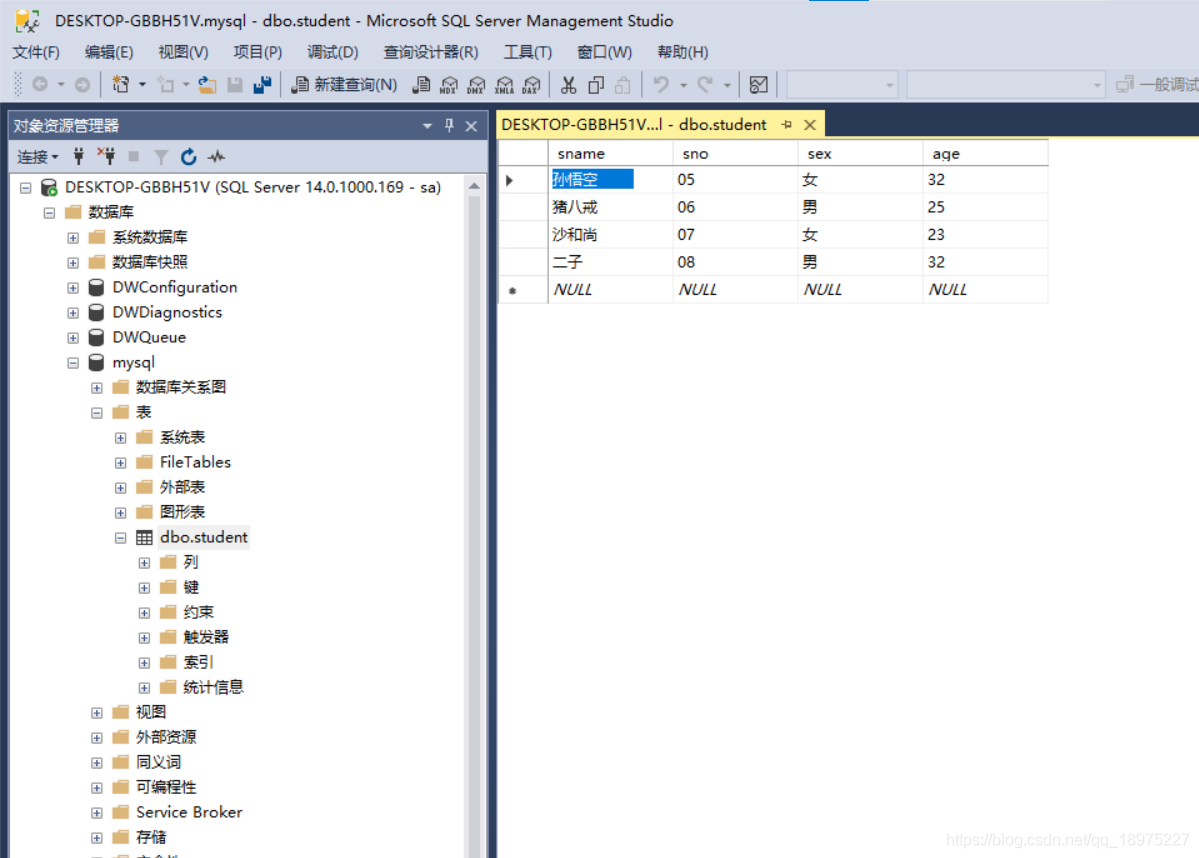
第二步:新建数据库mysql,新建表student,右键该表编写前200行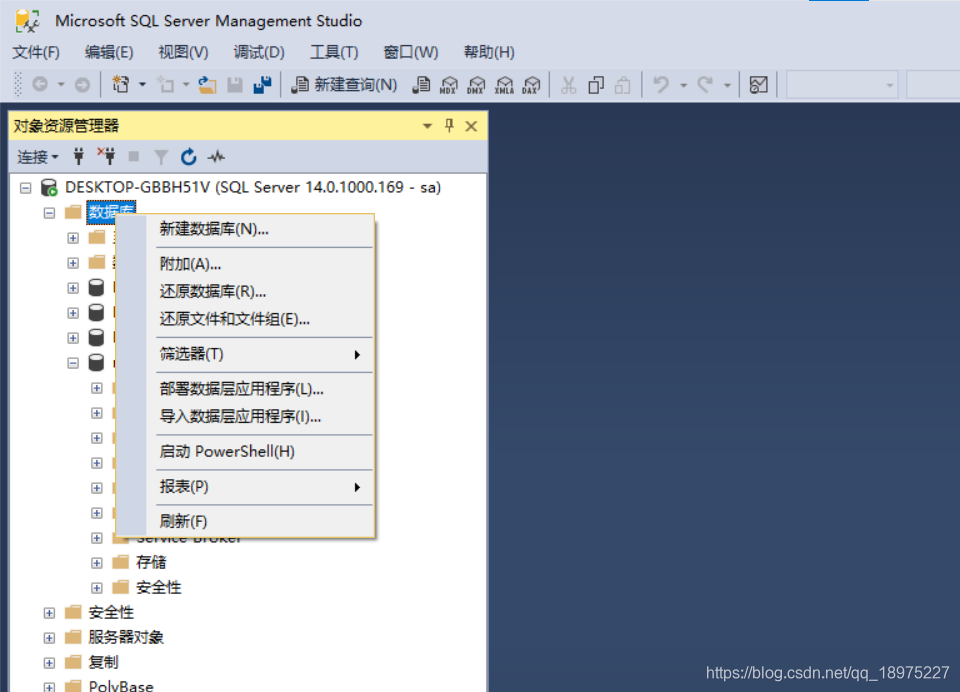
第三步:打开VS2017,新建连接数据源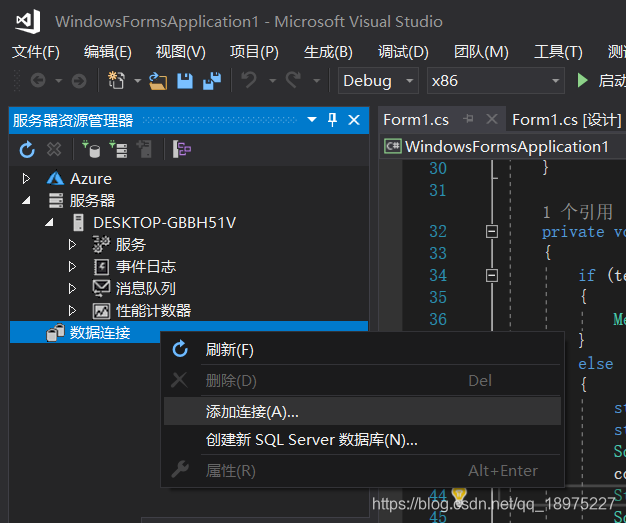
在这里插入图片描述
第四步:右键选择数据库的属性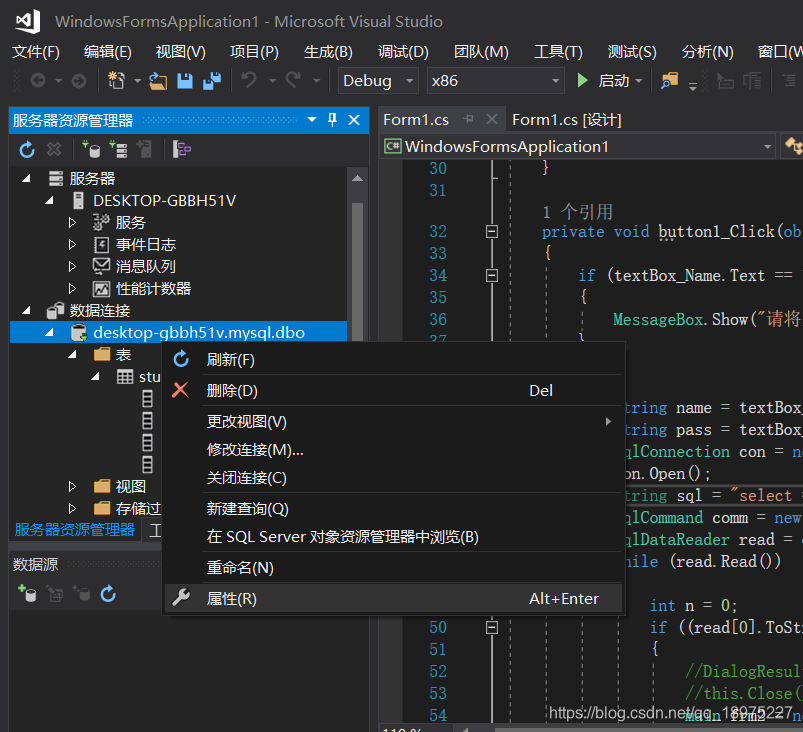
第五步:复制连接字符串到剪贴板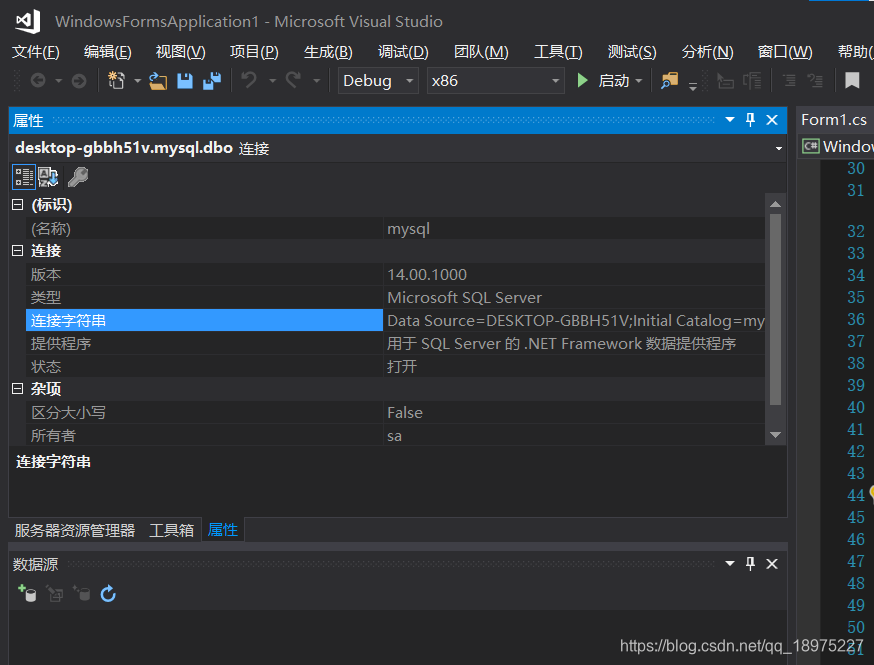
第六步:新建控制台应用程序,编写程序代码如下:
using System;
using System.Data;
using System.Data.SqlClient;
using System.Collections.Generic;
using System.Linq;
using System.Text;
namespace 连接数据库
{
    class Program
    {
        static void Main(string[] args)
        {
            //指定Sql Server提供者的连接字符串
            //string connString = "server=DESKTOP-GBBH51V;database =mysql;uid=sa;pwd=jzh600626";
            string connString = "Data Source=DESKTOP-GBBH51V;Initial Catalog=mysql;User ID=sa;Password=jzh600626";
            //"Data Source=.;Initial Catalog=chaoshi
            //建立连接对象
            SqlConnection Sqlconn = new SqlConnection(connString);
            //打开连接
            Sqlconn.Open();
            //为上面的连接指定Command对象
            SqlCommand thiscommand = Sqlconn.CreateCommand();
            thiscommand.CommandText = "select sname,sno,sex,age from student";

            //为指定的command对象执行DataReader

            SqlDataReader thisSqlDataReader = thiscommand.ExecuteReader();
            while (thisSqlDataReader.Read())
            {
                Console.WriteLine("{0} {1} {2} {3}", thisSqlDataReader["sname"], thisSqlDataReader["sno"], thisSqlDataReader["sex"], thisSqlDataReader["age"]);
            }
            //关闭读取
            thisSqlDataReader.Close();
            //关闭连接
            Sqlconn.Close();
            Console.ReadLine();
        }
    }
}
第七步:点击运行,运行效果如下。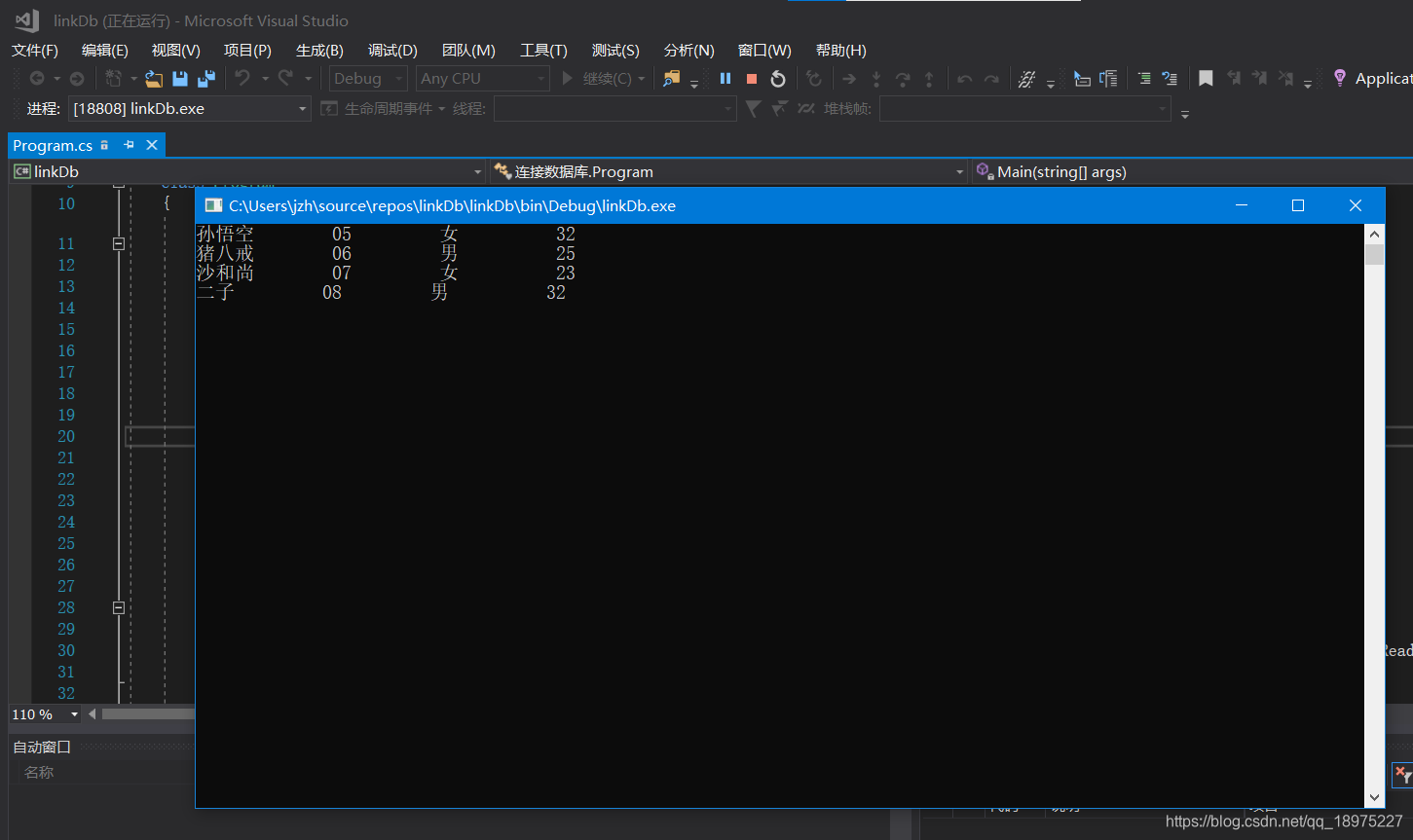
版权声明:本文为qq_18975227原创文章,遵循CC 4.0 BY-SA版权协议,转载请附上原文出处链接和本声明。