一、源代码
1.1 HTML部分
  <el-upload
    action=""
    list-type="picture-card"
    :http-request="Uploadfile">
    <el-button size="small" type="primary">点击上传</el-button>
    <div slot="tip" class="el-upload__tip">只能上传jpg/png文件,且不超过10MB</div>
  </el-upload>
使用http-request重写上传,故这里的action可以为空
1.2 JS部分
    //自己编写的函数用于生成文件名,防止上传的文件重名
		getUUID() {
      return 'xxxxxxxx-xxxx-4xxx-yxxx-xxxxxxxxxxxx'.replace(/[xy]/g, c => {
        return (c === 'x' ? (Math.random() * 16 | 0) : ('r&0x3' | '0x8')).toString(16)
      })
    }
    // 图片上传钩子函数
    Uploadfile (param) {
      let file = param.file; // 得到文件的内容
      // 发送axios请求获取签名
      this.$http
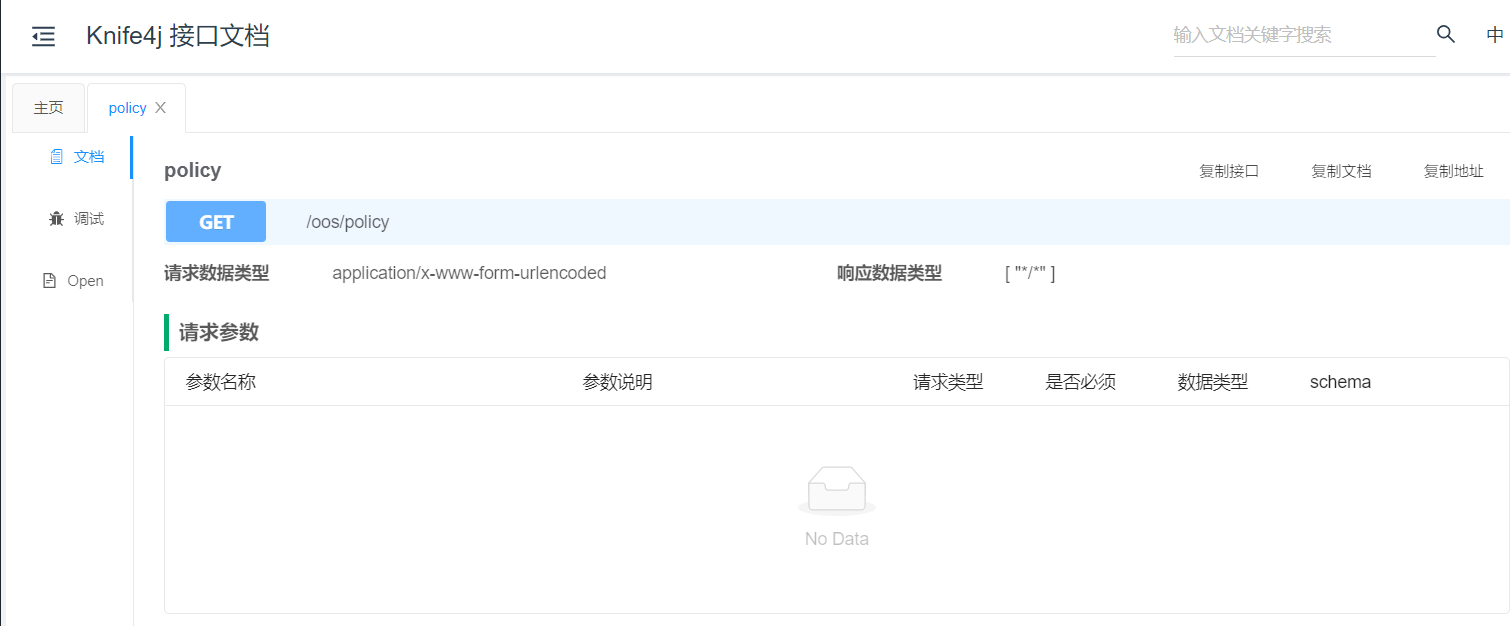
          .get('/oos/policy')
          .then(response => {
            if (response.status === 200) {
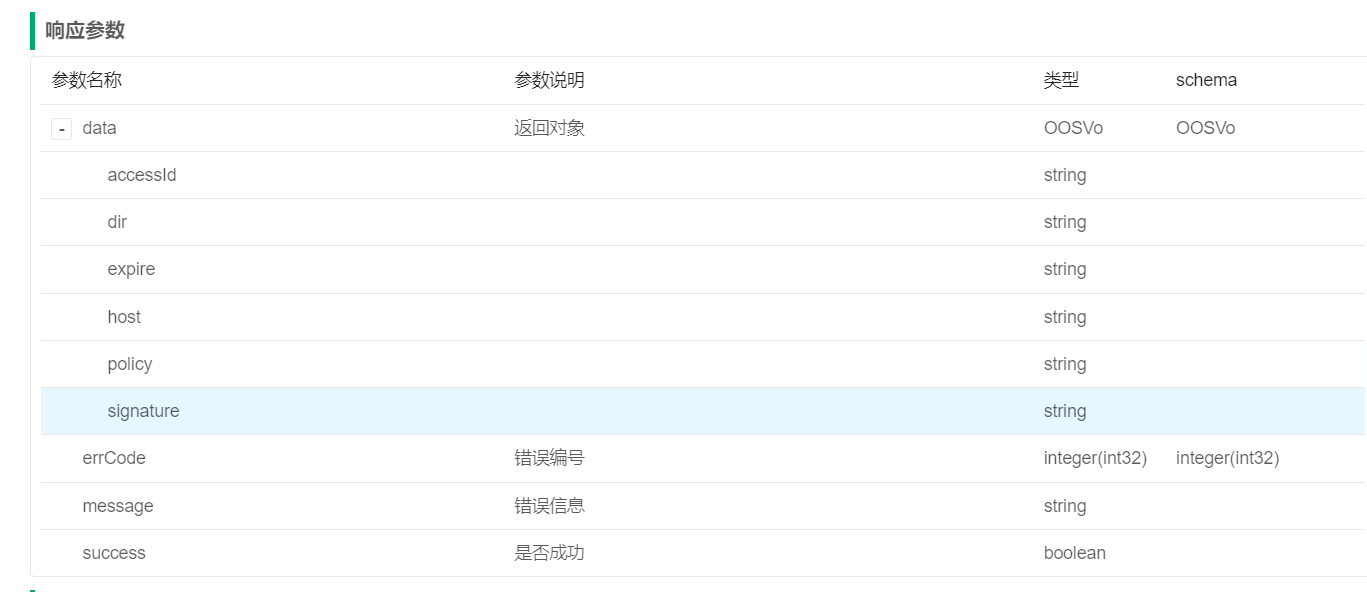
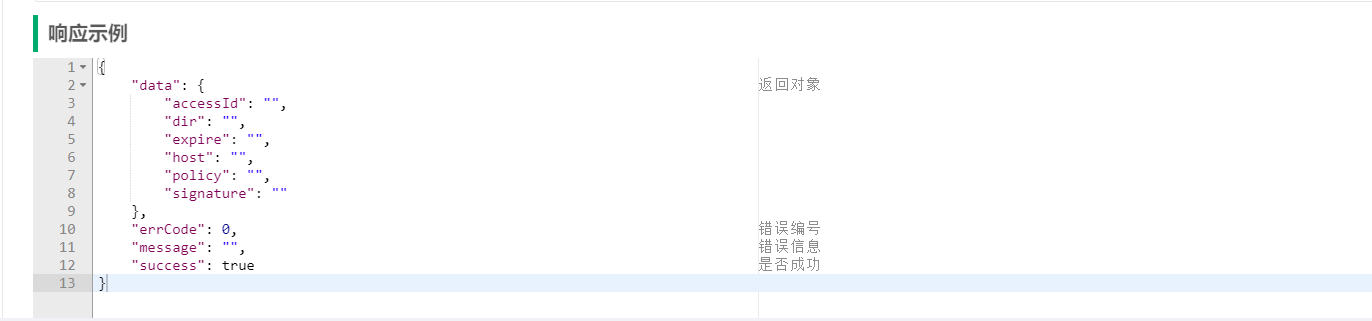
              let policyData = response.data.data;
              console.log(policyData);
              let ossUrl = policyData.host
              let accessUrl = policyData.dir + '/' + this.getUUID() + file.name;//设置上传的访问路径
              let sendData = new FormData();// 上传文件的data参数
              sendData.append('OSSAccessKeyId', policyData.accessId);
              sendData.append('policy', policyData.policy);
              sendData.append('Signature', policyData.signature);
              sendData.append('keys', policyData.dir);
              sendData.append('key', accessUrl);//上传的文件路径
              sendData.append('success_action_status', 200); // 指定返回的状态码
              sendData.append('type', 'image/jpeg');
              sendData.append('file', file);
              console.log(sendData);
              this.$http.post(ossUrl, sendData).then((res) => {
                this.numberValidateForm.cover = ossUrl + '/' + accessUrl;//获得到的url需要将其存数据库中
                console.log("上传成功!")
                console.log(this.numberValidateForm.cover)
              })
            }
          })
          .catch(function (error) { // 请求失败处理
            console.log(error)
          });
    }
二、部分接口
三、实现效果


版权声明:本文为Leslieliujiahao原创文章,遵循CC 4.0 BY-SA版权协议,转载请附上原文出处链接和本声明。