1. Instrunent介绍
instrument为am命令的一个子命令。用于启动一个Instrumentation测试。首先连接手机或者模拟器,通过adb shell命令,进入shell层进行操作。
2. Instrument命令及参数
2.1 命令格式:
am instrument [-r][-e ][-p ] [-w] [--user|current] [--no-window-animation] [--abi ]
2.2 参数介绍:
-r : 打印原始结果(否则解码REPORT_KEY_STREAMRESULT)。使用[-e perf true]生成性能度量的原始输出。
-e : 设置参数。对于测试运行器常见的格式为:[-e [,...]]
-p : 将profiling性能数据写入到文件中。
-w: 等待测试完成。这是一个必选参数。
--user |current: 指定用户运行,如果不指定则使用当前用户运行。
--no-window-animation: 关掉运行时的窗口动画,e.g. 手机窗口滑动动画。
3 示例:
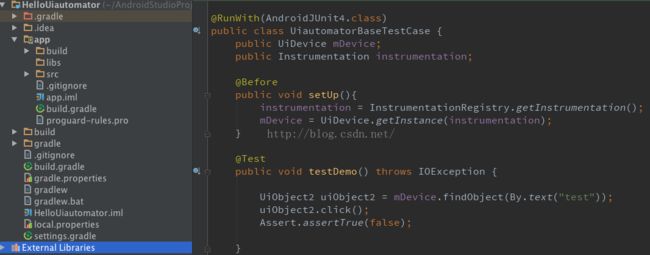
3.1 测试工程:
3.2 通过pm list instrumentation列出手机中安装的instrumentation:

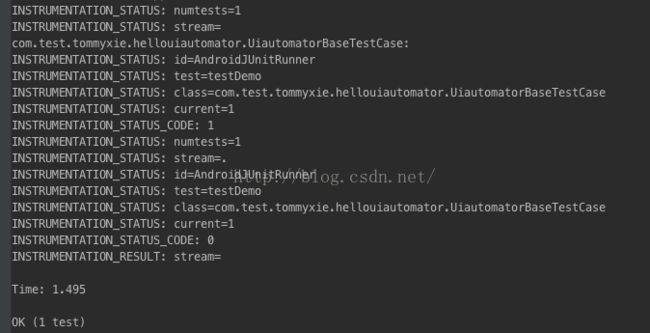
3.3 运行指定测试类,并输出详细结果,同时将profiling性能数据写到本地文件中:
am instrument -w -r -p /data/local/tmp/demo.trace -e class com.test.tommyxie.hellouiautomator.UiautomatorBaseTestCase com.test.tommyxie.hellouiautomator.test/android.support.test.runner.AndroidJUnitRunner
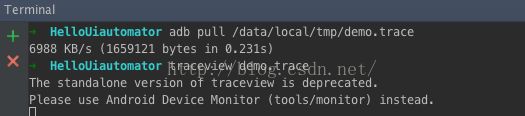
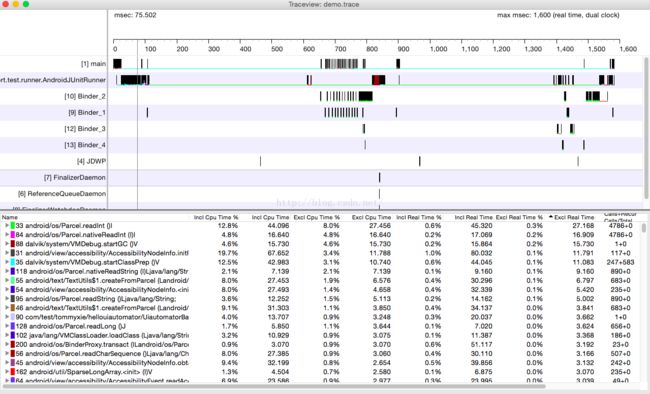
3.4 将trace文件拉取到本地,通过traceview工具打开: