什么是Zeal?
Zeal是一款为软件开发人员提供的离线文档浏览器。截至2022年1月17日,Zeal可以下载查看207种编程语言或软件工具的帮助文档。
Zeal - Offline Documentation Browser https://zealdocs.org/

下载Zeal
有多种方式下载Zeal,具体需要根据你所用的操作系统、计划使用的安装方式确定下载哪一种Zeal版本。也可以下载Zeal源码,自己编译构建可执行程序。

如果在Windows系统上安装使用Zeal过程中报出找不到vcruntime140.dll的错误,那么需要安装Microsoft Visual C++ 2015 组件。https://www.microsoft.com/en-us/download/details.aspx?id=52685
下载 Windows安装程序(MSI文件),可以方便地安装Zeal。
https://github.com/zealdocs/zeal/releases/download/v0.6.1/zeal-0.6.1-windows-x64.msi
可移动版可以免安装使用,所有设置和文档集合都保存在应用目录下。


安装Zeal
双击运行Zeal安装文件,启动安装程序。勾选接受许可洗衣,点击【Install】开始安装Zeal。


使用Zeal
安装之后,点击【Tools】选择【Docsets】,可以在【Installed】中查看已经安装的文档,或在【Available】中查找需要的文档,双击或点击【Download】下载对应的离线文档。
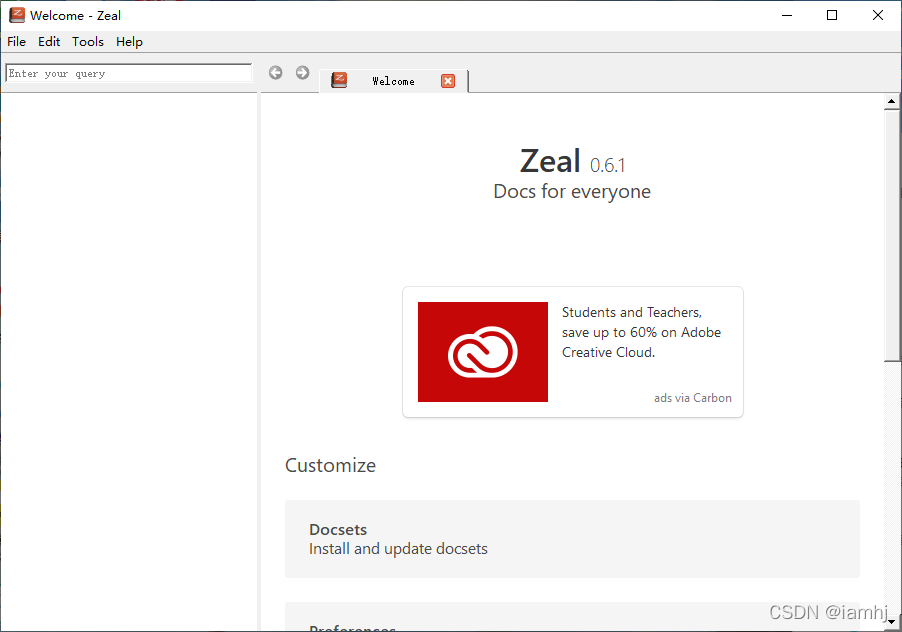

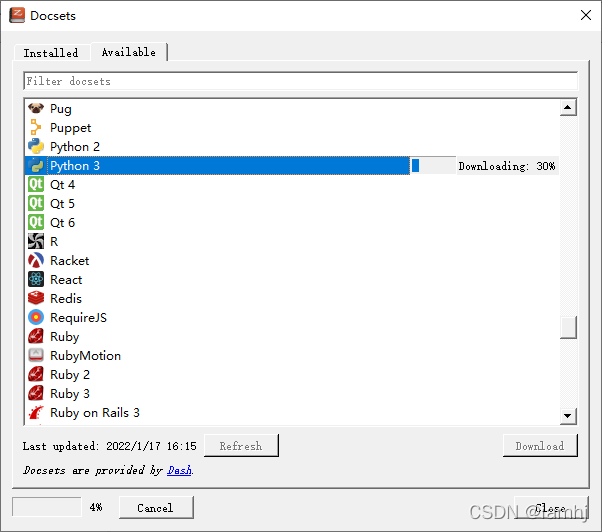
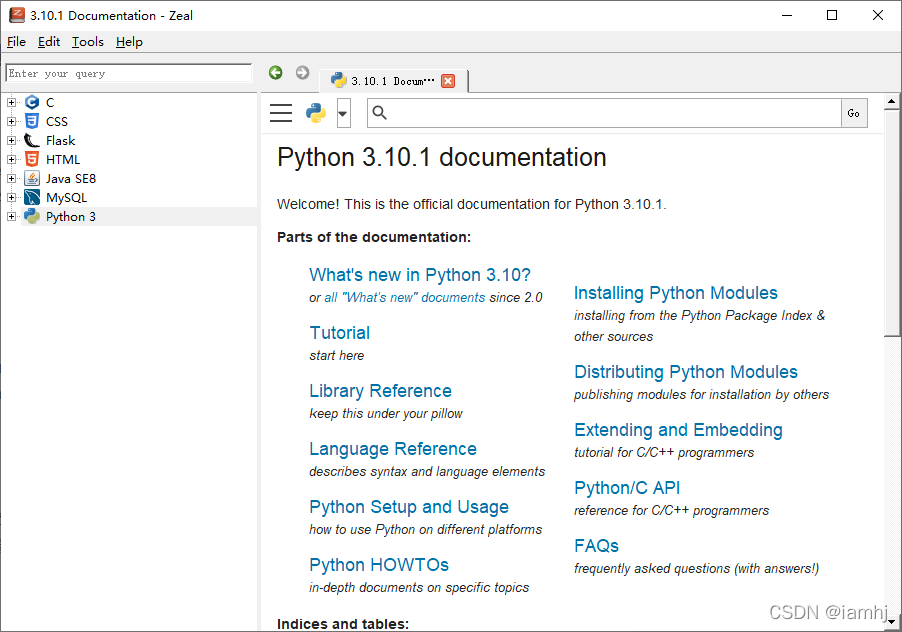
检查检索已下载的文档
可以直接在搜索框输入内容,检查帮助文档。
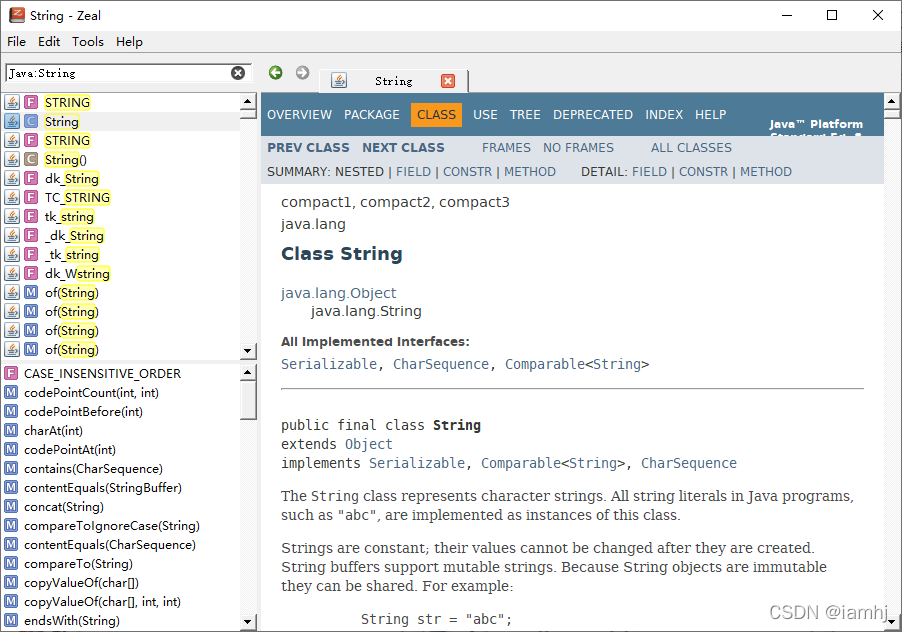
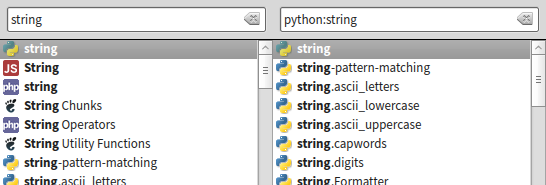
也可以通过指定文档集合过滤搜索结果,文件集合和搜索关键字直接使用冒号连接,比如直接搜索string,会找出所有已下载文档集合中的string内容;如果搜索python:string,则只在Python文档中搜索string。
快捷方式
Command | Shortcut |
Focus Search Bar | Ctrl+K or Ctrl+L |
Find in page | Ctrl+F or / |
New Tab | Ctrl+T |
Duplicate Tab | Ctrl+Alt+T |
Close Tab | Ctrl+W (Ctrl+F4 on Windows) |
Select Tab 1 to 8 | Alt+1 through Alt+8 |
Select Last Tab | Alt+9 |
Zoom In | Ctrl+= or Ctrl++ |
Zoom Out | Ctrl+- |
Zoom Reset | Ctrl+0 |
Open Preferences | Ctrl+, |
Quit Zeal | Ctrl+Q |
Zeal提供了许多IDE插件。
Atom
An Atom package is available at dash.
Brackets
There is a Brackets integration available at https://github.com/anephew/brackets-zeal.
Emacs
There is an Emacs package available at https://github.com/jinzhu/zeal-at-point.
IntelliJ IDEA
There is an IDEA plugin available at Dash - IntelliJ IDEs Plugin | Marketplace.
KTextEditor (Kate, KWrite, KDevelop, Kile, etc)
A plugin for KTextEditor-based editors is available at https://github.com/g3ar/ZealSearch.
Sublime Text
There is a Sublime Text 2/3 package available at https://github.com/vaanwd/Zeal.
VIM
There is a Vim plugin available at https://github.com/KabbAmine/zeavim.vim.
Or you can use https://github.com/keith/investigate.vim with something like this in .vimrc:
let g:investigate_command_for_python = '/usr/bin/zeal ^s'
A simpler way to integrate with Vim is a simple mapping, like
:nnoremap gz :!zeal "<cword>"&<CR><CR>
Visual Studio Code
There is a VSCode plugin available at https://github.com/deerawan/vscode-dash.