本文主要记录一下使用Morphia 2.2 进行开发(MongoDB 4.2 )的基本步骤。省略MongoDB安装
目录
本文主要记录基于Morphia最新版本2.2, MongDB4.2的CRUD开发配置过程,仅供个人参考。
1. 基础工程
使用Idea 创建一个web工程,并加入Morphia 依赖。POM文件的配置如下:
<dependency>
	<groupId>org.springframework.boot</groupId>
	<artifactId>spring-boot-starter-web</artifactId>
</dependency>

<dependency>
	<groupId>org.springframework.boot</groupId>
	<artifactId>spring-boot-starter-test</artifactId>
	<scope>test</scope>
</dependency>

<!-- https://mvnrepository.com/artifact/dev.morphia.morphia/morphia-core -->
<dependency>
	<groupId>dev.morphia.morphia</groupId>
	<artifactId>morphia-core</artifactId>
	<version>2.2.1</version>
</dependency>

<!-- https://mvnrepository.com/artifact/org.projectlombok/lombok -->
<dependency>
	<groupId>org.projectlombok</groupId>
	<artifactId>lombok</artifactId>
	<version>1.18.20</version>
	<scope>provided</scope>
</dependency>
Morphia的配置文件
@Configuration
public class MorphiaConfig {

    @Bean
    @ConditionalOnMissingBean(Datastore.class)
    public Datastore datastore(MongoProperties mongoProperties) {

        MongoClientSettings.Builder settingsBuilder = MongoClientSettings.builder();

        //用户凭证
        MongoCredential credential = MongoCredential.createCredential(mongoProperties.getUsername(),
                mongoProperties.getDatabase(), mongoProperties.getPassword());
        settingsBuilder.credential(credential);

        //服务器地址
        ServerAddress serverAddress = new ServerAddress(mongoProperties.getHost(), mongoProperties.getPort());
        settingsBuilder.applyToClusterSettings(builder -> builder.hosts(Collections.singletonList(serverAddress)));

        //连接接大小
        settingsBuilder.applyToConnectionPoolSettings(builder -> {
            builder.maxSize(5);
            builder.minSize(2);
        });

        //超时设置
        settingsBuilder.applyToSocketSettings(builder -> {
            builder.connectTimeout(10, TimeUnit.SECONDS);
            builder.readTimeout(30, TimeUnit.SECONDS);
        });

        //读写配置
        settingsBuilder.readPreference(primaryPreferred());
        settingsBuilder.retryWrites(true);

        //创建mongoClient
        MongoClient mongoClient = MongoClients.create(settingsBuilder.build());

        //创建Morphia Datastore
        MapperOptions.Builder optionBuilder = MapperOptions.builder();
        optionBuilder.mapSubPackages(true);
        Datastore datastore = Morphia.createDatastore(mongoClient, mongoProperties.getDatabase(),
                optionBuilder.build());
        datastore.getMapper().mapPackage("com.yin.mongotest.model");
        datastore.ensureCaps();
        datastore.ensureIndexes();
        return datastore;

    }
}
主要的Enity对象及DTO对象
@Entity("author")
@Indexes(
        @Index(fields = @Field("name"), options = @IndexOptions(unique = true))
)
@Data
public class Author implements Serializable {

    @Id
    private ObjectId id;

    private String name;

    private String sex;

    private int age;

    private String address;

    private String phone;
}
@Entity("book")
@Indexes(
        @Index(fields = @Field("title"), options = @IndexOptions(unique = true))
)
@Data
public class Book {

    @Id
    private ObjectId id;

    private String title;

    private List<String> tags;

    private String description;

    private Date publishDate;

    //idOnly设置为true,该列在DB中只存ID,以便关联查询
    @Reference(idOnly = true)
    private Author author;
}
@Data
@AllArgsConstructor
@NoArgsConstructor
public class AuthorDTO implements Serializable {

    private static final long serialVersionUID = -6001223151902034351L;

    private String name;

    private String sex;

    private int age;

    private String address;

    private String phone;
}
@Data
@AllArgsConstructor
@NoArgsConstructor
public class BookDTO implements Serializable {

    private static final long serialVersionUID = -8043433128047560727L;

    private String title;

    private String tags;

    private String description;

    private String authorName;
}
2. 创建与查询
@RestController
@RequestMapping("/")
public class TestController {

    @Autowired
    Datastore datastore;

    @PostMapping("/book/create")
    public String createBook(@RequestBody BookDTO bookDTO) {
        //查询作者
        Author author = datastore.find(Author.class)
                .filter(Filters.eq("name", bookDTO.getAuthorName()))
                .iterator().next();

        //简单转换
        Book book = new Book();
        book.setTitle(bookDTO.getTitle());
        book.setTags(Arrays.asList(bookDTO.getTags().split(",").clone()));
        book.setDescription(bookDTO.getDescription());
        //忽略时间
        book.setPublishDate(new Date());
        book.setAuthor(author);

        Book result = datastore.save(book);
        if (result != null) {
            return result.getTitle();
        }
        return "failure";
    }

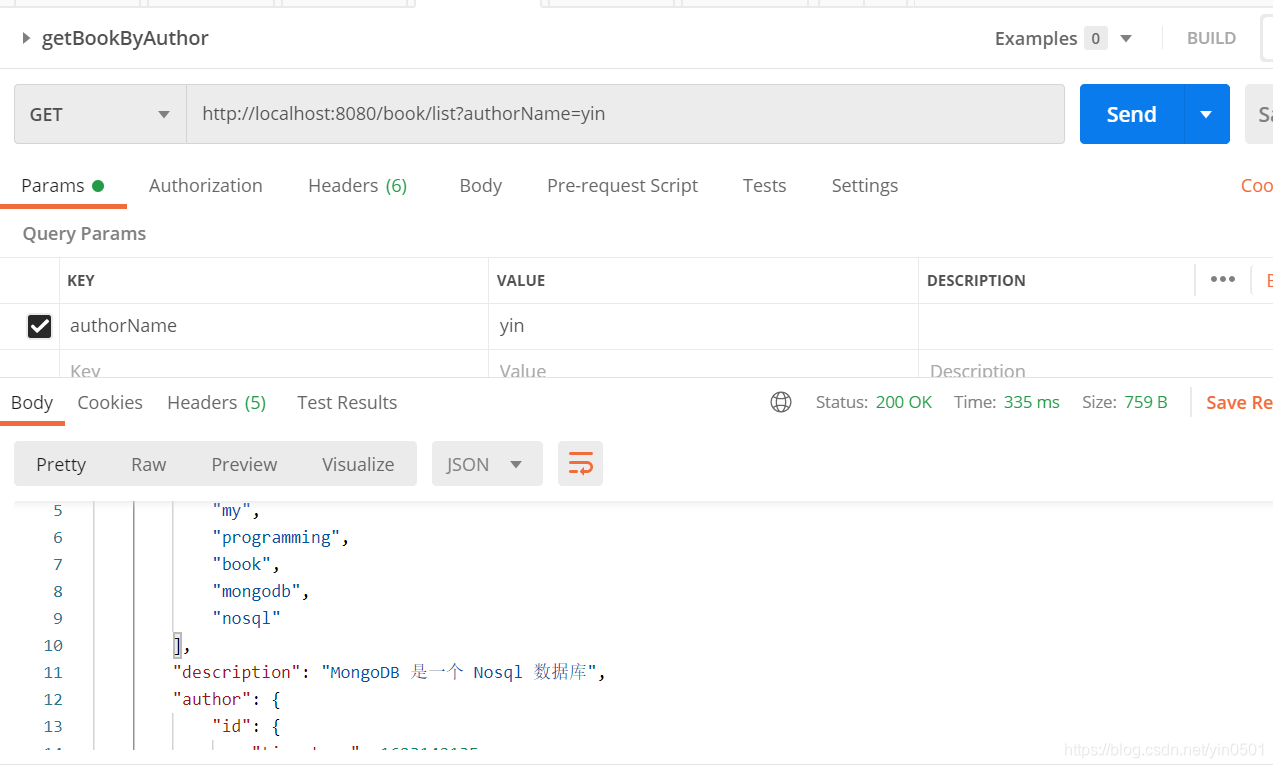
    @GetMapping("/book/list")
    public List<BookDTO> getBookList(@RequestParam("authorName") String authorName) {

        Author author = datastore.find(Author.class)
                .filter(Filters.eq("name", authorName))
                .iterator().next();

        List<BookDTO> books = datastore.find(Book.class)
                .filter(Filters.eq("author", author.getId()))
                .stream().map(m -> new BookDTO(m.getTitle(), String.join(",", m.getTags()), m.getDescription(),
                        m.getAuthor().getName()))
                .collect(Collectors.toList());

        return books;
    }

    @GetMapping("/book/get")
    public BookDTO getBook(@RequestParam("title") String title) {
        List<BookDTO> books = datastore.find(Book.class)
                .filter(Filters.eq("title", title))
                .stream().map(m -> new BookDTO(m.getTitle(), String.join(",", m.getTags()), m.getDescription(),
                        m.getAuthor().getName()))
                .collect(Collectors.toList());

        return books.size() > 0 ? books.get(0) : null;
    }

    @PostMapping("/book/tags/add")
    public String addBookTag(@RequestParam("title") String title, @RequestParam List<String> tags) {
        UpdateResult result = datastore.find(Book.class)
                .filter(Filters.eq("title", title))
                .update(UpdateOperators.addToSet("tags", tags))
                .execute();

        return result.toString();
    }

    @PostMapping("/book/tags/remove")
    public String removeBookTag(@RequestParam("title") String title, @RequestParam List<String> tags) {
        UpdateResult result = datastore.find(Book.class)
                .filter(Filters.eq("title", title))
                .update(UpdateOperators.pullAll("tags", tags))
                .execute(new UpdateOptions().multi(false));
        return result.toString();
    }

    @PostMapping("/author/create")
    public String createAuthor(@RequestBody AuthorDTO authorDTO) {
        //简单转换
        Author author = new Author();
        author.setName(authorDTO.getName());
        author.setSex(authorDTO.getSex());
        author.setAge(authorDTO.getAge());
        author.setAddress(authorDTO.getAddress());
        author.setPhone(authorDTO.getPhone());

        author = datastore.save(author);
        if (author != null) {
            return author.getName();
        }
        return "failure";
    }
}
3. 测试验证
新建
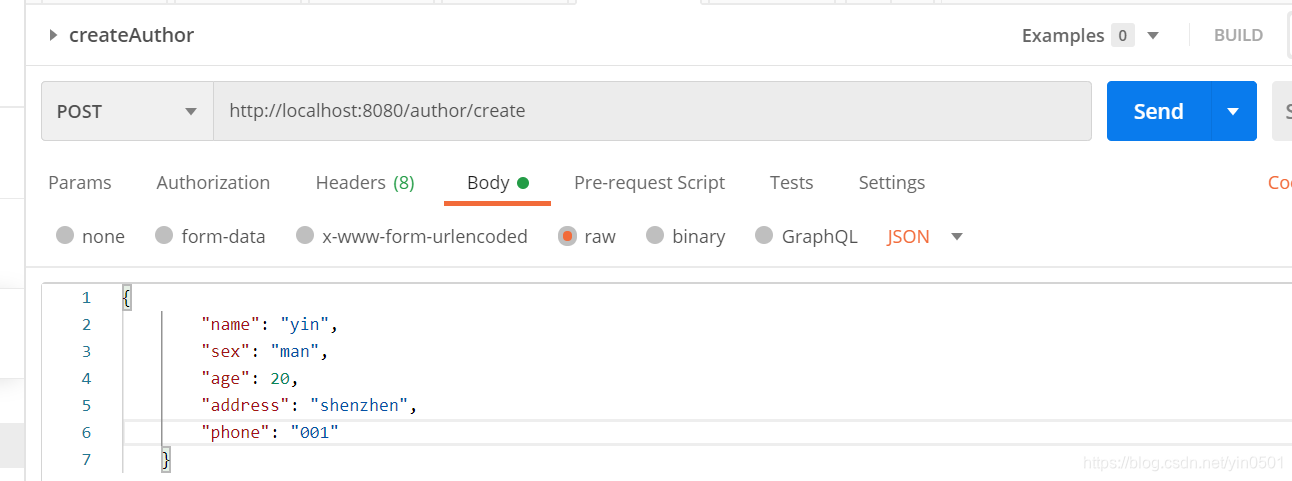
{
    "name": "yin",
    "sex": "man",
    "age": 20,
    "address": "shenzhen",
    "phone": "001"
}
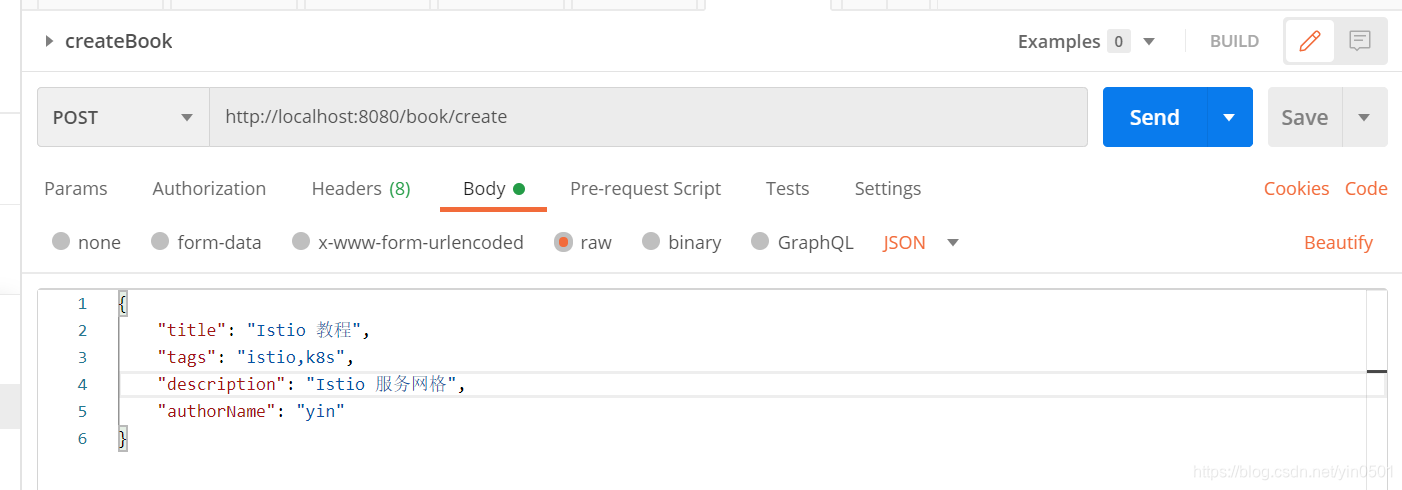
{
    "title": "Istio 教程",
    "tags": "istio,k8s",
    "description": "Istio 服务网格",
    "authorName": "yin"
}
简单插入几条记录后,DB中显示如下:


根据作者名查询书籍(关联查询)
4. 小结
在项目开发完后,再进行总结...
版权声明:本文为yin0501原创文章,遵循CC 4.0 BY-SA版权协议,转载请附上原文出处链接和本声明。