Celery使用场景
- 异步任务: 将耗时操作任务提交给Celery异步执行, 比如发送短信/邮件, 消息推送, 音视频处理等等;
- 定时任务: 类似于crontab, e.g. 每日数据统计.
Celery基本结构
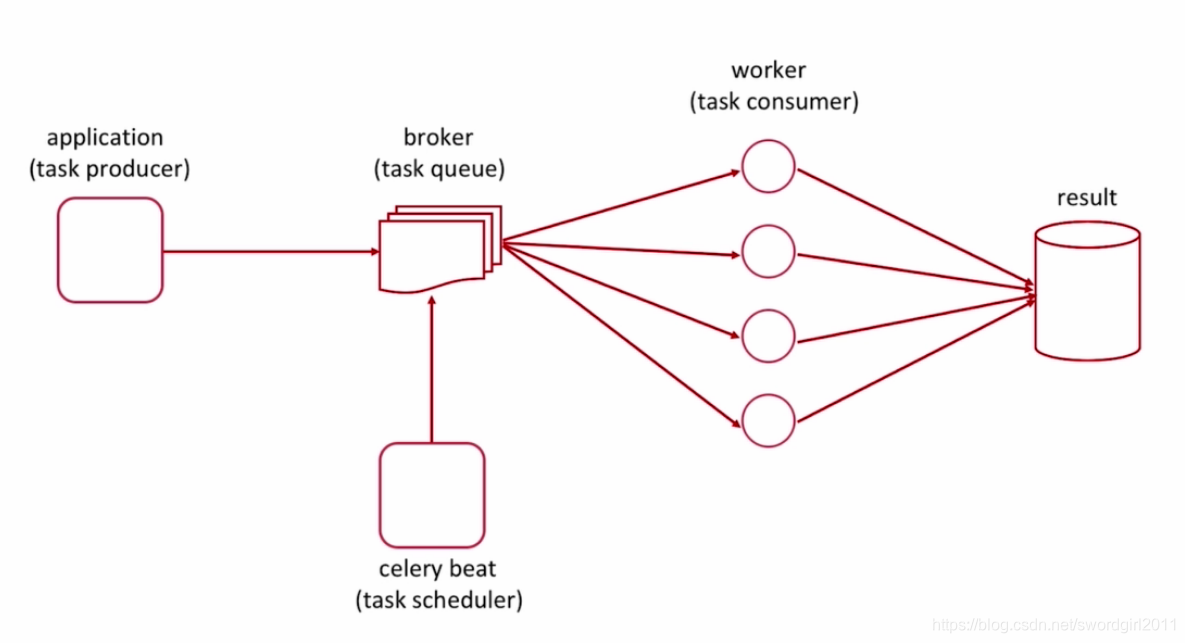
Celery基本使用
- 初始化celery实例
# coding = utf-8

from celery import Celery

app = Celery("test")
app.config_from_object('celerydemo.celeryconfig')
- 编写具体的task处理逻辑
# coding = utf-8

import time
from celerydemo import app

@app.task
def add(x, y):
    time.sleep(4)
    return x + y
- 配置celery相关参数, 更多参数配置需参考官方文档: docs.jinkan.org/docs/celery/getting-started/index.html
# coding = utf-8
from datetime import timedelta
from celery.schedules import crontab

# 配置broker地址, 这里使用的是redis
BROKER_URL = 'redis://localhost:6379/1'

# 配置结果存储的后端, 这里同样使用的是redis
CELERY_RESULT_BACKEND = 'redis://localhost:6379/2'
CELERY_TIMEZONE = 'Asia/Shanghai'


# 配置需要导入的任务列表
CELERY_IMPORTS = (
    'celerydemo.task01',
    'celerydemo.task02'
)

# 任务调度, e.g. 定时任务等
CELERYBEAT_SCHEDULE = {
    'task1': {
        'task': 'celerydemo.task01.add',
        'schedule': timedelta(seconds=10),
        'args': (2, 6)
    },

    'task2': {
        'task': 'celerydemo.task02.multiply',
        'schedule': crontab(hour=18, minute=49),
        'args': (2, 7)
    }
}
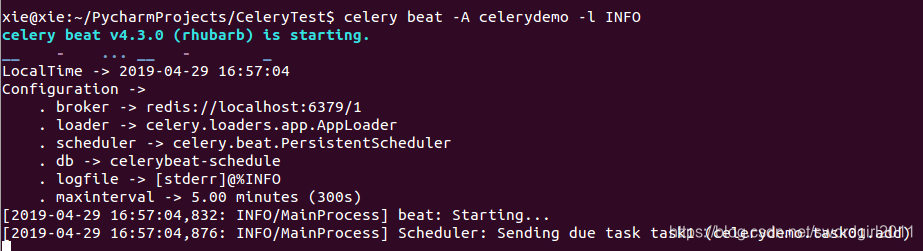
- 启动celery beat进行任务调度, e.g. 根据设置的时间, 定时发送任务队列
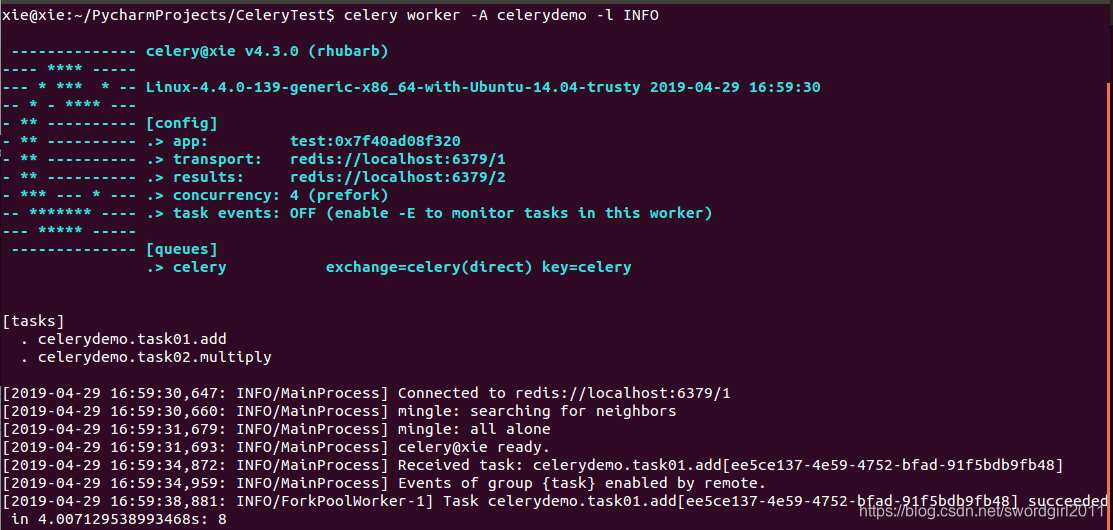
- 启动celery work进行消费队列里面的任务
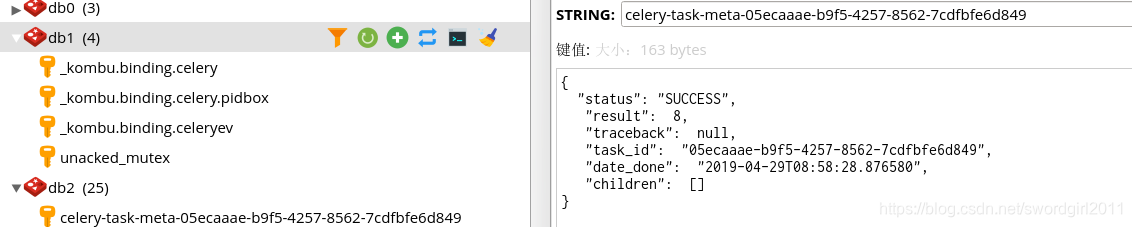
- 查看redis中任务队列处理结果
Celery flower监控 (官网地址: https://github.com/mher/flower)
- 安装flower, 通过如下命令启动后台进行监控celery运行情况

- 访问地址: localhost:5555/dashboard, 即可查看监控后台:

使用Supervisor部署Celery, 以启动celery worker服务为例
- 在工程目录下, 执行echo_supervisord_conf > conf/supervisord.conf命令, 生成进程管理模板配置文件;
- 开启web管理后台界面, 方便直观的管理各个进程:
[inet_http_server]         ; inet (TCP) server disabled by default
port=127.0.0.1:9001        ; ip_address:port specifier, *:port for all iface
[supervisorctl]
serverurl=unix:///tmp/supervisor.sock ; use a unix:// URL  for a unix socket
serverurl=http://127.0.0.1:9001 ; use an http:// url to specify an inet socket
- 将当前目录下的ini文件都当作为supervisor的配置文件, e.g:
[include]
files = *.ini
- 在supervisor.conf文件的同级目录下新建一个ini配置文件, e.g. 以配置celery服务为例, 如下:
[program:celerywork]
command=celery worker -A celerydemo -l INFO              ; the program (relative uses PATH, can take args)
process_name=%(program_name)s ; process_name expr (default %(program_name)s)
directory=/home/xie/PycharmProjects/CeleryTest                ; directory to cwd to before exec (def no cwd)
priority=999                  ; the relative start priority (default 999)
autostart=true                ; start at supervisord start (default: true)
startretries=3                ; max # of serial start failures when starting (default 3)
autorestart=true        ; when to restart if exited after running (def: unexpected)
- 执行命令: supervisord -c + supervisord.conf命令启动进程管理服务;
- 可通过localhost:9001或者终端执行supervisorctl命令进行管理各个进程状态

版权声明:本文为swordgirl2011原创文章,遵循CC 4.0 BY-SA版权协议,转载请附上原文出处链接和本声明。