@[TOC]Unity UGUI 制作连连看那点儿事
前言
从事unity行业,仿真方向也3年有余了,从来没有尝试过自己写点什么,面对生活的各种压力人的情绪可能会产生各种波动,随着年龄的增长,人的想法也会产生一些改变,所以我想记录一些东西算是我的脚印陪伴我前行,就算有一天我从事其他行业回头看看也多少觉得我留下了些什么。
最近公司给出了一个客户需要做一个小的连连看游戏,主要需求是分成5个关卡,第一关卡 :上下左右边界都可以同行,第二关卡:下方边界不能同行………以此类推,而且识别标记的图标配对是不一样的比如:辽宁—沈阳 这样消除而不是 辽宁—辽宁,好吧都差不多那么开始进入正题吧。
构思
在进行开发和设计前,首先我先查了查连连看的规则,额……确实没太玩过。连连看就是一排图片,点击其中两个,如果两个图片的属性相同,且可以通过少于三次的路线转弯可以联通,并且没有其他障碍那么就可以消除。好吧,也就是说
我们消除的条件是:属性相同。
我们消除的方式的话可以有三种:
1.直接消除,不经过转弯;
2. 转一次弯;
3. 转两次弯;
进入正题
我们理清了思路,并且熟悉了规程后可以开发了(其实构思很重要,不要盲目的落笔尝试)。废话不多说直接上代码。
 using System.Collections;
using System.Collections.Generic;
using UnityEngine;
using UnityEngine.UI;
using System.Linq;
public class GameController : MonoBehaviour
{
    public int LineAmount; //行数量
    public int RowAmount; //列数量
    public GameObject Prefeb;
    public GameObject Partical_Prefeb;
    public DrawLine drawline;
    public List<Sprite> IconBoxs = new List<Sprite>();
    public List<Sprite> IconObjs = new List<Sprite>();
    public List<Icon> IconsOBJs = new List<Icon>();
    public List<Color> Colors = new List<Color>();//颜色
    private Icon _CurChooseIconA, _CurChooseIconB;
    private Vector3 PosOrigon;
    private List<Icon> Icons = new List<Icon>();
    void Start()
    {
        Init();
    }
    public void Init() //初始化
    {
        PosOrigon.x = -360;
        PosOrigon.y = 440;
        PosOrigon.z = 0;
        LineAmount = 8;
        RowAmount = 10;
        GameObject Parent = GameObject.Find("Canvas/Parent") as GameObject;
       //生成棋盘
        for (int i = 0; i < RowAmount; i++)
        {
            PosOrigon.x = -360;
            PosOrigon.y = (PosOrigon.y - 80);
            for (int j = 0; j < LineAmount; j++)
            {
                PosOrigon.x = (PosOrigon.x + 80);
                GameObject _icon = Instantiate(Prefeb);
                _icon.transform.parent = Parent.transform;
                _icon.transform.localPosition = PosOrigon;
                _icon.transform.localScale = Vector3.one;
                _icon.GetComponent<Button>().onClick.AddListener(delegate() { Judgment(_icon.GetComponent<Icon>()); });
                Icons.Add(_icon.GetComponent<Icon>());
                IconsOBJs.Add(_icon.GetComponent<Icon>());
            }
        }
        //初始化Icon属性
        while (Icons.Count > 0)
        {
            int number = Random.Range(0, IconBoxs.Count);
            Icon a = Icons[Random.Range(0, Icons.Count)];
            a.Init(IconBoxs[number], number+1,Colors[number]);
            Icons.Remove(a);
            Icon b = Icons[Random.Range(0, Icons.Count)];
            b.Init(IconObjs[number], -(number+1), Colors[number]);
            Icons.Remove(b);
        }
    }
    /// <summary>
    /// 点击按钮时候调用
    /// </summary>
    /// <param name="_icon"></param>
    public void Judgment(Icon _icon) //判断调用!
    {
        if (_CurChooseIconA == null)
        {
            _CurChooseIconA = _icon;
            _icon.PlayAnim();
            return;
        }
        if (_CurChooseIconB == null)
        {
            _CurChooseIconB = _icon;
            _icon.PlayAnim();
            if ((_CurChooseIconA.ID + _CurChooseIconB.ID) != 0) //如果ID都不匹配那干脆不要判断了
            {
                Reset(_CurChooseIconA, _CurChooseIconB);
                return;
            }
            if (Judgment_0(_CurChooseIconA, _CurChooseIconB))
            {
                drawline.waypoints.Add(_CurChooseIconA.POS);
                drawline.waypoints.Add(_CurChooseIconB.POS);
                DestoryIcon(_CurChooseIconA, _CurChooseIconB);
                return;
            }
            else if (Judgment_1(_CurChooseIconA, _CurChooseIconB))
            {
                print("直接失败");
                DestoryIcon(_CurChooseIconA, _CurChooseIconB);
                return;
            }
            else if (Judgment_2(_CurChooseIconA, _CurChooseIconB))
            {
                print("一转失败");
                DestoryIcon(_CurChooseIconA, _CurChooseIconB);
                return;
            }
            else
            {
                print("二转失败");
                Reset(_CurChooseIconA, _CurChooseIconB);
            }
        }
    }
    /// <summary>
    /// 选择有误重置
    /// </summary>
    /// <param name="A"></param>
    /// <param name="B"></param>
    public void Reset(Icon A, Icon B)//重置
    {
        A.CloseAnim();
        B.CloseAnim();
        _CurChooseIconA = null;
        _CurChooseIconB = null;
    }
    /// <summary>
    /// 选择消除操作
    /// </summary>
    /// <param name="A"></param>
    /// <param name="B"></param>
    public void DestoryIcon(Icon A, Icon B)
    {
        drawline.MoveToWaypoint();
        GameObject G = Instantiate(Partical_Prefeb, A.transform.position, Quaternion.identity);
        GameObject G2 = Instantiate(Partical_Prefeb, B.transform.position, Quaternion.identity);
        IconsOBJs.Remove(_CurChooseIconA);
        IconsOBJs.Remove(_CurChooseIconB);
        Destroy(A._obj);
        Destroy(B._obj);
        _CurChooseIconA = null;
        _CurChooseIconB = null;
    }
    /// <summary>
    /// 直接消除
    /// </summary>
    /// <param name="A"></param>
    /// <param name="B"></param>
    /// <returns></returns>
    public bool Judgment_0(Icon A, Icon B)
    {
        bool ReturnValue = false;
        //if ((A.ID + B.ID)!=0) { return false; }
        if (A.POS.x == B.POS.x) //同一列
        {
            if (Mathf.Abs(A.POS.y - B.POS.y) == 80)
            {
                ReturnValue = true;
            }
            else
            {
                List<Icon> Adds = (from Icon in IconsOBJs
                                   where Icon.POS.y > ReturnSmall(A.POS.y, B.POS.y) && Icon.POS.y < ReturnBig(A.POS.y, B.POS.y) && Icon.POS.x == A.POS.x
                                   select Icon).ToList<Icon>();
                if (Adds.Count <= 0)
                {
                    ReturnValue = true;
                }
            }
        }
        else if (A.POS.y == B.POS.y)//同一行
        {
            if (Mathf.Abs(A.POS.x - B.POS.x) == 80)
            {
                ReturnValue = true;
            }
            else
            {
                List<Icon> Adds = (from Icon in IconsOBJs
                                   where Icon.POS.x > ReturnSmall(A.POS.x, B.POS.x) && Icon.POS.x < ReturnBig(A.POS.x, B.POS.x) && Icon.POS.y == A.POS.y
                                   select Icon).ToList<Icon>();
                if (Adds.Count <= 0)
                {
                    ReturnValue = true;
                }
            }
        }
        return ReturnValue;
    }
    /// <summary>
    /// iconA和iconB一次转弯消除
    /// </summary>
    /// <param name="A"></param>
    /// <param name="B"></param>
    /// <returns></returns>
    public bool Judgment_1(Icon A, Icon B)
    {
        bool ReturnValue = false;
        Icon _testICon = new Icon();
        _testICon.POS.x = A.POS.x;
        _testICon.POS.y = B.POS.y;
        _testICon.POS.z = 0;
        //_testICon.ID = A.ID;
        if (!IconsOBJs.Exists(T => T.POS == _testICon.POS))//
        {
            if (Judgment_0(A, _testICon) && Judgment_0(B, _testICon))
            {
                drawline.waypoints.Add(A.POS);
                drawline.waypoints.Add(_testICon.POS);
                drawline.waypoints.Add(B.POS);
                return true;
            }
        }
        _testICon.POS.x = B.POS.x;
        _testICon.POS.y = A.POS.y;
        _testICon.POS.z = 0;
        //_testICon.ID = A.ID;
        if (!IconsOBJs.Exists(T => T.POS == _testICon.POS))
        {
            if (Judgment_0(A, _testICon) && Judgment_0(B, _testICon))
            {
                drawline.waypoints.Add(A.POS);
                drawline.waypoints.Add(_testICon.POS);
                drawline.waypoints.Add(B.POS);
                return true;
            }
        }
        return ReturnValue;
    }
    /// <summary>
    /// iconA和iconB一次转弯消除重载(确定拐点进行路线绘制)
    /// </summary>
    /// <param name="A"></param>
    /// <param name="B"></param>
    /// <param name="C"></param>
    /// <returns></returns>
    public bool Judgment_1(Icon A, Icon B,Icon C)
    {
        bool ReturnValue = false;
        Icon _testICon = new Icon();
        _testICon.POS.x = A.POS.x;
        _testICon.POS.y = B.POS.y;
        _testICon.POS.z = 0;
        if (!IconsOBJs.Exists(T => T.POS == _testICon.POS))//
        {
            if (Judgment_0(A, _testICon) && Judgment_0(B, _testICon))
            {
                drawline.waypoints.Add(C.POS);
                drawline.waypoints.Add(A.POS);
                drawline.waypoints.Add(_testICon.POS);
                drawline.waypoints.Add(B.POS);
                return true;
            }
        }
        _testICon.POS.x = B.POS.x;
        _testICon.POS.y = A.POS.y;
        _testICon.POS.z = 0;
        //_testICon.ID = A.ID;
        if (!IconsOBJs.Exists(T => T.POS == _testICon.POS))
        {
            if (Judgment_0(A, _testICon) && Judgment_0(B, _testICon))
            {
                drawline.waypoints.Add(C.POS);
                drawline.waypoints.Add(A.POS);
                drawline.waypoints.Add(_testICon.POS);
                drawline.waypoints.Add(B.POS);
                return true;
            }
        }
        return ReturnValue;
    }
    /// <summary>
    /// iconA和iconBer次转弯消除
    /// </summary>
    /// <param name="A"></param>
    /// <param name="B"></param>
    /// <returns></returns>
    public bool Judgment_2(Icon A, Icon B)
    {
        print("调用二转" + A.POS + B.POS);
        //if ((A.ID +B.ID)!=0)
        //{
        //    return false;
        //}
        return (TestLianjie(A));
    }
    /// <summary>
    /// 游戏的边界(可以进行边界控制)
    /// </summary>
    public float up, down, left, right;
    public float ReturnBig(float a, float b)//返回大值
    {
        if (a > b)
        {
            return a;
        }
        else
        {
            return b;
        }
    }
    public float ReturnSmall(float a, float b)//返回小值
    {
        if (a > b)
        {
            return b;
        }
        else
        {
            return a;
        }
    }
    public List<Icon> ReturnAroundList(Icon A)//找到一个图标周围得图标个数
    {
        List<Icon> listAround = (from Icon in IconsOBJs
                                 where (Icon.POS.y == A.POS.y && Mathf.Abs(Icon.POS.x - A.POS.x) == 80) || (Icon.POS.x == A.POS.x && Mathf.Abs(Icon.POS.y - A.POS.y) == 80)
                                 select Icon).ToList<Icon>();
        return listAround;
    }
    public bool TestLianjie(Icon A)
    {
        float xxx = A.POS.x;
        float yyy = A.POS.y;
        float ccc = 0;
        bool returnfalse=false;
        Icon pos = new Icon();
        pos.POS = new Vector3(xxx,yyy,ccc);
        //pos.ID = A.ID;
        //向左
        if (pos.POS.x != left)
        {
            for (int i = 0; i < 10; i++)
            {
                pos.POS.x -= 80;
                if (!IconsOBJs.Exists(T => T.POS == pos.POS) && pos.POS.x >= left)
                {
                    if (Judgment_1(pos, _CurChooseIconB,A))
                    {
                        return true;
                    }
                }
                else {
                    break;
                }
            }
        }
        pos.POS = new Vector3(xxx, yyy, ccc);
        //向右
        if (pos.POS.x != right)
        {
            for (int i = 0; i < 10; i++)
            {
                pos.POS.x += 80;
                if (!IconsOBJs.Exists(T => T.POS == pos.POS) && pos.POS.x <= right)
                {
                    if (Judgment_1(pos, _CurChooseIconB,A))
                    {
                        return true;
                    }
                }
                else
                {
                    break;
                }
            }
        }
        pos.POS = new Vector3(xxx, yyy, ccc);
        //向上
        if (pos.POS.y != up)
        {
            for (int i = 0; i < 10; i++)
            {
                pos.POS.y += 80;
                if (!IconsOBJs.Exists(T => T.POS == pos.POS) && pos.POS.y <= up)
                {
                    if (Judgment_1(pos, _CurChooseIconB,A))
                    {
                        return true;
                    }
                }
                else
                {
                    break;
                }
            }
        }
        pos.POS = new Vector3(xxx, yyy, ccc);
        //向下
        if (pos.POS.y != down)
        {
            for (int i = 0; i < 10; i++)
            {
                pos.POS.y -= 80;
                if (!IconsOBJs.Exists(T => T.POS == pos.POS) && pos.POS.y >= down)
                {
                    if (Judgment_1(pos, _CurChooseIconB,A))
                    {
                        return true;
                    }
                }
                else
                {
                    break;
                }
            }
        }
        return returnfalse;
    }
}
上面的脚本可能有些复杂(也有可能是我做的太繁琐了),具体的思路参考了一位csdn博主的博文(找不到了),但是因为项目要求差别有点多,所以我使用UGUI以及List的方式写了一个简单连连看功能。
主要函数:
1.Init();初始化游戏界面,可以随意输入长度值,宽度值然后进行生成。并且给出属性ID(我这里采用正负值,判断id的时候采用相加=0代表属性相同)
2.Judgment()点击按钮时候调用,主要是判断是否可以消除。
3.Reset()不能消除重置
4.Judgment_0()直接消除
5.Judgment_1()一次转弯消除
6.Judgment_2()二次转弯消除
7.关键属性:up,left,right,down :定义游戏边界,可以锁死或者开放某一边界允许在边界外拐弯消除。
其实,我们可以想一下,一次转弯消除不就是判断其中一个的周围,是不是有存在的虚拟图标(空位)可以与目标图标进行直接消除吗?
我们可以在想一下,二次转弯消除不就是判断一个图标的周围是不是存在一个虚拟图标(空位)可以与目标图标进行 一次转弯消除吗?
好的,所以我得代码越写越简单。我判断的方法大多采用list 提供的查询方式。接下来我以直接消除为例子说一下消除原理。
  public bool Judgment_0(Icon A, Icon B)
    {
        bool ReturnValue = false;
        //if ((A.ID + B.ID)!=0) { return false; }
        if (A.POS.x == B.POS.x) //判断一下所选择的A,B的X坐标是否是同一列
        {
            if (Mathf.Abs(A.POS.y - B.POS.y) == 80)//如果同一列,且相邻那么就不用多说了直接消除
            {
                ReturnValue = true;
            }
            else
            {
            //如果不相邻呢,需要寻找在棋盘的所有图标中,这两个icon之间,是否存在符合条件的 icon,这里用了list的查找方式
                List<Icon> Adds = (from Icon in IconsOBJs
                                   where Icon.POS.y > ReturnSmall(A.POS.y, B.POS.y) && Icon.POS.y < ReturnBig(A.POS.y, B.POS.y) && Icon.POS.x == A.POS.x
                                   select Icon).ToList<Icon>();

                if (Adds.Count <= 0)//当然如果两个icon之间没有,棋盘上剩余的icon说明,我们两个icon之间是 畅通无阻的
                {
                    ReturnValue = true;
                }
            }
        }
        else if (A.POS.y == B.POS.y)//同一行 与列的判断方式类似不在说明。
        {
            if (Mathf.Abs(A.POS.x - B.POS.x) == 80)
            {
                ReturnValue = true;
            }
            else
            {
                List<Icon> Adds = (from Icon in IconsOBJs
                                   where Icon.POS.x > ReturnSmall(A.POS.x, B.POS.x) && Icon.POS.x < ReturnBig(A.POS.x, B.POS.x) && Icon.POS.y == A.POS.y
                                   select Icon).ToList<Icon>();

                if (Adds.Count <= 0)
                {
                    ReturnValue = true;
                }
            }
        }
        return ReturnValue;
    }
这里把Icon类粘一下,主要放在button上,挂载了一些属性没什么好说的。
using System.Collections;
using System.Collections.Generic;
using UnityEngine;
using UnityEngine.UI;
public class Icon : MonoBehaviour {
[HideInInspector]
public Image img;
[HideInInspector]
public GameObject Anim;
public int ID;
public Vector3 POS;
public GameObject _obj;
void Start()
{
}
public void Init(Sprite sp,int id,Color _Mycolor)
{
img = GetComponent<Image>();
img.sprite = sp;
img.color = _Mycolor;
Anim=transform.GetChild(0).gameObject;
POS = transform.localPosition;
_obj = gameObject;
ID = id;
}
public void PlayAnim()
{
Anim.SetActive(true);
}
public void CloseAnim()
{
Anim.SetActive(false);
}
}
看看效果吧
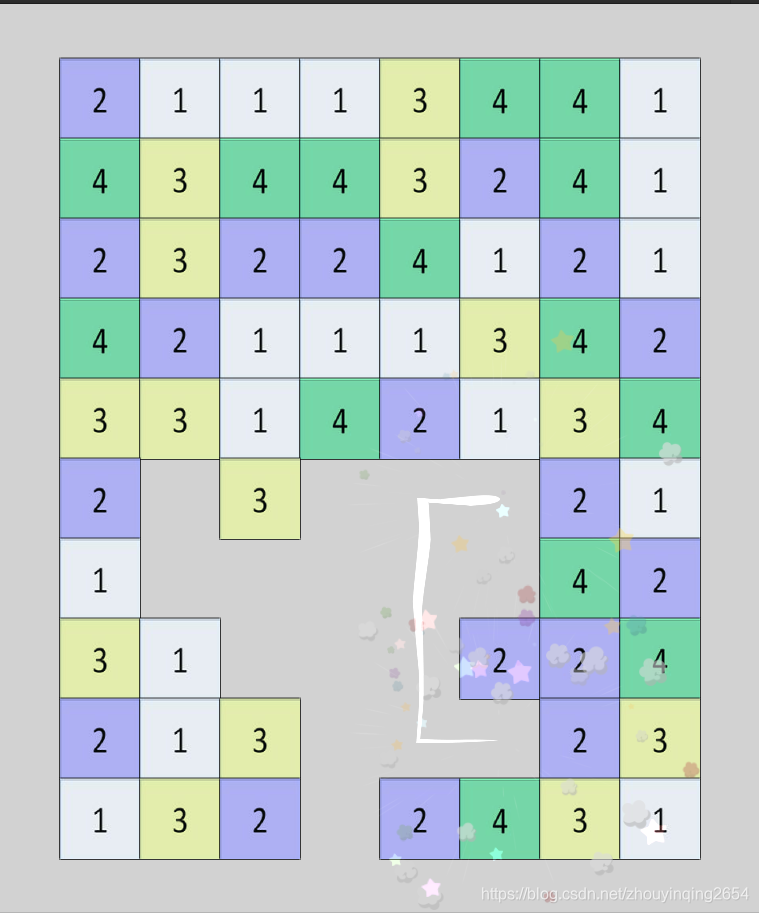
下面可以看到只是测试,选择后可以进行消除,画线的话是用line renderer画的,这里不再多说,给出点就好。
结尾
逻辑不难,因为有家外包公司说需求比较难价格给出的很高,所以我就用半天时间完成了消除的逻辑。如果正在做连连看练习的可以参考一下,我这里就不粘贴源工程了,希望初学者多动动脑,不要捡现成的就像我本人,进步速度超慢,我以后也会多多注意。最后祝大家生活愉快。