一、完整报错
File "tools/demo_track.py", line 10, in <module>
from yolox.data.data_augment import preproc
ModuleNotFoundError: No module named 'yolox'
二、原因分析
尽管工程文件下存在yolox文件夹,但是没有安装yolox库,仍就无法调用。
三、解决办法
3.1 原作者回答
First of, please make sure you decide for a version of CUDA and consistently use that; I am using 11.3 in this.
I fixed this and many other installation and compilation errors, by uninstalling and re-installing the following programs in the exact order
- Clone the yolox repo and unzip it
- Install Virtual Studio 2019 Community (https://visualstudio.microsoft.com/downloads/)
- Download CUDA https://developer.nvidia.com/cuda-11.3.0-download-archive (I just did express installation)
- Get https://docs.conda.io/en/latest/miniconda.html for your version of python
- Install pytorch with cuda enabled conda install pytorch torchvision cudatoolkit=11.3 -c pytorch
- Navigate conda to the download directory (cd yolox_path) of yolox and type in:
- pip install -r requirements.txt
- pip install pycocotools # this should get added to requirements.txt @FateScript
- pip install -v -e . # or python setup.py develop
- Congratulations you fixed the error, now you’ll be able to run yolox as described in Quick Start > Demo (example: python tools/demo.py video -n yolox-s -c /path/to/your/yolox_s.pth --path /path/to/your/video --conf 0.25 --nms 0.45 --tsize 640 --save_result --device [cpu/gpu] )
A couple notices:
- You can at the time of writing this; not install above CUDA 11.3, because conda does not provide a higher version in sources to compile with pytorch
- You can not install a higher version of Virtual Studio, because of incompability with CUDA (devs did not add support for MSVS22 yet)
- You’re forced to install MSVS; because this repo depends on it, to be able to compile as written in step 6.
- You can not simply uninstall conda, because it removes its CUDA compiled pytorch version and that in return breaks yolox. But I think you could most likely avoid this
In short you kept getting this error, because you couldn’t compile yolox properly or not at all.
3.2 自总结
在requirements.txt文件中,
加入pycocotools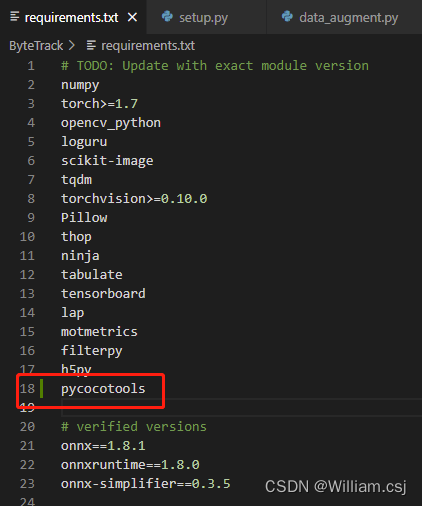
运行
pip install -r requirements.txt运行
pip install -v -e .或者python setup.py develop命令
运行后的结果: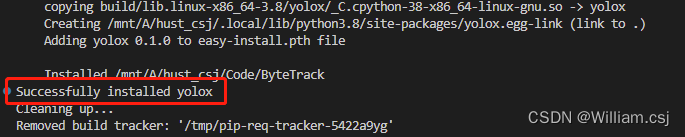
成功运行:
参考文章
版权声明:本文为Williamcsj原创文章,遵循CC 4.0 BY-SA版权协议,转载请附上原文出处链接和本声明。