鸣谢——核心参考
1. 阿里云服务器ping不通解决办法(云服务器搭建完环境访问不了ip解决办法)
2.Windows下IntelliJ IDEA远程连接服务器中Hadoop运行WordCount(详细版)
3.外网无法访问云主机HDFS文件系统
注意:
【说明】:请确保你的IDEA正确安装了marven等运行java的基础环境
【说明】:请确保你的IDEA正确安装了marven等运行java的基础环境
【说明】:请确保你的IDEA正确安装了marven等运行java的基础环境
,本文不适合,第一次接触IDEA且没运行过java程序的IDEA编辑器使用者
一、IDEA集成(阿里云)虚拟机环境
(1). 设置阿里云“服务器开放端口”
1.1检查防火墙状态
【说明】:个人建议——若是,自己学习的话,可以关闭防火墙
- Ubuntu系统
	sudo ufw disable	#关闭
	sudo ufw status		#查看状态“intact”表示关闭状态
- CentOS7系统
	systemctl  stop   firewalld.service #关闭防火墙
	systemctl  disable  firewalld.service	#禁止自动启动就用
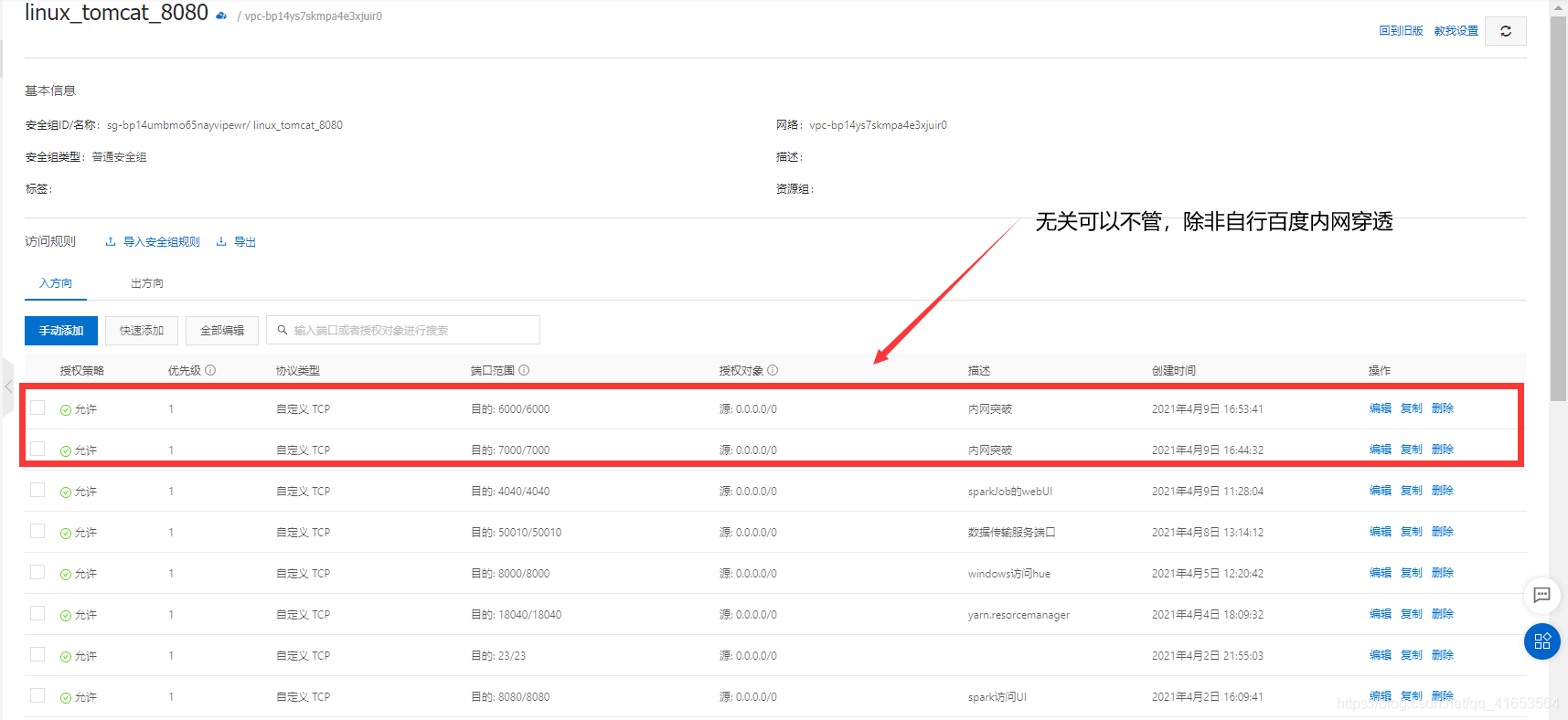
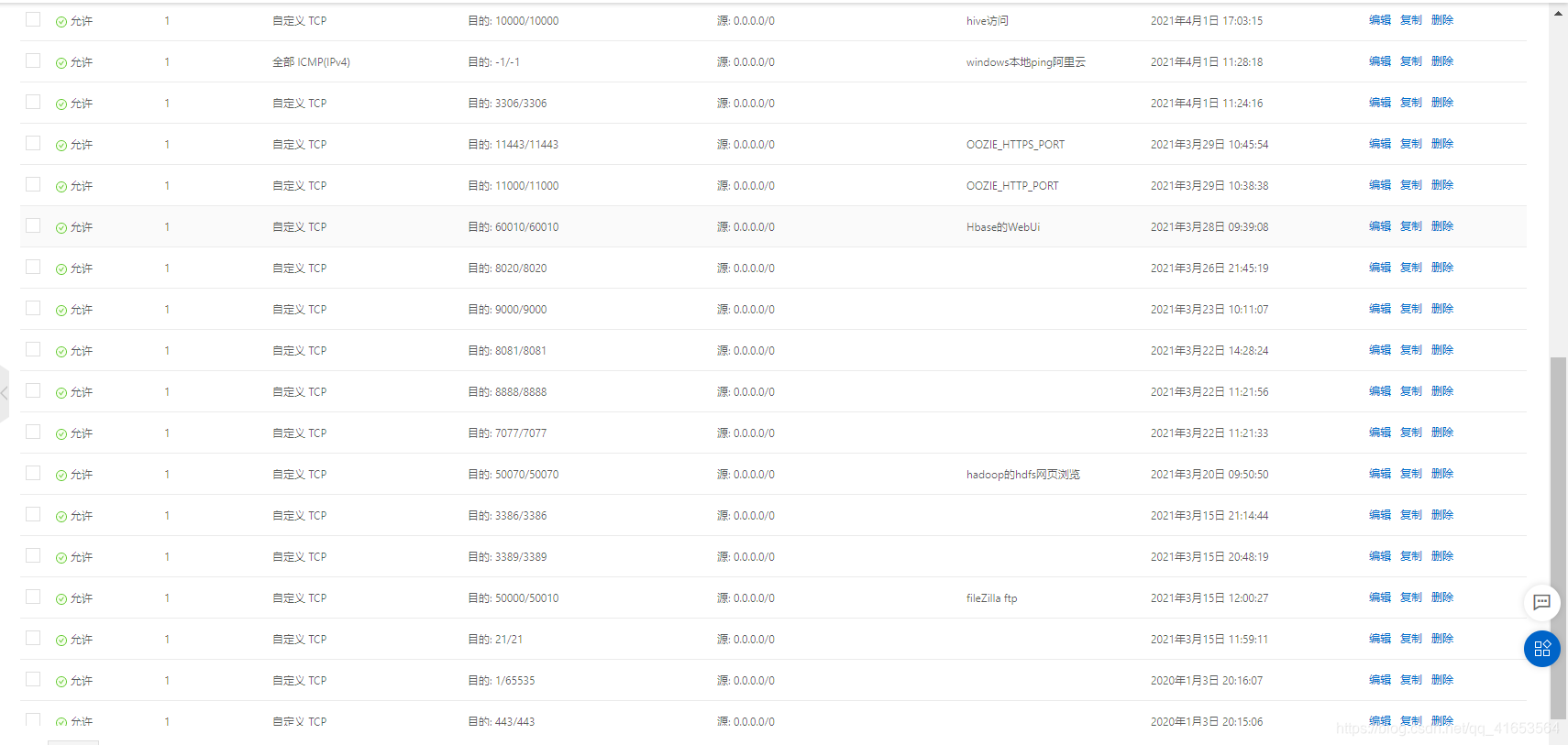
1.2阿里云安全组设置,开放特定端口(见附录)
【说明】:本文是集成所有大数据环境后才做的补充记录,端口很多。虽然覆盖了当前所需(22)的端口好像,但是,其他端口也不防百度下作用,然后尝试开启。
(2). 设置Mysql连接“云服务器数据库”
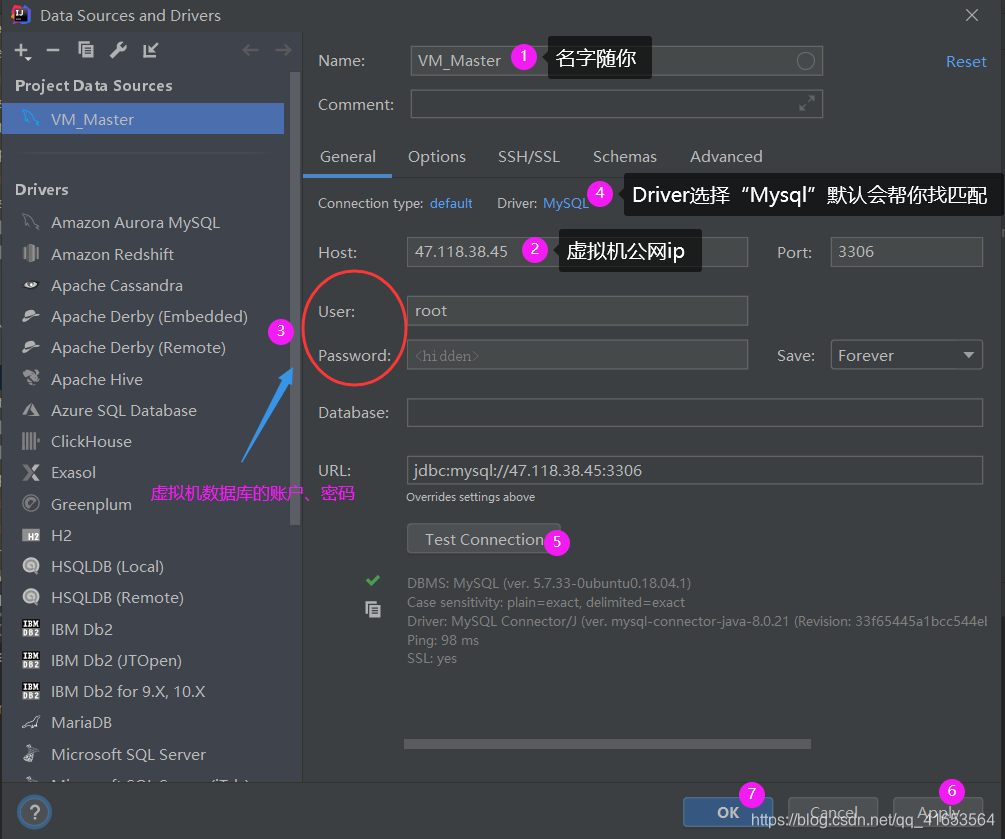
2.1 IDEA配置Mysql连接
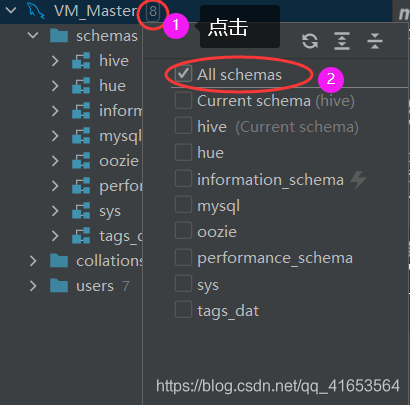
2.2. 查看所有mysql表,下列操作后,再点击“schemas”就可以了
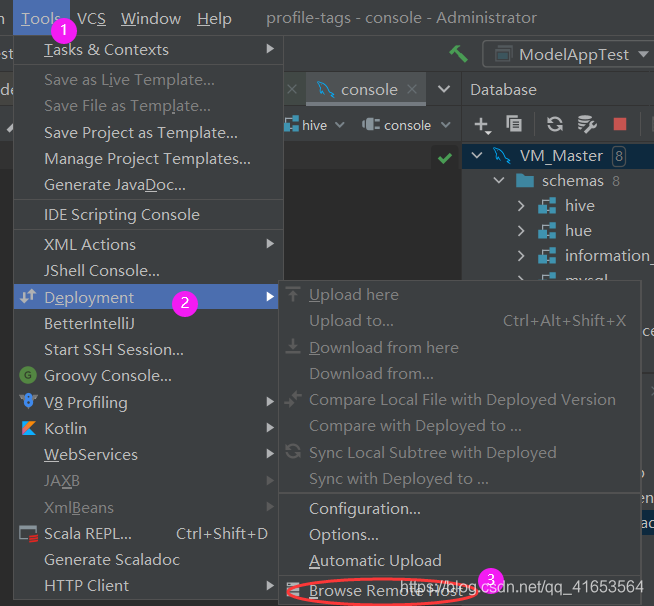
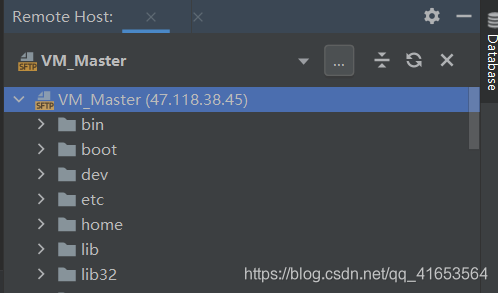
(3).配置SSh远程连接“阿里云虚拟机命令行”
3.1 配置链接云服务器虚拟机链接
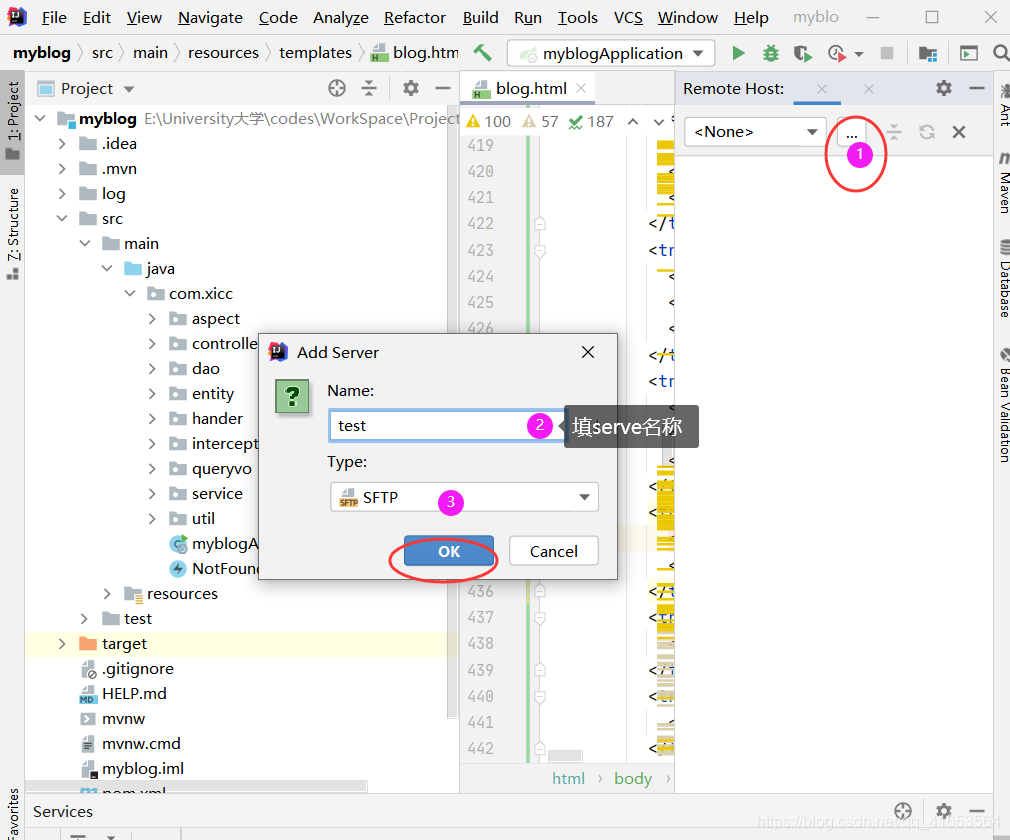
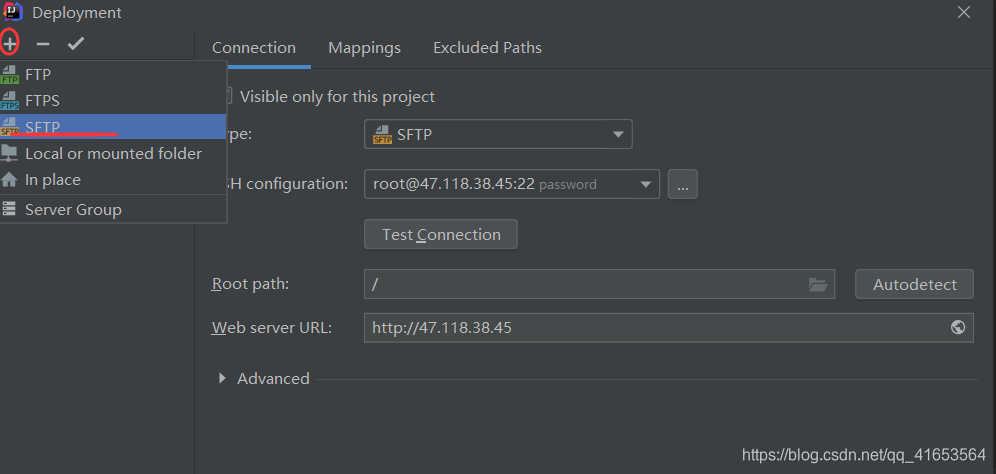
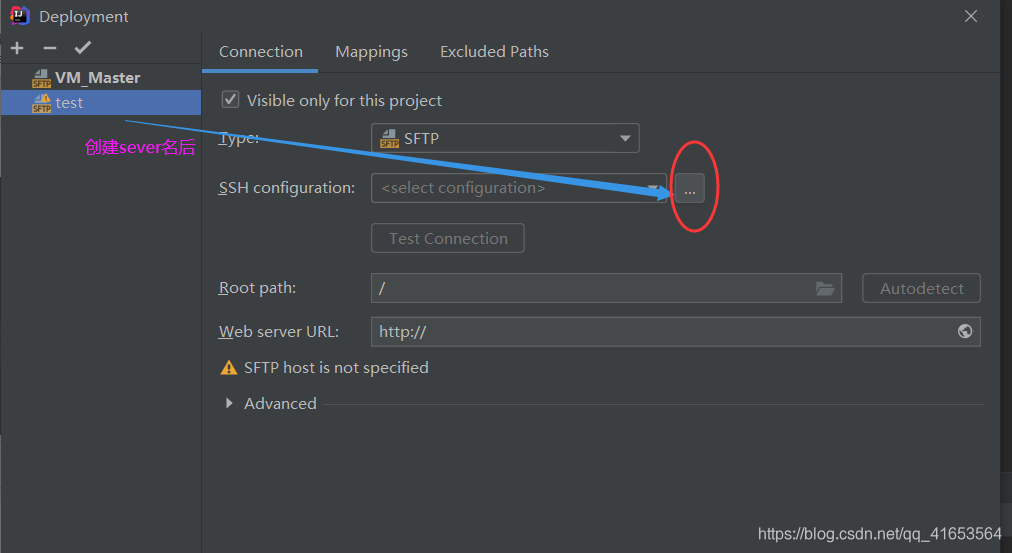
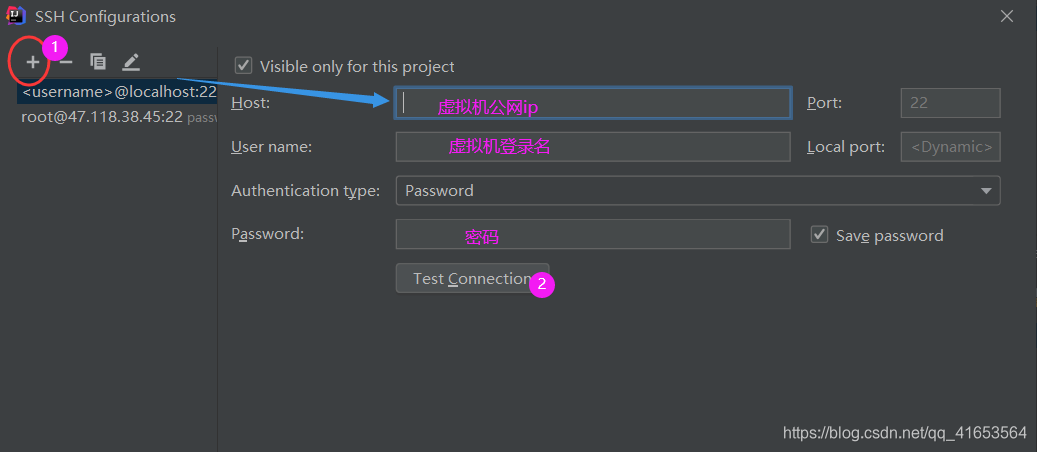
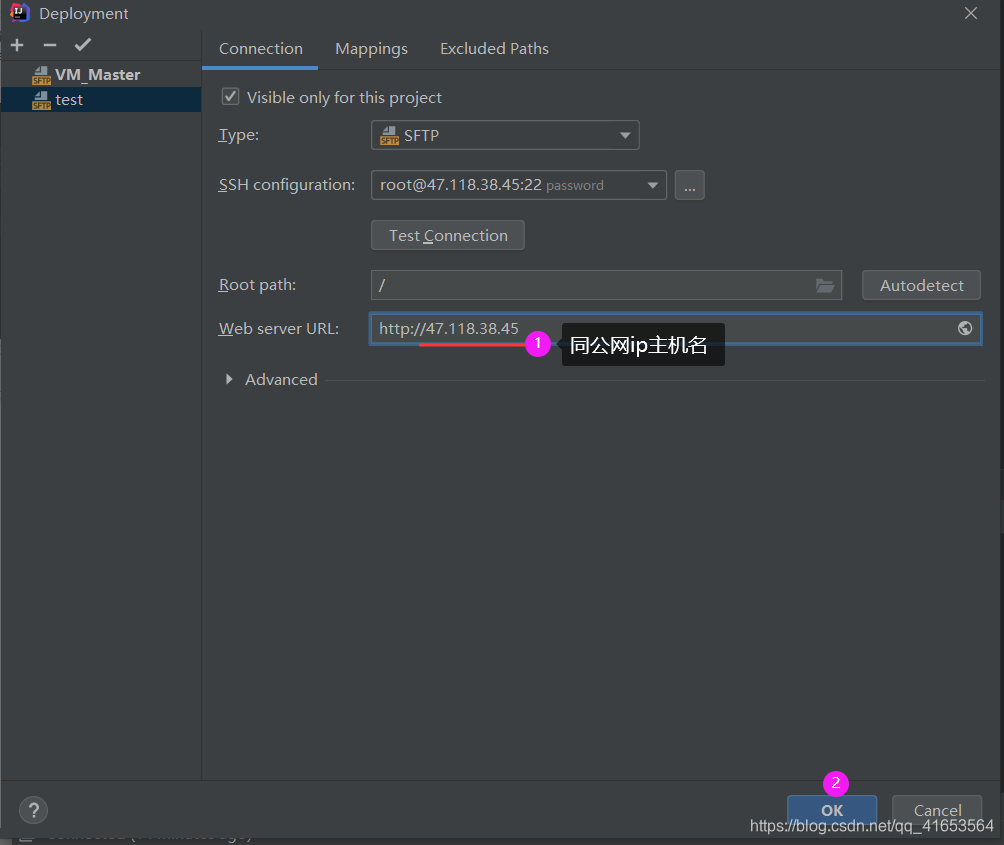
3.2 链接成功的结果
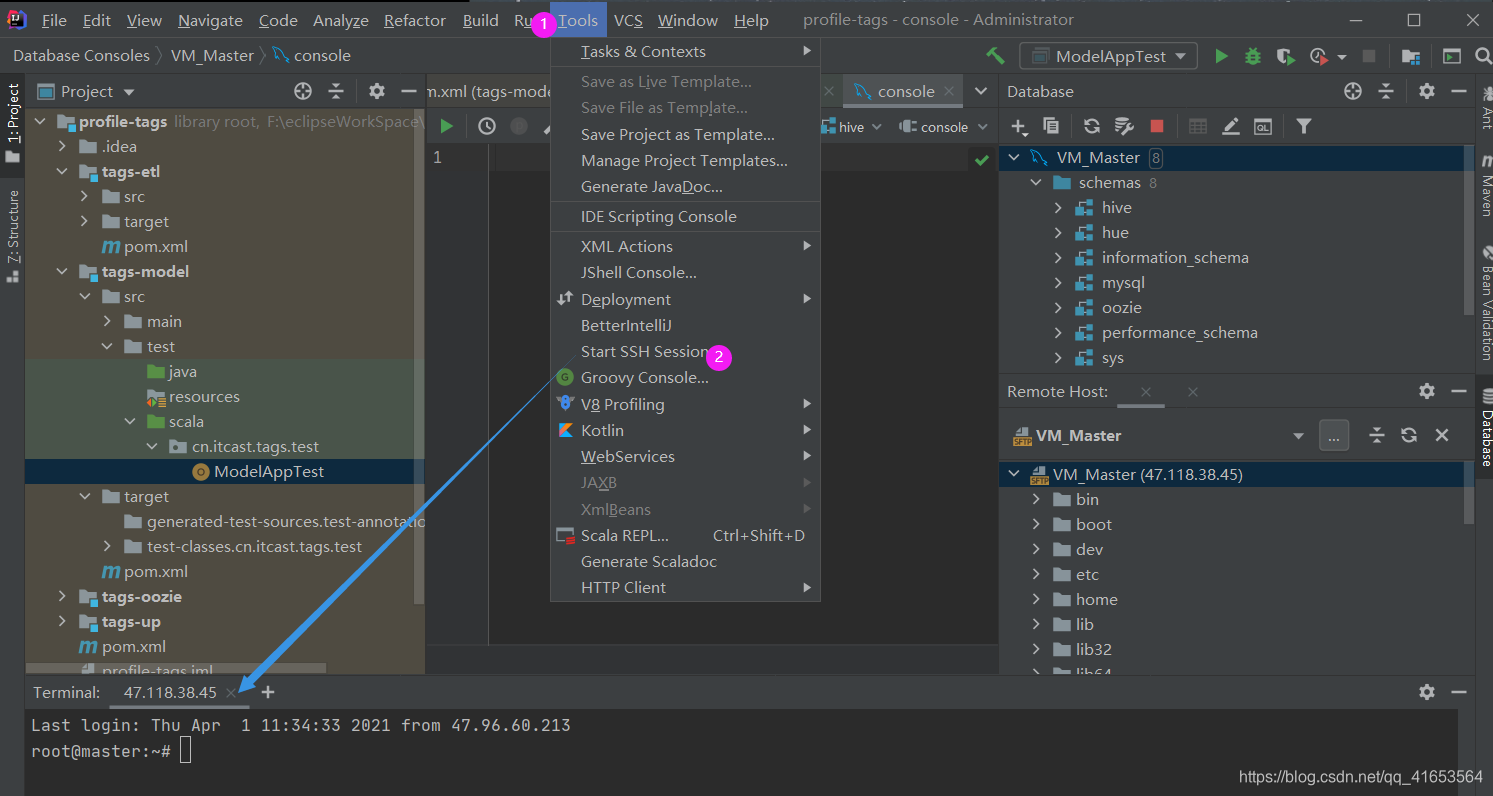
3.3 IDEA打开虚拟机的命令行
二、IDEA访问hadoop集群的hdfs【阿里云端口配置见上】
(1). Windows本地配置Hadoop集群
IDEA在本地环境下运行,需要本地的hadoop。就是:把阿里云的hadoop应用程序下载到本地,放于指定的安装文件夹。
【下载说明】:
- 【说明-1】只要下载“主服务器”上的hadoop环境,即,nameNode进程所在的服务器上的安装的hadoop软件包
- 【说明-2】hadoop的配置文件,也需要进行修改,可对照:阿里云ECS上搭建Hadoop集群环境,上的属性名百度其作用。
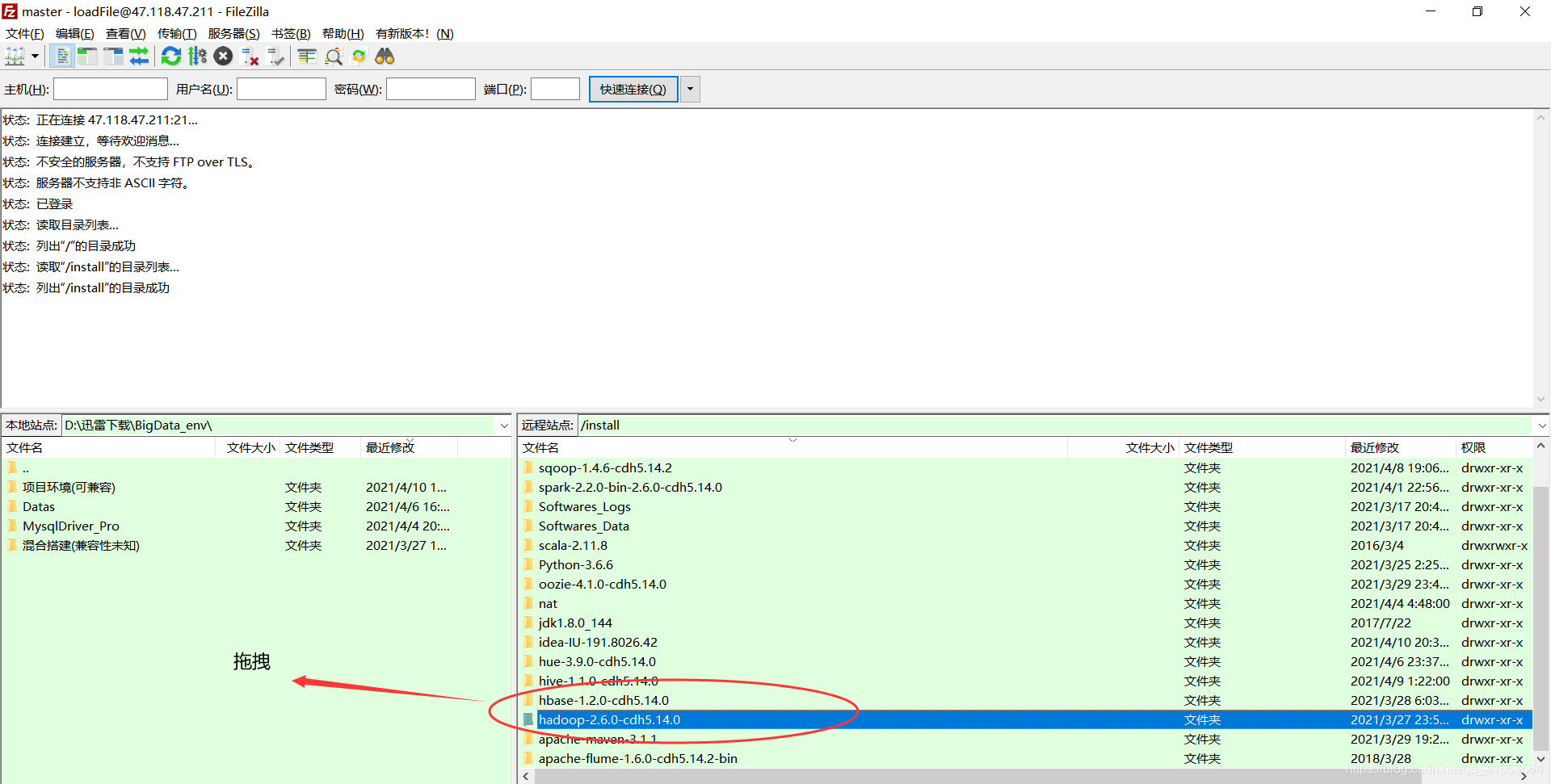
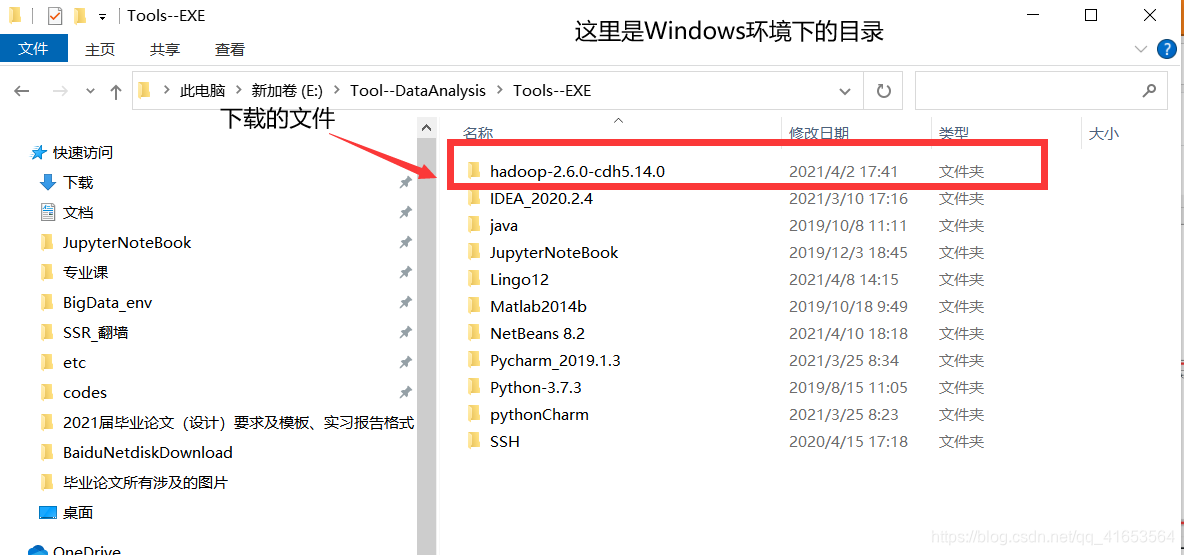
1.1下载阿里云上的hadoop环境并放于本地
下载阿里云上的hadoop
放于本地文件夹
1.2配置本地关于阿里云公网的映射
【说明】“映射”的理解:“老王”在寡妇村是指张三这个人,“张三”在男子体校就是指张三。
【总结】:映射就是让机器能从各种各样的称呼中识别出指定对象
- 设置Windows端映射
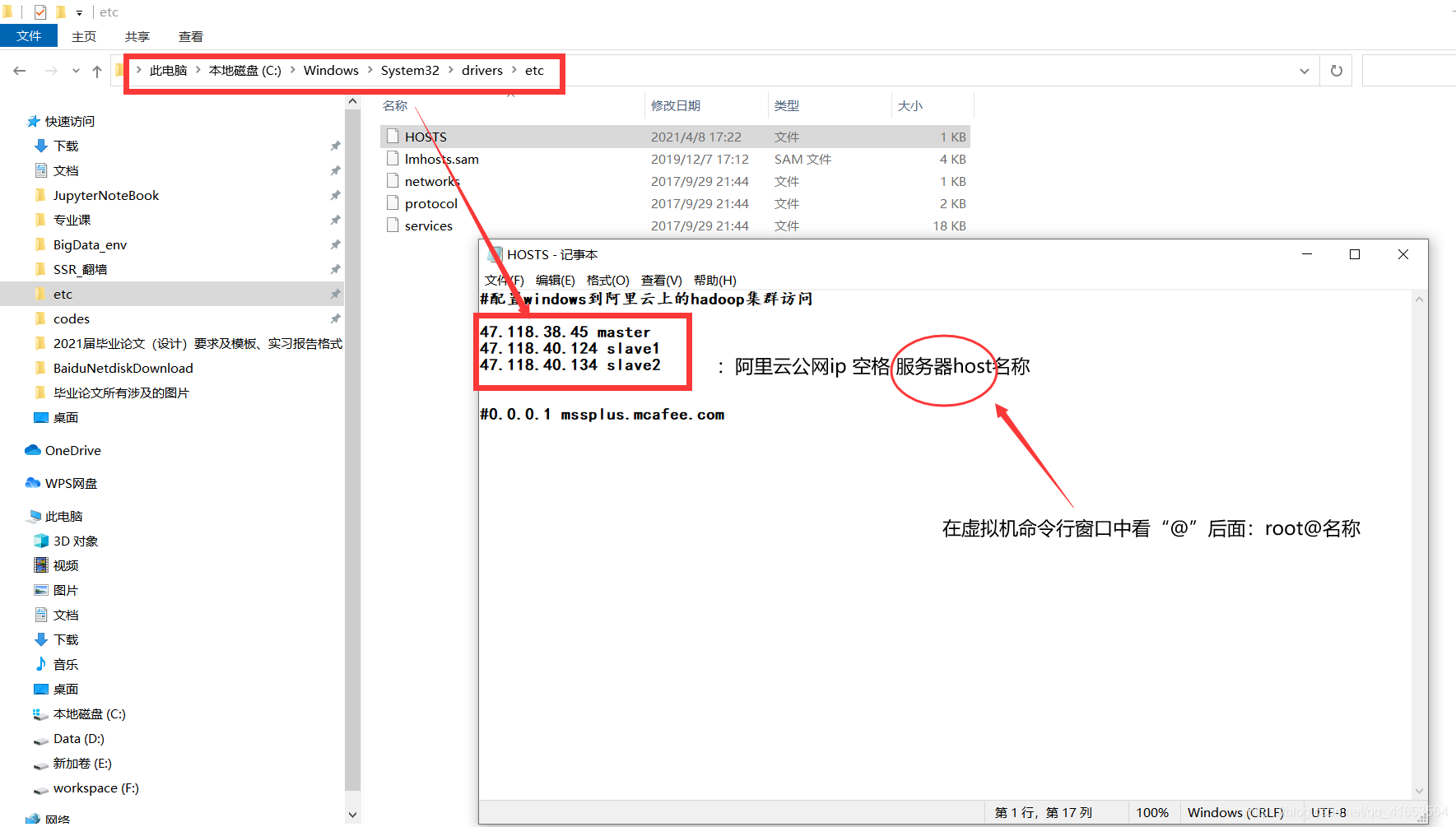
- 【补充】:如何找服务器host名称
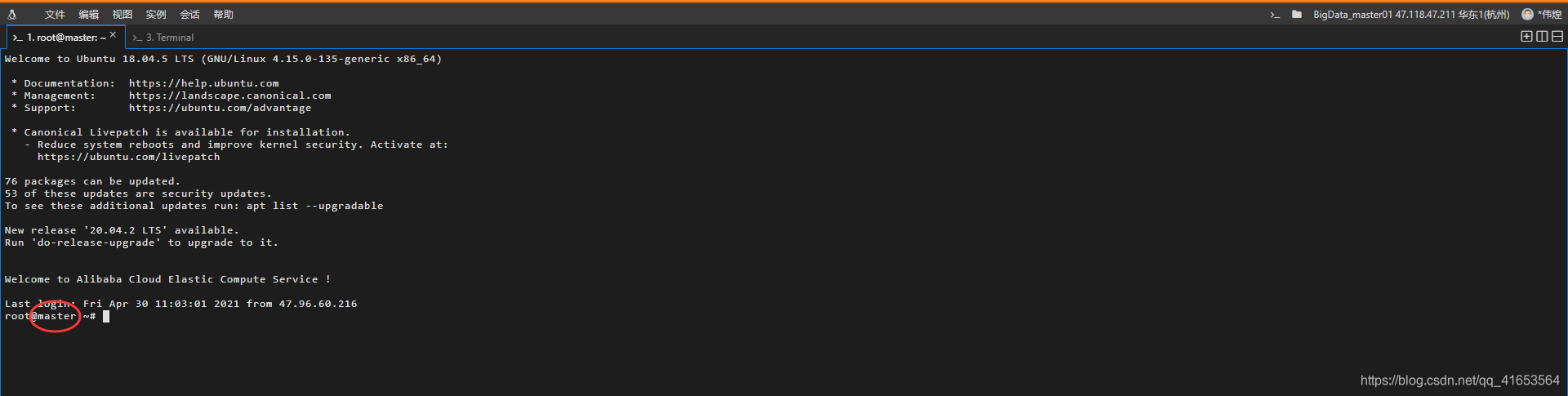
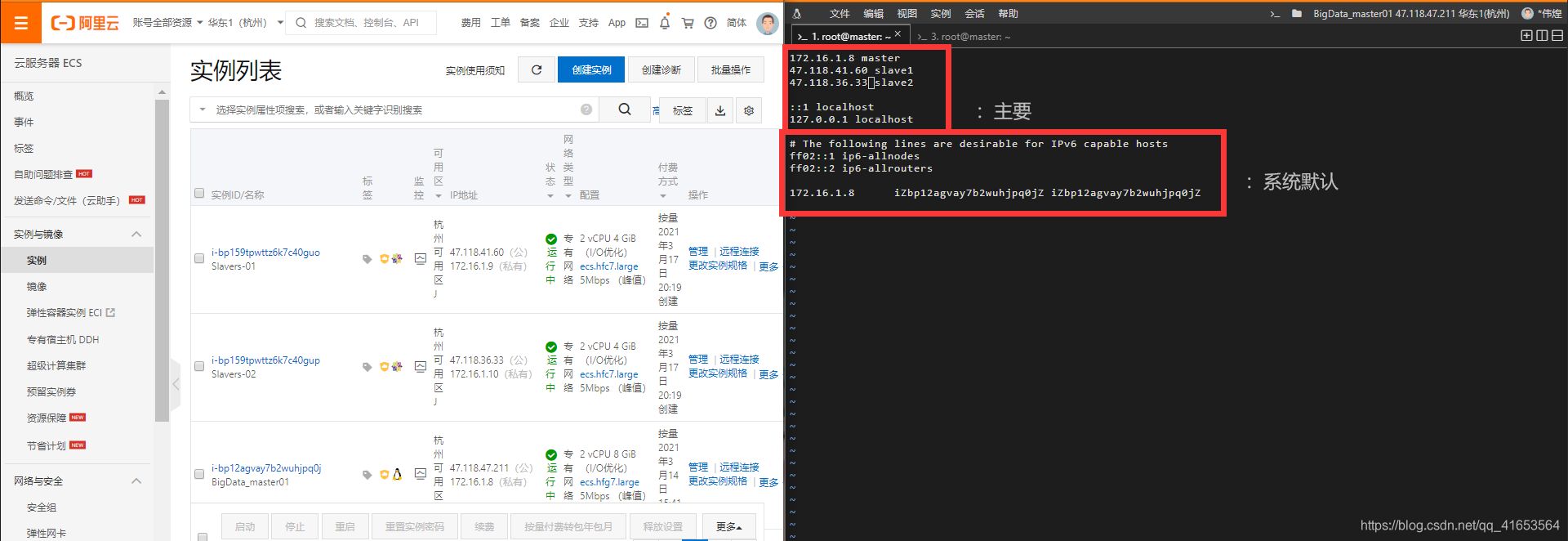
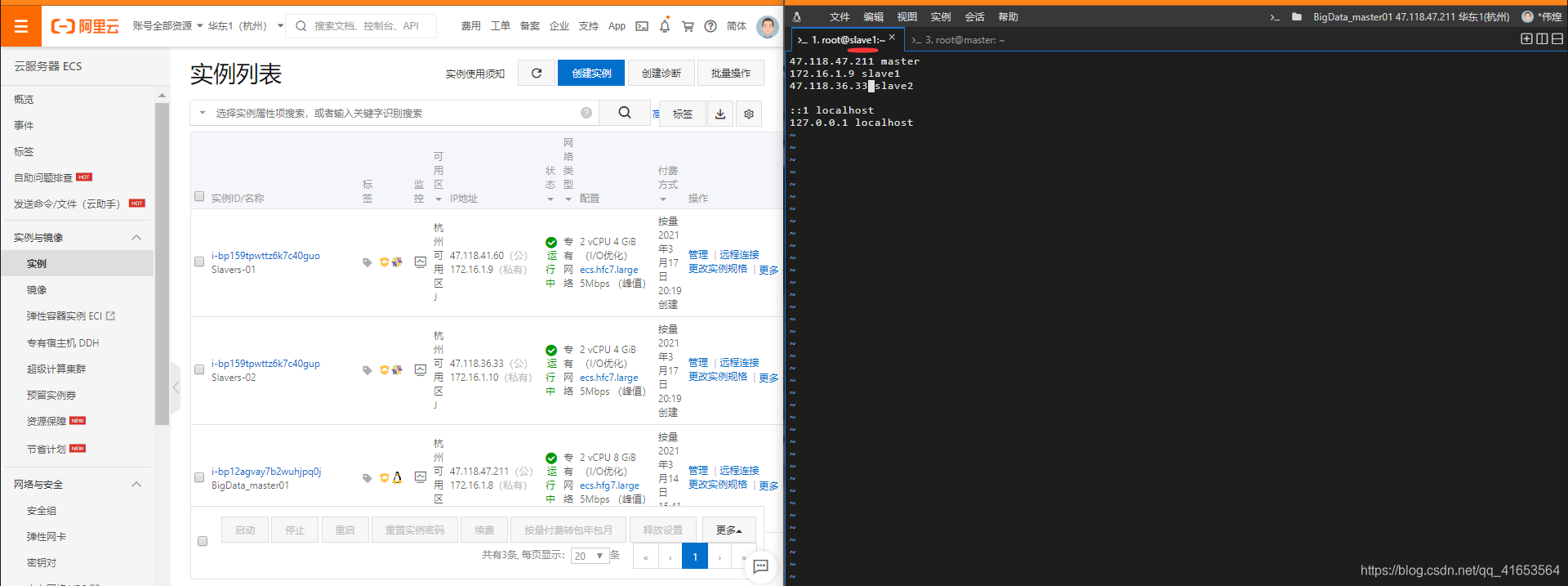
1.3配置阿里云映射设置情况
【说明】内容具体配置,见:设置免密码ssh登陆
Master端(Ubuntu系统)
Slave1端(Centos系统)
Slave2端(Centos系统)
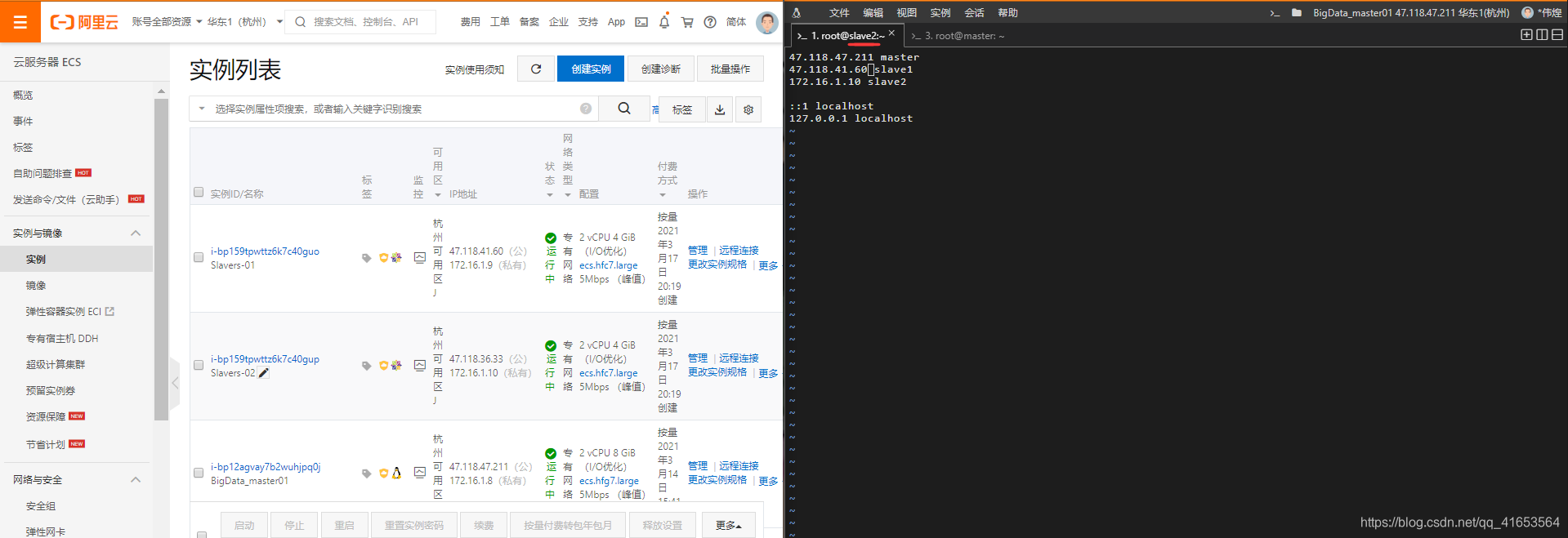
1.4测试访问情况
- 运行hadoop与zookeeper集群,正常状态如下:
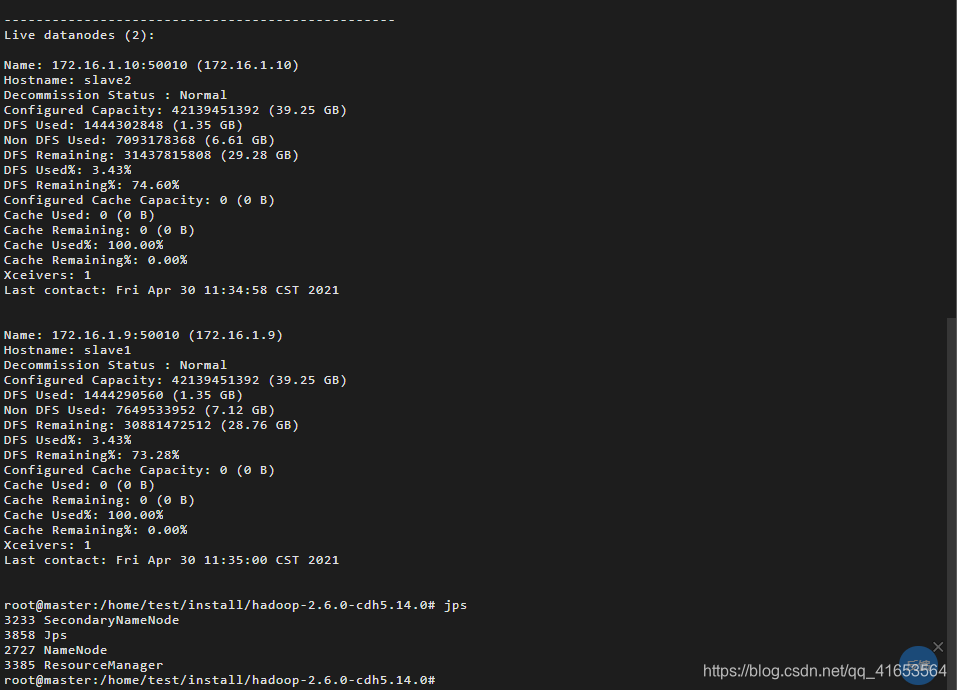


- 编辑程序访问阿里云
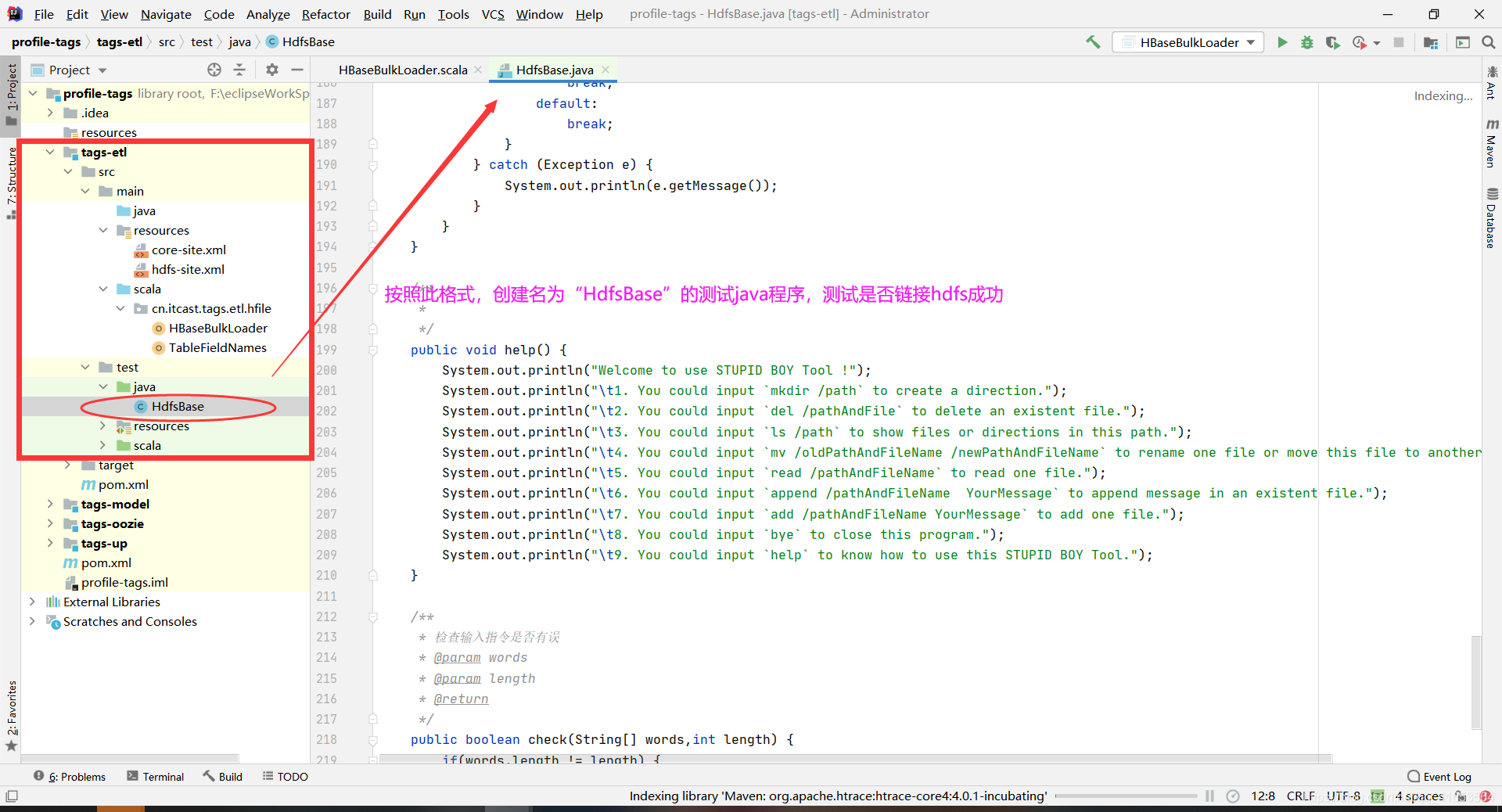
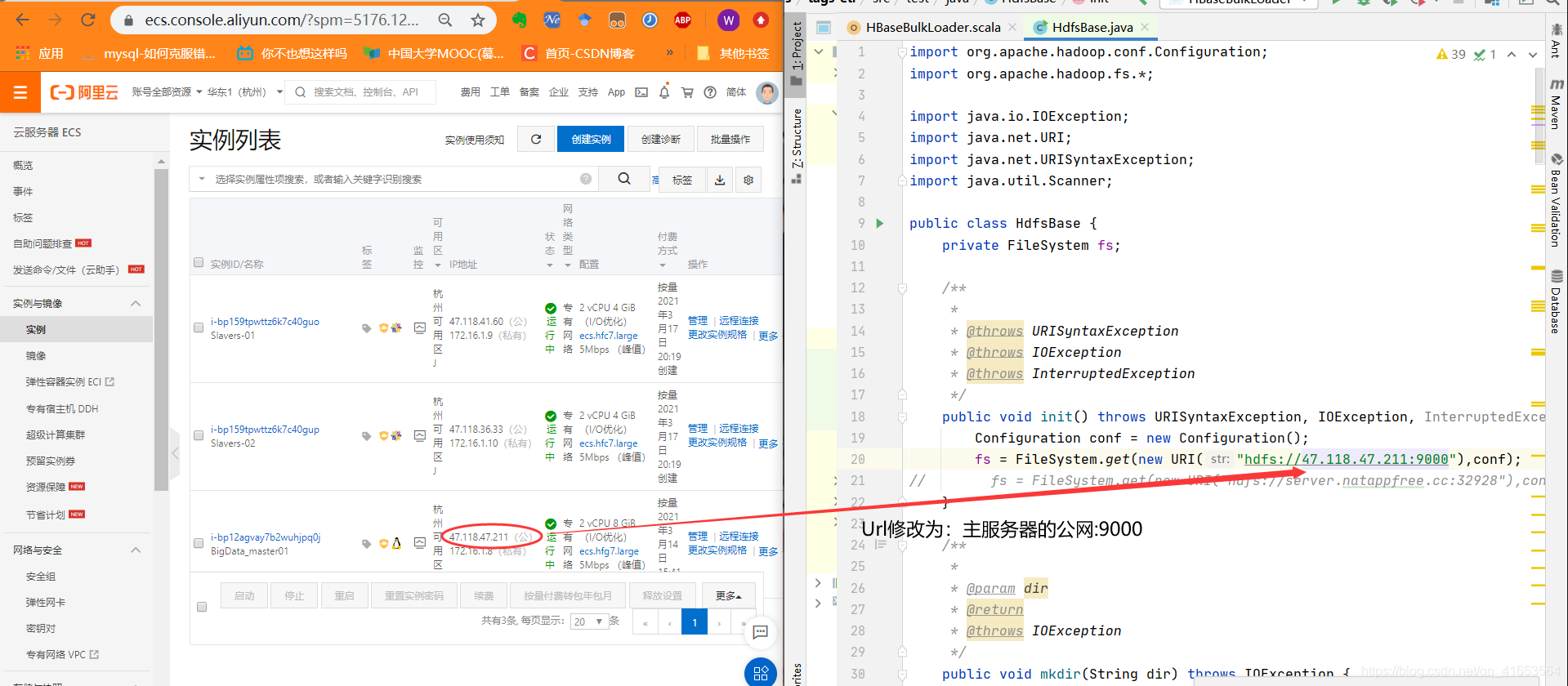
【】HdfsBase程序:
import org.apache.hadoop.conf.Configuration;
import org.apache.hadoop.fs.*;

import java.io.IOException;
import java.net.URI;
import java.net.URISyntaxException;
import java.util.Scanner;

public class HdfsBase {
    private FileSystem fs;

    /**
     *
     * @throws URISyntaxException
     * @throws IOException
     * @throws InterruptedException
     */
    public void init() throws URISyntaxException, IOException, InterruptedException {
        Configuration conf = new Configuration();
        fs = FileSystem.get(new URI("hdfs://47.118.38.169:9000"),conf);
//        fs = FileSystem.get(new URI("hdfs://server.natappfree.cc:32928"),conf);
    }

    /**
     *
     * @param dir
     * @return
     * @throws IOException
     */
    public void mkdir(String dir) throws IOException {
        boolean flag = fs.mkdirs(new Path(dir));
        if(flag) {
            System.out.println("Successfully make direction " + dir );
        } else {
            System.out.println("Failed to mkdir " + dir);
        }
    }

    /**
     *
     * @param msg
     * @param pathAndFileName
     * @throws IOException
     */
    public void create(String pathAndFileName, String msg) throws IOException {
        FSDataOutputStream fsDataOutputStream = fs.create(new Path(pathAndFileName));
        fsDataOutputStream.writeChars(msg);
        fsDataOutputStream.close();
        System.out.println("Created file "+pathAndFileName +" and its message is "+msg);
    }

    /**
     * 文本后添加
     * @param msg
     * @param pathAndFileName
     * @throws IOException
     */
    public void append(String pathAndFileName,String msg) throws IOException {
        FSDataOutputStream fsDataOutputStream = fs.append(new Path(pathAndFileName));
        fsDataOutputStream.writeChars(msg);
        // 必须要close时才生效
        fsDataOutputStream.close();
        System.out.println("Appended message:"+msg);
    }

    /**
     * 读文件
     * @param pathAndFileName
     * @throws IOException
     */
    public void read(String pathAndFileName) throws IOException {
        FSDataInputStream fsDataOutputStream = fs.open(new Path(pathAndFileName));
        byte[] bytes = new byte[1024];
        int read = fsDataOutputStream.read(bytes);
        System.out.println("File("+pathAndFileName+"):  "+new String(bytes,0,read));
    }

    /**
     * 重命名
     * @param oldPathAndFileName
     * @param newPathAndFileName
     * @return
     * @throws IOException
     */
    public void rename(String oldPathAndFileName, String newPathAndFileName) throws IOException {
        boolean flag = fs.rename(new Path(oldPathAndFileName), new Path(newPathAndFileName));
        if(flag) {
            System.out.println("Successfully rename " + oldPathAndFileName +" to "+ newPathAndFileName );
        } else {
            System.out.println("Failed to  rename " + oldPathAndFileName +" to "+ newPathAndFileName );
        }
    }

    /**
     * delete on exit
     * @param pathAndFileName
     * @return
     * @throws IOException
     */
    public void deleteFile(String pathAndFileName) throws IOException {
        boolean flag = fs.delete(new Path(pathAndFileName),true);
        if(flag) {
            System.out.println("Deleted "+pathAndFileName);
        } else {
            System.out.println("Failed to delete "+pathAndFileName);
        }
    }

    /**
     * 注意 listLocatedStatus 方法和 listFiles 方法的不同。
     * listLocatedStatus 单纯地列举出当前目录下所有文件和目录,包含空目录
     * listFiles 递归列出所有文件,不包含空目录
     * 列出所有
     * @param path
     * @throws IOException
     */
    public void list(String path) throws IOException {
        RemoteIterator<LocatedFileStatus> list =
                fs.listLocatedStatus(new Path(path));
        while(list.hasNext()) {
            LocatedFileStatus next = list.next();
            Path path1 = next.getPath();
            System.out.println(path1);
        }
    }
    public static void main(String[] args) throws InterruptedException, IOException, URISyntaxException {
        HdfsBase hdfsBase = new HdfsBase();
        hdfsBase.init();
        hdfsBase.help();
        Scanner scanner = new Scanner(System.in);
        boolean exit = false;
        while(exit == false) {
            System.out.print("> ");
            String s = scanner.nextLine();
            String[] words = s.split(" ");
            try {
                switch (words[0]) {
                    case "help":
                        hdfsBase.help();
                        break;
                    case "bye":
                        exit = true;
                        System.out.println("Thanks for using STUPID BOY Tool ! Bye ");
                        break;
                    case "mkdir":
                        if (hdfsBase.check(words, 2) == false) {
                            break;
                        }
                        hdfsBase.mkdir(words[1]);
                        break;
                    case "del":
                        if (hdfsBase.check(words, 2) == false) {
                            break;
                        }
                        hdfsBase.deleteFile(words[1]);
                        break;
                    case "mv":
                        if (hdfsBase.check(words, 3) == false) {
                            break;
                        }
                        hdfsBase.rename(words[1], words[2]);
                        break;
                    case "read":
                        if (hdfsBase.check(words, 2) == false) {
                            break;
                        }
                        hdfsBase.read(words[1]);
                        break;
                    case "append":
                        if (hdfsBase.check(words, 3) == false) {
                            break;
                        }
                        hdfsBase.append(words[1], words[2]);
                        break;
                    case "add":
                        if (hdfsBase.check(words, 3) == false) {
                            break;
                        }
                        hdfsBase.create(words[1], words[2]);
                        break;
                    case "ls":
                        if (hdfsBase.check(words, 2) == false) {
                            break;
                        }
                        hdfsBase.list(words[1]);
                        break;
                    default:
                        break;
                }
            } catch (Exception e) {
                System.out.println(e.getMessage());
            }
        }
    }

    /**
     *
     */
    public void help() {
        System.out.println("Welcome to use STUPID BOY Tool !");
        System.out.println("\t1. You could input `mkdir /path` to create a direction.");
        System.out.println("\t2. You could input `del /pathAndFile` to delete an existent file.");
        System.out.println("\t3. You could input `ls /path` to show files or directions in this path.");
        System.out.println("\t4. You could input `mv /oldPathAndFileName /newPathAndFileName` to rename one file or move this file to another direction.");
        System.out.println("\t5. You could input `read /pathAndFileName` to read one file.");
        System.out.println("\t6. You could input `append /pathAndFileName  YourMessage` to append message in an existent file.");
        System.out.println("\t7. You could input `add /pathAndFileName YourMessage` to add one file.");
        System.out.println("\t8. You could input `bye` to close this program.");
        System.out.println("\t9. You could input `help` to know how to use this STUPID BOY Tool.");
    }

    /**
     * 检查输入指令是否有误
     * @param words
     * @param length
     * @return
     */
    public boolean check(String[] words,int length) {
        if(words.length != length) {
            System.out.println("ERROR! When you input "+words);
            return false;
        }
        return true;
    }
}
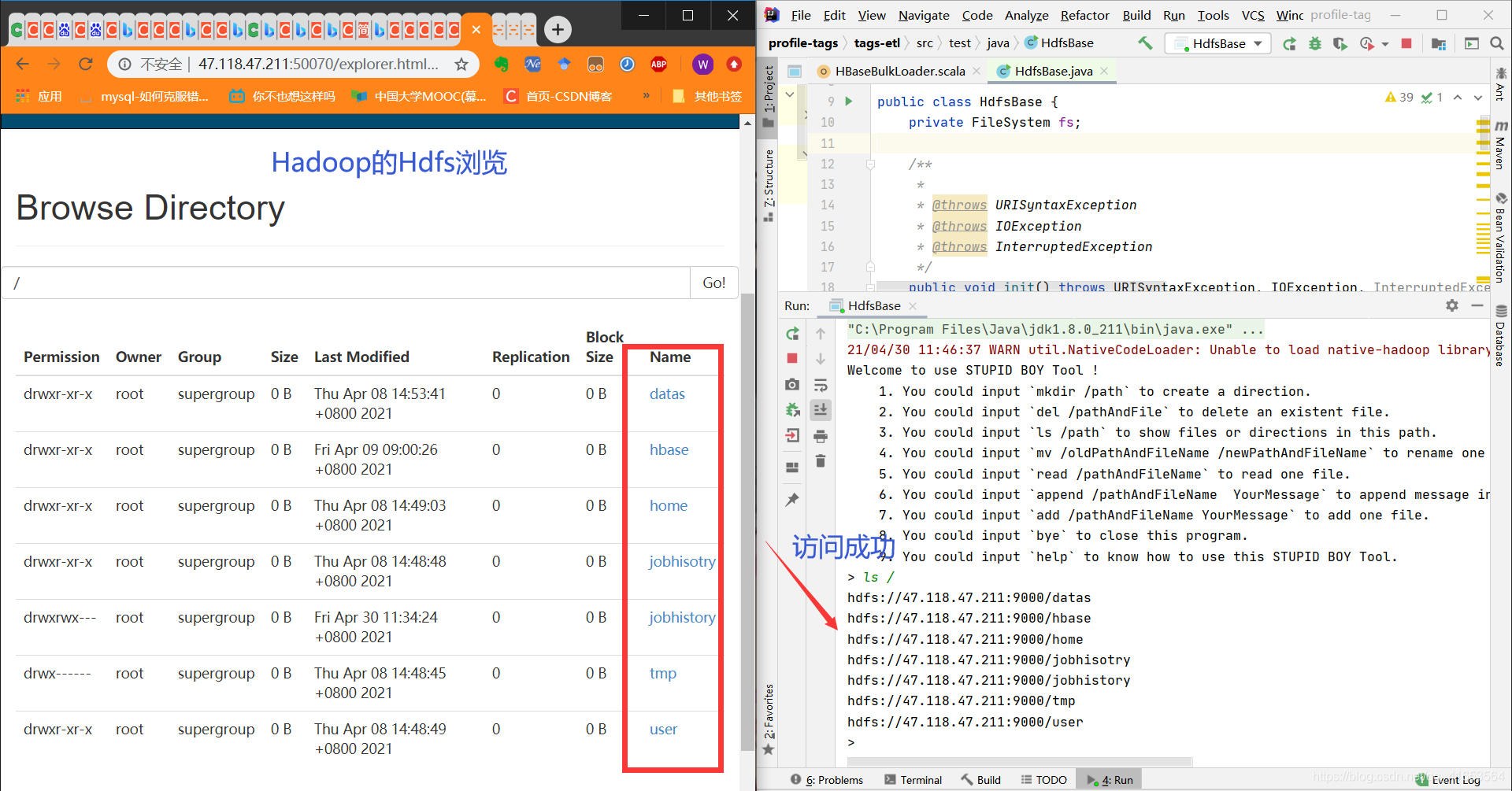
1.5访问结果
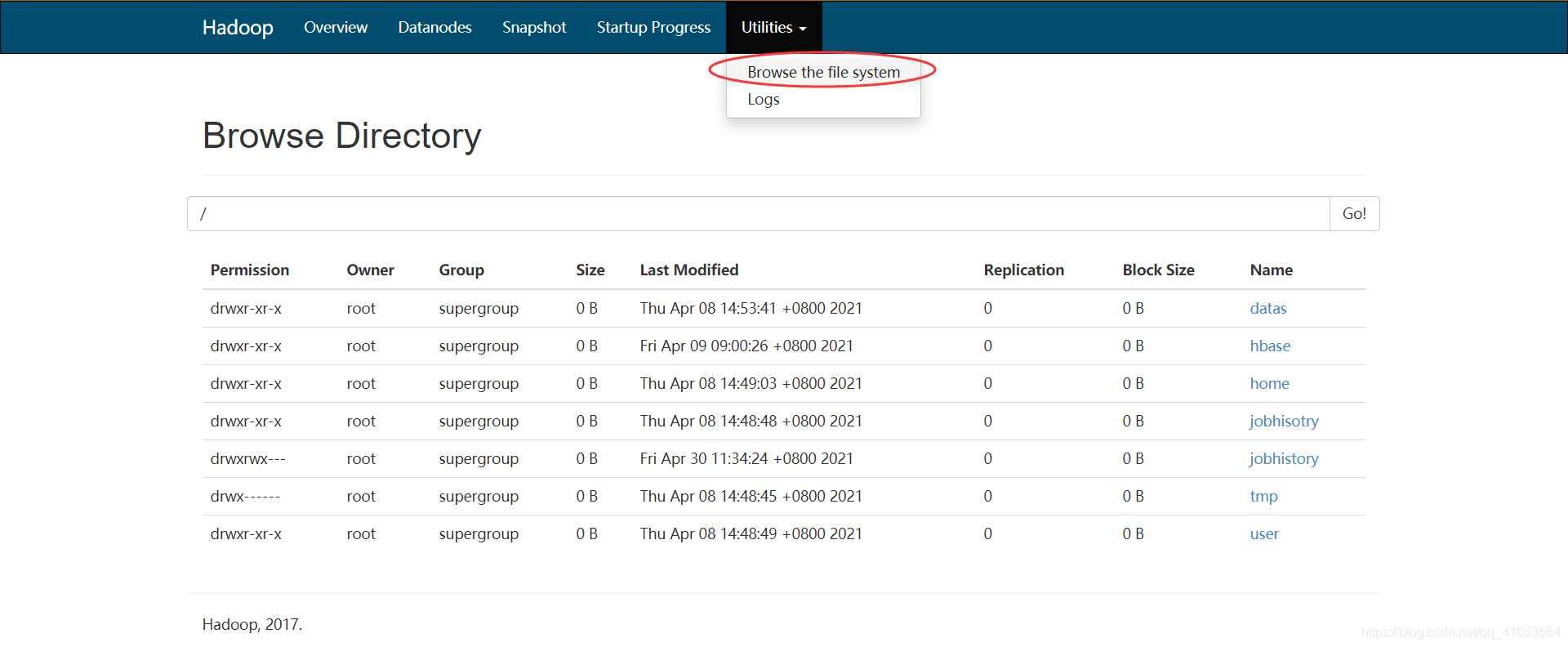
打开hadoop的hdfs,用于比较
IDEA作访问
【附录】阿里云端操作为端口开放(必须),端口开放如下:
- 查看安全组
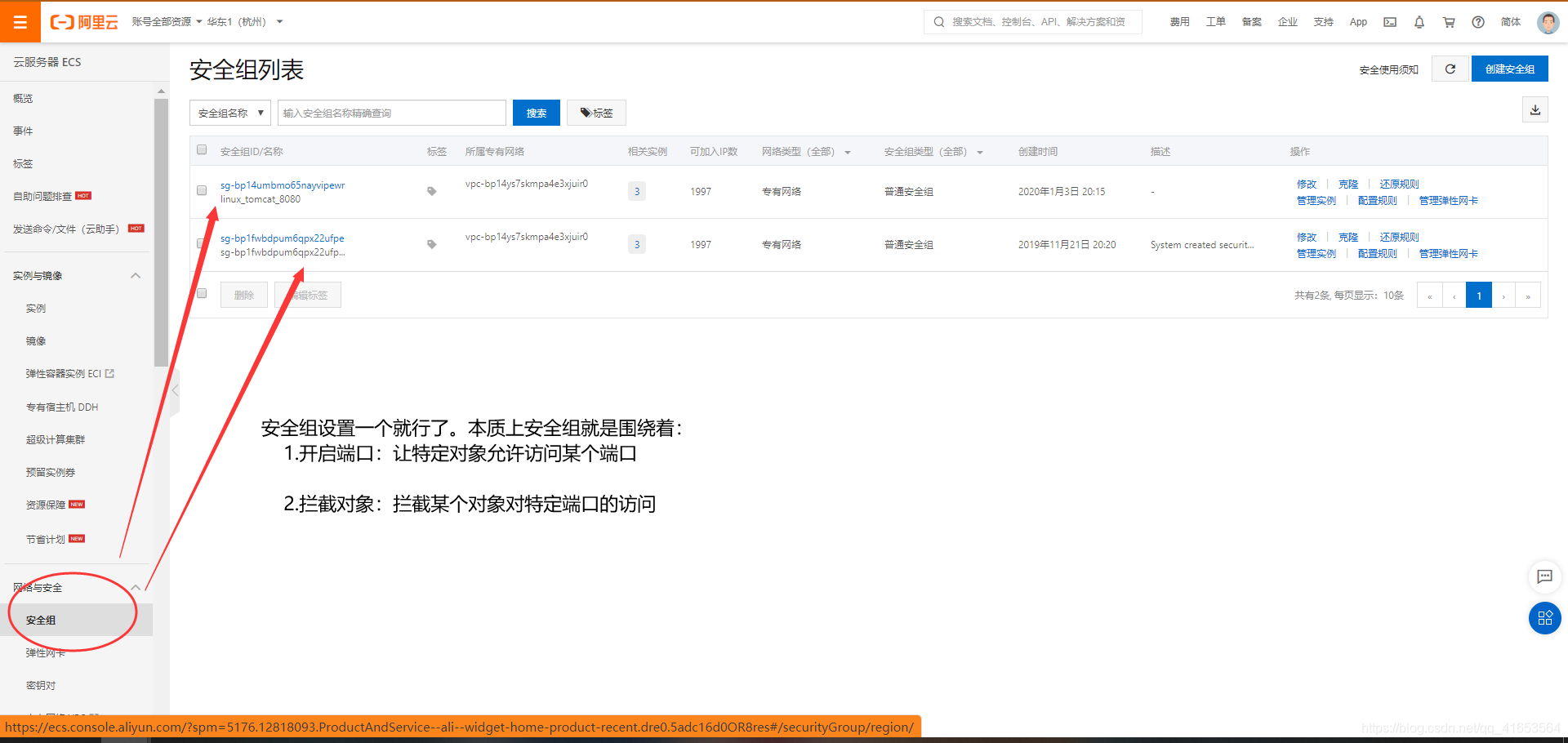
- (两个安全组我设置了一样的)具体开放端口,一个是Ubuntu系统,一个是centos系统。
【】我是已经运行了整个hadoop环境的,才开了如下端口。安全组ID/名称sg-bp14umbmo65nayvipewr/ linux_tomcat_8080:

sg-bp1fwbdpum6qpx22ufp…【做比较用】 :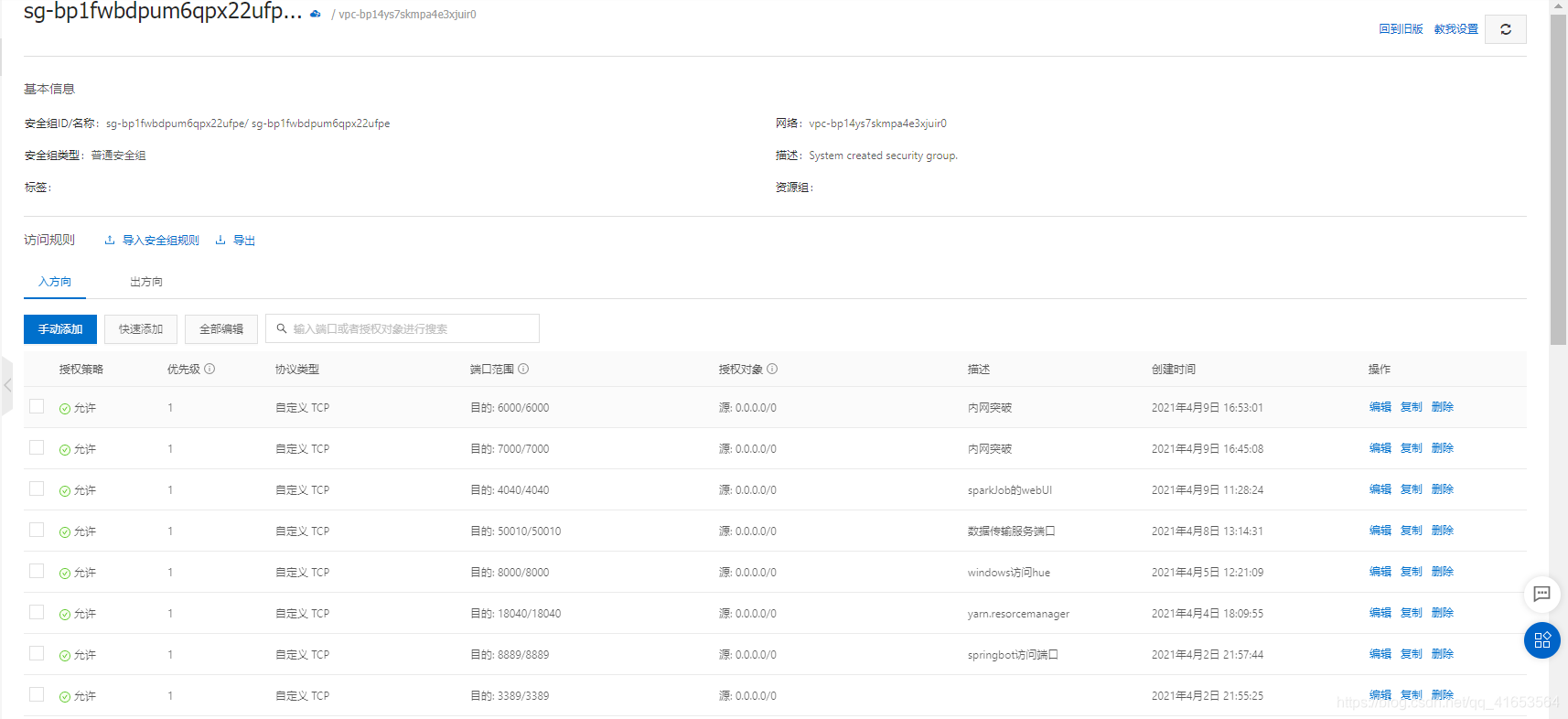
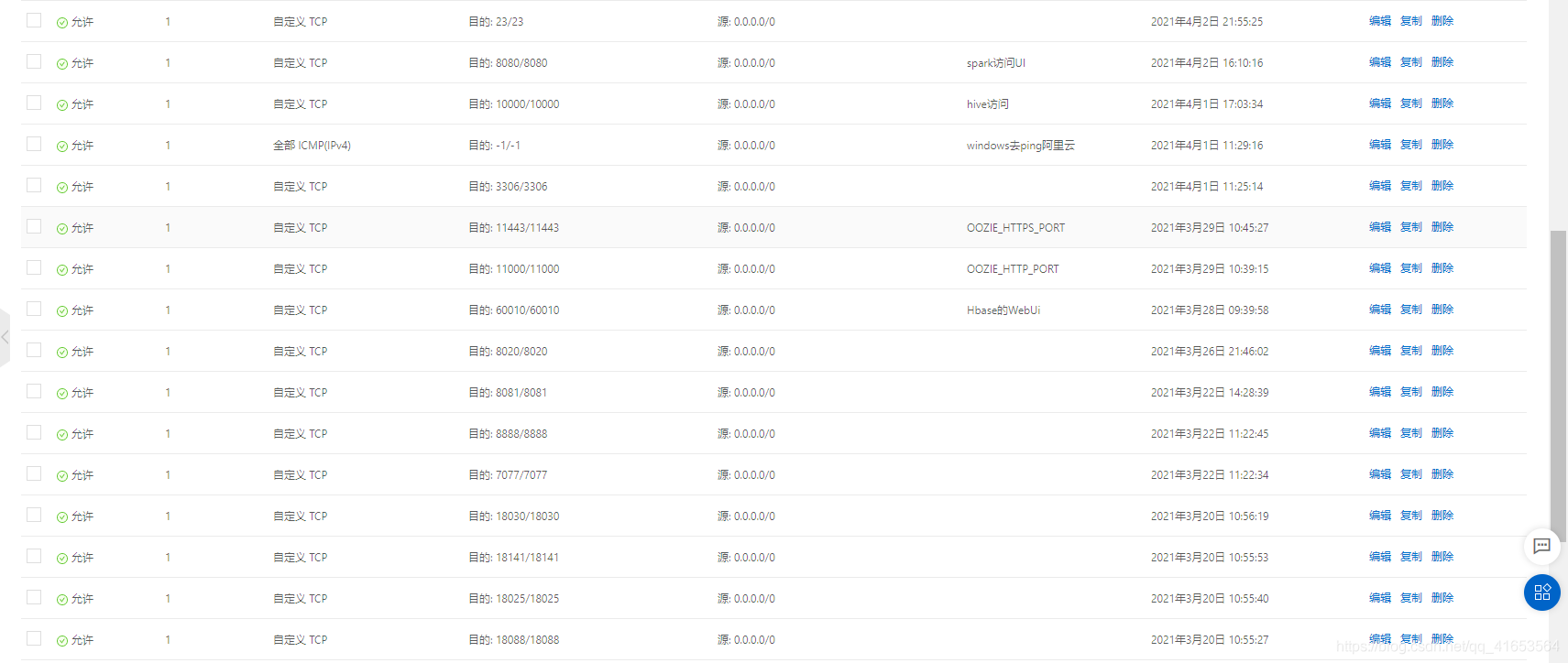
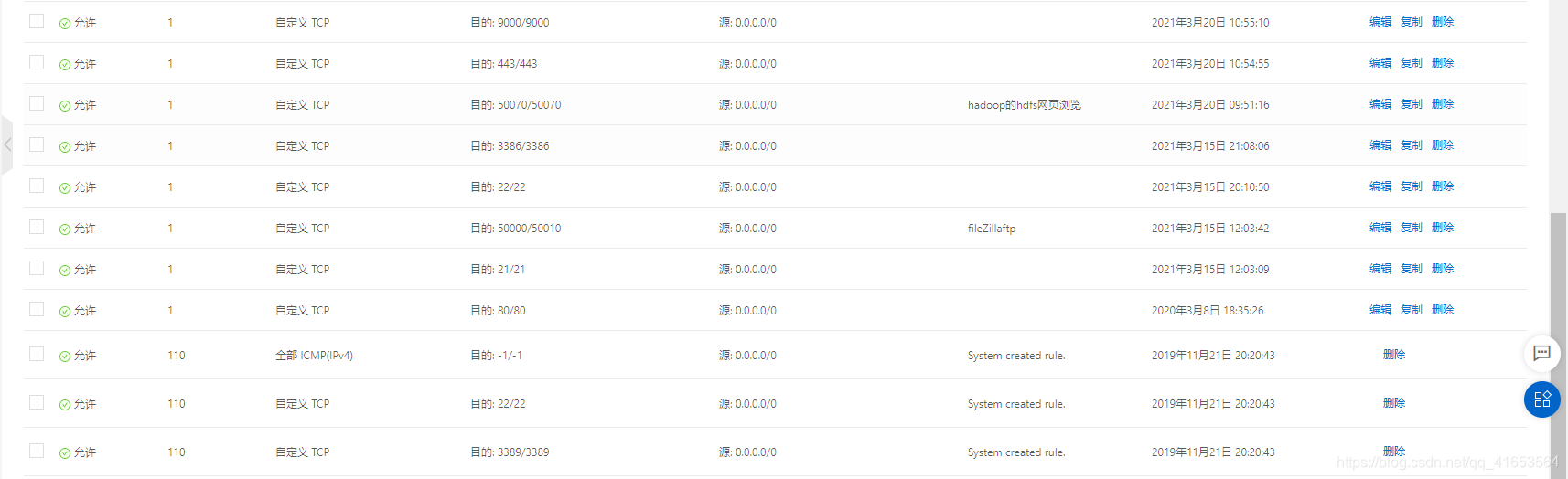
【问题】即使操作了上述步骤,不能访问,出现:
版权声明:本文为qq_41653564原创文章,遵循CC 4.0 BY-SA版权协议,转载请附上原文出处链接和本声明。